[BUG] Windows Edge 17 and IE11 do not display info icons
Closed, InvalidPublic3 Estimated Story PointsBUG REPORT
[BUG] Windows Edge 17 and IE11 do not display info icons
Closed, InvalidPublic3 Estimated Story PointsBUG REPORT
Description
Description
Discovered by @Etonkovidova in T203052#4558068.
Windows Edge17 does not display info icons:

This should be fixed - the icons should be visible and clickable on all major browsers including Edge and IE11.
Event Timeline
Not only Microsoft Edge, the icons are not visible at also the Internet Explorer 11. 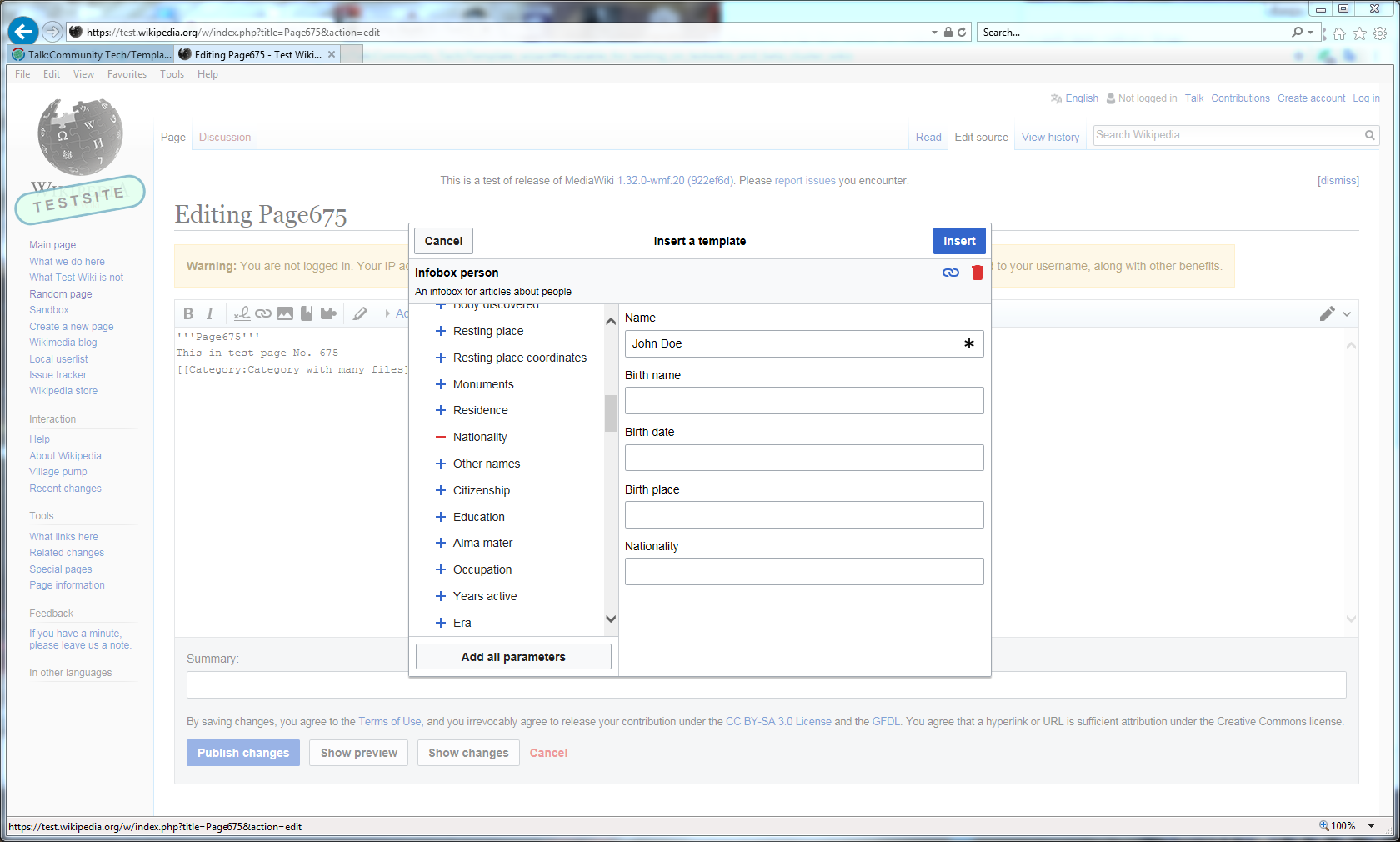
• Niharika renamed this task from [BUG] Windows Edge 17 does not display info icons to [BUG] Windows Edge 17 and IE11 do not display info icons.Sep 5 2018, 7:39 PM
Thanks for letting us know, @gh87. I have updated the ticket.
To be honest, I frankly oppose combining any Edge problems with IE problems in single task, they have different kernels, so the ways to handle both problems must likely to be different. Shouldn't we split this to two tasks, one for Edge and another for IE?
@Liuxinyu970226 The nature of this bug makes it seem like the underlying issue is the same. If it turns out to not be the case, I will split up the task.
• Niharika raised the priority of this task from Medium to High.Jan 10 2019, 11:27 AM
This bug has been lingering on our sprint board for a while. I'm increasing the priority and putting it on top so we can get moving on this soon.
We will probably want to revalidate. Browsers change pretty fast even if our code hasn't.
Does this appear in the OOUI demo page too? This sounds like an OOUI bug. Can you check if this appears?
Yeah I just verified on my Windows PC in Edge 17; the problem isn't visible on https://doc.wikimedia.org/oojs-ui/master/demos/ but is visible in MediaWiki while using the TemplateWizard dialog. The debugging of this shows extremely odd behavior, too. Using https://en.wikipedia.beta.wmflabs.org open the template "TWTest" which is displayed in the original ticket description as well and is supposed to show the info/help icon on the "A name" field. The info icon isn't displayed. Inspecting the icon part of the button in the console ( <span class="oo-ui-iconElement-icon oo-ui-icon-info"></span> ), shows this: Note the two background-image rules. Both of those are marked active, but the first background-image rule is struck out. If I disable the second rule, the icon is visible. This makes me wonder if it's an issue of loading and rendering in IE and Edge. @Volker_E and @matmarex I could use your help on this. I'm not entirely sure why the second rule exists at all like the way it was written, but perhaps IE11 and Edge17 have a problem with the second rule, and should only read the first? Any ideas here?.oo-ui-icon-info, .mw-ui-icon-info::before {
background-image: url("/w/load.php?modules=oojs-ui.styles.icons-content&image=info&format=rasterized&lang=en&skin=vector");
background-image: linear-gradient(transparent, transparent), url("data:image/svg+xml,%3Csvg xmlns=%22http://www.w3.org/2000/svg%22 width=%2220%22 height=%2220%22 viewBox=%220 0 20 20%22%3E%3Ctitle%3Einfo%3C/title%3E%3Cpath d=%22M9.5 16A6.61 6.61 0 0 1 3 9.5 6.61 6.61 0 0 1 9.5 3 6.61 6.61 0 0 1 16 9.5 6.63 6.63 0 0 1 9.5 16zm0-14A7.5 7.5 0 1 0 17 9.5 7.5 7.5 0 0 0 9.5 2zm.5 6v4.08h1V13H8.07v-.92H9V9H8V8zM9 6h1v1H9z%22/%3E%3C/svg%3E")
}
If I then enable the second rule again and disable the first, the icon is *still* visible.
@Mooeypoo Quick insight on why second rule exists. That's a workaround for SVG issues, first one should load PNG, second one SVG only in browser that support this (except IE 9, which also get's fallback). It's a little bit a joke here, as the selector includes ::before which makes this rule ignored as invalid by everything aside IE 9 anyways). Have to dig deeper on what's going wrong here though.
@Mooeypoo Quick insight on why second rule exists. That's a workaround for SVG issues, first one should load PNG, second one SVG only in browser that support this (except IE 9, which also get's fallback). It's a little bit a joke here, as the selector includes ::before which makes this rule ignored as invalid by everything aside IE 9 anyways). Have to dig deeper on what's going wrong here though. This is even weirder, though, @Volker_E -- The two rules exist, but the top one is struck out in the Edge inspector (meaning, clearly, it's not active) -- if all I do is remove the checkmark from the inactive rule -- meaning this should do absolutely nothing, because I'm cancelling an already inactive rule -- it still loads the svg. That's why I suspect it's a loading issue; it seems like it works but something doesn't actually trigger the rendering of the background unless you breathe next to it, and then it works even if you changed nothing. Not sure what is happening here :\
Followup: So, my next theory was that because the info buttons in Advanced Search are inside a toggle, then the action of toggling might be what is triggering the render(??) so I looked with another template ("Cite book") that has the help icon on a field that doesn't automatically show up in the list, so you can toggle it from visible to invisible by adding it in. The help icon still doesn't show up, no matter how many times you toggle that field on and off, but this time, removing the second background-image rule does impact the icon showing, so it looks like it might be the second background-image rule, but I am at a loss about why it impacts TemplateWizard and not something like Special:Search or Special:AdvancedSearch and other instances where there's the same type of help button but they don't show up.
If you look at Special:Search (open the "Advanced Search" drop down) in Edge, the help icons do show up, but the rules look to be exactly the same, which is really confusing -- why does it work there but not in TemplateWizard?
Hmm, I can reproduce it. I'm using Browserstack. Here's what I see -
IE11 Edge 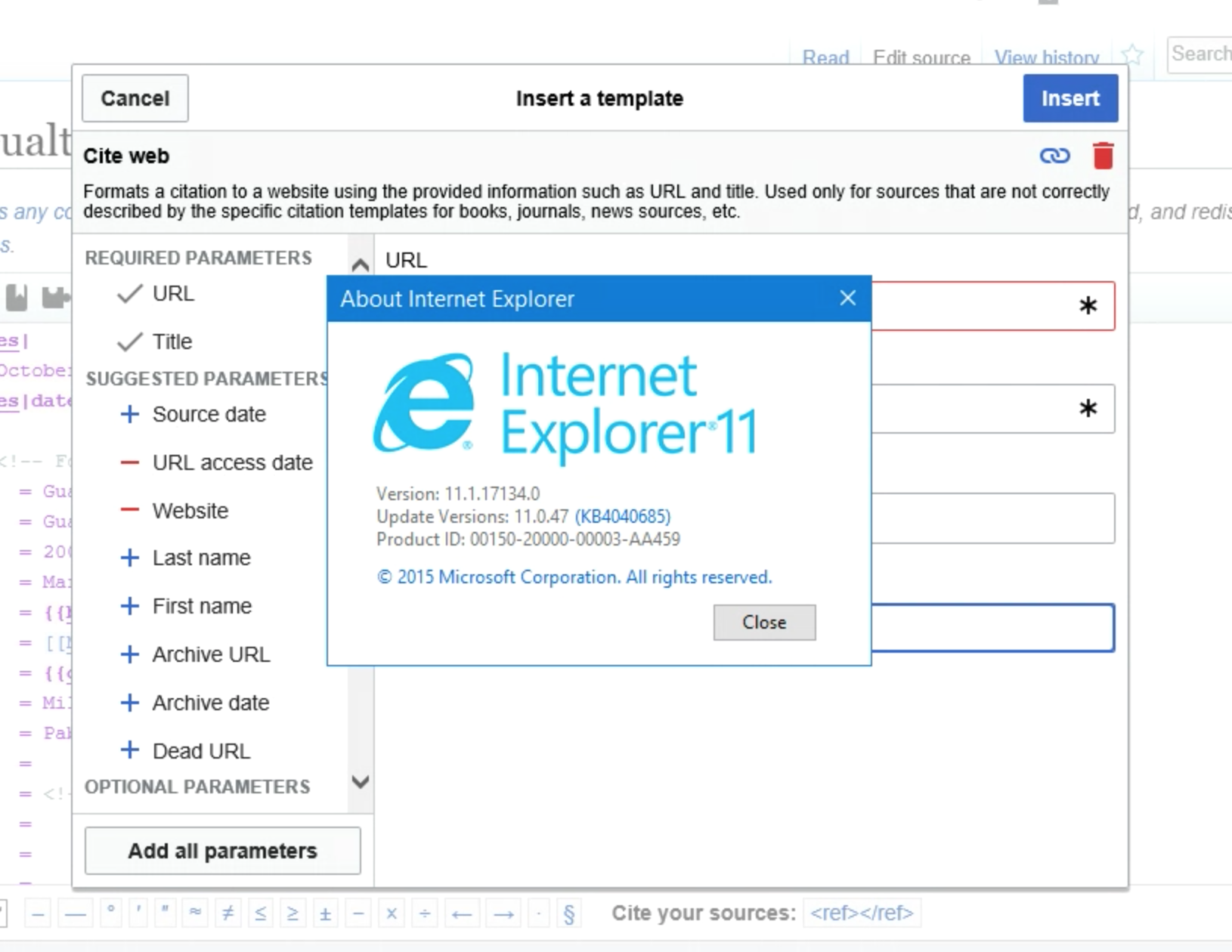
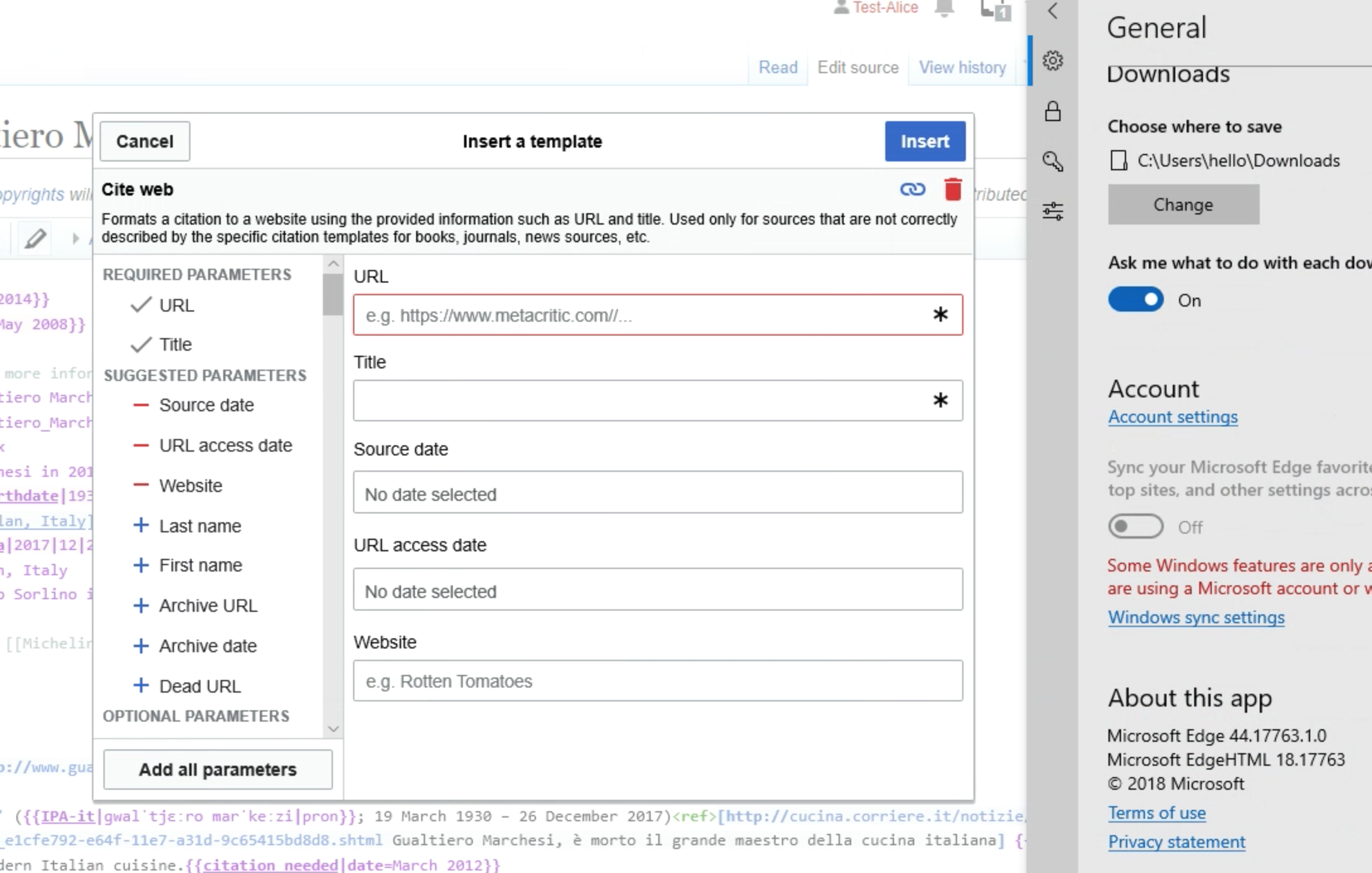
Interesting… I tried again, wanting to take a screenshot with the version numbers like Niharika's, and oops, I reproduced the issue. It happens inconsistently for me, about half the time, on both browsers. I played with it a bit and I couldn't figure out what might be causing it. But I noticed that toggling off the SVG background-image rule (and leaving the PNG) fixes the issue. Perhaps we should try to not serve SVG images to these browsers (like we did once upon a time for old Opera, which also would occasionally not render SVG backgrounds in combination with other CSS rules).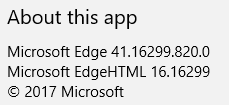

Microsoft Edge Beta (Chromium-based) has been released for Windows 7, 8, and 10. I tested the Wizard with the Chromium-based Edge, and I see the icons seen in the below screenshot. Does the EdgeHTML-based Edge, different from above, still have the icon issue?
Content licensed under Creative Commons Attribution-ShareAlike (CC BY-SA) 4.0 unless otherwise noted; code licensed under GNU General Public License (GPL) 2.0 or later and other open source licenses. By using this site, you agree to the Terms of Use, Privacy Policy, and Code of Conduct. · Wikimedia Foundation · Privacy Policy · Code of Conduct · Terms of Use · Disclaimer · CC-BY-SA · GPL · Credits