
Private and secure collaboration on documents, spreadsheets, presentations, and diagrams
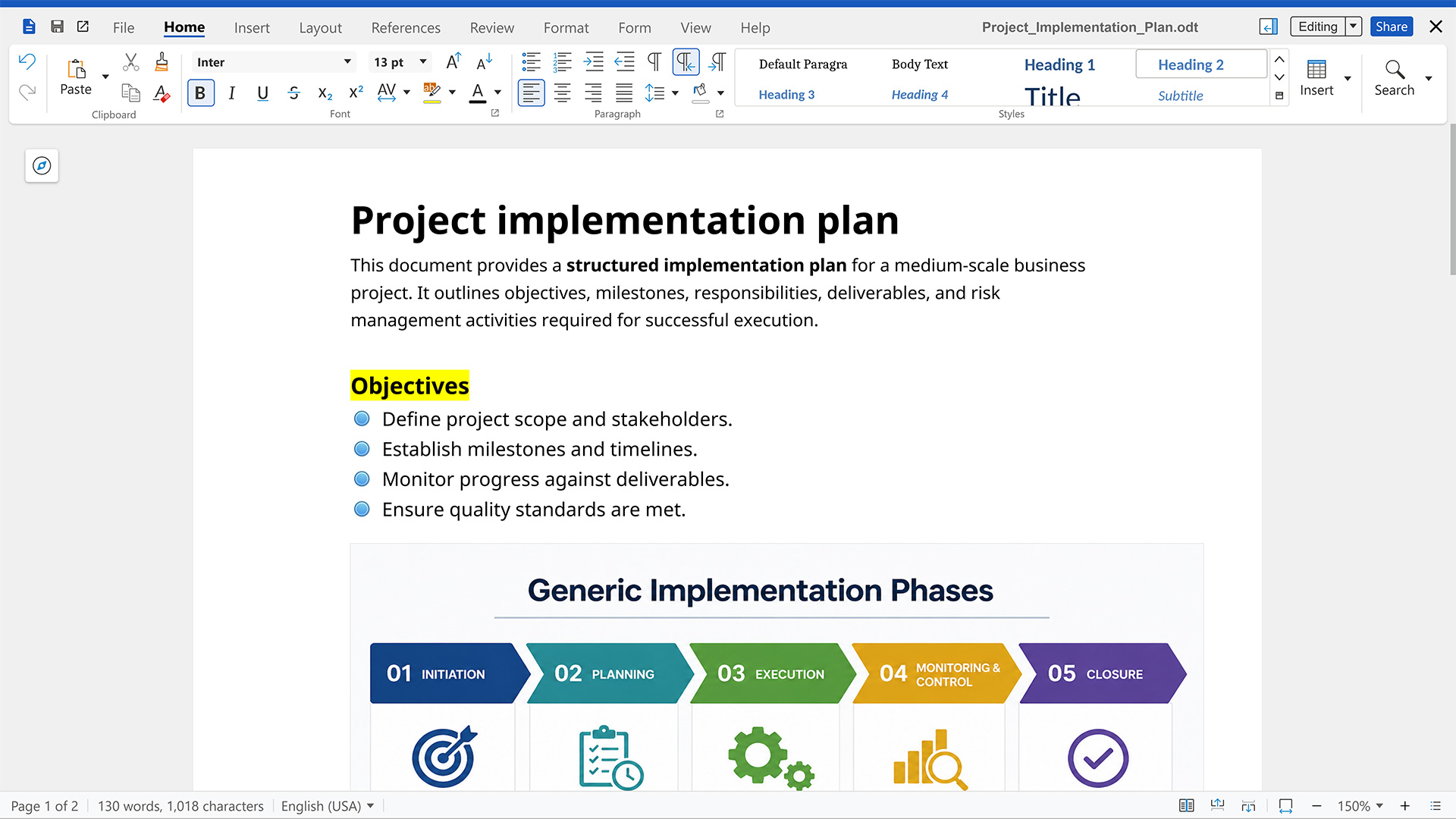
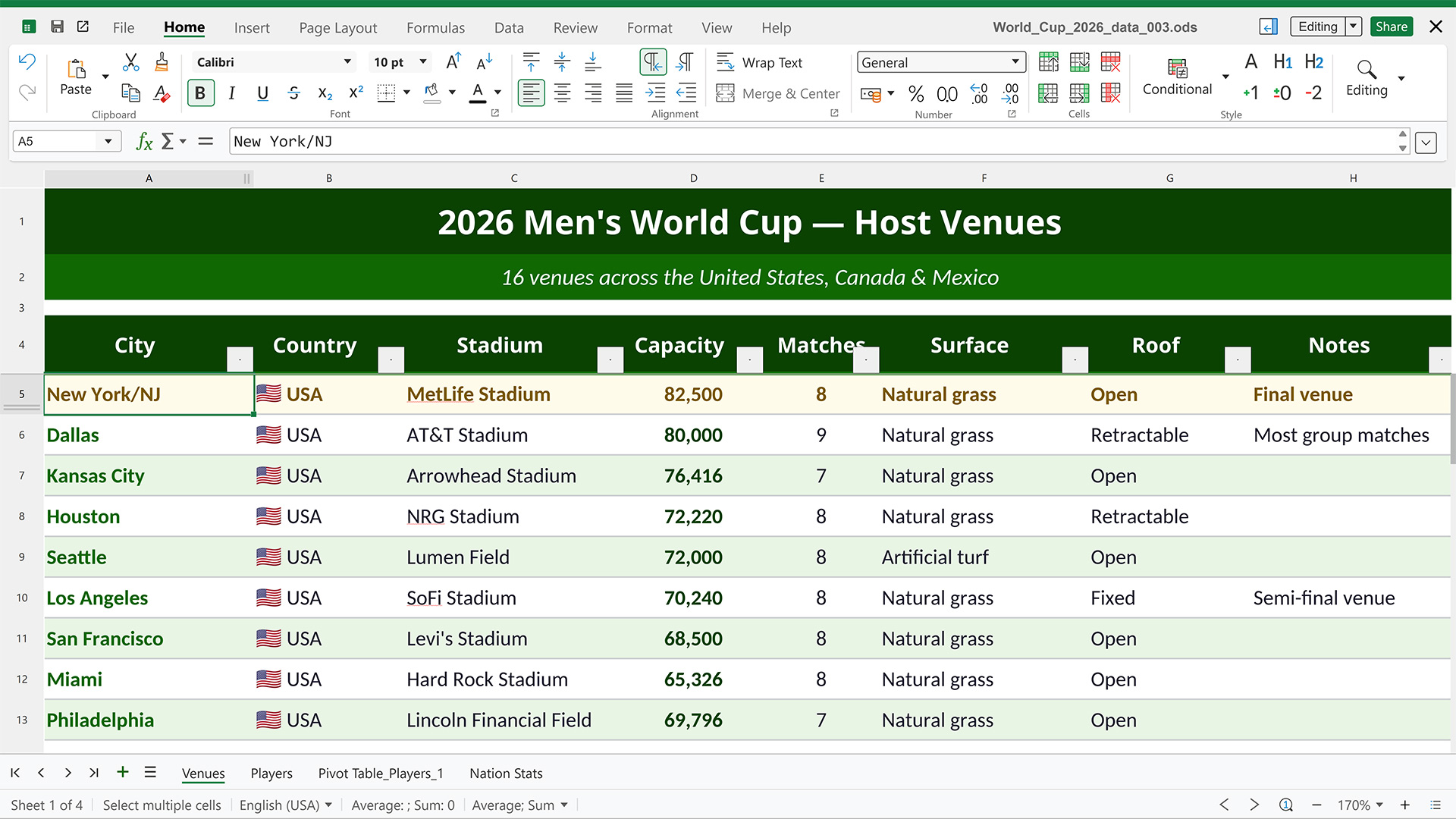
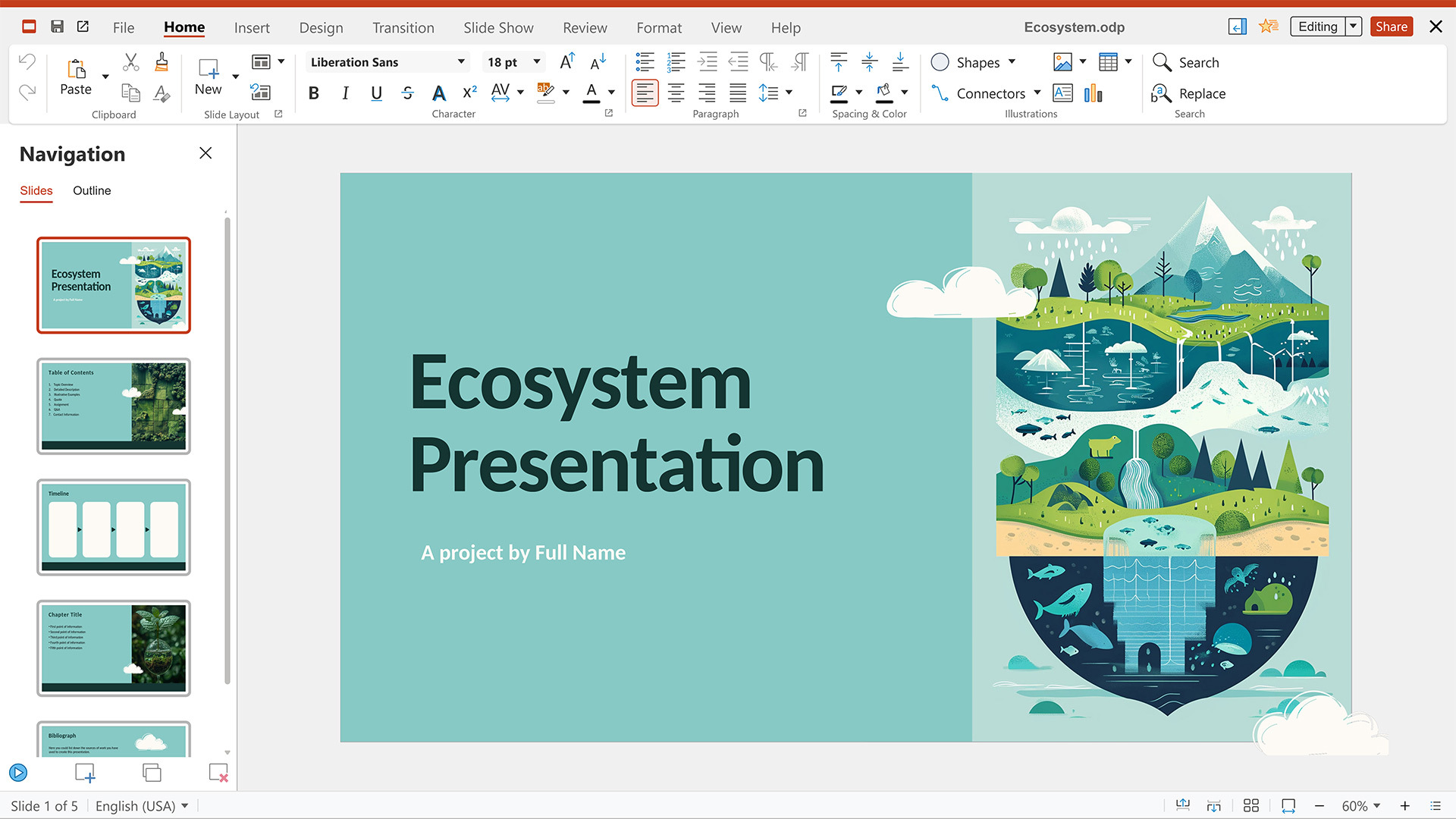
Based on Collabora Online and its server-centric architecture, this powerful office suite includes collaborative editors for text documents, spreadsheets, presentations, and diagrams and is highly compatible with OpenDocument file formats.
High fidelity WYSIWYG rendering
Documents show up exactly as you would print them, thanks to on-server, high-fidelity rendering.
Data under your control
Only the rendered content is sent to your browser, not the raw document. Your data stays on the server at all times.
Powerful integrations
Create and collaborate on documents during video calls, attach them to a task, view them in your mail editor, or edit them directly on your desktop, thanks to deep integration into the Nextcloud ecosystem.
View and edit documents
directly in your Nextcloud
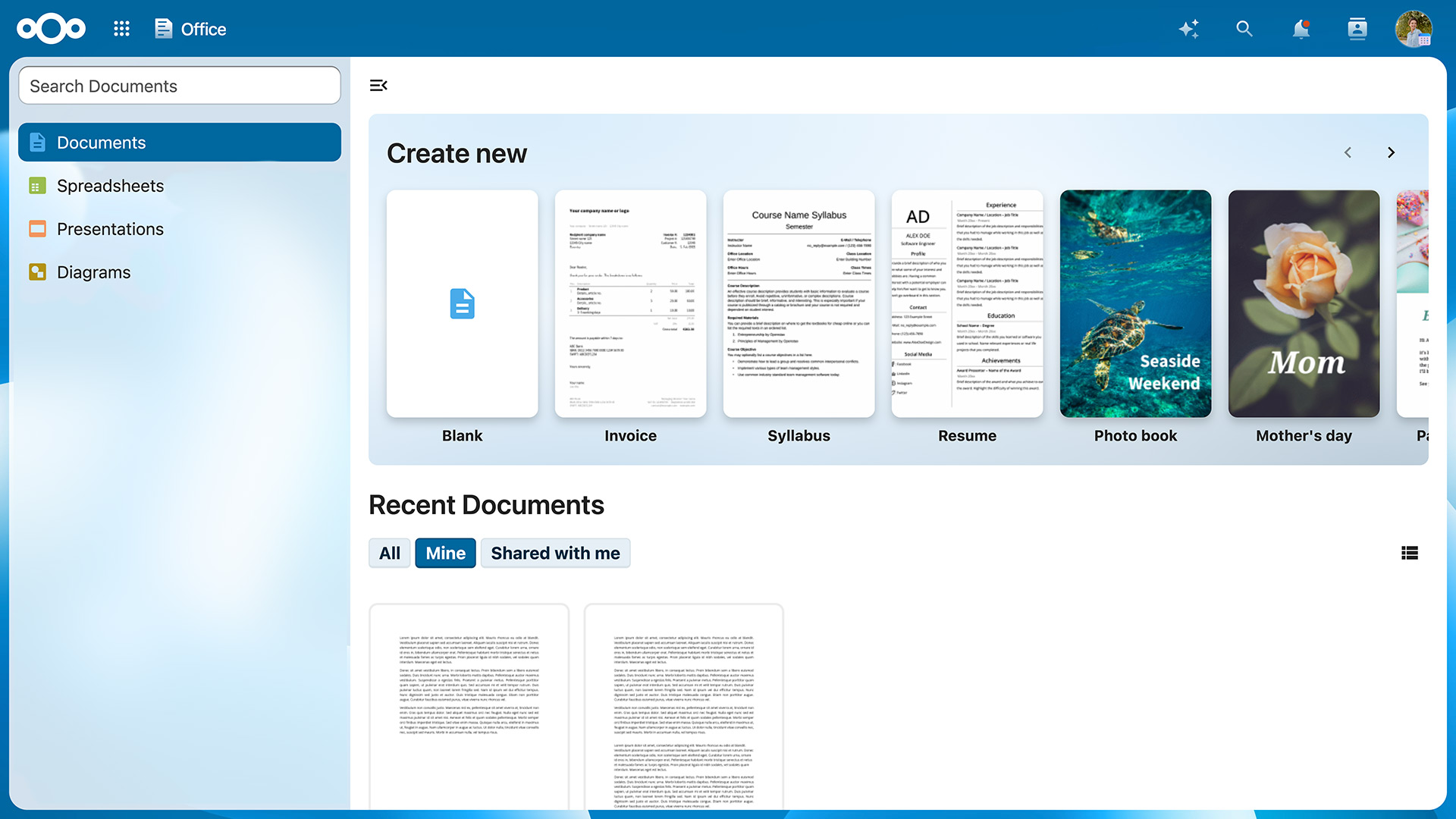
Nextcloud Office supports editing your documents in real time with multiple other collaborators, showing high fidelity, WYSIWYG rendering and preserving the layout and formatting of your documents.
Users can insert and reply to comments and invite collaborators without a Nextcloud account by creating a public link.
Nextcloud Office supports dozens of document formats:
- ODT
- ODP
- ODS
- ODF
- DOC
- DOCX
- PPT
- XLS
- Import/View Visio
- Publisher
- Many more
Trusted by thousands of organizations
Nextcloud is the most popular open source content collaboration platform used by tens of millions of users at thousands of organizations across the globe.

























What does Nextcloud Office include?
For all your writing needs, Nextcloud Write is the place to create, edit and proofread your documents. It also features extensive collaboration and sharing features.
Give presentations with confidence using Nextcloud Present. Export your slides as PPTX, ODP, PDF, or image files and impress your audience.
Produce anything from a quick sketch to a complex plan and communicate effectively with graphics and diagrams.
Feature highlights
Nextcloud Office makes it easy to create and edit documents, spreadsheets, presentations, and drawings in all major document formats and to collaborate in real time, even on mobile.
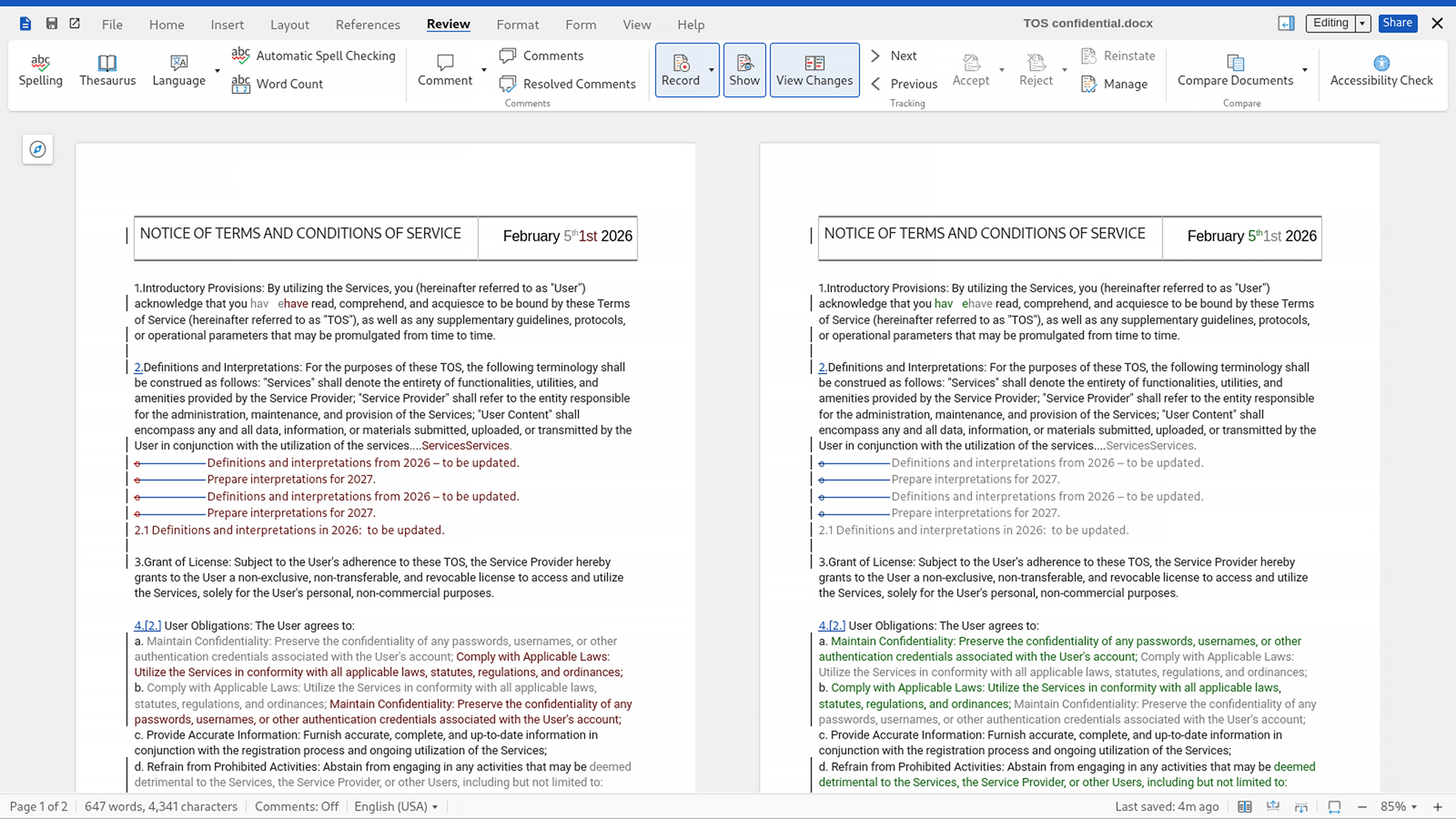
Document comparison
Use a side-by-side view to display two document versions next to each other with changes highlighted in the text and tracked in the left margin. Or use the "Manage Changes" mode to displays differences in a single document that you can accept or reject individually.
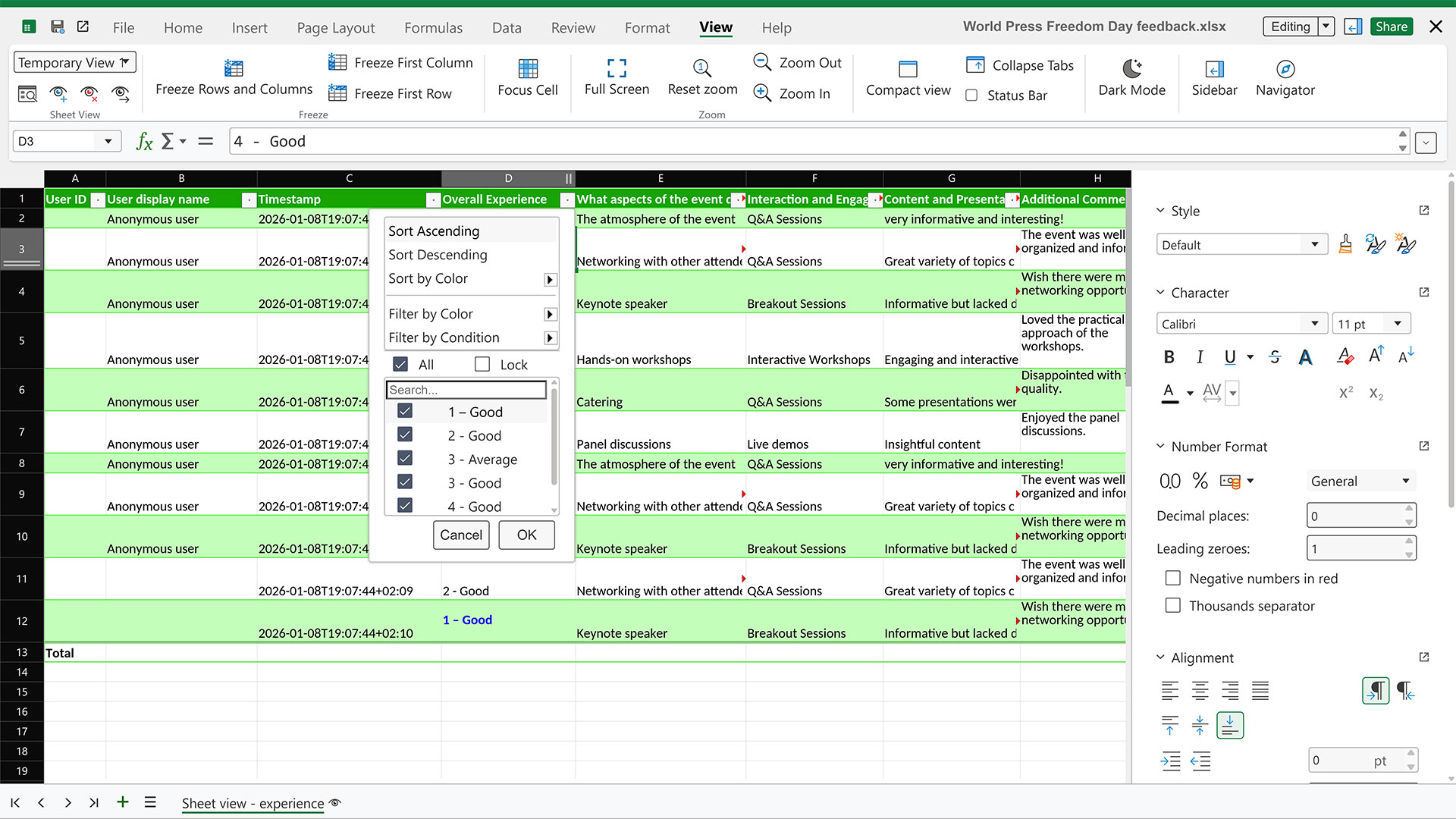
Individual sheet view
Filter spreadsheet data independently from your collaborators to avoid interruptions when many users need to access the same data in large data sets.
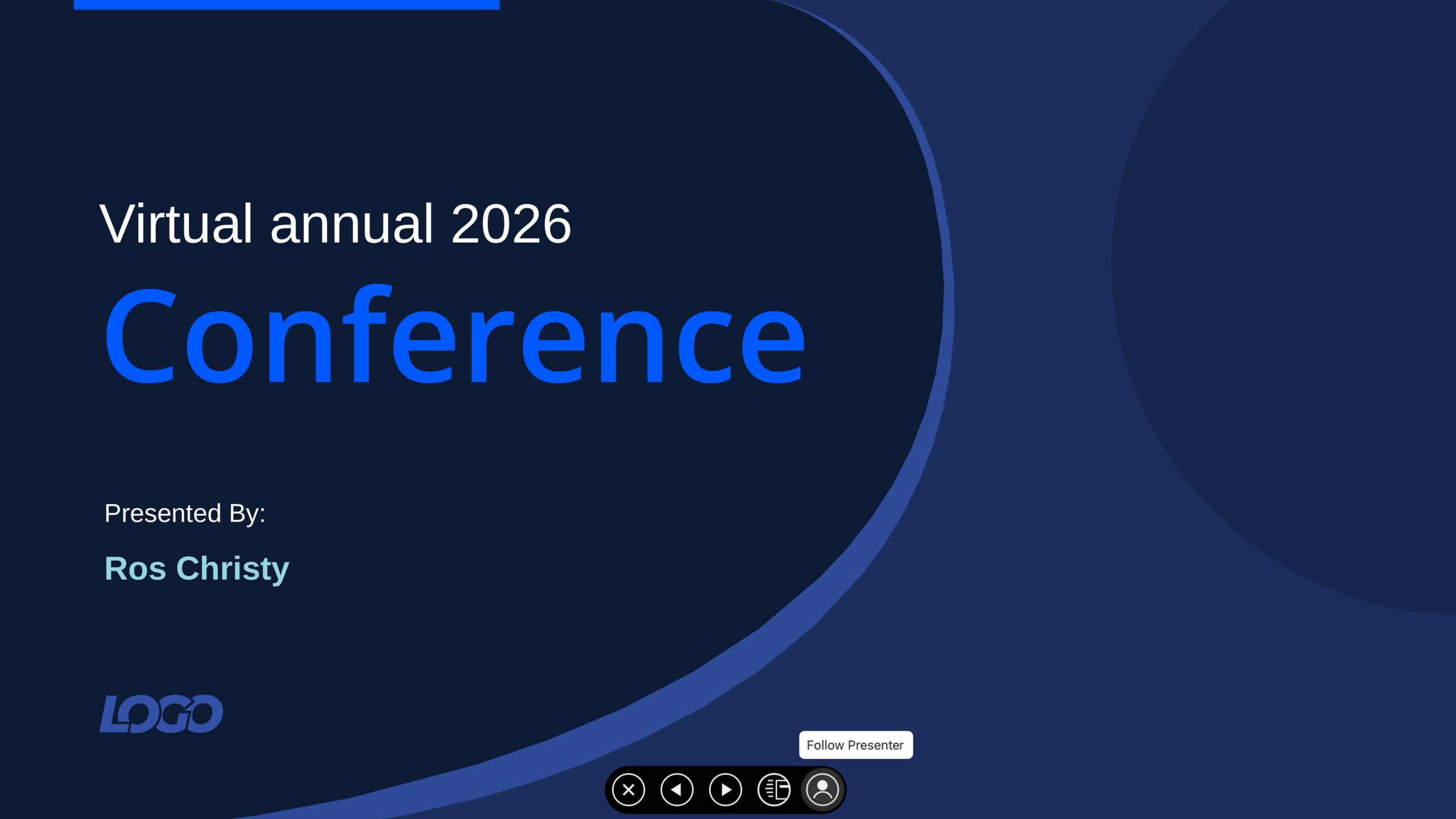
Present without screen sharing
Present to others online and let them follow along without the need to share your screen. As you advance through the slides, each participant's view is kept in sync.

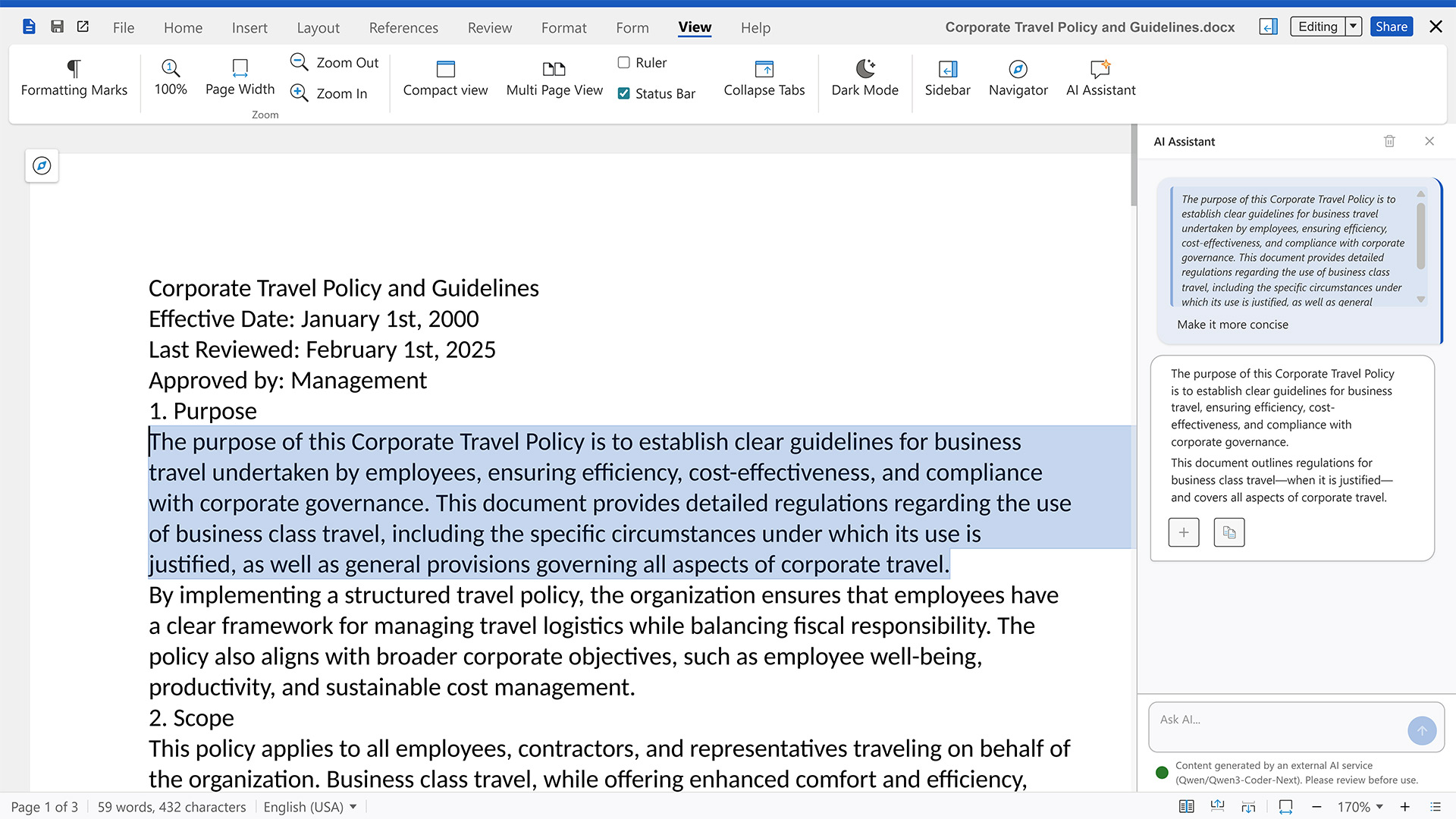
AI chat sidebar
Users can chat with Nextcloud Assistant without having to leave the document. Like all AI tools in Nextcloud, this feature is optional and fully configurable.
Your data under your control
You don't have to give up control over your files in exchange for the convenience of online collaboration. Nextcloud Office is secure, open source, and hosted on your server or trusted cloud.
The team behind Collabora
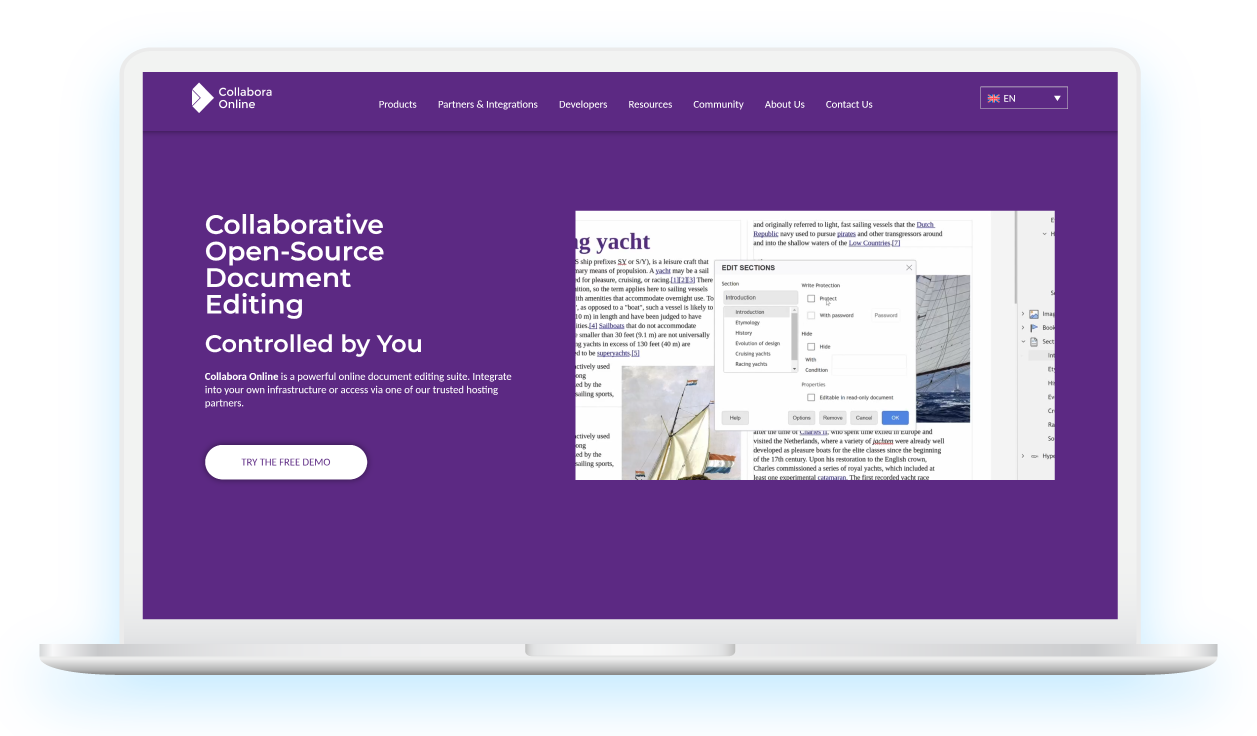
The Collabora office suite is based on LibreOffice and developed by Collabora Productivity, the world’s largest team of certified LibreOffice engineers and leading contributors to the LibreOffice codebase and community.
In addition to its open source collaboration and editing solutions, Collabora Productivity offers a range of other software products as well as consulting services for enterprises and government institutions. It is based in Cambridge, UK, and Hamburg, Germany.

Unique advantages
Nextcloud Office puts you in control over your document creation and editing. Files do not leave your server and can be easily shared and edited alone or with others through the mobile and web interface.
Productivity tools
Quickly create meeting minutes, checklists, and more using Markdown formatting or plain text.
Create Markdown-based notes, organize them with categories, and easily access them from third-party tools using the REST API.
Curate a knowledge database for your team, share meeting notes and documents, and collect project-specific information so everyone is on the same page.
Efficiently manage structured data like customer details or employees’ time off, then combine your tables and views into a shareable application.
Case studies

French universities and research organizations get access to Nextcloud
Our mission at RENATER is to enable seamless collaboration between 1000+ research and education institutions in France to protect data security and confidentiality. We study and experiment deeply with Nextcloud Global Scale for its high scalability capacities and its reliability that fit the needs of our project.
3,000 users at ucloud4schools migrated to Nextcloud by regio iT
“I see ucloud4schools as more than an educational cloud. It offers many apps that work together and shows possibilities that go far beyond the functions of an ordinary cloud. We will continue to extend our product and we are glad to have found a partner in Nextcloud with a healthy community and strong development and support capabilities.” – Stefan Döhler, Project Manager at regio iT

Nextcloud for 33K middle school students in France
Students work from home, inside Nextcloud Group Folders and use Collabora Online. This way teachers don’t have the issue that they don’t have the right Microsoft Office version to read the students’ work, avoiding interoperability problems.
Teachers and directors of schools use Collabora also for sharing and collaborating on administrative tasks.
Nextcloud Office for enterprises
With our enterprise plan, you get access to a scalable solution with long-term support, guaranteed response times, and rapid security updates.
Contact us to discover how Nextcloud can help you regain control of your business data.
Choose how to run Nextcloud Office
Nextcloud gives you the freedom to choose the office suite that best fits your needs regarding file format compatibility and performance.
Frequently asked questions
Collabora and LibreOffice are related, but not the same. LibreOffice is a community-driven office suite maintained by The Document Foundation (TDF), while the Collabora team contributes to the LibreOffice codebase and also offers its own products based on it: Collabora Office for desktops and Collabora Online for the web.
Collabora supports Microsoft Office (OOXML) file formats, although some deviations when rendering DOCX, XLXS, or PPTX files are possible. To achieve maximum fidelity, using the OpenDocument Format (ODT, ODS, ODP, etc.) is recommended.
Collabora Online emphasizes security by rendering only what the user sees, rather than handing over the editable file itself. The raw document remains on the server.
Collabora is an open source software company best known for its LibreOffice-based office suite Collabora Office. Its web-based version, Collabora Online, is one of three office suites available for Nextcloud, in addition to Euro-Office and Thinkfree Office.
Yes, Collabora Online supports mobile devices and features a dedicated mobile interface.