
Find duplicate files and wipe them away with Gemini 2. It's smart, laser accurate, and recovers tons of space on your Mac.





Detect and delete duplicates
Locate and remove duplicate files, even if they're in remote corners of your system. Gemini 2 scans your whole disk speed-of-light fast, no matter how massive it is. Dig through scan results and hand-pick the files to erase, or better — let Smart Select do all the work.
Spot and shred similars
Just like duplicates, similars are space wasters. Now, Gemini 2 is after them. Spot files that look alike, see how they differ, and delete those you don't need. Because you have better use for all the space they occupy.


Your photos matter. Their copies don't.
Do you really need 10 retakes of the Golden Gate? Probably not. Don't let copies invade your Photos: find duplicate pictures, look at them closely, and zap the extras.


You only enjoy one tune at a time
Even if you play the same tune on repeat, one copy is enough. Delete duplicates in iTunes: Gemini scans it to find those five copies of "Space Oddity" you've stored up.


It's smart, and getting smarter
Gemini is smart. It easily tells copies from originals. It knows which files to keep intact. But the best thing is that it learns to select duplicates the way you do. Gemini's algorithm remembers what you delete and what you choose to keep. It's like an apprentice you are training.
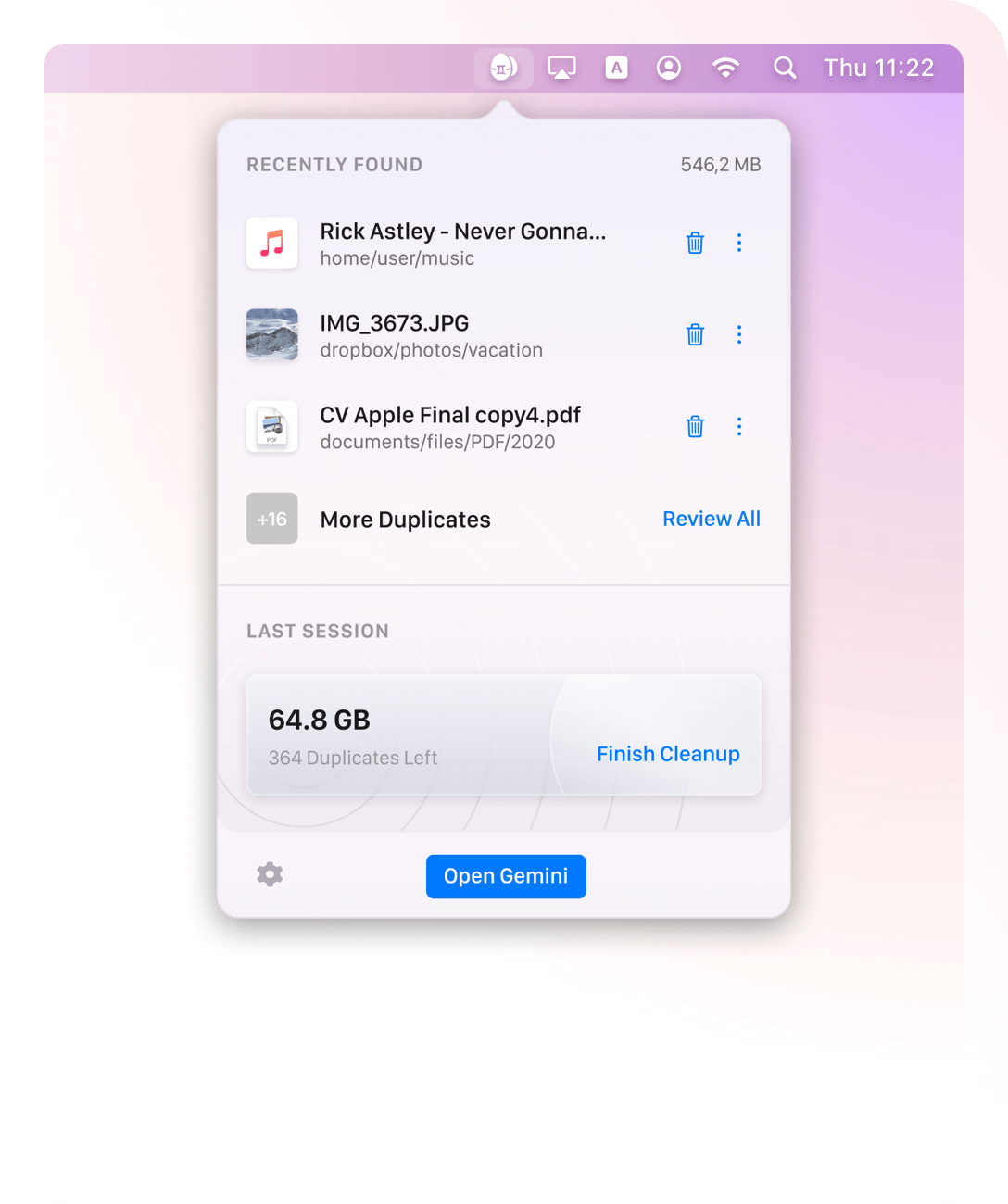
It’s also sharp-eyed 👀
Gemini is very observant. It spots new copies right away and notifies you about them. No matter where they come from — nothing will get past the Duplicates Monitor. This way, your Mac stays duplicate-free at all times.
Simple is stellar
Gemini's carefully crafted to be super simple. Whatever you need to do — view duplicates in detail or quickly destroy them — it takes a few clicks. Because that's what a good duplicate finder does: makes things simpler.
Nothing's deleted for good — until you say so
Never worry about losing the wrong file by mistake. Gemini moves duplicates to the Trash and lets you bring them back in a click. If you do want the copies off your Mac, delete them for good. If you just want them out of your way, stash them in a faraway folder. It's always your call.
Good-looking, award-winning
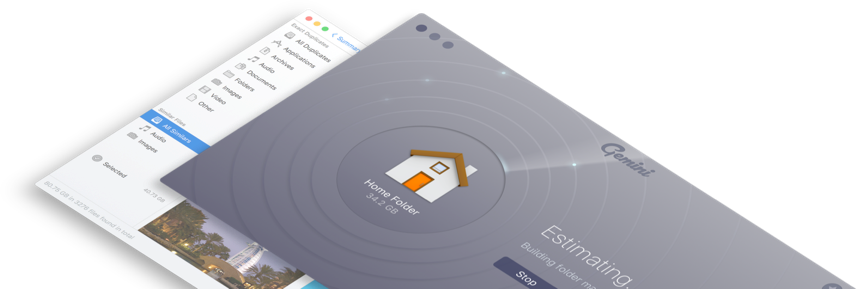
One of the things users love about Gemini 2 is how good it looks. In fact, even design critics give it five stars: Gemini 2 won the Red Dot award for UI design, so it’s officially the prettiest duplicate finder out there.

Gemini 2 speaks:
-

English
-

Deutsch
-

Español
-

Français
-

Українська
-

Italiano
-

Polski
-

Português do Brasil
-

Nederlands
-

简体中文
-

日本語
Don't take our word for it
Last week I actually used up all 500 gigabytes on my Mac hard drive! Gemini app was a revelation.
It’s perfect solution to keep only needed copy, I’m running it every 2 weeks on home server shares as my family is duplicating items
Mariusz Sosnowski
Poland
Discovered Gemini from @MacPaw, a great tool to find & delete a MAC’s duplicate files, and recovered 35 gigs.
Leslie Hetherington
Toronto, Canada
The best duplicate cleaner ever! I'm consolidating years of files from two computers into one and need to eliminate a lot of duplicates. Gemini saved me literally days of agonizing drudgery. The interface is simple, amusing, and intuitive, and it's also so fast! I am stunned.
Abigail Wright
Boulder, USA
Industry experts talk about Gemini 2
Gemini 2 with its ‘learning algorithm’ may be your next must-have Mac app... The app, which finds duplicate files on your computer and deletes one (or more!) of them can now spot similar files as well.
Nate Swanner
Gemini, our favorite duplicate file finder for Mac, got a big update today that modernizes the interface and improves the file scanning algorithm so it can find more duplicate files even when they’re not named the same thing.
Thorin Klosowski
With Gemini 2 there’s little reason to fear duplicates... It’s also much faster, especially compared to digging through thousands of files and folders the old-fashioned way.
J.R. Bookwalter
If you want to clean up your Mac, but are trepidatious about digging around in your files and accidentally deleting something important, Gemini 2 has a lot to offer and makes the whole process very simple.
Lory Gil
Gemini 2's new ability to find similar files has the potential to free up even more storage space on your Mac by finding photos and music files that are similar, but not exact duplicates. This works particularly well with photos.
John Voorhees

Gemini 2
Scan. Clean. Done.
Finding duplicates manually could take you hours, but with Gemini 2 you’ll be done within minutes. Get yourself a duplicate file finder, and you’ll never have to rummage around in Finder.
-
System Requirements:
macOS 10.10 and higher, 115 MB
-
Rating:
4.5*
-
Pricing:
Starting at $1.95/month
-
Latest Version:
2.10.1, 18 June 2026
*4.5 - rating for all versions, based on 469 user reviews.
Subscribe to know first
Our mail pigeon will bring you our best deals and news about MacPaw apps.
Check your inbox and confirm your subscription.
One last click and you’re all set.
 Gemini 2