Forms
Integrate with Loops via a form endpoint, which will work with any type of custom form solution you have set up.
Our form endpoint lets you add new contacts to your audience from an HTML form or using JavaScript.
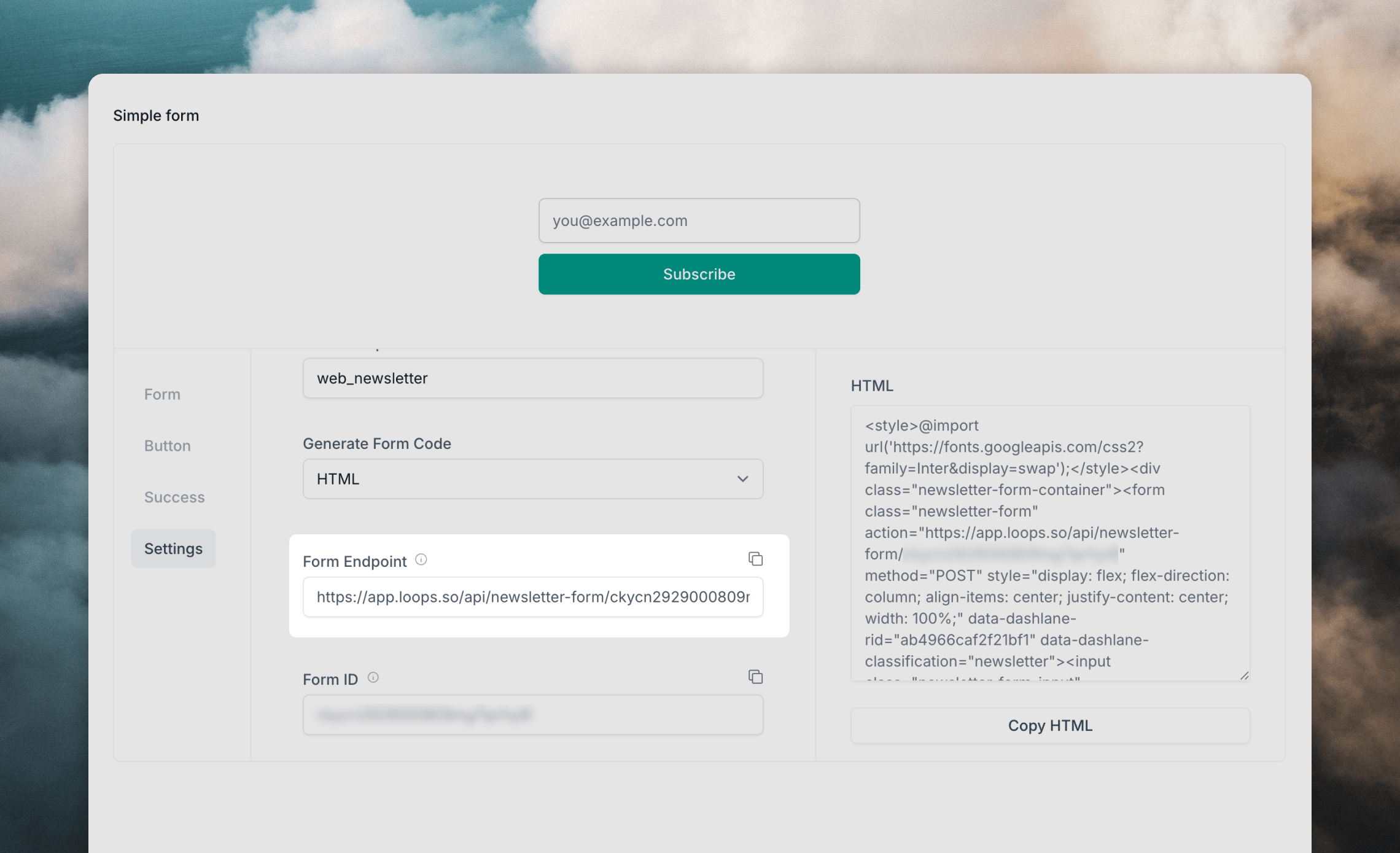
Find the form endpoint
To submit data to Loops you will need to retrieve the form endpoint URL that’s linked to your Loops account.
- Go to the Forms page in your Loops account.
- Click on the Settings tab.
- Copy the URL shown in the Form Endpoint field.
Create a form
In a form, add input elements for each of the contact properties you want to collect.
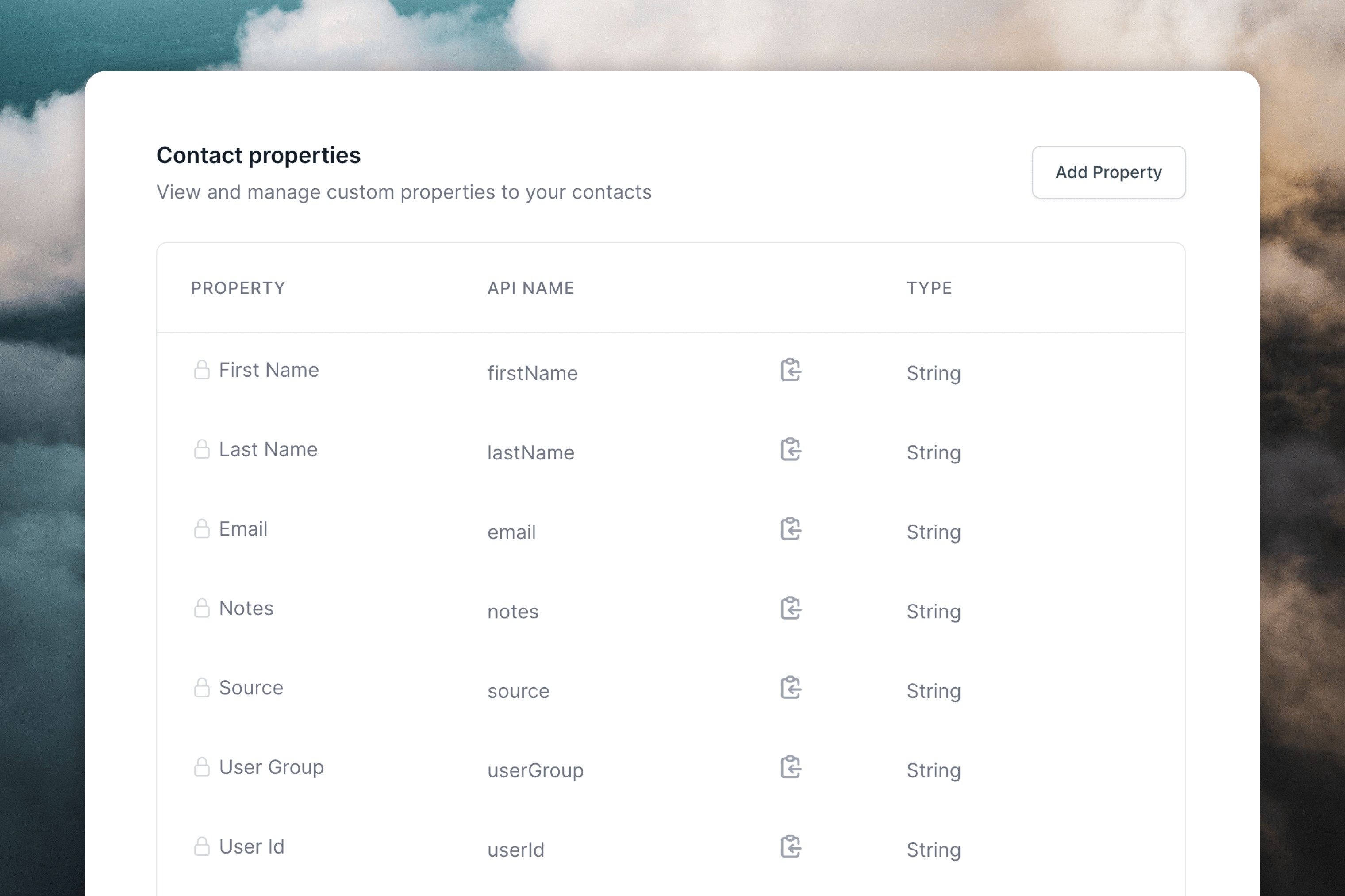
The following contact properties can be added to a new contact via a Loops form endpoint:
- Email
email - First name
firstName - Last name
lastName - User group
userGroup - Source
source(default value is “Form” if omitted) - Notes
notes - Mailing list subscriptions (read more)
You can also use any custom contact properties from your API settings page in your form.
Add contact properties
For each form field use the “API Name” value found from your API settings page as the name attribute.
 Here’s a simple example form that collects name, email address and assigns a custom user group:
Subscribe to mailing lists
To add subscribers to mailing lists via a form endpoint, include a hidden field called mailingLists. You can use a single mailing list ID or to add subscribers to multiple lists, use a comma-separated list of mailing list IDs.
Submit with JavaScript
We recommend submitting forms using JavaScript because the endpoint responds with JSON.
To do this, make a POST request to your form endpoint. Make sure to set the Content-Type header to application/x-www-form-urlencoded and to submit the form body with encoded values.
Responses from this form endpoint will be one of the following:
Troubleshooting
Submissions to form endpoints are rate limited to a low number of requests per minute from each IP address. The endpoint will return a HTTP 429 response if requests exceed the rate limit. You should try to handle these responses gracefully in your form as shown in the example above.