Why choose JetBrains IDEs?
Smart
The combination of intelligent code analysis, powerful search functionality, advanced features like AI, and ease of use enable you to create higher quality software in less time.
Tailored
Take advantage of the integrated development environment designed specifically for your main programming language and related technology stack.
Ready to work
Our IDEs are fully equipped out of the box with all the essentials for your everyday tasks, such as version control, database tools, unit testing, and more.
Multilingual
In addition to focusing on a major technology stack, all IDEs bundle top-notch support for the most relevant technologies for your real-life projects.
Uniform
Because they are based on a single platform, if you’ve learned one of our IDEs, then you’ve mastered them all.
Reliable
Successfully tried and tested, our products have been used by more than 18 million developers since 2001.
Choose your primary language to find your IDE
Designed to give you a customized language-specific developer experience, all JetBrains IDEs have built-in support for relevant technologies, frameworks, and other languages, so you have all you need in a single tool.
No matter whether you do
game developmentdata science and data analysisweb developmentmobile development
we have a solution for you.
More than the sum of their features
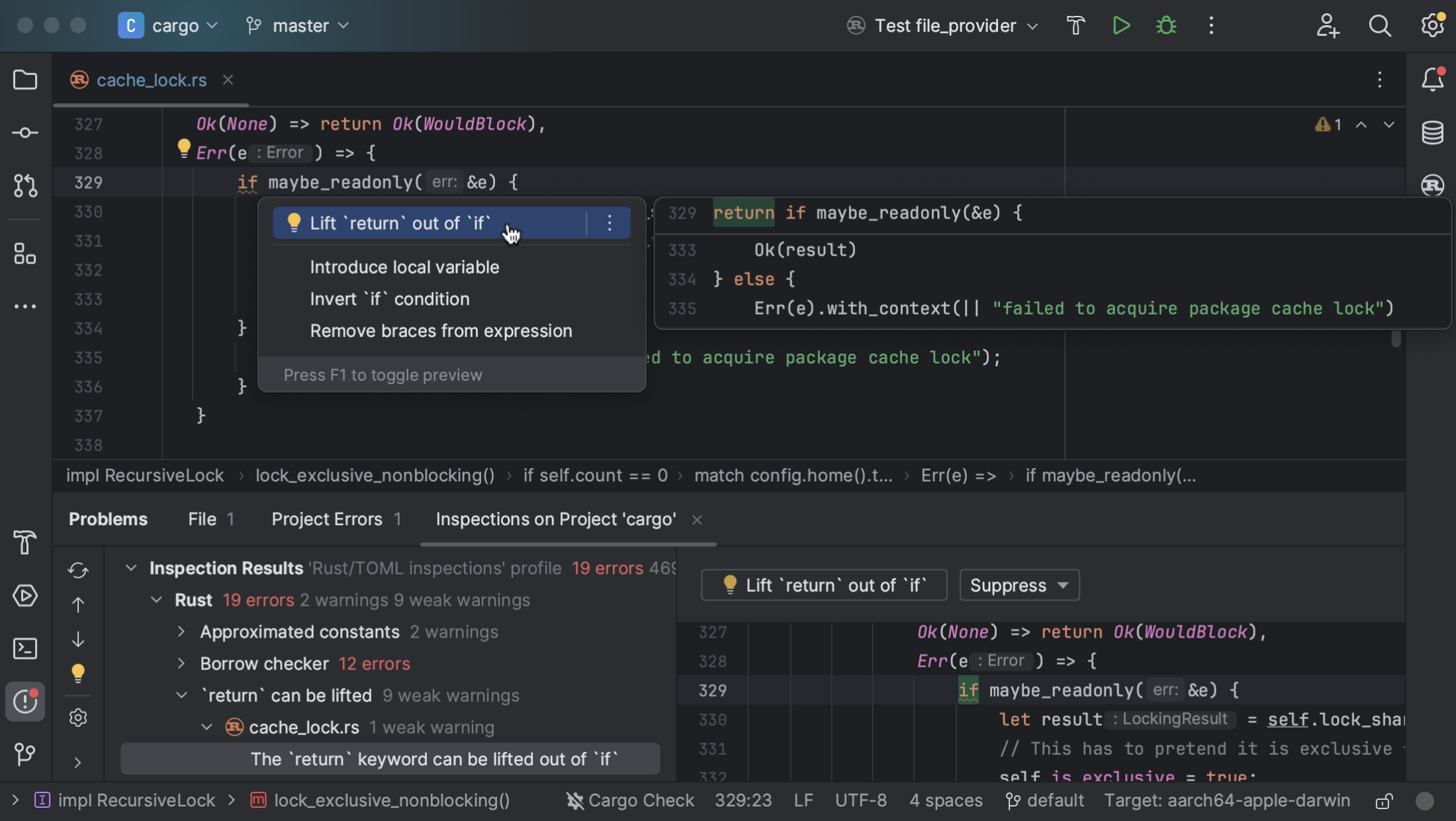
Code analysis and quick-fixes
Elevate code quality through insightful analysis and prompt fixes for detected issues, all from the code editor.
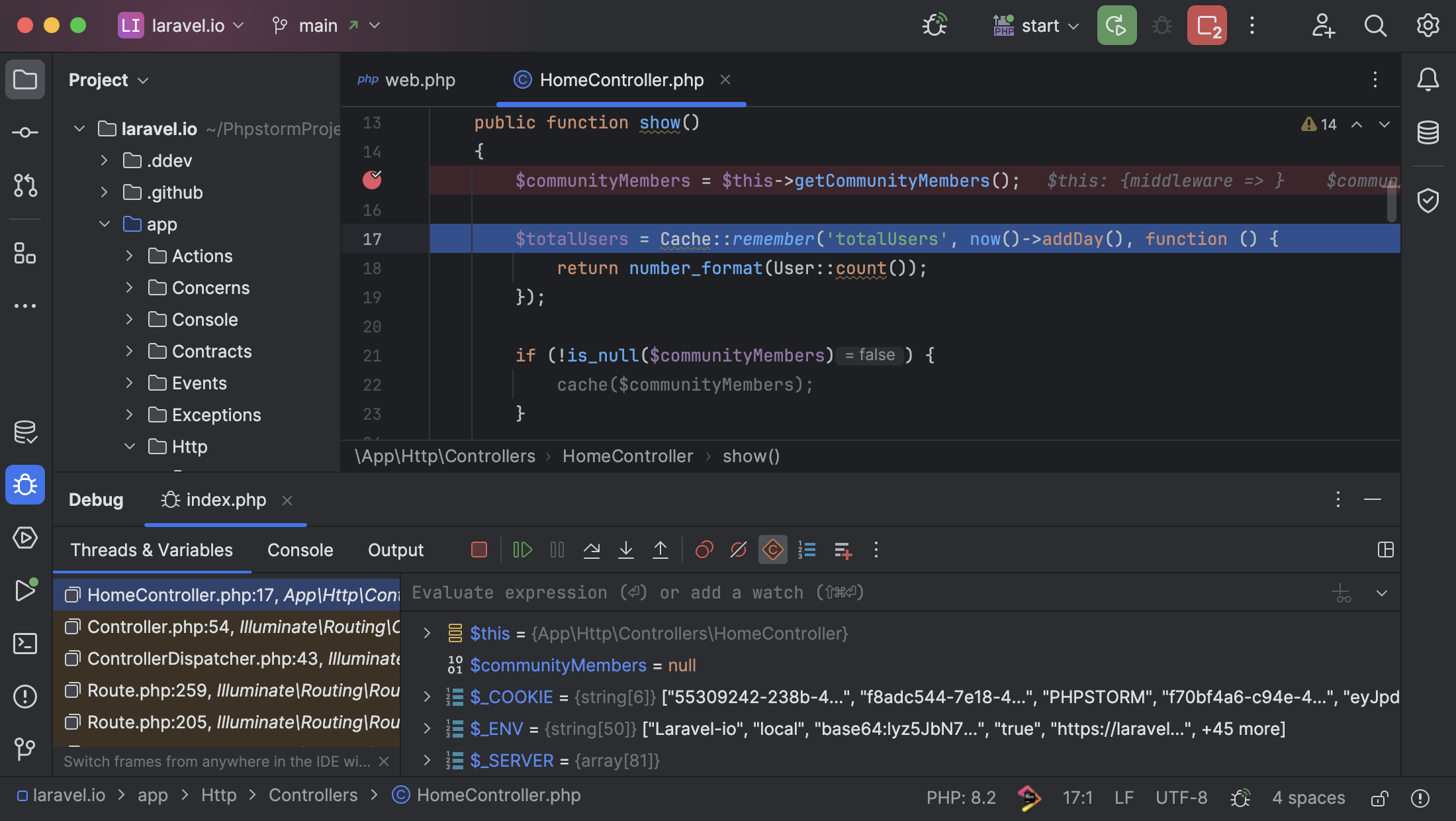
Integrated debugger
Seamlessly debug your code within the IDE.
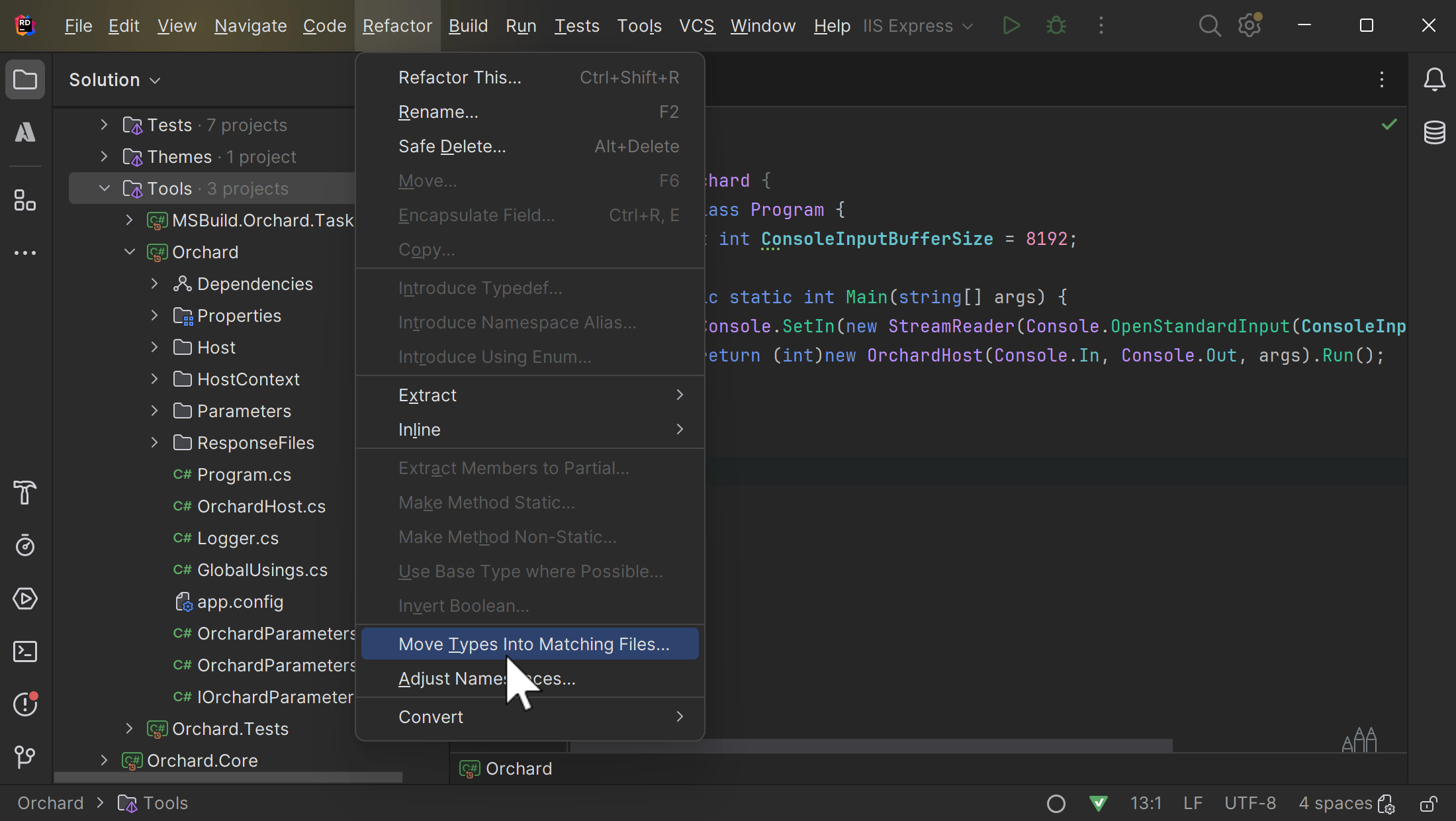
Project-wide refactorings
Rename things, move them around, extract methods, and more across all your whole project with comprehensive refactorings.
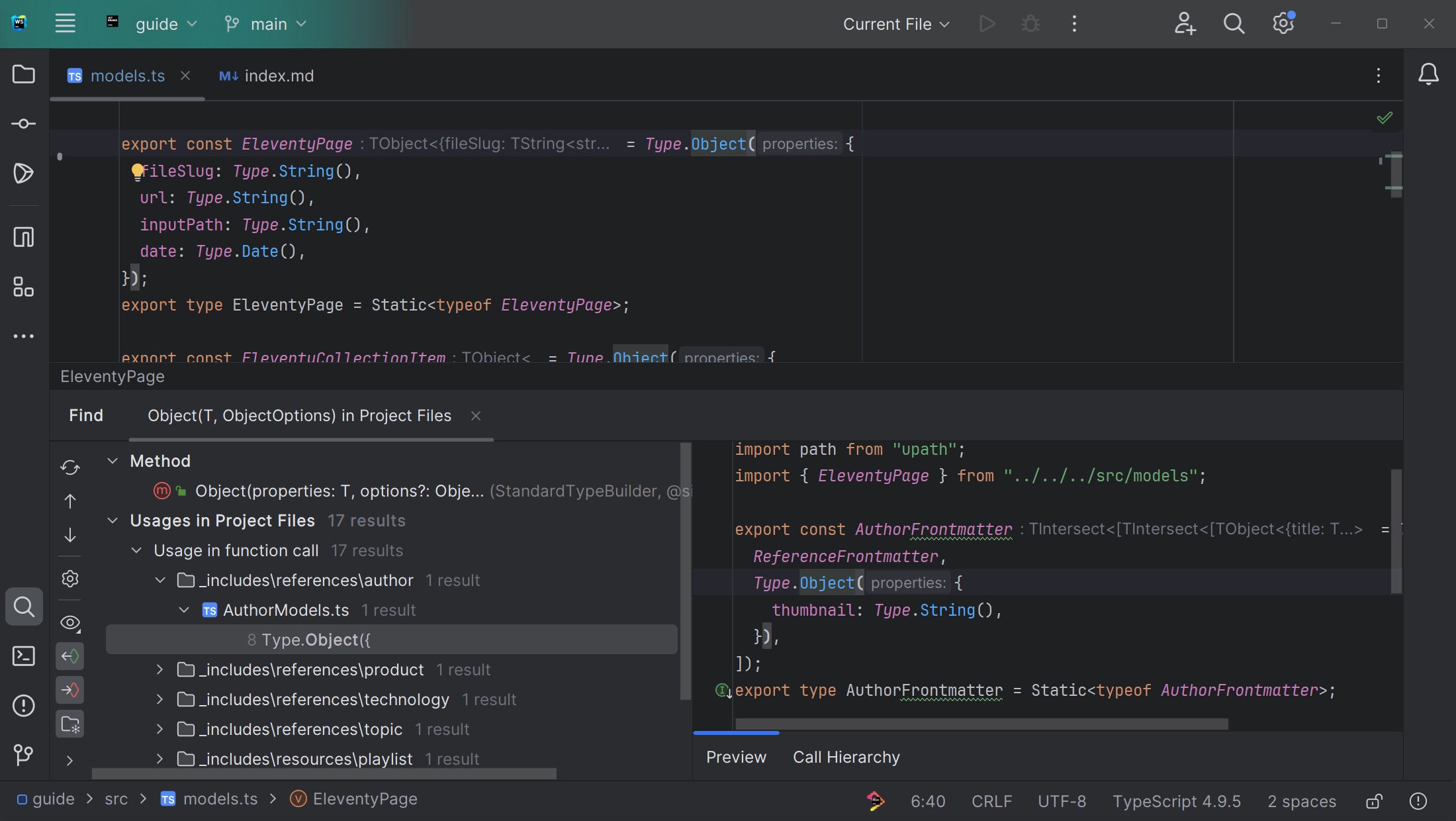
Instant search and navigation
Swiftly locate code snippets, files, and resources, boosting your efficiency while working with or exploring large projects.
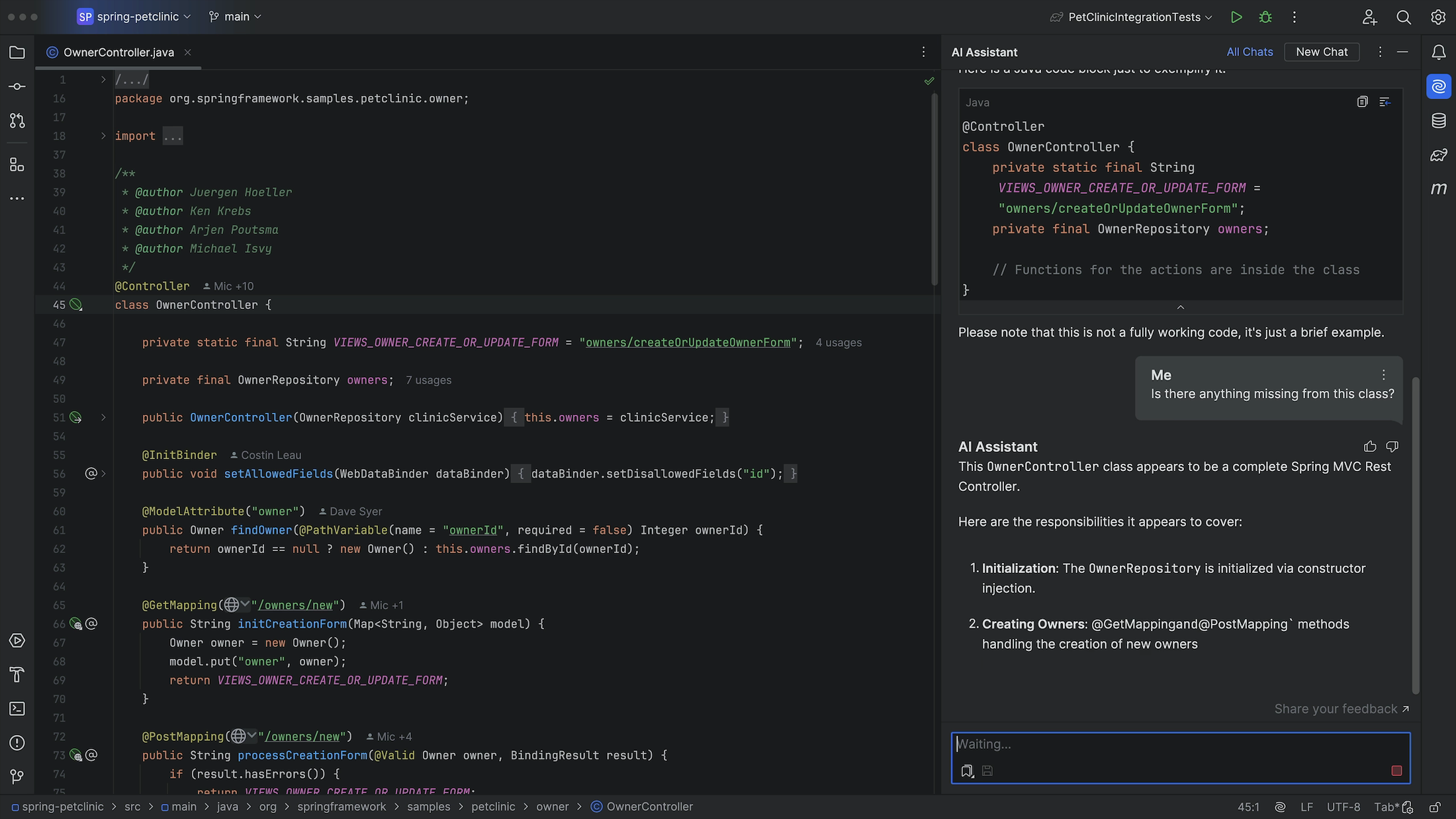
AI Assistant
Discover the power of built-in AI assistance to enhance your productivity and enable you to focus on what matters.
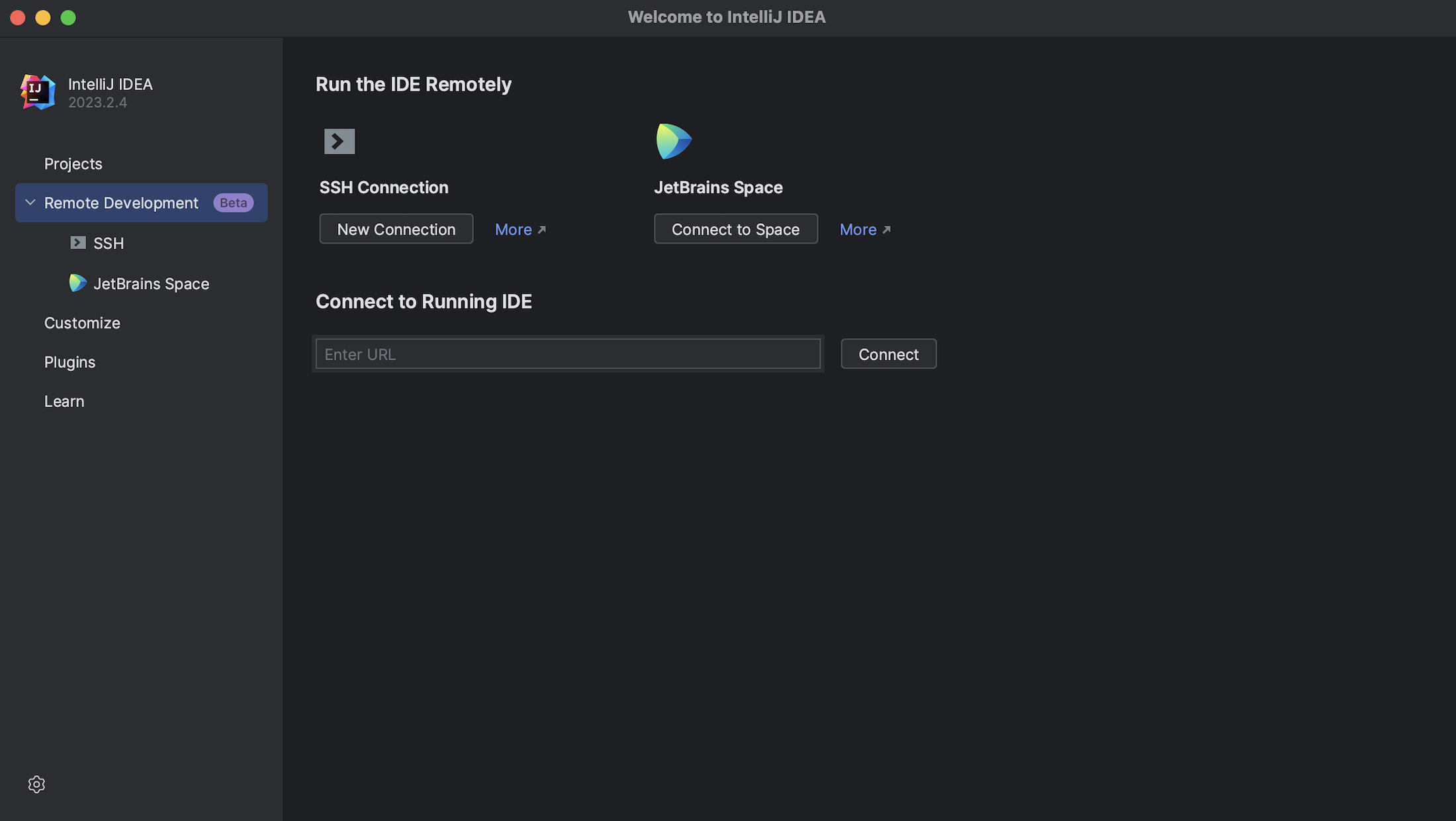
Remote development
Collaborate effortlessly on projects no matter where your team is located using your IDE’s remote development capabilities.
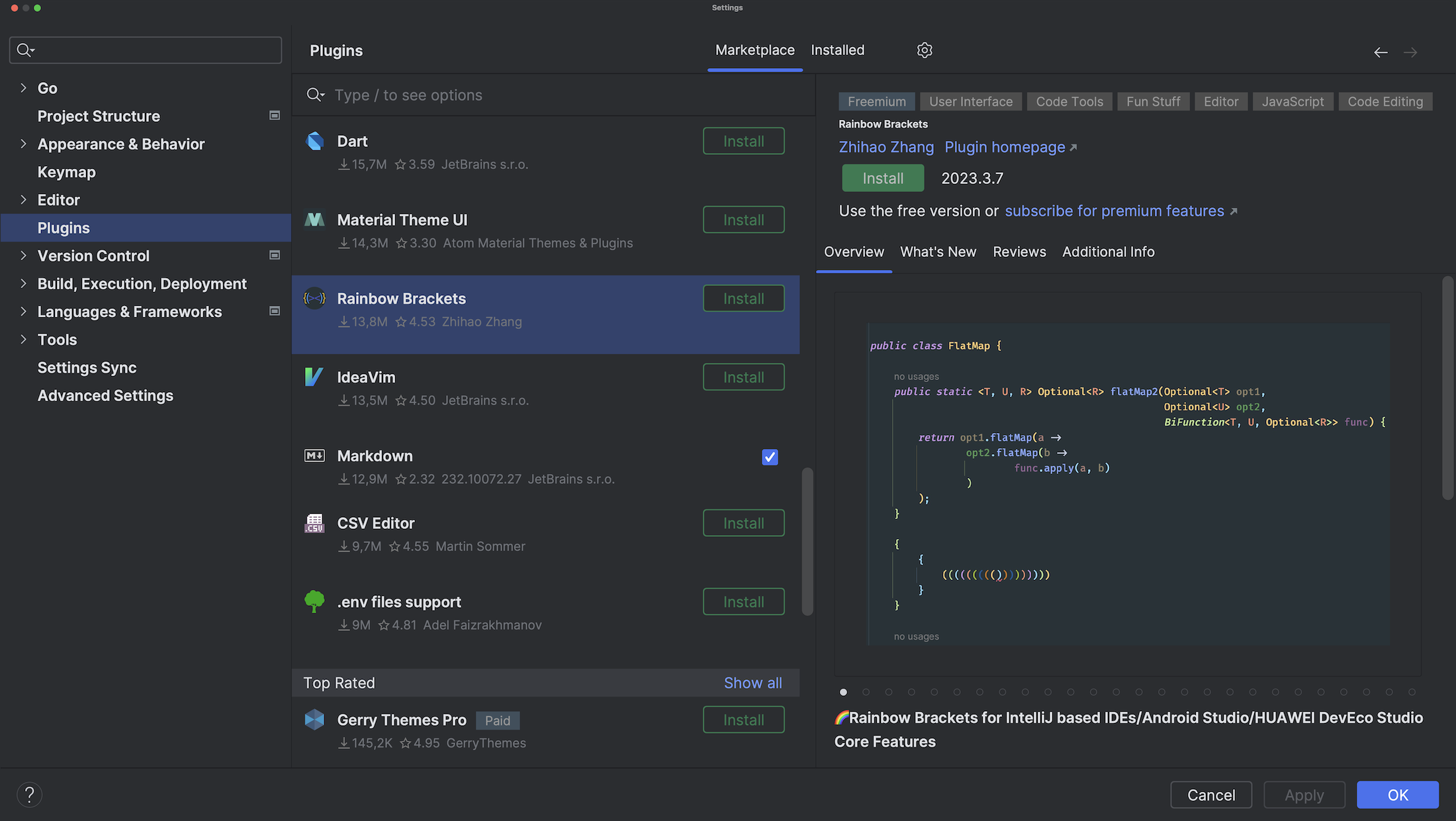
Vibrant plugin ecosystem
Customize and extend your IDE's functionality with a rich selection of plugins, tailoring the environment to your needs and preferences.
1 / 0
Code analysis and quick-fixes
Elevate code quality through insightful analysis and prompt fixes for detected issues, all from the code editor.
Integrated debugger
Seamlessly debug your code within the IDE.
Project-wide refactorings
Rename things, move them around, extract methods, and more across all your whole project with comprehensive refactorings.
Instant search and navigation
Swiftly locate code snippets, files, and resources, boosting your efficiency while working with or exploring large projects.
AI Assistant
Discover the power of built-in AI assistance to enhance your productivity and enable you to focus on what matters.
Remote development
Collaborate effortlessly on projects no matter where your team is located using your IDE’s remote development capabilities.
Vibrant plugin ecosystem
Customize and extend your IDE's functionality with a rich selection of plugins, tailoring the environment to your needs and preferences.
Try before you buy
with a free 30-day trial
Discover what makes our IDEs stand out.
No registration or payment needed. Just download one!
Use JetBrains code-editing software on Windows, macOS, or Linux.
Check out our FREE coding software options and special offers.
Whether you’re a student, a startup founder, an open-source enthusiast, or a loyal customer, our goal is to enable progress and support you on your software developer journey.
Our customers say

Mary Grygleski
Senior Developer Advocate, DataStax
Java Champion
IntelliJ IDEA is undoubtedly the top-choice IDE for software developers. Efficiency and intelligence are built into the design, which enables a very smooth development workflow experience, from design, implementation, building, deploying, testing, and debugging, to refactoring! It is loaded with features and also offers a plethora of plugins that we can integrate into the editor.

Mohamed Taman
Owner/CEO, SiriusX Innovations
Java Champion
I always feel happy and at home when working on my projects using IntelliJ IDEA Ultimate. First of all, it makes me productive and does a lot in a short time. It is like a Swiss Army knife, providing me with all the features and tools I need to finish the task at hand seamlessly and more effectively. And it comes complete with excellent code tips and amazing testing support.

Cory Althoff
Author of "The Self-Taught Programmer: The Definitive Guide to Programming Professionally"
PyCharm is the best IDE I've ever used. With PyCharm, you can access the command line, connect to a database, create a virtual environment, and manage your version control system all in one place, saving time by avoiding constantly switching between windows. I couldn't imagine going back to programming without PyCharm's local history feature and debugger. Add the rest of its convenient shortcuts and features, and you have the perfect IDE.

Diego Oliveira Sanchez
Co-founder, NutriAdmin
It is a delight to refactor code with WebStorm. I have been able to simultaneously move, rename, split, and restructure over a hundred files as I refactor my project with confidence and efficiency. A big refactoring operation could be a nightmare in a less advanced IDE, and many developers could sometimes be hesitant to periodically maintain and improve their codebase, leading to the accumulation of technical debt and a degrading codebase.

Stephan Hochdörfer
Head of Technology, bitExpert
PhpStorm makes it easy to navigate large codebases, which is especially handy if we take over an existing project from our customers. Setting up the debuggers for PHP or JavaScript is super simple, so there is no excuse for a developer not to use it on a daily basis. Our developers are happier because their toolset just works.

Nikolay Sokratov
Head of Engineering at Grab
Shortly after GoLand was introduced, it replaced all other Golang IDEs at Grab. I had never seen engineers adopt software so quickly before. Kudos to JetBrains for delivering this great product.

Jason Turner
Trainer, consultant, C++ Weekly
CLion has been indispensable for me when refactoring large codebases. The refactoring tools and the real-time feedback in the IDE about which lines still need to be updated are excellent time savers. Each release gets better and more responsive than the last!

Frans Bouma
lead developer, LLBLGen Pro
In Rider, I just focus on working with my code, as it should be, instead of fighting my IDE. Rider gave me back the joy in writing .NET code.
Michał Czyż
CTO, Selleo Web & Mobile
As a seasoned user of RubyMine (started in 2009) I’m sure that investment in JetBrains tools is worth my time. Extremely efficient navigation through the codebase, mindset of building toolset around keyboard shortcuts and powerful searching features. It feels like IDE understands my code providing a great assist and confidence with any kind of refactoring.

Moritz Renftle
Data Scientist, Scieneers GmbH
PyCharm has a unique set of features compared to other IDEs. The most important one is its reliable and comprehensive refactoring capability. Another unique feature of PyCharm is its support for advanced run configurations. Furthermore, I like the “cockpit feeling” of PyCharm: It’s a centralized space that allows me quick access to all the tools necessary for my work.
Fergus Bray
Full Stack Developer
I must admit, JetBrains DataGrip has won me over! The UI/UX is a refreshing departure from the clunky SQL tools of yore. As a long-time user of JetBrains' impressive lineup, I've come to appreciate their knack for delivering exceptional tools. Kudos to JetBrains for creating such stellar tools!
FAQ
A code editor is a software tool designed for writing, editing, and managing source code in various programming languages. There are many things that developers do besides code editing. While IDEs are great tools for working with code, their functionality extends to cover the majority of developer workflows in the general application development process. JetBrains IDEs provide advanced code editors with features that enhance your coding experience, such as syntax highlighting, autocompletion, and code navigation.
JetBrains offers IntelliJ IDEA and PyCharm for free for both commercial and non-commercial use. They include a rich set of core features for coding, debugging, and testing, so developers can enjoy a powerful IDE for work and personal projects.
CLion, DataGrip, Rider, RubyMine, RustRover, and WebStorm are also free for non-commercial use.
All necessary documents, including security reports, policies, and certifications, are available in our Trust Center. To access these documents, click the Request access button in the top right-hand corner of the Trust Center.
Empower yourself with JetBrains IDEs
Whatever programming language and technology you use, JetBrains IDEs provide the tools you need to go beyond simple code editing and excel as a developer.