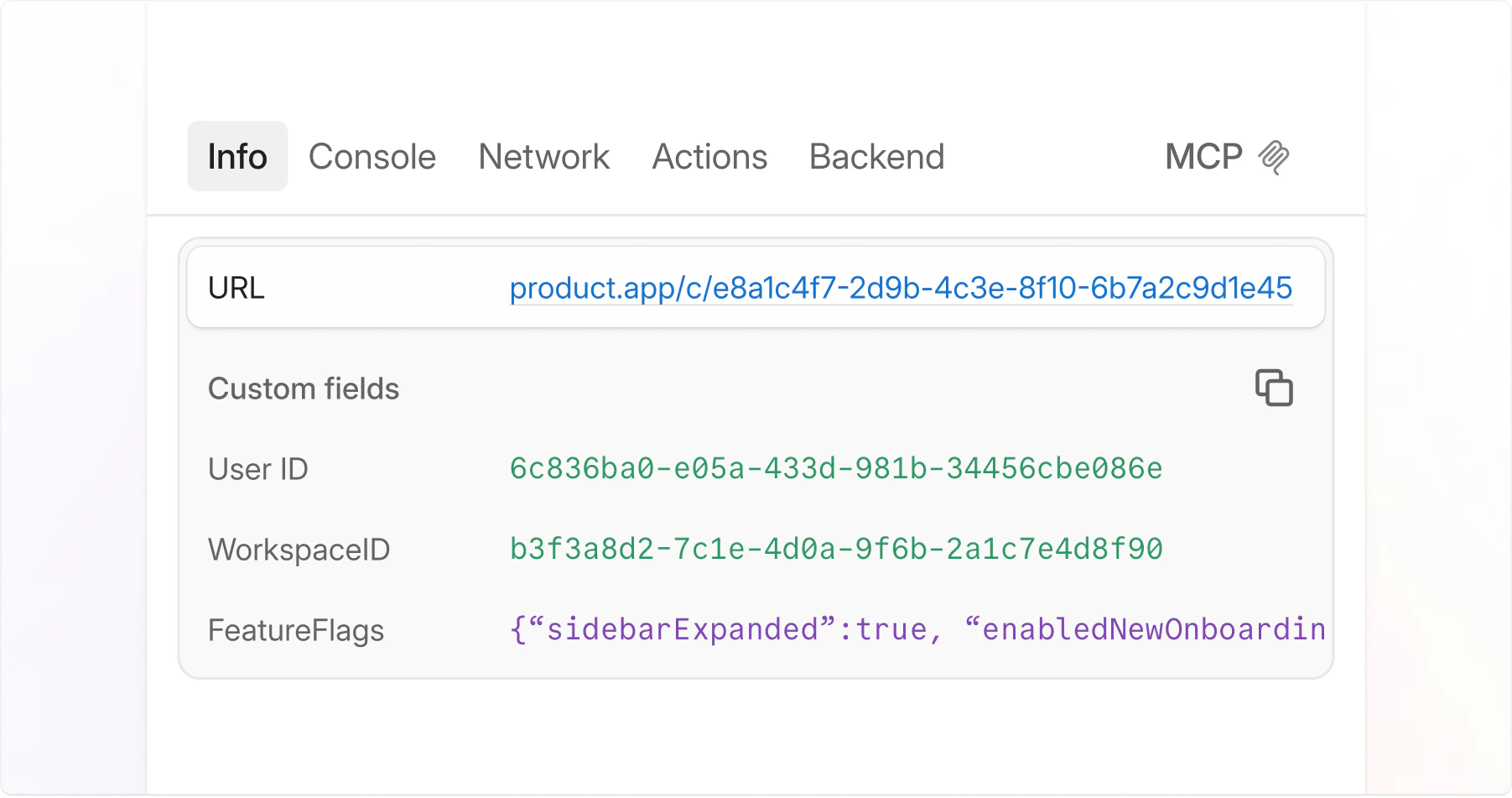
A single jam.metadata() call ensures every Jam submitted from your website includes the metadata you need to debug. Custom logs work on all types of Jams, including requested Jams from Recording Links, Jam for Customer Support, and the Jam browser extension.
You can log anything: static values like userId and teamId, or live data from Redux and React state. Add what you need to debug, and it appears in every Jam.
Installation
Install the Jam SDK into your project:
npm
yarn
Usage
Call jam.metadata() once at the root of your app, in the same place you initialize your stores and render your root element. The callback you pass is invoked each time a Jam is captured, so the data is always live and never stale.
Once configured, your metadata appears inside every Jam filed from your site.
What data you can include
Beyond static values and local variables, you can pass in:
- App store state: user ID, workspace ID, the last 5 items in a checkout cart, which feature flags are enabled, and so on.
- localStorage values: any values stored locally in the browser.
- Any serializable data: whatever you need to reproduce or understand the bug.
Metadata is captured at the moment the bug reporter creates a Jam. Because the function you pass to jam.metadata() is called at capture time, the data reflects the live state of your app, not a stale snapshot from when the page loaded.
Limits and constraints
When calling jam.metadata(), the returned object must meet all of the following requirements:
- Must be an
Objectinstance: for example,{ a: 1, b: 2 }. Passingwindow(aWindowinstance) will not work. - Under 10 KB when serialized.
- Serializable: if
JSON.stringifycannot stringify it, Jam cannot store it.
Error handling
If your app throws an error, or any of the above constraints are not met, Jam will:
- Log the error in your browser’s live console.
- Display an error message when the Jam is captured.