Be Present. Capture Everything.
Professional Podcast Management. From first question through published audio, you can focus on the conversation, not the logistics.
You Shouldn't Have to Choose Between Great Conversations and Great Production
Interviewers split their attention - glancing at scattered notes, fumbling to mark timestamps, worrying about finding that perfect quote later. Your tools weren't designed for interviews. InterviewCue was.
This sound familiar?
- Juggling questions across tabs and docs while your guest is talking
- Scribbling timestamps by hand - and second-guessing every one
- Scrubbing hours of audio to find one perfect moment
- Great questions never asked because you were managing tools, not listening
See the Full Journey in Action
From Google Docs to published episode -- watch how InterviewCue connects every phase of your workflow.

One Platform. Every Phase of Your Interview.
Designed around how interviews actually work:
Three distinct phases,
each with purpose-built tools.
Phase 1
Prepare
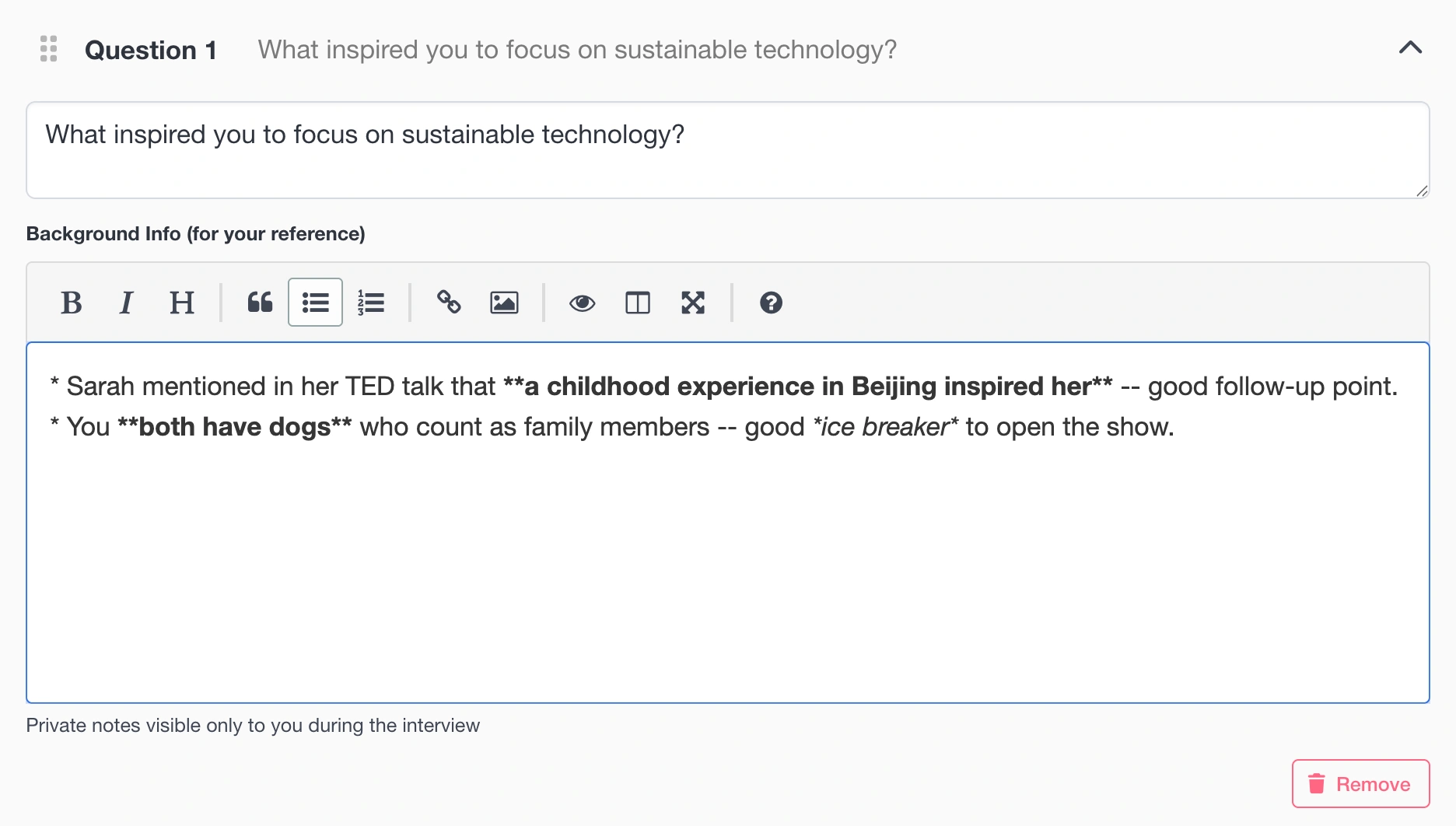
Build your interview with organized questions, private background notes only you can see, and reference links for every topic. With import from markdown, InterviewCue works seamlessly with AI prep tools.
- Organize questions with private background notes
- Reference links are auto-extracted from your prep, organized by question
- Import from markdown: Bring prep from AI tools, Notion, Google Docs, or anywhere
- Organize by show and schedule recording dates — keep recurring series on track
- Practice your interview flow risk-free before the real recording
Phase 2
Record
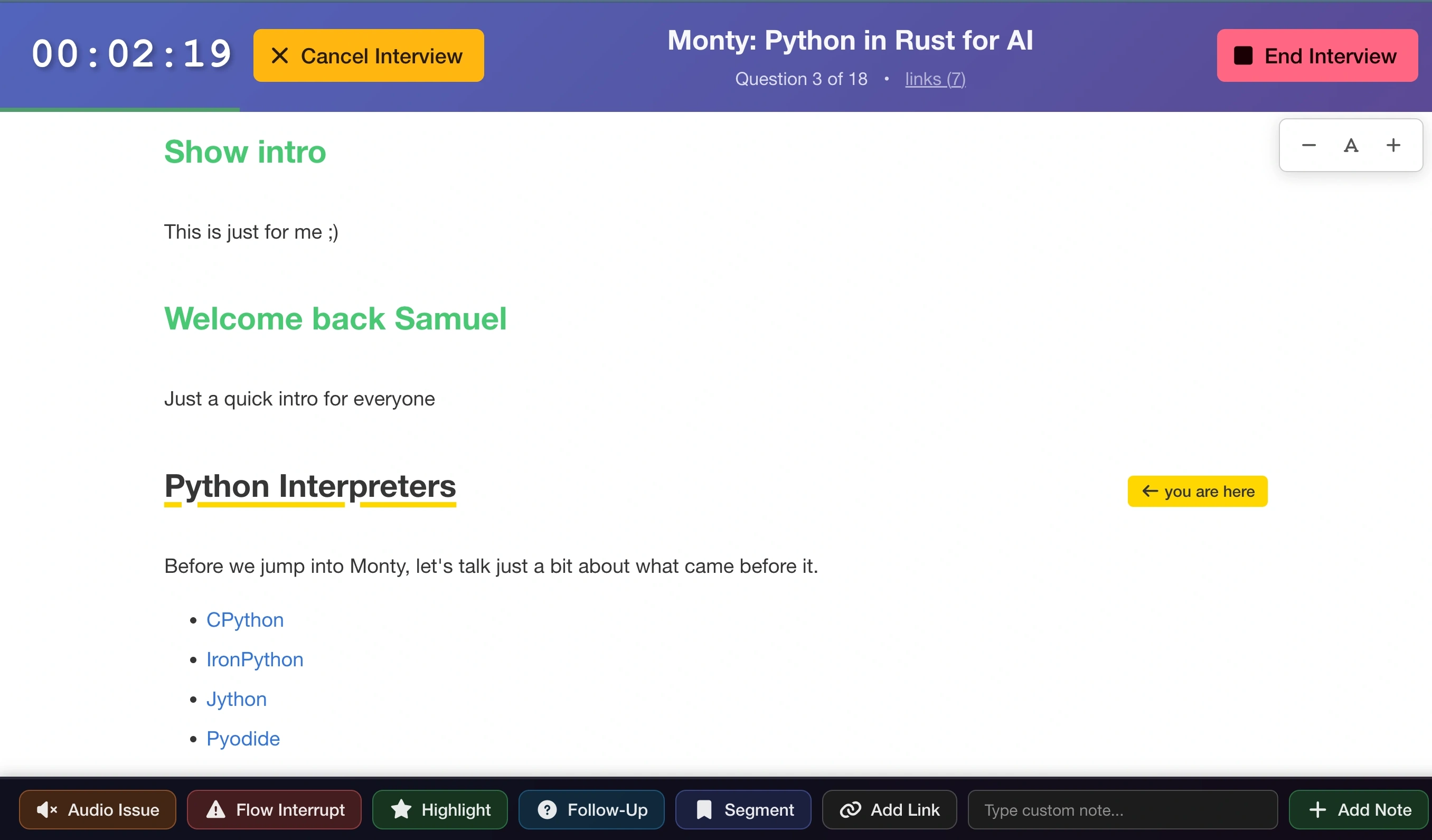
Your guest deserves your full attention. Hotkeys capture highlights, follow-ups, chapters, and audio issues with a single keypress. No looking away, no breaking eye contact. Real-time collaboration keeps hosts, producers, and guests in sync.
- Press 1 for audio issues, 2 for interruptions, 3 for highlights, 4 for follow-ups, 5 for chapters
- Every event automatically timestamped
- Real-time collaboration for hosts, producers, and guests
- Questions visible as scrollable text, glanceable, never intrusive
- Open all reference links organized by topic, browser tabs become your interview roadmap
- Works beautifully on iPad as a recording companion
Phase 3
Produce
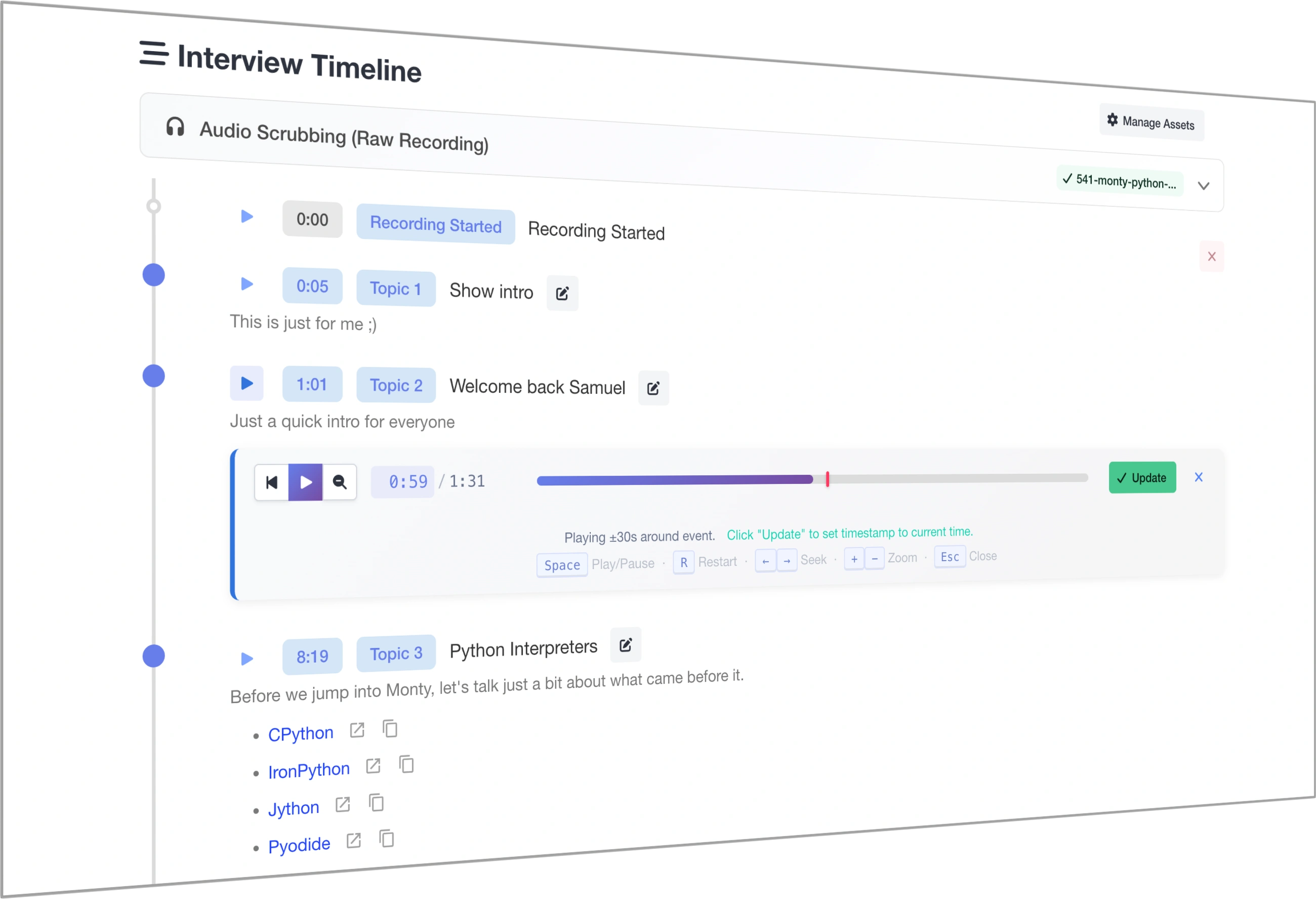
When recording stops, your post-production is already half done. Upload your raw recording and your final edit. We store both securely. InterviewCue generates transcripts automatically using OpenAI's Whisper, then aligns your recording and final timelines to auto-generate near-perfect chapters that account for your intros, outros, and cuts.
- Audio storage: Upload both original and finalized recordings
- Automatic transcription with top-tier Whisper models
- Transcript alignment produces a production-ready timeline
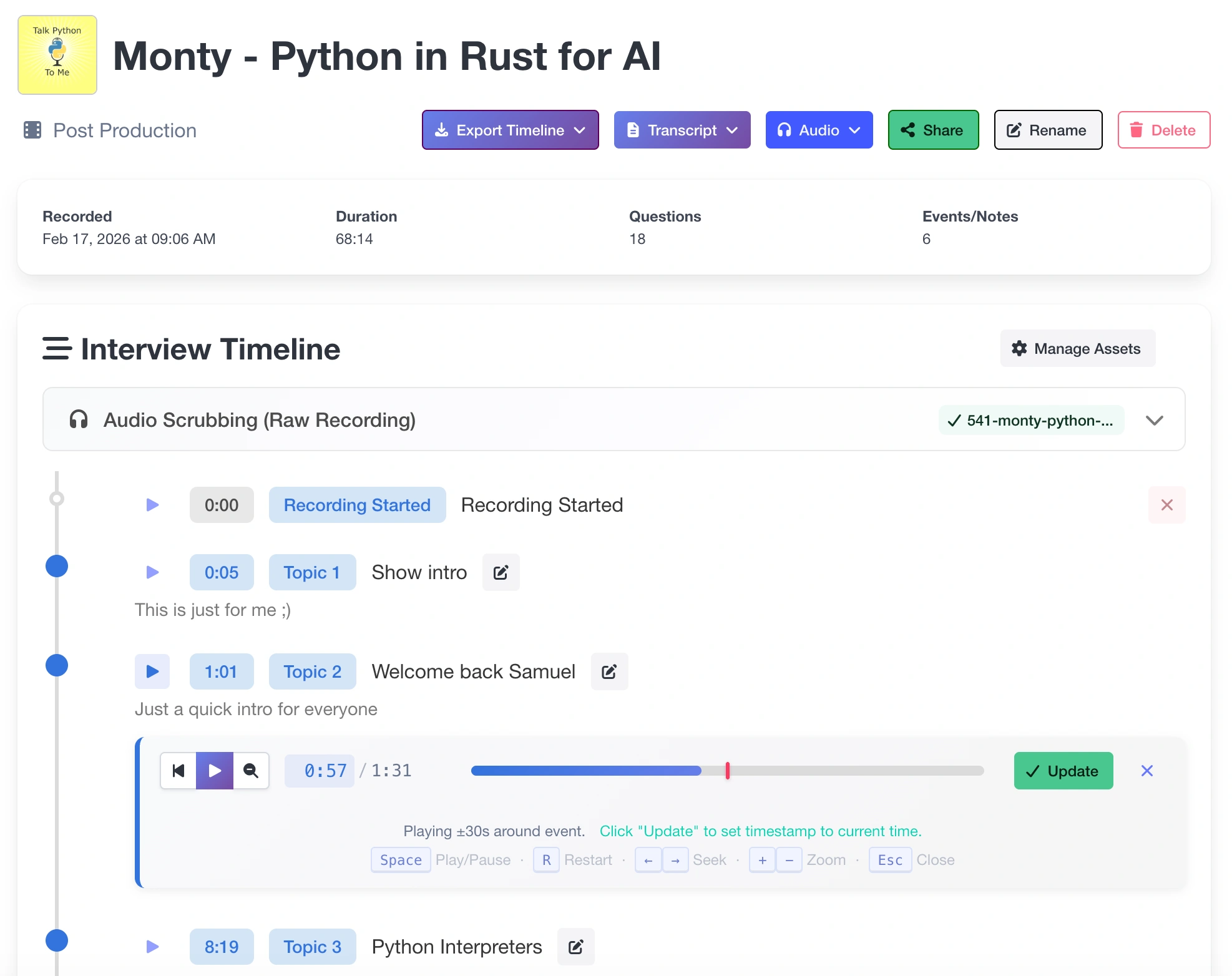
- Audio scrubbing: Play audio around any timestamp for fine-tuning
- Auto-generated chapters account for intros, outros, and cuts
One Interview. Everything in One Place.
Questions, audio, transcripts, recording notes, chapters, and exports: Everything from a single interview lives together. No more hunting through folders, drives, and scattered docs.
Your Content
Questions & Notes
Organized prep with background notes and reference links
Timestamped Events
Highlights, follow-ups, and chapter markers captured live
Transcripts
Raw and final, auto-generated or uploaded
Your Audio
Original Recording
Your raw audio, stored securely
Final Recording
Your edited master, alongside the original
Aligned Timeline
Events mapped to your final edit, accounting for cuts
Your Output
Chapter Markers
Auto-generated and publication-ready
Show Notes
Markdown export ready for your website
Professional Exports
PDF, EDL, MIDI, CUE, Audition markers, and more
Exports That Speak Your Editor's Language
Chapter markers and edit points import seamlessly into the tools you already use. No manual re-entry. No format conversion.
 Audition
 DaVinci Resolve
 Logic Pro
PDF JSON Markdown CSV Markers EDL MIDI Markers CUE Sheets

Your interview questions, right on the Audition timeline.
Workflow
Bring Your Prep. However You Made It.
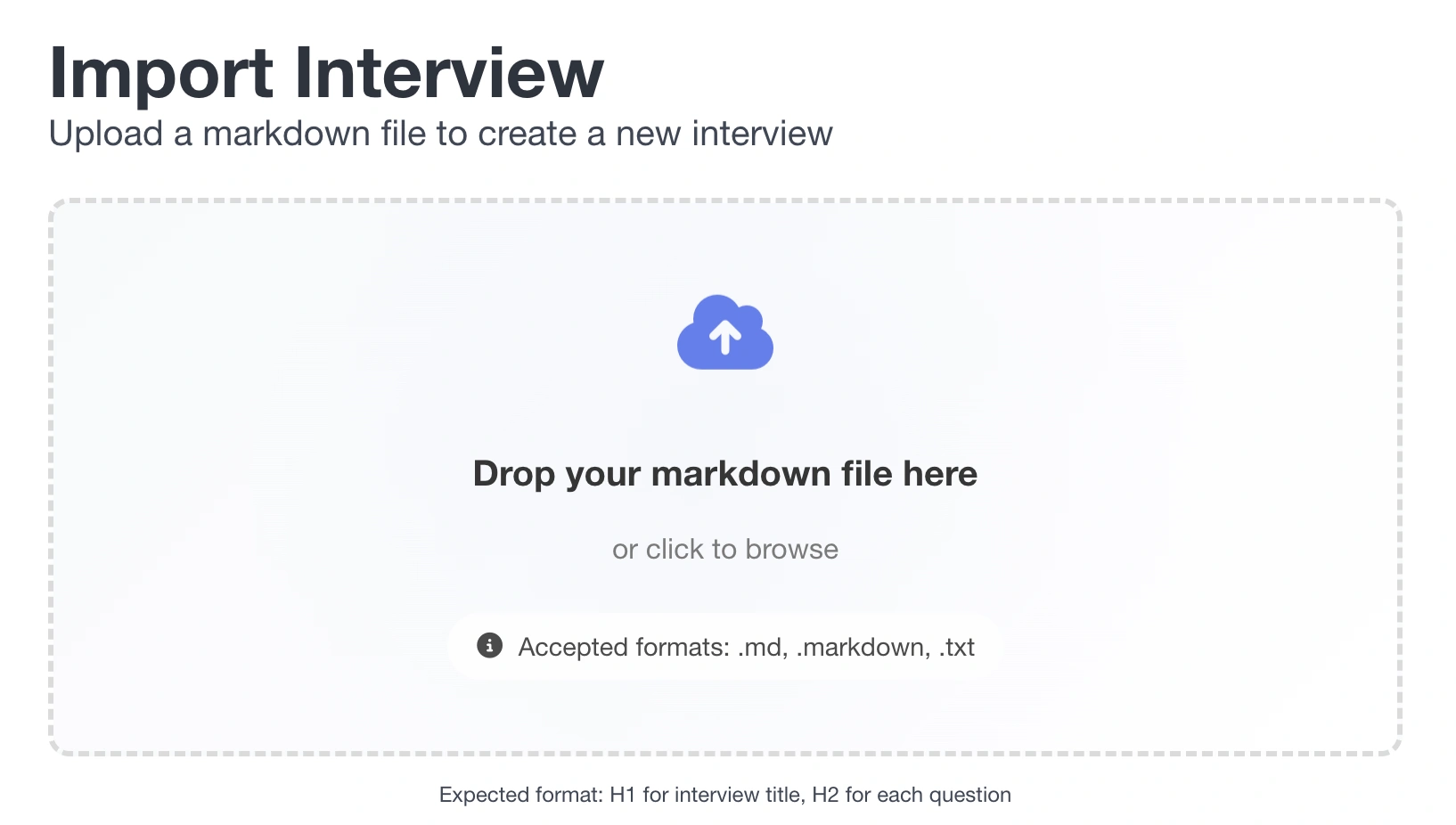
Drafted questions in ChatGPT? Prepped in Notion? Typed them in a text file? Drop your markdown file and InterviewCue turns it into a structured interview - title, questions, background notes, and links - in seconds. Or use our built-in editor. Your call.
- Works with AI tools: ChatGPT, Claude, Gemini
- Works with note apps: Notion, Docs, Obsidian, Bear
- Or just use the built-in editor, import optional

Born from 1,000+ Episodes of Real Production
Created by Michael Kennedy, host of Talk Python to Me and Python Bytes, over a decade of weekly production. Every feature solves a problem encountered in real workflows. Not a startup idea, a battle-tested production tool.
1,000+ episodes 10+ years podcasting PSF Fellow 275+ hours of courses
Your Interviews Are Private, Period
InterviewCue was built with security as a foundation, not an afterthought. Your questions, recordings, transcripts, and notes are yours, protected by industry-standard encryption, two-factor authentication, and rigorous access controls.
Encrypted Everywhere
All data travels over HTTPS with strict transport security. No exceptions.
Ownership Verified
Every request confirms you own the data you're accessing. Your interviews are invisible to everyone else.
Industry-Audited
Reviewed against the OWASP Top 10, the global standard for web application security.
Your Content Stays Yours
Never sold to advertisers, data brokers, or used for AI training. Period.