Repro steps, stacktrace, screenshots:
- Launch "request-button-sample"
- Press "Get a ride" button in "Ride Request Widget" (the one in the bottom)
- Immediately change to "Airplane mode"
Expected Behavior:
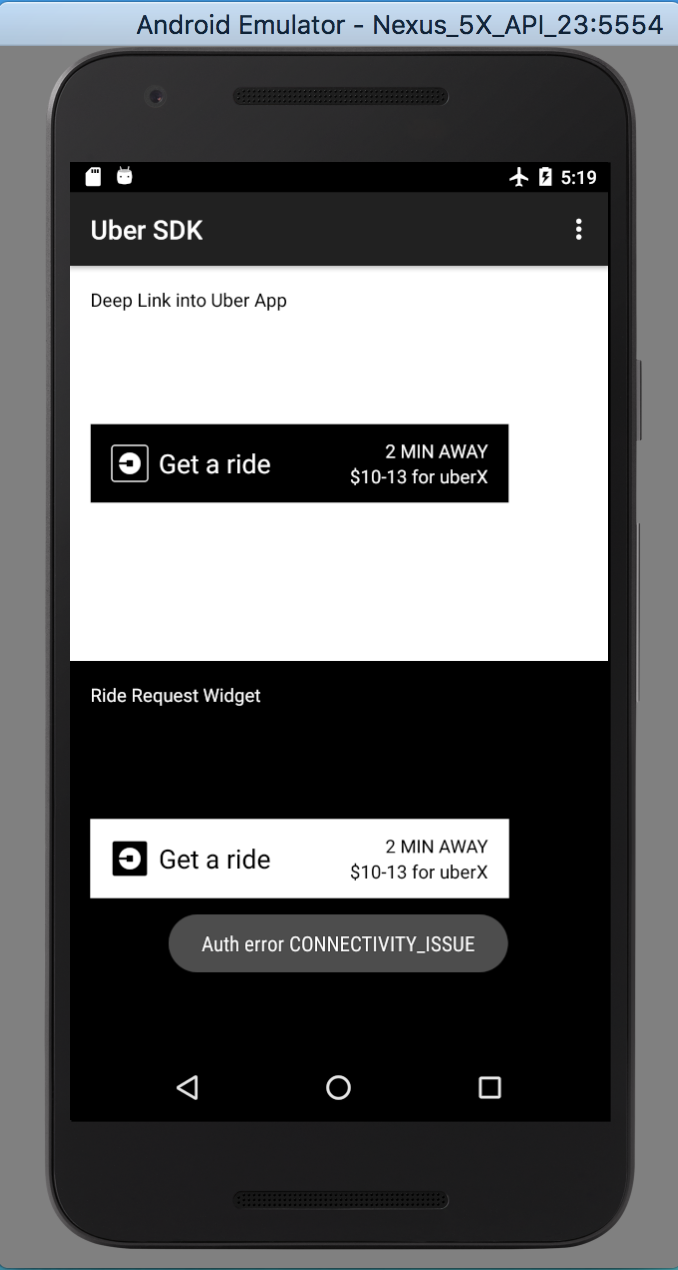
Actual Behavior:

Root cause:
"onReceivedError" does not execute when API level < 23, making the code snippet you have written in "onReceivedError" will not execute. As a result, the "WebView" object will not finish and the error message will not show.
Also "onReceivedHttpError" is introduced in API level 23, not compatible for the former version of Android devices, it can also cause this happen
| @Override | |
| public void onReceivedError(WebView view, WebResourceRequest request, WebResourceError error) { | |
| onError(AuthenticationError.CONNECTIVITY_ISSUE); | |
| } | |
| @Override | |
| public void onReceivedHttpError(WebView view, WebResourceRequest request, WebResourceResponse errorResponse) { | |
| onError(AuthenticationError.CONNECTIVITY_ISSUE); | |
| } |
| @Override | |
| public void onReceivedError( | |
| WebView view, WebResourceRequest request, WebResourceError error) { | |
| rideRequestWebViewClientCallback.onErrorParsed(RideRequestViewError.CONNECTIVITY_ISSUE); | |
| } | |
| @Override | |
| public void onReceivedHttpError(WebView view, WebResourceRequest request, WebResourceResponse errorResponse) { | |
| // This is a no-op necessary for testing as robolectric only supports up | |
| // to API 21 and this call was added in API 23 | |
| } |
Testing Device:
Nexus 5X API 23 and 22