Water distribution network modelling, either in the browser or with Node. Uses OWA-EPANET toolkit compiled to WebAssembly, with JavaScript and TypeScript bindings.
Note: All version before 1.0.0 should be considered beta with potential breaking changes between releases, use in production with caution.

Install • Usage • About • Examples • Featured Apps • Build • API • License
Install
Use npm to install the latest stable version
$ npm install epanet-js
Usage
Full documentation
Find the full documentation in the epanet-js toolkit website: https://toolkit.epanetjs.com/
Load and run an existing inp File
Run this example on CodeSandbox
import { Project, Workspace } from "epanet-js";
import fs from "fs";
// Read an existing inp file from your local disk
const net1 = fs.readFileSync("net1.inp");
// Initialise a new Workspace and Project object
// Requires top-level await support or execution within an async function
const ws = new Workspace();
await ws.loadModule(); // Asynchronous
const model = new Project(ws);
// Write a copy of the inp file to the virtual workspace
ws.writeFile("net1.inp", net1);
// Runs toolkit methods: EN_open, EN_solveH & EN_close
model.open("net1.inp", "report.rpt", "out.bin");
model.solveH();
model.close();
Choose a specific EPANET engine version
By default epanet-js bundles the latest LTS engine. To pick a specific version, use the slim
Workspace, which ships without an engine, and load one with loadModuleVersion.
import { Workspace } from "epanet-js/slim";
import { Project } from "epanet-js";
import { EpanetEngine } from "epanet-js/engines/v2.3.5";
// The slim Workspace has no engine bundled, load the one you imported
const ws = new Workspace();
await ws.loadModuleVersion(() => Promise.resolve(EpanetEngine)); // Asynchronous
const model = new Project(ws);
ws.writeFile("net1.inp", inpText);
model.open("net1.inp", "report.rpt", "out.bin");
model.solveH();
model.close();
console.log(ws.version); // The engine version actually loaded
Engines are published as separate entry points, so only the version you import is downloaded:
epanet-js/engines/v2.2throughepanet-js/engines/v2.3.5epanet-js/engines/masterandepanet-js/engines/devfor development snapshots- Add the
-msxsuffix (for exampleepanet-js/engines/v2.3.5-msx) for multi-species support
More Examples
- Choosing an engine version
- Step through the hydraulic simulation
- Model builder API
- Fire Flow Analysis using React
About
Engineers use hydraulic modelling software to simulate water networks. A model will represent a network consisting of pipes, pumps, valves and storage tanks. The modelling software tracks the flow of water in each pipe, the pressure at each node, the height of water in each tank throughout the network during a multi-period simulation.
EPANET is an industry-standard program, initially developed by the USEPA, to simulate water distribution networks, its source code was released in the public domain. An open-source fork by the Open Water Analytics (OWA) community maintains and extends its original capabilities. Read more about EPANET on Wikipedia and the OWA community on their website.
The EPANET Toolkit is an API written in C that allows developers to embed the EPANET's engine in their own applications.
Epanet-js is a full port of OWA-EPANET Toolkit to WebAssembly, providing access to all functions within the toolkit.
The JavaScript library is for engineers, developers and academics to run and share hydraulic analyses or create custom front end or server-side applications.
Using different EPANET versions with epanet-js
epanet-js supports loading multiple EPANET versions in run-time. You can find how a guide on how to load any EPANET engine version here.
Featured Apps

epanet-js
The EPANET you know — but modern, enhanced, and entirely in your browser.
No installs. No forced cloud storage. Just fast, local-first water modeling — powered by the engine you already trust.
Website: epanet-js

Qatium
Qatium is an open and collaborative water management platform, allowing users to run operational scenarios and near-real time simulations using their hydraulic models in the browser.
With an intuitive interface, Qatium provides access to operational hydraulic modelling to those focused on running a water distribution network.
Website: Qatium

Watermain Shutdown
Investigate the impact of shutdowns within a water network. Select a pipe, find the isolation valves, the customers impacted, and any alternative supplies, all with one click.
Epanet-js is used to confirm the impact on the network and ensuring alternative supplies are adequate.
Only key information is displayed. Is there low or high pressure, and are there water quality issues to be aware of, such as velocity increases or flow reversals.
Website: Watermain Shutdown
Source Code: GitHub

Model Calibrate
Extract subsections of your InfoWorks WS Pro models and run them in your browser. As you make calibration changes such as modifying roughness or restriction valves the application runs an epanet model and compares the simulated results to those observered in the field.
Website: Model Calibrate
Source Code: GitHub
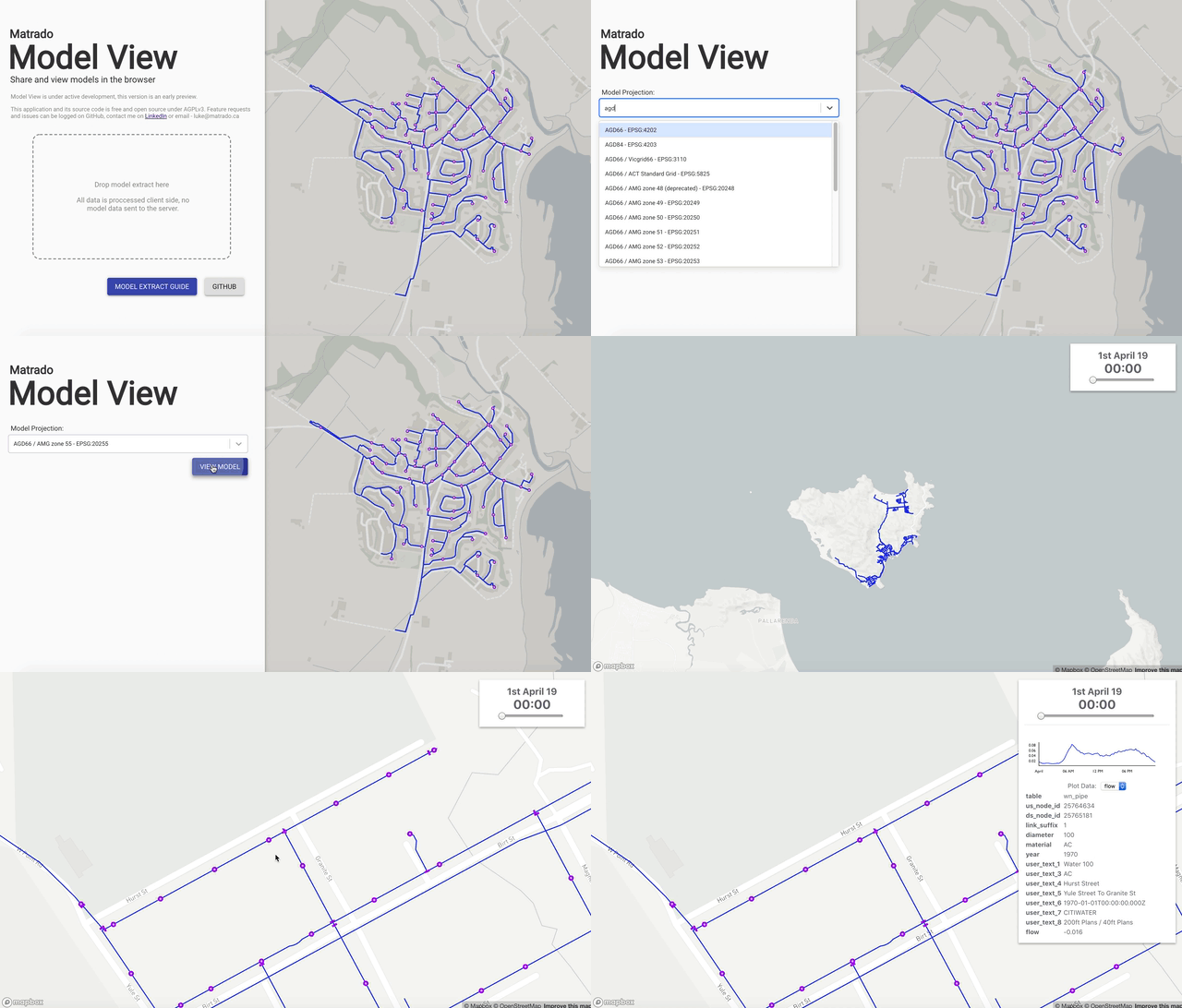
Model View
Display models created in EPANET directly in the browser. No data leaves your computer; all data rendered and processed locally using the epanet-js library.
Website: Model View
Source Code: GitHub
Build
epanet-js is split into two packages, the epanet-engine package which compiles the original C code into WASM using Emscripten. And epanet-js is a TypeScript library which wraps over the generated module from Emscripten and manages memory allocation, error handling and returning of varaible.
Building epanet-engine
Run the command pnpm run build to creates a docker container of Emscripten and the compiled OWA-EPANET source code and generate types.
cd packages/epanet-engine
pnpm run build
Building epanet-js
You must first build epanet-engine before you can test or build epanet-js.
cd packages/epanet-js
pnpm run test
pnpm run build
Publishing epanet-js
sh pnpm publish --dry-run --recursive pnpm publish --recursive
API
epanet-js contains two classes, Workspace & Project. A Workspace represents a virtual file system where you can store and read files that are consumed by the tool kit, such as INP Files or generated by it, such as RPT files or OUT files.
A Project is a single instance of the EN_Project wrapper object and a singleton with all toolkit methods attached. A full list of all methods can be found on the epanet-js website. All method names have been converted to camelCase to keep with JavaScript convention.
Create a Project object by instancing the Project class with a Workspace object.
import { Project, Workspace } from `epanet-js`
// Requires top-level await support or execution within an async function
const ws = new Workspace;
await ws.loadModule(); // Asynchronous
const model = new Project(ws)
License
Both epanet-js and @model-create/epanet-engine are MIT licenced.
The hydraulic engine used within the epanet-js library is OWA-EPANET 2.2, which is MIT licenced, with contributions by the following authors.