Beautiful logging experience for TypeScript

Powerful, fast and expressive logging for TypeScript and JavaScript
Note
This is tslog v5. It is a deliberate, breaking redesign — ESM-only, grouped settings, a new fields-first JSON shape, and middleware instead of overwrite.*. If you are on the 4.x line, 4.11.0 is a safe place to stay — most of the v5 performance wins were back-ported there with zero breaking changes. Upgrade when you want the new capabilities. See Upgrading from v4?.
Highlights
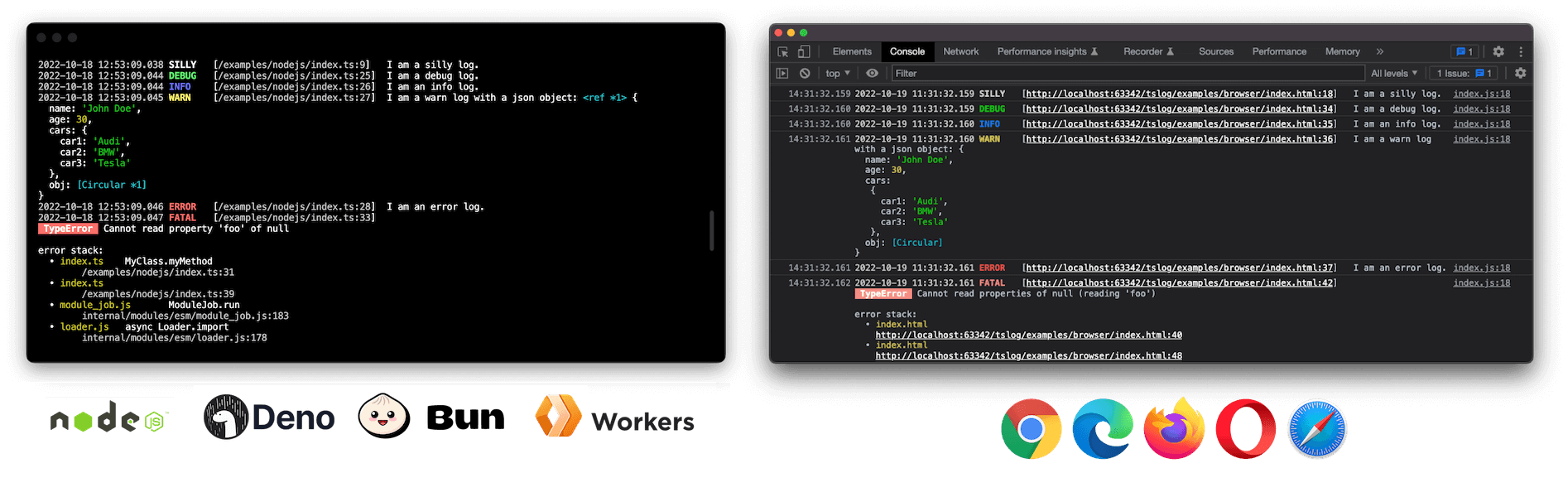
- 🏗 Universal — one logger for Node.js, browser, Deno, Bun, workers and React Native
- 🧱 Structured, fields-first JSON — flat, observability-ready output that drops straight into log pipelines
- 🧭 Pretty by default, JSON optional — colored in your terminal, uncolored when piped/CI; structured JSON is one opt-in away
- 🤖 First-class support for agents & LLMs — fields-first calls, agent/session correlation, an
llms.txt, and OTel-GenAI presets; used by OpenClaw for agent logging - 🌳 Tree-shakeable subpaths — transports, presets and helpers ship as opt-in modules,
sideEffects: false - 🪶 Zero runtime dependencies — nothing pulled into your bundle but
tslogitself - 👮 Fully typed — written in TypeScript 7, native ESM, accurate source-mapped line numbers
- 🙊 Secret masking — keys, JSONPath-lite paths, regex, and a hashing censor for correlation
- 👨👧👦 Sub-loggers with inheritance —
child()/getSubLogger()with merged settings and accumulated names - 🔌 Pluggable transports & middleware — per-transport level/format, a
use()pipeline,flush()and disposal - 🖥 Interactive browser objects —
pretty.passObjectsNatively(on by default in browsers) keeps logged objects collapsible in DevTools - 🤓 Pretty errors & stack traces — structured, fully serializable, captured only when needed (
"auto"for pretty,"off"for JSON)
Example
import { Logger } from "tslog";
// `new Logger()` is pretty everywhere: colorized in an
// interactive terminal, uncolored when piped/redirected/CI.
// Omit `type` for pretty; set "pretty" | "json" | "hidden".
const log = new Logger({ minLevel: "INFO" });
// Fields-first OR string-first — both work:
log.info({ port: 3000 }, "server started");
log.info("server started");
// A child logger per request or agent — name, settings and
// fields are inherited. `child(...)` aliases `getSubLogger(...)`:
const requestLog = log.getSubLogger({ name: "agent:planner" });
requestLog.info({ tool: "search", tokens: 318 }, "tool call done");
// JSON → {"message":"tool call done","level":"INFO","levelId":3,
//         "time":"…","tool":"search","tokens":318,
//         "_logMeta":{"v":5,"name":"agent:planner",…}}
// Keep secrets, PII and prompts out of your logs (grouped under `mask`):
const safeLog = new Logger({
  type: "json",
  mask: {
    keys: ["password", "apiKey", "token", "prompt"],
    paths: ["user.password", "*.token"],
  },
});
safeLog.info({ user: { name: "Ada", password: "hunter2" } });
// → {"user":{"name":"Ada","password":"[***]"},"level":"INFO", …} (a lone object spreads its fields — no message key)
Become a Sponsor
Donations help me allocate more time for my open source work.
Install
tslog is published to npm as a single ESM package. How you pull it in depends on the runtime — npm for Node.js, bun add for Bun, an npm: specifier (or import map) for Deno, and a CDN URL for the browser:
| Runtime | Install / import |
|---|---|
| Node.js | npm install tslog → import { Logger } from "tslog"; |
| Bun | bun add tslog → import { Logger } from "tslog"; |
| Deno | no install step — import { Logger } from "npm:tslog"; |
| Browser | no install step — import { Logger } from "https://esm.sh/tslog"; |
The per-runtime details are below.
Important
tslog v5 is ESM-only and requires Node.js ≥ 20. There is no CommonJS build and no require("tslog"). If you cannot move to ESM or off Node 16/18 yet, stay on tslog@4.11.0 — it keeps CJS, Node 16+ and the v4 JSON shape. See Upgrading from v4?.
Node.js
npm install tslog
Set "type": "module" in your package.json and run Node with source maps for accurate line numbers:
{
  "name": "NAME",
  "version": "1.0.0",
  "type": "module",
  "scripts": {
    "build": "tsc -p .",
    "start": "node --enable-source-maps dist/index.js"
  },
  "dependencies": {
    "tslog": "^5"
  }
}
After building (npm run build), start your app with npm start.
To run TypeScript directly, use a current ESM-aware runner, e.g. node --enable-source-maps --import tsx src/index.ts.
Deno
There is no install step in Deno — the npm: specifier pulls tslog from npm and caches it on first run (or add it to an import map / deno add npm:tslog if you prefer a bare "tslog" import):
// main.ts
import { Logger } from "npm:tslog";
const logger = new Logger();
logger.info("Hello from Deno");
deno run main.ts
# grant optional metadata access: deno run --allow-env main.ts
Bun
Add the package with Bun's own installer, then import it by name:
bun add tslog
// main.ts
import { Logger } from "tslog";
const logger = new Logger();
logger.info("Hello from Bun");
bun run main.ts
Browser
<script type="module">
  import { Logger } from "https://esm.sh/tslog";
  const logger = new Logger();
  logger.silly("I am a silly log.");
</script>
A prebuilt IIFE bundle is also published for <script src="tslog.js"> usage, exposing the global window.tslog. In the browser, the default output renders pretty logs with CSS styling.
Bundle-size sensitive? import { Logger } from "tslog/slim" ships the same structured-JSON pipeline at less than half the size (~9.8KB gzip vs ~20.7KB) by leaving out masking, pretty output, and stack capture — mask settings and type: "pretty" throw there instead of silently degrading. Both sizes are enforced by a CI budget (npm run check-bundle-size).
Enable TypeScript source-map support so tslog can point at the correct line in your source: