Ambassadors Containers
The Ambassador pattern, is a way to configure containers where one container (the ambassador), proxy communication to and from a main container. The container in the role of Ambassador can be designed to encapsulate features that we want to share with the main container. This technique is widely use by service mesh frameworks like Istio, Linkerd, etc.
What should I care ?
For example, you have two service where A fetch some information of B, let say that the team in charge of service B decide to implement a brand new Authentication protocol, this leave you with two options hardcode this authentication knowledge into service A or encapsulate this knowledge into an Ambassador container that will handle this on behalf of service A.
The advantage is that you can upgrade any service that want to use this aunthentication by just configuring and deploying this Ambassador in the same pod.
For more information take a look at this post.

Any Example ??
Here I just encapsulate some telemetry logic into an Ambassador container using Node.JS, then I just reuse this container to gather telemetry of any container.

I just create this API that easy the development of this type of container.
Installation
npm install node-ambassador --save
Usage
Creating a simple Proxy server.
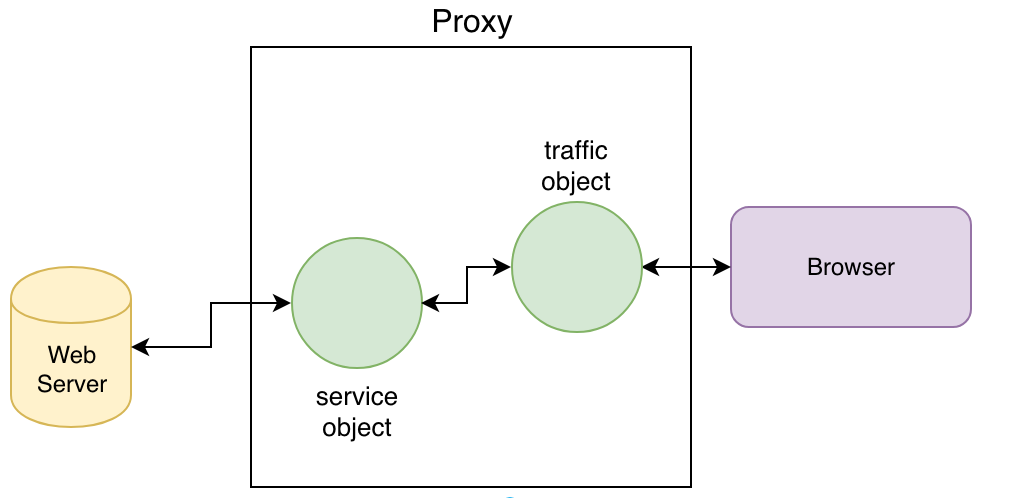
let { Ambassador }  = require('../node-ambassador/')
const TARGET = process.env['TARGET_PORT'] || 8087
const PORT   = process.env['PORT'] || 8080
new Ambassador({port: PORT, target: TARGET}).tunnel({})
console.log(`Listening for request in ${PORT} and targeting ${TARGET}`)

How To Override A Response
Let's say you want to change the response coming from a service by changing the default HTTP 404 status message.
const HTTP404 = `
HTTP/1.0 404 File not found
Server: AmbassadorServer 💥
Date: ${Date()}
Content-Type: text/html
Connection: close

<body>
  <H1>Endpoint Not Found</H1>
  <img src="https://www.wykop.pl/cdn/c3201142/comment_E6icBQJrg2RCWMVsTm4mA3XdC9yQKIjM.gif">
</body>`
You detect the response header of the service and send the response.
let { ambassador }  = require('../node-ambassador/')
const http404 = `...`
const TARGET = process.env['TARGET_PORT'] || 8087
const PORT   = process.env['PORT'] || 8080
function override_404({service, server}) {
  service.on('http:404', () => console.log('404 Detected!'))
  service.on('http:404', () => server.respond(HTTP404))
}
new Ambassador({port: PORT, target: TARGET})
      .tunnel({ override_404 })
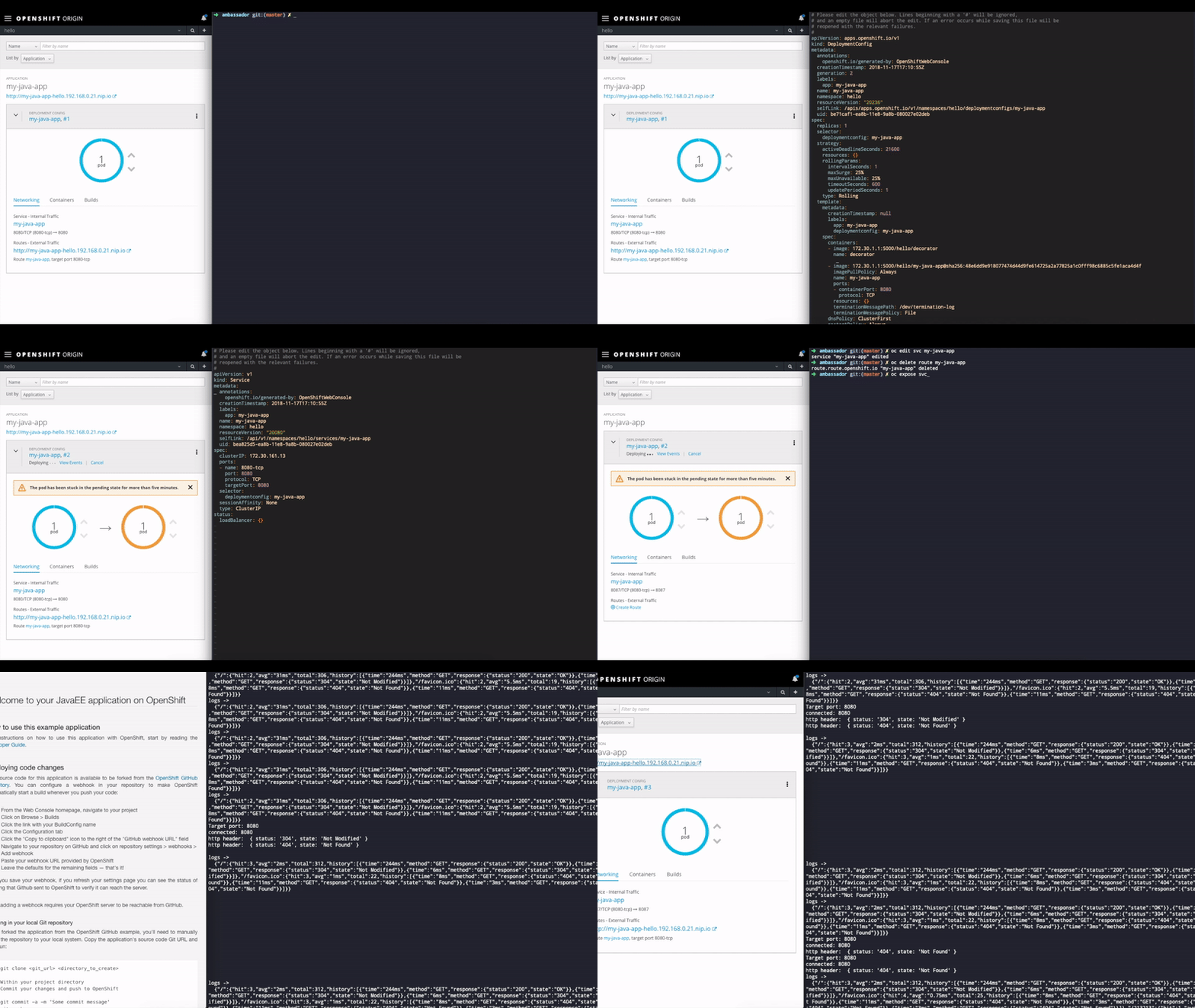
Here is an example of overriding the response of a Wildfly Java micro-service.
More Ideas
Other example, imagine you want to be notified if a server crash with an HTTP 500.
function ret500({service}) {
    service.on('http:404', () => send_mail_to() )
}
new Ambassador({port: PORT, target: TARGET})
      .tunnel({ ret500 })
You want to test create a reusable container that intercepts and validates requests.
let { ambassador }  = require('../node-ambassador/')
const target = process.env['target_port'] || 8087
const port   = process.env['port'] || 8080
function ret500({service}) { /*...*/ }
function Auth({ server }) {
  service.on('http:data', (header, rawHTTP) => check_token(rawHTTP))
}
new Ambassador({port: PORT, target: TARGET})
      .tunnel({ ret500, Auth })
API
Ambassador
The constructor takes two parameters:
new Ambassador({port: PORT, target: TARGET})
- port: port number for listening incoming traffic.
- target: port of the main container.
tunnel
This method orchestrate a proxy between incoming traffic and the main container.
ambassador.tunnel({ subscriber, ... })
- empty: If leave empty it will create a simple proxy.
Response Methods:
- listen: Listen for the response from the service.
- override: Stops the normal flow of communication in the proxy and replace the response with a custom one.
Request Methods:
- listen: Listen for the data coming to the container.
- server: Coming soon.