Description
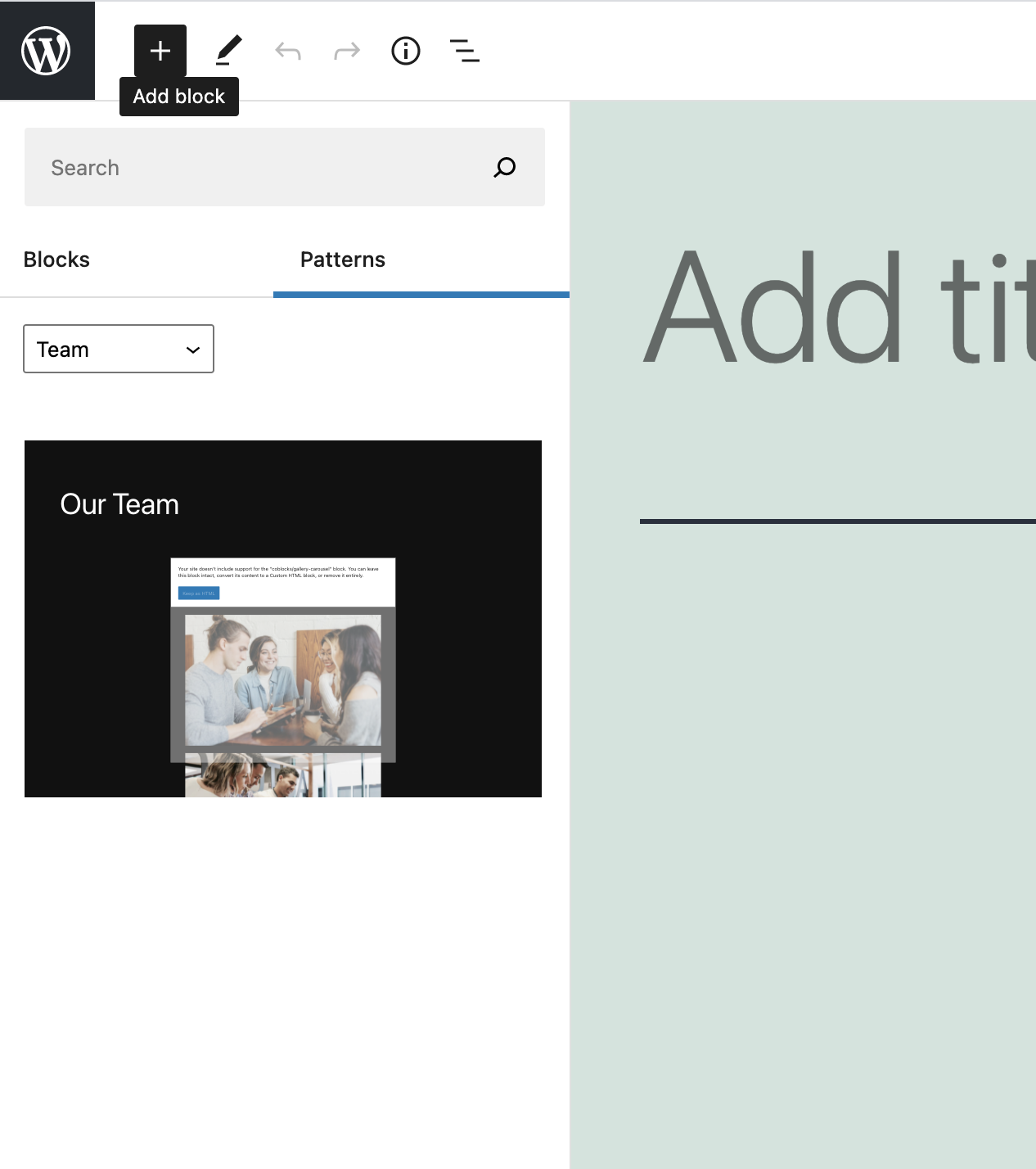
Currently block patterns show up within the Pattern Library UI, regardless of if the pattern is insertable. Sure, one could add a broken pattern to a page, but its obviously a subpar experience when the "Your site doesn't support.." message shows up.
I suggest that patterns with unregistered blocks are simply omitted from the Pattern Library, so that the experience of adding broken patterns to a site just doesn't occur.
This will become an even bigger deal when the WP Patterns Directory lands - if third party blocks are allowed to be used within partners (as they should).
Step-by-step reproduction instructions
- Install a block/block plugin, such as CoBlocks
- Create a pattern to your site using a block from it (I used the coblocks/gallery-carousel block in my example screenshot below).
- Deactivate the plugin (therefore unregistering the carousel block within the pattern).
- Open the Pattern Library
- See the broken pattern
Expected behaviour
Unsupported patterns (patterns that would be broken if added to a page due to unregistered blocks) should not be available to insert via the Pattern Library.
Actual behaviour
I can see and add broken patterns to my site.
Screenshots
WordPress information
- WordPress version: 5.7.1
- Gutenberg version: Not installed
- Are all plugins except Gutenberg deactivated? Yes (except for installing CoBlocks to make a pattern)
- Are you using a default theme (e.g. Twenty Twenty-One)? Yes