
 Apple Music Profile
 YouTube Channel
 RSS Feed
 Play Play
 Murph
Murph Yer Stack
 Block Party Weekend
 Elevendy
 Dupin v4.0.0
 Join Together
 M3Unify
 30 Most Recent RSS Feed
Popular Now
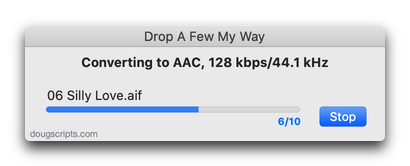
downloaded 9m 58s ago
For Music Drag-and-drop to convert audio files with the Music app
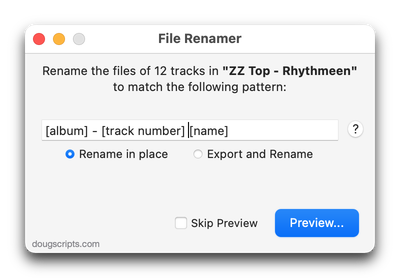
downloaded 30m 42s ago
For Music Use tag data to formulate new file name for selected tracks' files
downloaded 56m 45s ago
For Music Exports and then re-imports selected tracks' artwork
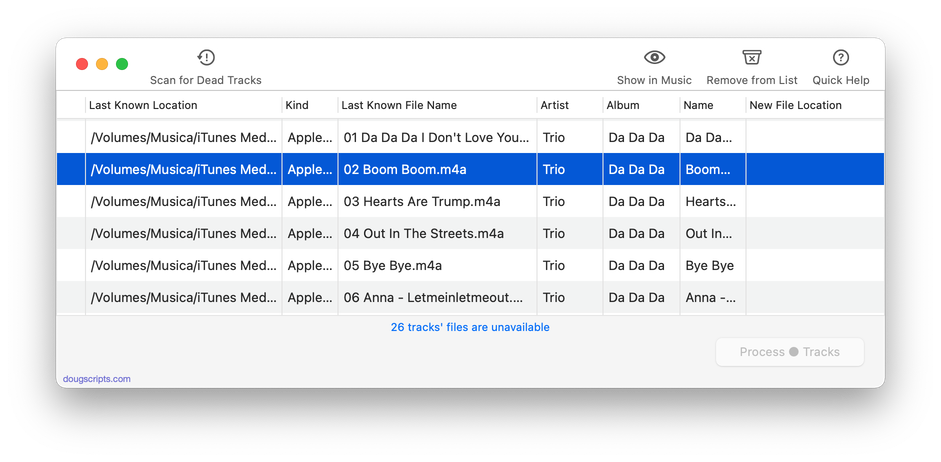
downloaded 1h 4m 51s ago
For Music Re-associate batch of dead tracks with files dropped from Finder
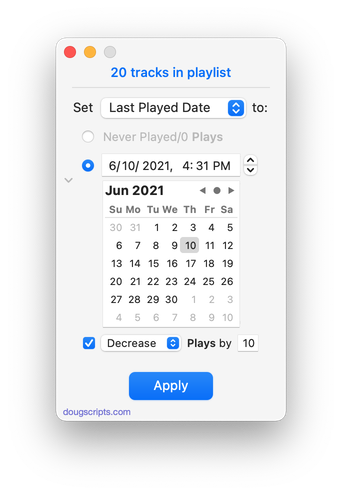
downloaded 1h 17m 28s ago
For Music Batch set new Last Played/Last Skipped of selected tracks
downloaded 2h 0m 27s ago
Restore Artwork from Album Folder v5.0
For Music Restore each selected track's artwork from an image file stored in its Album folder
Welcome!
Download hundreds of AppleScripts for Apple's Media Apps that will help make managing your digital music and video collection easier and more fun!
What's AppleScript?
AppleScript is a simple Macintosh-only programming language that can control and automate actions on your Mac. AppleScript is already available on your computer as part of the macOS and many popular applications can be automated using AppleScript scripts. Scripts written for Apple's Music, TV and iTunes apps can manage files and track information, create playlists, interact with other applications, perform innovative tasks, and handle many kinds of chores with accuracy and precision which otherwise would be repetitive, laborious, and/or time-consuming.
And, perhaps most conveniently, AppleScripts can be launched from the Music app's Script menu and can even be assigned Keyboard Shortcuts.
Cool! Where Do I Start?
Start browsing the site by using the scripts ↓ Menu link above. AppleScripts are gathered into these general Categories:
Or use the search box at the top of every page to try and find something specific.
Not sure how to install AppleScripts? Here's a Download/Installation FAQ.
Check back often or subscribe to my RSS blog feed and Most Recent Scripts RSS feed to stay notified about new and updated scripts and info.
Latest:
Subscribe to the RSS feed. Looks best in NetNewsWire.
Apple Events Bug?
I was disappointed to receive a couple of crash reports from users of newer scripts using pre-macOS 26 operating systems. As they put it, the scripts with the new “colored icons” seem to be the problematic ones. These are the most modern versions of the scripts and they have all been recently developed on macOS 26 Tahoe.
Most of these scripts haven’t added anything new but have just been updated to account for UI changes; earlier versions ran fine on earlier OSes. One Correspondent ran his crash report through ChatGPT which surmised that the issue was related to a failure in Apple Events: “The applet had an Apple Event in progress and macOS was trying to resume/finish processing that event when an internal CoreFoundation array became corrupted or contained an invalid pointer.” While my own thinking wasn’t that specific, something along those lines had occurred to me as well.
I don’t like to guess about these things, but my guess is that some version of macOS 26 introduced an issue that doesn’t fly so well in earlier macOS versions. I haven’t received any reports of errors or crashes from users of macOS Tahoe (or Golden Gate betas).
Be that as it may, if you are using a pre-macOS 26 operating system, download a new script and then find it crashes, you can try reverting to an earlier version of the script. Most modern scripts have a direct download link to a “Serviceable Antecedent” which is located in a script’s “INFO” section on its entry page.
UPDATED: New Last Played Date v6.3
Set Last Played/Last Skipped date of selected tracks to a new date, with option to increase or decrease Plays/Skips, or set to “never played” with no dates and no Plays/Skips.
Also see Add or Subtract Play Count.
Works best when Sync Library is disengaged due to a possible bug.
Latest version:
- UI updates for macOS 26 and later
- Removes disclosure/window resize
More information for New Last Played Date v6.3 and download link is here.
UPDATED: Album Rating Reset v5.6
This script will allow you to batch set or clear the Album Rating and/or Album Favorite/Suggest Less for the albums of the selected tracks or the albums associated with the tracks in a selected playlist (note that only a single track from any album need be selected in order to change the album rating or favorited of the entire album). Handy for clearing batches of albums of their user-set album ratings, or re-rating batches of albums.
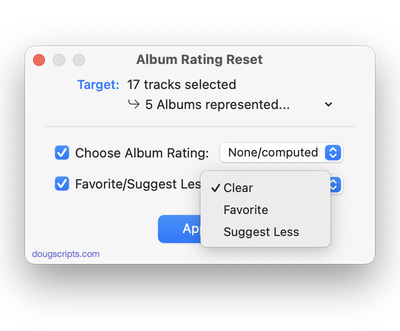
Latest version:
- UI updates
- Fixes problem with Settings panel
- Drops support for half-stars
More information for Album Rating Reset v5.6 and download link is here.
UPDATED: Apply Embedded Artwork v3.0
This script will examine each selected track’s local file for image metadata and apply it as the track’s album artwork.
Latest version:
- UI adjustments for macOS 27
- Displays operative artwork when available
- Maintenance and regression removals
More information for Apply Embedded Artwork v3.0 and download link is here.
UPDATED: Re-Embed Artwork v4.0
This applet will export then re-import the artwork data of the selected tracks obliging the Music app to embed the artwork in the track’s file’s meta-data.
Latest version:
- Remains open after each selected track batch is processed
- UI adjustments for macOS 27
More information for Re-Embed Artwork v4.0 and download link is here.
UPDATED: Restore Artwork from Album Folder v5.0
This applet will look for an image file in the parent folder of each selected track’s file–presumably its Album folder into which you have previously placed an image file of some sort–and apply the data from that image file as artwork for the track.
Also see Save Album Art to Album Folder and Save Album Art as folder.jpg which assist with exporting album artwork as image files.
Latest version:
- Remains open after each selected track batch is processed
- Displays operative artwork when available
- UI adjustments for macOS 27
More information for Restore Artwork from Album Folder v5.0 and download link is here.
UPDATED: Assimilate View Options v6.4
This applet re-creates each selected playlist so its Songs View column settings (visible columns) are the same as the main “Songs” library.
Works with user-created regular playlists only.
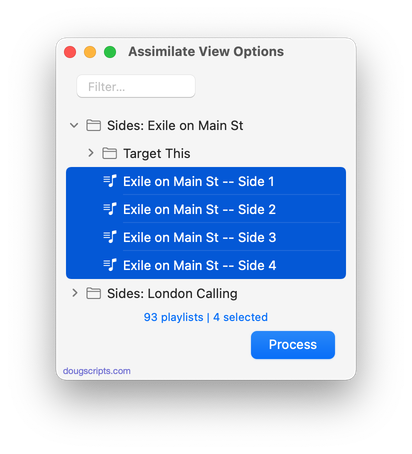
Latest version:
- Fixes issue with empty description tag returning missing value
- Minor maintenance
More information for Assimilate View Options v6.4 and download link is here.
UPDATED: Copy Tag Info Tracks to Tracks v6.9
This applet will copy specific tag data from one set of selected tracks to a second set of selected tracks. You can copy any combination of Checkmark, Song Title, Artist, Album Artist, Album, Genre, Year, Disc and Track, Composer, Grouping, Work, Movement, BPM, Comments, Lyrics, Rating, Favorite/Suggest Less, Plays/Skips, Artwork and Compilation.
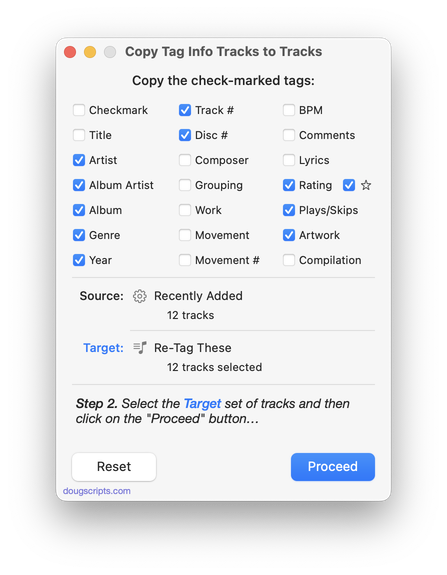
Latest version:
- UI update for macOS 26
- Fixed text animation issue
- Maintenance and regression removal
More information for Copy Tag Info Tracks to Tracks v6.9 and download link is here.
UPDATED: Doug’s Check For All Updates v2.0
This applet will survey your computer for AppleScripts downloaded from dougscripts.com and create a report, locally stored and viewable in your web browser, listing the scripts for which updates are available.
Note: previous versions of this script will cease to work on January 1, 2027.
Latest version:
- UI updates, maintenance
More information for Doug’s Check For All Updates v2.0 and download link is here.
UPDATED: Playlist Manager v5.1
The Music app only allows one playlist to be selected at a time. I mean, it makes sense. Select two arbitrary playlists and what would be displayed in the browser window? I’ll bet no one knows. I think it would be Messy. That’s my guess.
Playlist Manager v5.1 can perform common useful tasks on a multiple selection of playlists: playlist title renaming (add text, remove text, search and replace text, text transforms), change View, duplicate, delete, export, move to Playlist Folder, merge playlists and remove track copies.
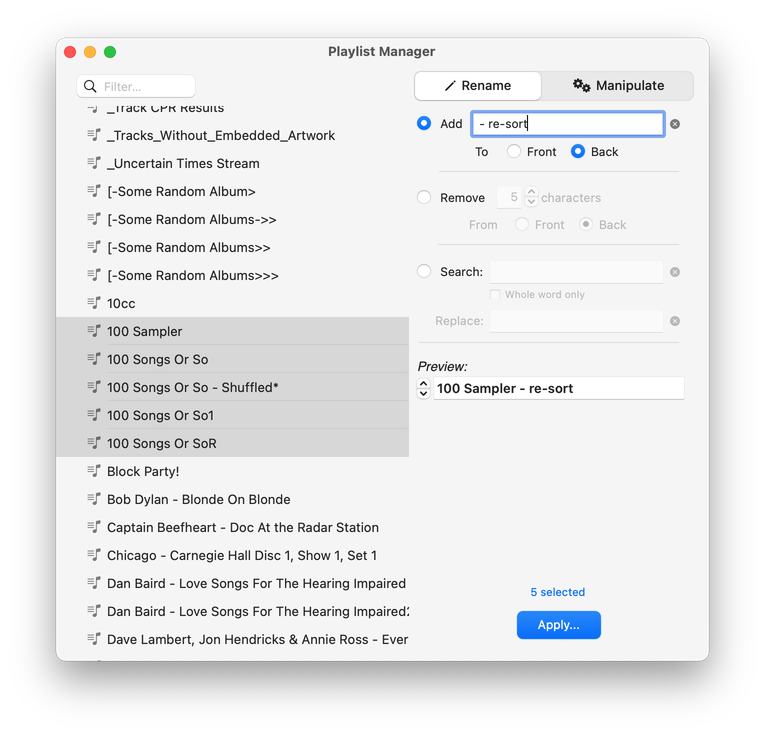
Latest version:
- Minor UI update
- Maintenance
- Icon and docs update
More information for Playlist Manager v5.1 and download link is here.
