Update 1.91.1: The update addresses these issues.
Downloads: Windows: x64 Arm64 | Mac: Universal Intel silicon | Linux: deb rpm tarball Arm snap
Welcome to the June 2024 release of Visual Studio Code. There are many updates in this version that we hope you'll like, some of the key highlights include:
- Preview: Incoming/Outgoing changes graph - Visualize incoming and outgoing changes in the Source Control view.
- Python environments - Enhanced environment discovery with python-environment-tools.
- Smart Send in native REPL - Smoothly run code chunks in the native REPL.
- GitHub Copilot extensibility - Chat and Language Model APIs available in VS Code Stable.
- Preview: Profiles Editor - Manage your profiles in a single place.
- Custom tab labels - More variable options and support for multiple extensions.
- TypeScript 5.5 - Syntax checking for regular expressions and other language features.
- JavaScript Debugger - Inspect shadowed variables while debugging JavaScript.
If you'd like to read these release notes online, go to Updates on code.visualstudio.com. Insiders: Want to try new features as soon as possible? You can download the nightly Insiders build and try the latest updates as soon as they are available.
Accessibility
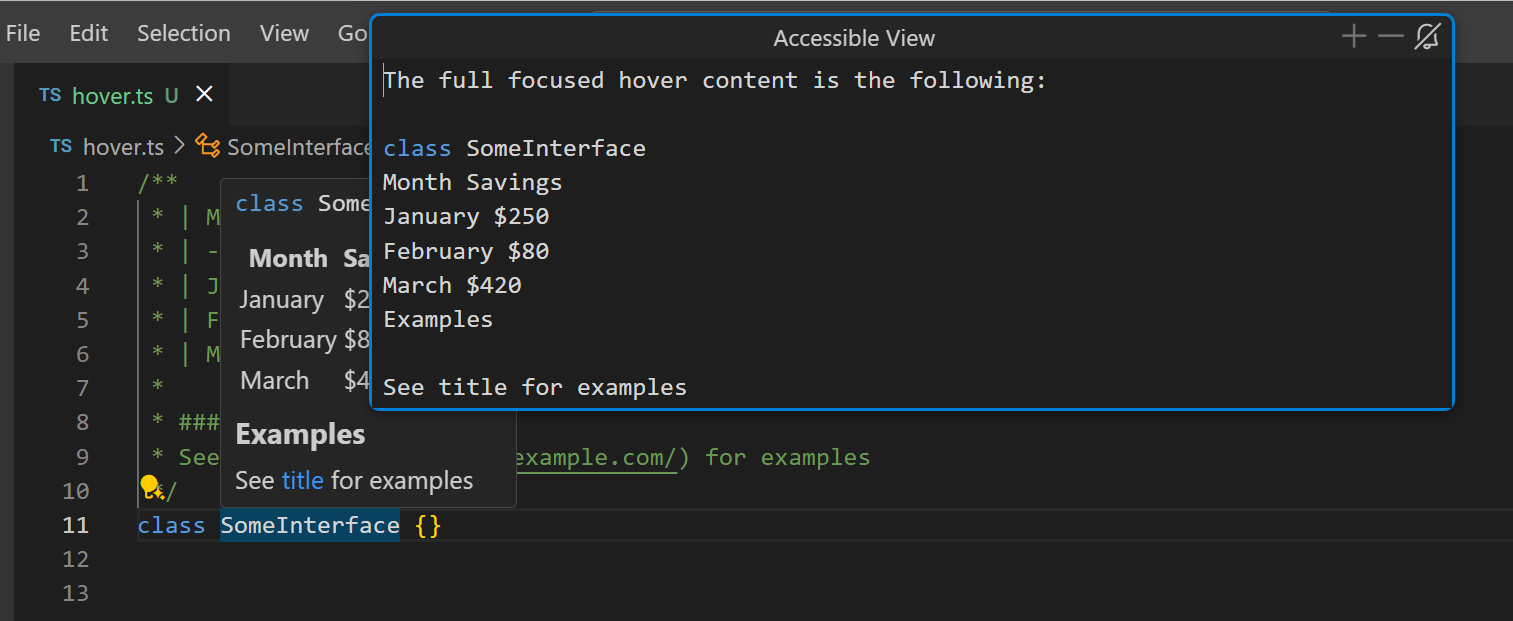
Accessible View for editor hover
To improve accessibility when coding, the Accessible View and accessibility help menu can now present the content of the editor hover information. Depending on the focused part of the hover, they show information about the focused part or the entire hover content.
Link underlines
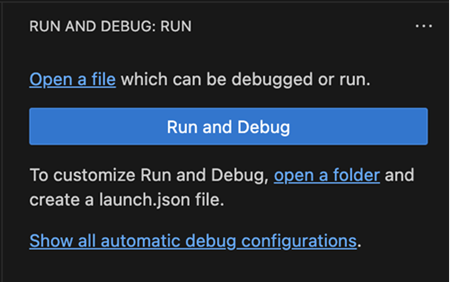
To make links easier to distinguish from regular text in the workbench, you can enable the setting accessibility.underlineLinks to underline links.
Workbench
Search
We added a new setting search.ripgrep.maxThreads that enables you to limit the number of threads that the ripgrep search engine uses. This setting applies regardless whether search is used by the core product or via the extension API.
Set search.ripgrep.maxThreads to a nonzero value to configure the number of threads. Be cautious because fixing this setting to a specific value might slow down ripgrep.
Adjust allowed encodings for guessing
With the new setting files.candidateGuessEncodings, you can configure a set of encodings that should be considered when files.autoGuessEncoding is enabled. The order of configuration determines the priority. This functionality enables you to limit the possible encodings that can be detected to a smaller set and to prioritize one encoding over another.
Profiles Editor preview
In this milestone, we introduced a new Profiles Editor that enables you to manage profiles from a single place. This experience includes creating new profiles, editing and deleting existing profiles, and importing and exporting profiles to share with others. While creating a new profile, you can preview the profile and customize as needed before saving it. The Profiles Editor also enables you to open new windows with a specific profile, or set a profile as the default profile for new windows.
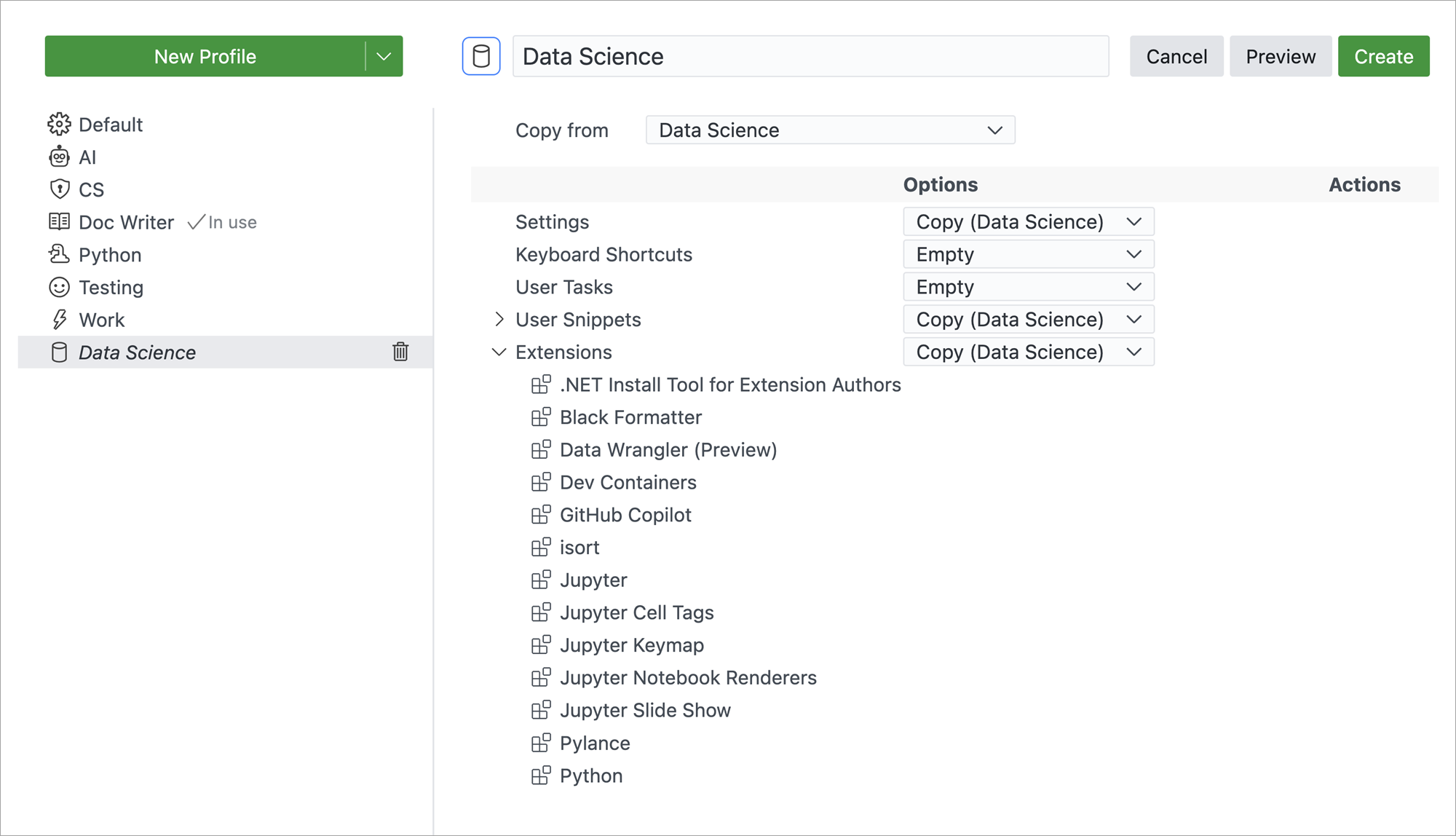
The Profiles Editor is available as an experimental feature behind the workbench.experimental.enableNewProfilesUI setting. Once enabled, you can access the Profiles Editor from the Settings gear icon in the bottom left corner of the window.
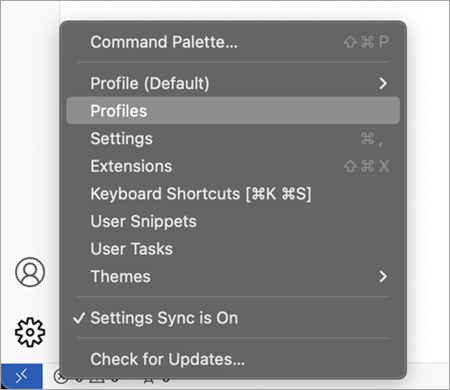
Give it a try and give us feedback on how we can improve this experience further.
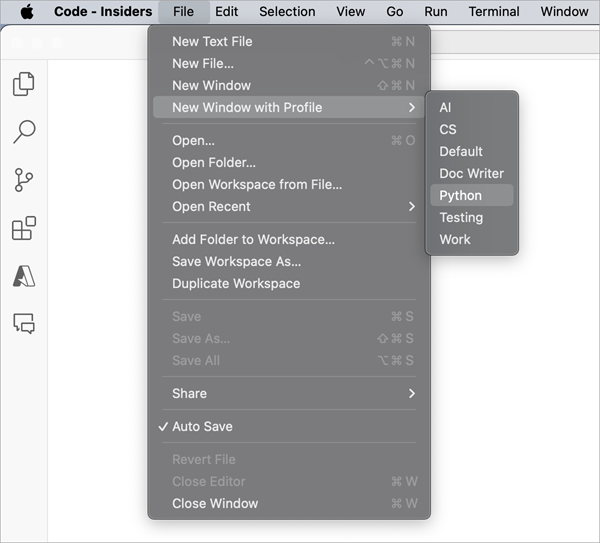
In addition to the Profiles Editor, we added actions to the File menu to open a new window with a specific profile. Use the File > New Window with Profile menu to open a new window with a specific profile.
Extension install options
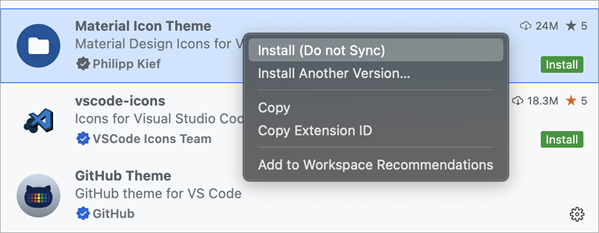
We added more options to give you more flexibility when installing extensions:
- Install an extension without syncing it.
- Install a specific version of an extension. Previously, you first had to install the latest version of the extension before you could select a specific version.
These actions are available in the context menu of the extension in the Extensions view:
Access file extensions in custom labels
When you define custom labels, you have now more flexibility to access individual file extensions by using the ${extname(N)} syntax. Additionally, ${extname(N)} also supports negative indices to capture file extensions in the reverse order. To get the entire file extension, use ${extname}.
For example, for the file tests/editor.test.ts:
${filename}=>editor${extname}=>test.ts${extname(0)}=>ts${extname(1)}=>test${extname(-1)}=>test${extname(-2)}=>ts
Merge custom label patterns from multiple extensions
When two extensions contribute a default configuration for the setting workbench.editor.customLabels.patterns in their configurationDefaults, the contributed patterns are merged together.
|
|
| Default Contribution by Extension 1 | Default Contribution by Extension 2 |
|
| Resulting Custom Label Patterns |
Unset a theme color
If a theme sets a color or border that you don't like, you can now use default to set it back to the original value:
const accounts = vscode.authentication.getAccounts('microsoft');
From there, you can use those accounts to mint sessions specifically for those accounts:
">PR #88