
Quick Access
Our overlay makes sharing a breeze. Instantly save, copy or drag & drop screenshots or screen recordings to other apps. Whatever your workflow looks like, it's going to fit.
Watch the video

The essential swiss army knife for screenshots, markups, and GIFs. Every Mac owner needs this.
Annotate
In a matter of seconds highlight important parts of your screenshot with our annotation tool. Loved by our users, it beats any other annotation app.
Cloud account is not required to use the app
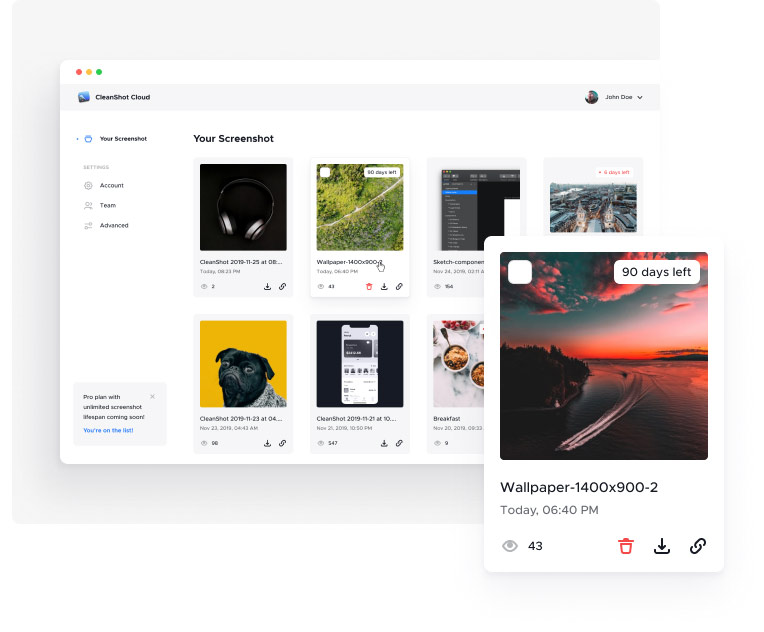
CleanShot Cloud
Seamlessly collaborate with screen recordings and screenshots — right from the CleanShot app.

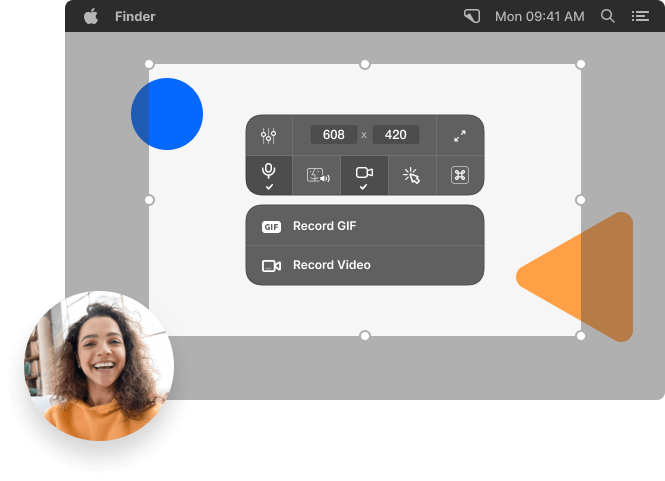
Screen recording
It’s all about making things easier. In a few clicks, record your screen and save it as a video or an optimized GIF file.
Show your webcam in recordings NEW
Record microphone & macOS audio
Highlight mouse clicks & keystrokes
Automatically hide notifications
Built-in trimming tool
Background tool
Need to create a beautiful social media post? It's now easier than ever to make your screenshots pop with just a few clicks, right inside CleanShot!
Perfect for social media
10 beautiful backgrounds included
Add your own background
Text recognition
Need to copy text from an image or from a scanned document? CleanShot can do it for you!
Easily copy non-selectable text
OCR technology
Super fast on-device recognition
Pin screenshots
Keep a reference of anything you need always visible. It will float above all windows.
Adjust size & opacity
Always on top
Hide icons
Take a screenshot or record your screen without icons on your Desktop. You can even hide them permanently so they don't distract you.
Hide clutter on your Desktop
Perfect for screen sharing
Self-timer
Take a screenshot after a specified delay to capture the perfect moment.
Scale down Retina
You can automatically scale down Retina screenshots to standard resolution.
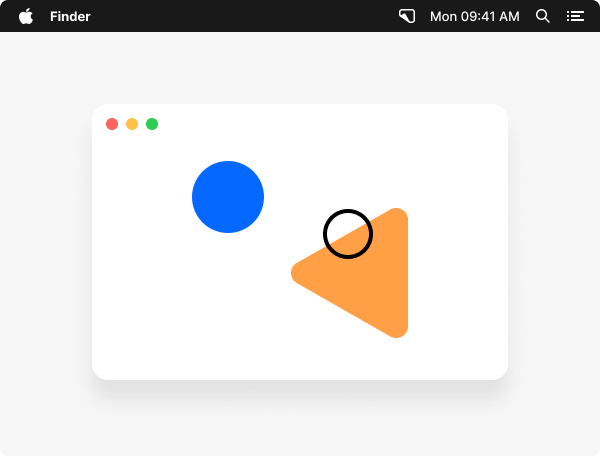
Crosshair mode
Never waste time on trying to perfectly align your screenshots again.
Custom wallpaper
Set a specific photo or a plain color as a wallpaper for screenshots and screen recordings.
Tweak your workflow
You can adjust lots of settings and tailor CleanShot exactly to your needs.
Made for Mac
A completely native app gives you the performance you expect.
Feedback
Our users love CleanShot. Here's what they are saying.
4.9Based on user reviews.

Chris Messina,
Hashtag inventor
CleanShot X has quickly become one of my most used 'invisible' apps that just fits into my workflow. Whether I'm pointing out some sweet new app feature to a friend, sharing my a screenshot to social media, or capturing a GIF to report a bug, I'm using CleanShot in each of those cases!

Matt Galligan,
𝕏 mg
Yesterday I picked up CleanShot X and am already so happy with it. Makes screenshots, screen recording, and annotation a breeze. Easily a 10x improvement over standard macOS stuff. #notsponsored
Thorsten Ball,
𝕏 thorstenball
I bought this ... half a year ago? and it's one of my favorite Mac apps of all time. Today I realised that it can not only record mouseclicks and keystrokes when recording video/GIF, but also audio and 2nd video (webcam!)

Jim Raymount,
𝕏 JimRaymount
I never knew I needed a better screenshot tool, but the annotation and workflow improvements mean I find myself oddly enjoying taking screenshots.

Deepak Shukla,
Pearl Lemon
I'm always losing track of where the heck I highlighted stuff, but CleanShot's annotation tools are so smooth and intuitive, I actually enjoy marking up screenshots now.

Mykola Harmash,
𝕏 mykola_harmash
CleanShot X is amazing. Such a beautifully crafted mac app, nails so many real-life use-cases overlooked by the default screenshot tool.

Matt Stein,
Web designer & developer
You’ve stylishly and intuitively combined some of the best features I’ve seen in different apps and focused them into a fast, unobtrusive tool. It’s exactly the kind of utility I would’ve hoped for. I love CleanShot and it’s easily one of the most useful apps I’ve purchased in a long time.
Petr Chutny,
𝕏 petrchutny
I'm so happy to have found Cleanshot X. The best designed screenshot, annotation, video recording app for Mac. Paid, but absolutely worth it. Well done!

Jordan Borth,
UI design at Quill
The option to hide desktop icons and add margins to screenshots is super nice. The annotation tools are intuitive and being able to drag from the toolbar is super handy. I also love that there are tons of customization options!

Leah Lundqvist,
𝕏 LeahLundqvist
CleanShot is THE BEST! It’s an integral part of my workflow, so seamless. I especially love the screencapture and scrolling capture. So freaking useful.

Shawn Roos,
Product at Over
CleanShot is one of those few apps that is so good it becomes invisible, an extension of your work. It’s one of the first apps I install on any machine and easily one of my most used apps daily.

Eric Lima,
Founder of MakerNews
It's by far the best app I've come across to get those clean screenshots and recordings you always see and want. Do yourself and your time a favor and get CleanShot.

Jonno Riekwel,
UI Designer
This is a great little app that packs a punch. Hiding all the desktop icons, and replacing my wallpaper when taking screenshots are the killer features for me.
Take your screenshots to the next level!
Don't hesitate, we have a 30-day money-back guarantee.
Be the first to know
We'll inform you about new apps and deals, but no spam, we promise.