Browser API


Simplify your dynamic scraping operations. Run and scale your Puppeteer, Selenium, and Playwright scripts on fully hosted browsers, with built-in CAPTCHA solving automated proxy management.
No credit card required
- Auto-scaling
infrastructure - Real-time monitoring with Chrome DevTools
- Worldwide geo & ASN targeting
- Extract data from JavaScript-heavy sites
Trusted by 50,000+ customers worldwide


Cloud-based dynamic scraping
Browser API is designed for browser-based data collection workflows that require full page rendering, user-like interactions,
and advanced unblocking capabilities.

Easy Integration
Connect via Puppeteer, Selenium, or Playwright with a single endpoint change.

Built-in Debugging
Troubleshoot and monitor your scraping sessions using Chrome DevTools in real time.

Fully Managed Browsers
Cloud-hosted browsers with built-in proxy rotation, optimized for large-scale scraping.

                              const pw = require('playwright');
const SBR_CDP = 'wss://brd-customer-CUSTOMER_ID-zone-ZONE_NAME:[email protected]:9222';
async function main() {
    console.log('Connecting to Browser API...');
    const browser = await pw.chromium.connectOverCDP(SBR_CDP);
    try {
        const page = await browser.newPage();
        console.log('Connected! Navigating to https://example.com...');
        await page.goto('https://example.com');
        console.log('Navigated! Scraping page content...');
        const html = await page.content();
        console.log(html);
    } finally {
        await browser.close();
    }
}
main().catch(err => {
    console.error(err.stack || err);
    process.exit(1);
});
                              import asyncio
from playwright.async_api import async_playwright
SBR_WS_CDP = 'wss://brd-customer-CUSTOMER_ID-zone-ZONE_NAME:[email protected]:9222'
async def run(pw):
    print('Connecting to Browser API...')
    browser = await pw.chromium.connect_over_cdp(SBR_WS_CDP)
    try:
        page = await browser.new_page()
        print('Connected! Navigating to https://example.com...')
        await page.goto('https://example.com')
        print('Navigated! Scraping page content...')
        html = await page.content()
        print(html)
    finally:
        await browser.close()
async def main():
    async with async_playwright() as playwright:
        await run(playwright)
if __name__ == '__main__':
    asyncio.run(main())
                              const puppeteer = require('puppeteer-core');
const SBR_WS_ENDPOINT = 'wss://brd-customer-CUSTOMER_ID-zone-ZONE_NAME:[email protected]:9222';
async function main() {
    console.log('Connecting to Browser API...');
    const browser = await puppeteer.connect({
        browserWSEndpoint: SBR_WS_ENDPOINT,
    });
    try {
        const page = await browser.newPage();
        console.log('Connected! Navigating to https://example.com...');
        await page.goto('https://example.com');
        console.log('Navigated! Scraping page content...');
        const html = await page.content();
        console.log(html)
    } finally {
        await browser.close();
    }
}
main().catch(err => {
    console.error(err.stack || err);
    process.exit(1);
});
                              const { Builder, Browser } = require('selenium-webdriver');
const SBR_WEBDRIVER = 'https://brd-customer-CUSTOMER_ID-zone-ZONE_NAME:[email protected]:9515';
async function main() {
    console.log('Connecting to Browser API...');
    const driver = await new Builder()
        .forBrowser(Browser.CHROME)
        .usingServer(SBR_WEBDRIVER)
        .build();
    try {
        console.log('Connected! Navigating to https://example.com...');
        await driver.get('https://example.com');
        console.log('Navigated! Scraping page content...');
        const html = await driver.getPageSource();
        console.log(html);
    } finally {
        driver.quit();
    }
}
main().catch(err => {
    console.error(err.stack || err);
    process.exit(1);
});
                              from selenium.webdriver import Remote, ChromeOptions
from selenium.webdriver.chromium.remote_connection import ChromiumRemoteConnection
SBR_WEBDRIVER = 'https://brd-customer-CUSTOMER_ID-zone-ZONE_NAME:[email protected]:9515'
def main():
    print('Connecting to Browser API...')
    sbr_connection = ChromiumRemoteConnection(SBR_WEBDRIVER, 'goog', 'chrome')
    with Remote(sbr_connection, options=ChromeOptions()) as driver:
        print('Connected! Navigating to https://example.com...')
        driver.get('https://example.com')
        print('Navigated! Scraping page content...')
        html = driver.page_source
        print(html)
if __name__ == '__main__':
    main()
Tap into autonomous unlocking

Browser Fingerprinting
Emulate real users' browsers to simulate a human experience

CAPTCHA Solving
Analyze and solve CAPTCHAs and challenge-response tests

Manage Specific User Agents
Automatically mimic different types of browsers and devices

Set Referral Headers
Simulate traffic originating from popular or trusted websites

Handle Cookies
Prevent potential blocks imposed by cookie-related factors

Automatic Retries and IP Rotation
Continually retry requests, and rotate IPs, in the background

Worldwide Geo-Coverage
Access localized content from any country, city, state or ASN

JavaScript Rendering
Extract data from websites that rely on dynamic elements

Data Integrity Validations
Ensure the accuracy, consistency and reliability of data
Top Remote Browsers
Total time for correct results (avg) represents the average end-to-end duration for completed individual tasks.
Bright Data's Browser API ranked #1
In an independent benchmark by AIMultiple, Bright Data’s Browser API ranked #1 among 8 leading remote browser providers, achieving a 97% composite score, a 95% success rate, and a perfect 100% speed score across 160 automated real-world tasks.
Browser API Pricing

Sign-up now and we’ll match your first deposit dollar for dollar, up to $500!


71 GB INCLUDED
$7 / GB
$499 Billed monthly
Tailored for teams looking to scale their operations

166 GB INCLUDED
$6 / GB
$999 Billed monthly
Designed for large teams with extensive operational needs

399 GB INCLUDED
$5 / GB
$1999 Billed monthly
Advanced support and features for critical operations
- Account Manager
- Custom packages
- Premium SLA
- Priority support
- Tailored onboarding
- SSO
- Customizations
- Audit Logs
We accept these payment methods:
Browser API vs Web Unlocker
Browser API
Full Browser Automation
How It Works
Runs your scripts on real managed cloud browsers
Browser Automation Support
Puppeteer, Playwright & Selenium supported
Page Interactions
Click, scroll, hover, fill forms, multi-step flows
JavaScript Rendering
Full JS rendering with real browser
CAPTCHA Solving
Automatic (configurable via CDP or Control Panel)
Session Persistence
Reuse same IP across sessions via CDP
Output Formats
Raw HTML, Screenshots via CDP
Pricing Model
Pay per GB of traffic (no per-request fees)
File Downloads
CSV, PDF, binary files via CDP
Session Logs & Debugging
Full logs: duration, navigations, CAPTCHA, errors
Web Unlocker
Single-Request Extraction
How It Works
1 API call → returns clean HTML or JSON
Browser Automation Support
No browser automation support
Page Interactions
Not supported — static request/response only
JavaScript Rendering
Partial — via Manual Expect Elements only
CAPTCHA Solving
Automatic (can be disabled via Control Panel)
Session Persistence
Stateless — no persistent sessions per request
Output Formats
HTML, JSON, Markdown, Screenshot (PNG)
Pricing Model
Pay per successful request only (failures not billed)
File Downloads
Not supported
Session Logs & Debugging
Limited — screenshot output for debugging only
Browser API custom CDP functions

Manual CAPTCHA Control
Toggle auto-solving on or off and configure custom algorithms for ReCaptcha, HCaptcha, and CF Challenge types.

Device Emulation
Emulate hundreds of real mobile and desktop devices with accurate screen, user agent, and pixel ratio settings.

Ad Blocker
Strip ads from target pages before navigation to cut bandwidth costs and speed up scraping on heavy sites.

Session Persistence
Reuse the same proxy peer across multiple requests to maintain consistent IPs and browser state between sessions.

Session ID Retrieval
Pull the unique ID of any active session to look up logs, debug errors, and audit bandwidth usage on demand.

File Downloads
Capture CSVs, PDFs, and other binary files directly inside your automation flow without leaving the browser session.

Faster Text Input
BSend rapid keystrokes into focused elements at high speed for bulk form fills and large text input tasks.

Custom SSL/TLS Certificates
Install client certificates for domain authentication that load per session and clear automatically on session end.

CAPTCHA Auto-Solver
Automatically detect and solve CAPTCHAs across your sessions with built-in status tracking and form submission.
Benefits of Browser API

Cut infrastructure overheads
Set-up and auto-scale browser environment via a single API, offering unlimited concurrent sessions and workloads for continuous scraping

Increase success rates
Stop building unlocking patches and future-proof access to any public web data through built-in unlocker and a hyper-extensive residential IP pool

Boost developer productivity
Make your devs ‘laser-focused’ on what matters by running your existing scripts in a hybrid cloud with just one line of code, freeing them from the hassle of scraping operations
PROXY INFRASTRUCTURE
Powered by an award-winning proxy network
400M+ monthly proxy IPs, best-in-class technology and the ability to target any country, city, ZIP Code, carrier, & ASN make our premium proxy services a top choice for developers.

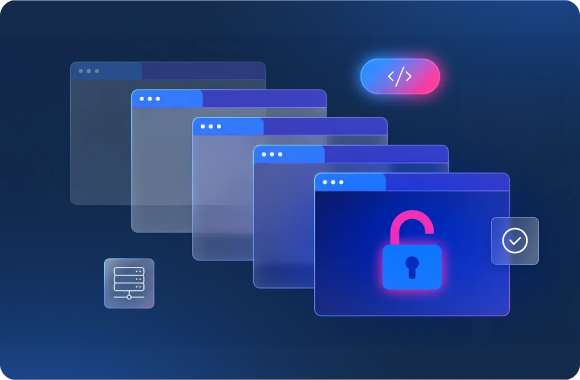
Auto-scale browser infrastructure
Connect your interactive, multi-step scraping scripts into a hybrid browser environment, offering unlimited concurrent sessions using a single line of code
Power your most complex workflows
Agent interaction
- Enable agentic task automations
- Fill forms, search, and more
- Quick start with low latency
- Ensure secure, isolated sessions
Stealth browsing
- Use geolocation proxies
- Human-like fingerprinting
- Automatically solve CAPTCHAs
- Manage cookies & session
AI-ready data pipeline
- Discover relevant data sources
- Real-time or batch collection
- Structured or unstructured output
- Integrate seamlessly via MCP
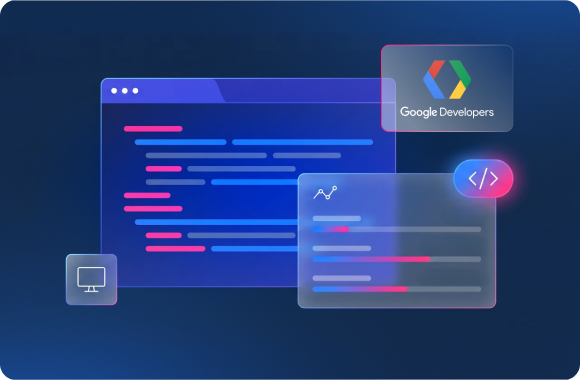
Chrome DevTools compatible
Use Chrome DevTools debugger to seamlessly monitor and troubleshoot your Browser API performance
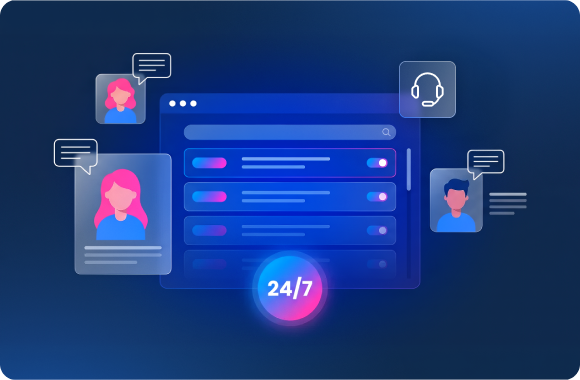
24/7 support
Get round-the-clock expert support, resolve issues quickly, and assure quality data delivery. Gain real-time visibility into network status for full transparency
Bright Data Powers the World's Top Brands
Bright Data allows Autonomous AI agents to navigate websites, find information and perform actions automatically in a simple to integrate, consistent and reliable environment

Bright Data’s browser infrastructure helps scale our AI agents for complex tasks. It lets us focus on delivering real value to our customers instead of wrestling with browser infrastructure.

Devi Parikh
Yutori, Co-Founder
Ready to get started?
FAQ
What is Browser API?
Browser API is a scraping browser that works like other automated browsers and is controlled by common high-level APIs like Puppeteer and Playwright, but is the only browser with built-in website unblocking capabilities. Browser API automatically manages all website unlocking operations under the hood, including: CAPTCHA solving, browser fingerprinting, automatic retries, selecting headers, cookies, & Javascript rendering, and more, so you can save time and resources.
When do I need to use a browser for scraping?
When data scraping, developers use automated browsers when JavaScript rendering of a page or interactions with a website are needed (hovering, changing pages, clicking, screenshots, etc.). In addition, browsers are useful for large-scaling data scraping projects when multiple pages are targeted at once.
Is Browser API a headless browser or a headfull browser?
Browser API browsers are headless and run on Bright Data's infrastructure. You can use them automation libraries like Puppeteer, Playwright, or Selenium, and each session comes with built-in unblocking, fingerprinting, and proxy management - so websites treat them like real user browsers. For visibility into what's happening inside a session, you can open a live view of any browser using the Chrome DevTools debugger.
What’s the difference between headfull & headless browsers for scraping?
In choosing an automated browser, developers can choose from a headless or a GUI/headful browser. The term “headless browser” refers to a web browser without a graphical user interface. When used with a proxy, headless browsers can be used to scrape data, but they are easily detected by bot-protection software, making large-scale data scraping difficult. GUI browsers, like Browser API (aka “headfull”), use a graphical user interface. Bot detection software is less likely to detect GUI browsers.
Why is Browser API better than Headless Chrome or Selenium web scraping Python?
Browser API comes with a built-in website unlocking feature that handles blocking for you automatically. The Browser API employ automated unlocking and are opened on Bright Data’s servers, so they are ideal for scaling web data scraping projects without requiring extensive infrastructure.
Is the Browser API compatible with Puppeteer scraping?
Yes, Browser API is fully compatible with Puppeteer.
Is Playwright scraping compatible with the Browser API?
Yes, Browser API is fully compatible with Playwright.
When should I use Browser API instead of other Bright Data proxy products?
Browser API is an automated browser optimized for data scraping, which integrates the power of Web Unlocker’s automated unlocking capabilities. While Web Unlocker works with one-step requests, Browser API is needed when a developer needs to interact with a website to retrieve its data. It is also ideal for any data scraping project that requires browsers, scaling, and automated management of all website unblocking actions.
Ensure scraping continuity, shift to scraping browser