New
Console
Actor
Until now, finding the right Actor on Apify Store meant browsing, comparing, and filling out long input forms before you knew if it was the one you needed.
Apify AI fixes that. Ask in plain English from the search bar on Apify Store or in the Dashboard widget. It picks the right Actor, fills in the inputs, runs it, and returns the dataset for you.
New
Actor
API
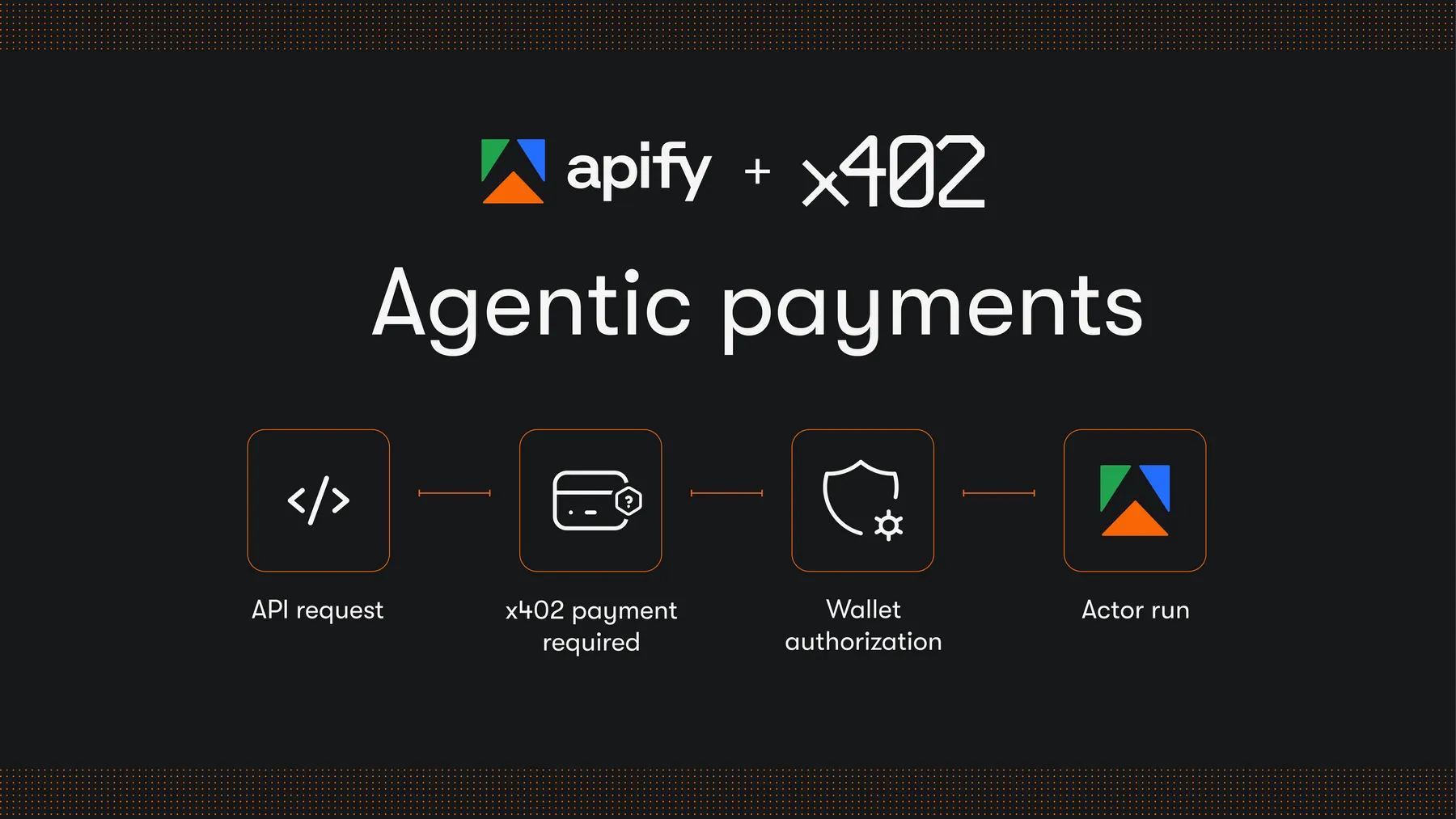 AI agents can now run and pay for eligible Apify Actors in USDC on the Base network. No Apify account, billing, or API key required. Payments use the open x402 protocol and settle at the time of request, over both Apify MCP server and the Apify API.
The fastest and easiest way is to use Coinbase Agentic Wallet CLI :
npx awal
npx skills add coinbase/agentic-wallet-skills
To get started, give this skill to your agent: apify.it/x402-awal.
If you're building Actors, you can review the eligibility criteria to make sure yours can accept agentic payments. For more information, see the docs and blog post .

Roman Roštár
Product Manager
New
Actor
Creating Actors on Apify is now easier. The creation flow guides you to the most relevant template based on what you want to build and your preferred language. You get to the right template faster, without choice overload.
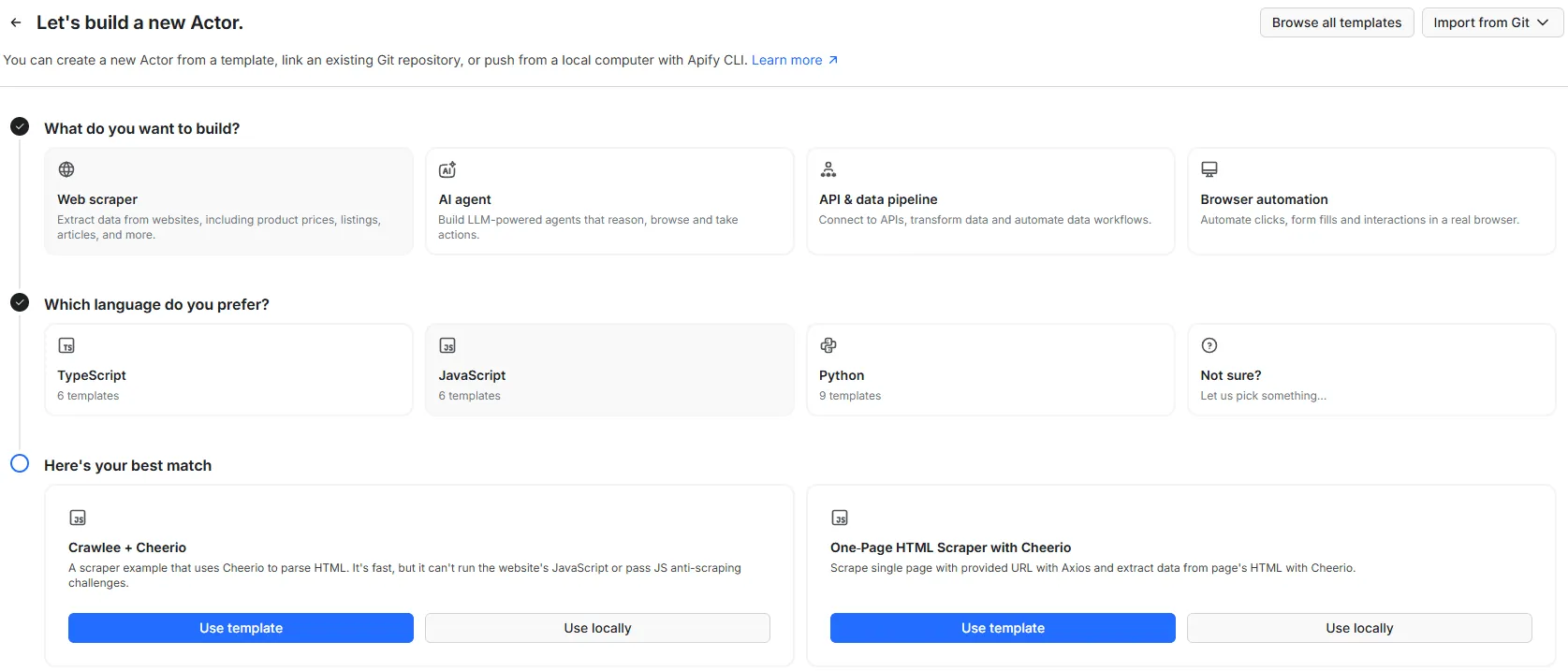
If you're an experienced Actor developer, you can still browse the full template list by clicking Browse all templates in the top-right corner.

Patrik Braborec
Product Manager
New
As an Actor creator, you can now publish tasks. It's a new way to get your Actor found on Apify Store. Each published task gets its own page on Apify Store, indexed by search engines and readable by AI agents. That means more ways for people to find your Actor, beyond just the main Actor page. This has two key benefits:
- Shows visitors a concrete, ready-to-run example of how to use your Actor
- Drives organic traffic by targeting specific, long-tail search queries
The key is naming your tasks around what users actually search for. For example, RAG Web Browser has three published tasks:
- Web search to markdown - targets users looking for markdown-formatted output
- RAG: search a specific website - showcases the
siteinput parameter - Web Fetch Tool for AI Agent - highlights the Actor's web fetch capability
Publish a task now: https://docs.apify.com/platform/actors/publishing/publish-task

Martin Sabo
Product Manager
New
Console
Actor
Integrations
Apify Actors work on the open web - any public page, no login. But until now, anything that required a login (Notion, Slack, GitHub) had to happen outside Apify.
MCP connectors fix that. They use the open Model Context Protocol to securely connect apps to specific Actors. The Actor reads and writes through a proxy in a single run - it never sees your credentials.
How it works
- Authenticate an MCP Server in Settings > API & Integrations
- Select Actors that support MCP connectors
- Select your previously authenticated MCP connector to use within the Actor
- Watch your Actor work within your MCP-connected tools

Griffin Trent
Product Manager
We're making the web more programmable.