Bind an event handler to the "scroll" event, or trigger that event on an element.
Contents:
.on( "scroll" [, eventData ], handler )Returns: jQuery
Description: Bind an event handler to the "scroll" event.
-
version added: 1.7.on( "scroll" [, eventData ], handler )
-
"scroll"
The string
"scroll". -
eventData
An object containing data that will be passed to the event handler.
-
handler
A function to execute each time the event is triggered.
-
This page describes the scroll event. For the deprecated .scroll() method, see .scroll().
The scroll event is sent to an element when the user scrolls to a different place in the element. It applies to window objects, but also to scrollable frames and elements with the overflow CSS property set to scroll (or auto when the element's explicit height or width is less than the height or width of its contents).
For example, consider the HTML:
|
1 2 3 4 5 6 7 8 9 10 11 12 13 14 |
|
The style definition is present to make the target element small enough to be scrollable:
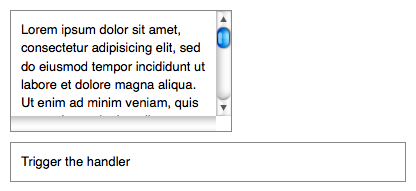
The scroll event handler can be bound to this element:
|
1 2 3 |
|
Now when the user scrolls the text up or down, one or more messages are appended to <div id="log"></div>:
Handler for `scroll` called.
To trigger the event manually, use .trigger( "scroll" ):
|
1 2 3 |
|
After this code executes, clicks on Trigger the handler will also append the message.
A scroll event is sent whenever the element's scroll position changes, regardless of the cause. A mouse click or drag on the scroll bar, dragging inside the element, pressing the arrow keys, or using the mouse's scroll wheel could cause this event.
Example:
To do something when your page is scrolled:
|
1 2 3 4 5 6 7 8 9 10 11 12 13 14 15 16 17 18 19 20 21 22 23 24 25 26 27 28 29 30 31 32 33 34 35 |
|
Demo:
.trigger( "scroll" )Returns: jQuery
Description: Trigger the "scroll" event on an element.
-
version added: 1.0.trigger( "scroll" )
-
"scroll"
The string
"scroll".
-
See the description for .on( "scroll", ... ).