
Image to Vector Converter for Mac
Auto-trace photos, logos and bitmaps into crisp, editable SVG — right on your Mac with Super Vectorizer Pro (a Windows version is included).
An offline image to vector converter that reshapes PNG, JPG, PSD and more into clean vector graphics with a single click.
Swap 70+ raster formats — color, grayscale, line art or skeleton — into SVG, PDF, AI or DXF files.
Super Vectorizer Pro — Image to Vector Converter Video Reviews (Mac & Windows)
How the Mac Image to Vector Converter Works
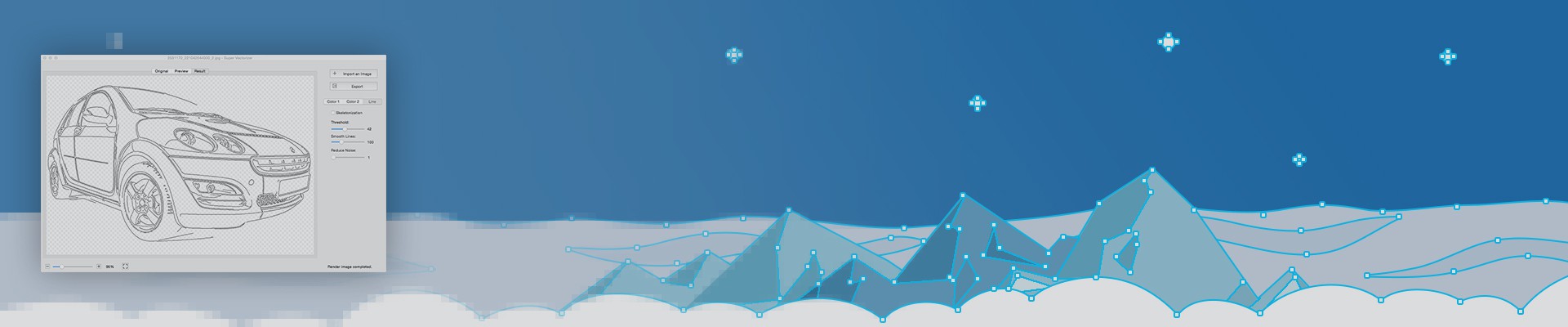
Drop a raster file onto the Mac app and Super Vectorizer Pro rebuilds it as a scalable vector — SVG, AI, DXF or PDF — with a transparent backdrop you can edit anywhere.
Whether it is a photo, a scanned sketch or a pixel logo, the auto-trace engine redraws clean outlines and keeps every detail intact.

One-click Vectorization
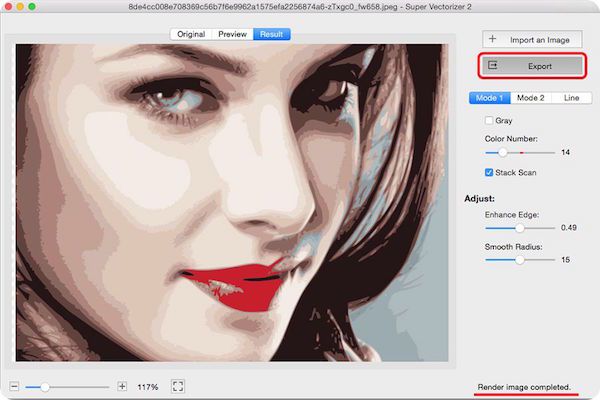
Just drag a picture into the workspace and the Mac image to vector converter pre-fills sensible settings, so you see the traced result instantly. A full raster-to-vector pass usually finishes in about a minute.
Convert Image to Vector
Turn any picture into editable vector artwork — SVG, AI, DXF or PDF — without redrawing by hand. The converter handles virtually every common raster format, so one Mac app covers all your image-to-vector needs.

Intelligent Anchor Points
The tracer places a smart blend of straight, curved and corner anchor points, so the exported vector opens cleanly in Illustrator, Corel or Inkscape and stays easy to tweak later on either Mac or Windows.


Super Vectorizer Pro Key Features (On Mac and Windows)
Auto-Trace an Image into an SVG Vector Logo on Mac & Windows

Super Vectorizer Pro, an unique vector image software on mac and Windows PC, uses a totally-new image quantization algorithm that produces more natural color after image vectorization. The output vector art of Ai, SVG, DXF and PDF files works seamlessly with Illustrator, Corel, or other vector image editors on mac and Windows operation systems.
-
Fully automatic tracing that now handles up to 64 colors in a single pass.
-
Pick Edge, Color or Grayscale mode to build a logo vector in seconds.
Switch to Skeletonization or Line mode for technical drawings and outlines.
-
A unique segmentation-polymerization color mode groups similar tones for cleaner fills.
-
An upgraded line-tracing engine follows your source more closely than earlier builds.
Segmentation editing trims overlapping regions, giving a tidy vector you can refine — try the free Mac or Windows trial before buying.
Convert Raster & Bitmap Images to Vector on Mac

Super Vectorizer Pro is the raster-to-vector converter Mac and Windows users reach for when a photo, scan or bitmap needs to become scalable artwork. Its tracing engine rebuilds pixel images as crisp line-art and vector illustrations you can edit in any design app — handy for both weekend projects and studio deadlines.
The pre-processing smoother irons out noisy edges before tracing, and the current algorithm cleans complex images about four times better than the first release.
A true cross-platform vector converter — Super Vectorizer Pro runs on Windows 7, 8, 10, 11 and macOS 10.7 and later (optimized for Big Sur and Apple Silicon), so the same project moves between a Mac and a PC without rework.
Auto-Trace Image Outlines & Sketches on Mac & Windows


Vector artwork is the go-to format for print, embroidery and apparel because it scales without losing sharpness. The Mac auto-trace tool's skeletonization mode turns a pencil sketch or hand drawing into a clean vector in a few clicks.
-
Logo vectorization — Drop in a logo of any raster format and get sharp edges on a transparent background, ready to drop into Illustrator or Corel on Mac or Windows.
-
Graphic design vectorization — Up to 64 colors keeps gradients and photos looking natural, while the faster engine traces large images in roughly a minute.
-
Vectorize for print — Skeletonization plus the new line-tracing engine prepare line art for T-shirts, signage and packaging straight from your Mac.
-
Live tracing preview — Watch the image-to-vector result update in real time, so you spend less time cleaning up and more time shipping artwork.
Auto Convert Images of 70+ Formats to PDF, AI, SVG and DXF

Super Vectorizer Pro speaks your language: the Mac and Windows app is localized for Japanese, Spanish, French, German, Italian, Russian and Mandarin.
The image to vector converter reads 70+ input formats and exports SVG, AI, PDF or DXF:
JPG, BMP, PNG, GIF, PDF, PSD, PNT, RGB, ARW, BMPF, CUR, CRW, CR2, DCR, DNG, EPSF, EPSI,
EPI, EPS, EXR, EFX, ERF, FPX, FPIX, FAX, FFF, GIFF, G3, HDR, ICNS, ICO, JP2, JFX, JFAX, JPE, JFIF,
JPF, MPO, MAC, MRW, MOS, NRW, NEF, ORF, PICT, PIC, PCT, PS, PNTG, PNGF, PEF, QTIF, QTI,
RAW, RAF, RW2, RWL, SR2, SRF, SRW, SGI, TRIC, TIFF, TGA, TARGA, TIF, XBM, 3FR, 8BPS
Built-in AI tracing for logos and icons. The engine uses AI to turn a raster image into a vector logo or icon, so simple mark-making becomes a quick export on Mac or Windows.
One-click line and outline tracing. Hand-drawn art becomes a vector or outline instantly, whether you are on a Mac notebook or a Windows desktop.
Best Vector Image Software Gallery (for Mac and Windows)


Super Vectorizer Pro - The Informer Awards Winner!

What Super Vectorizer users say:
"Nice trace program for quick and easy vector tracings" -- Aprilschild
"Its strong points are accurate line traces and color separations. It does use bezier curves to replicate round edges, which is an essential feature not often found in auto vectorization softwares in this price range." -- C71