
Pratik Batha · ApexQuant
As founders and agency owners, we are constantly looking for leverage. Scaling operations usually means scaling automation, and if you are pushing tens of thousands of tasks through cloud platforms, you already know how fast those bills compound.
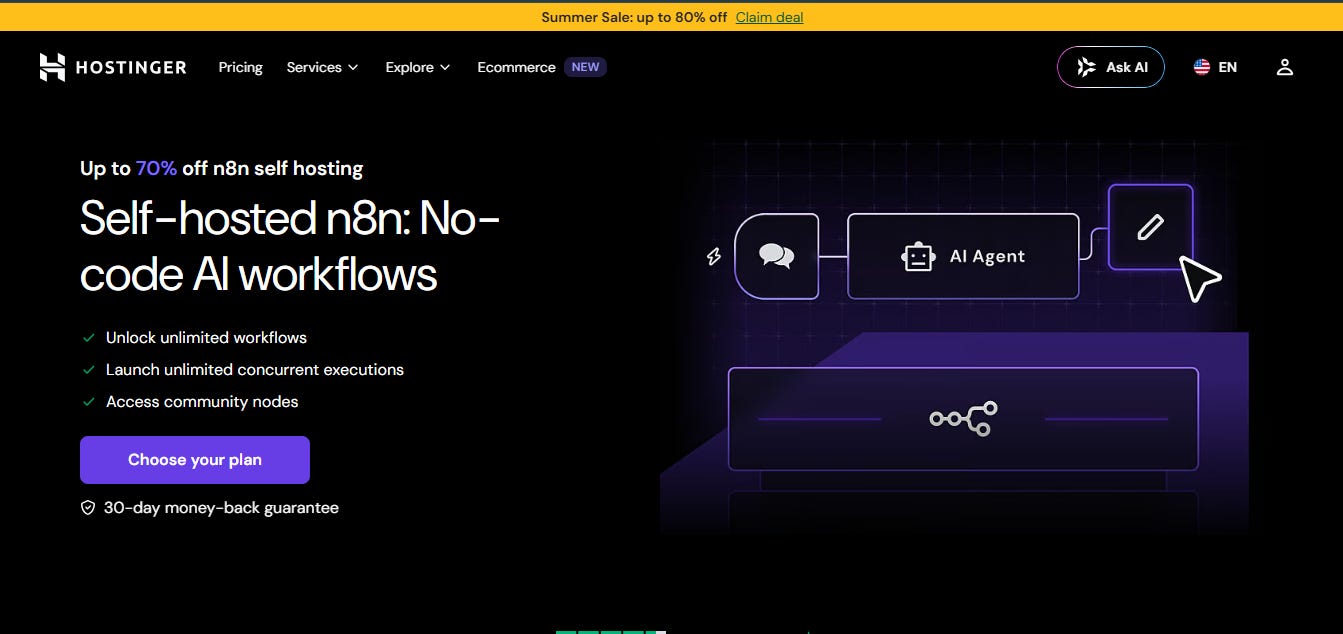
I recently migrated our core automation infrastructure to a self-hosted n8n instance on a Hostinger VPS. What follows is a breakdown of how we run n8n Community Edition in production, the workflows we actually use, and the honest unit economics of self-hosting versus the cloud.
Want to skip the read? You can grab the raw n8n workflow JSON files directly from the GitHub repository here, or join over 22,000 other founders getting weekly AI and automation playbooks from the ApexQuant newsletter.
If you have looked into self-hosting n8n before, you probably found tutorials demanding you SSH into a server, install Docker, write custom .env files, and manually configure reverse proxies.
You don’t need to do any of that.
Hostinger ships n8n fully pre-configured via a one-click VPS template. By selecting the “Ubuntu 24.04 with n8n” template, you get the entire required stack—Docker, PostgreSQL, Traefik, and SSL via Let’s Encrypt—running out of the box.
Provision: Pick a Hostinger KVM plan. We use the KVM2 plan (starting at $8.79/mo) to comfortably handle heavy multi-modal AI memory loads. Select the n8n template during checkout.
Access: Navigate to
https://n8n.[your-hostname]immediately after provisioning and complete the n8n setup wizard.Build: Start importing and building workflows.
It is genuinely that simple. For those who want to dig into deeper configuration options, you can reference the official Hostinger n8n template guide.
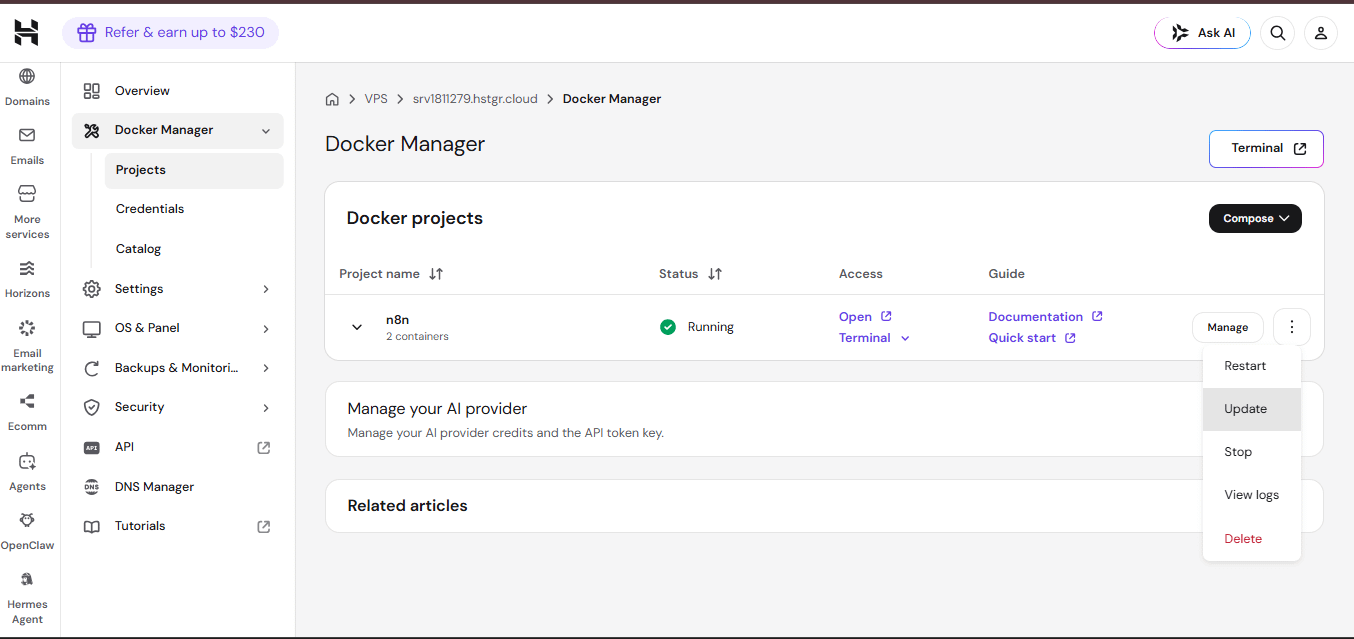
If you ever need to upgrade your n8n version, you don't even need to open a terminal. Just go to Docker Manager in your hPanel and click Update — no SSH, no commands.
For agencies pushing massive volume, Hostinger also offers an “Ubuntu 24.04 with n8n (queue mode)” template. This version runs workflows asynchronously through Redis workers (three by default, which you can scale up dynamically), allowing you to handle high-concurrency workloads without slowing down your primary UI.
An Honesty Note on Community Edition: The template deploys n8n Community Edition. It is incredibly robust, featuring unlimited workflows, unlimited executions, and access to all community nodes. It is not n8n Enterprise, which includes corporate features like SAML SSO, advanced user log streaming, and audit logging. For agencies running production clients, the Community Edition is almost certainly all you need, but it’s important to know exactly what you’re deploying.
Deploy Your n8n VPS on Hostinger
The core argument for self-hosting is cost control at scale. Let’s look at a typical mid-sized agency processing 50,000 tasks or operations per month across multiple multi-step client workflows.
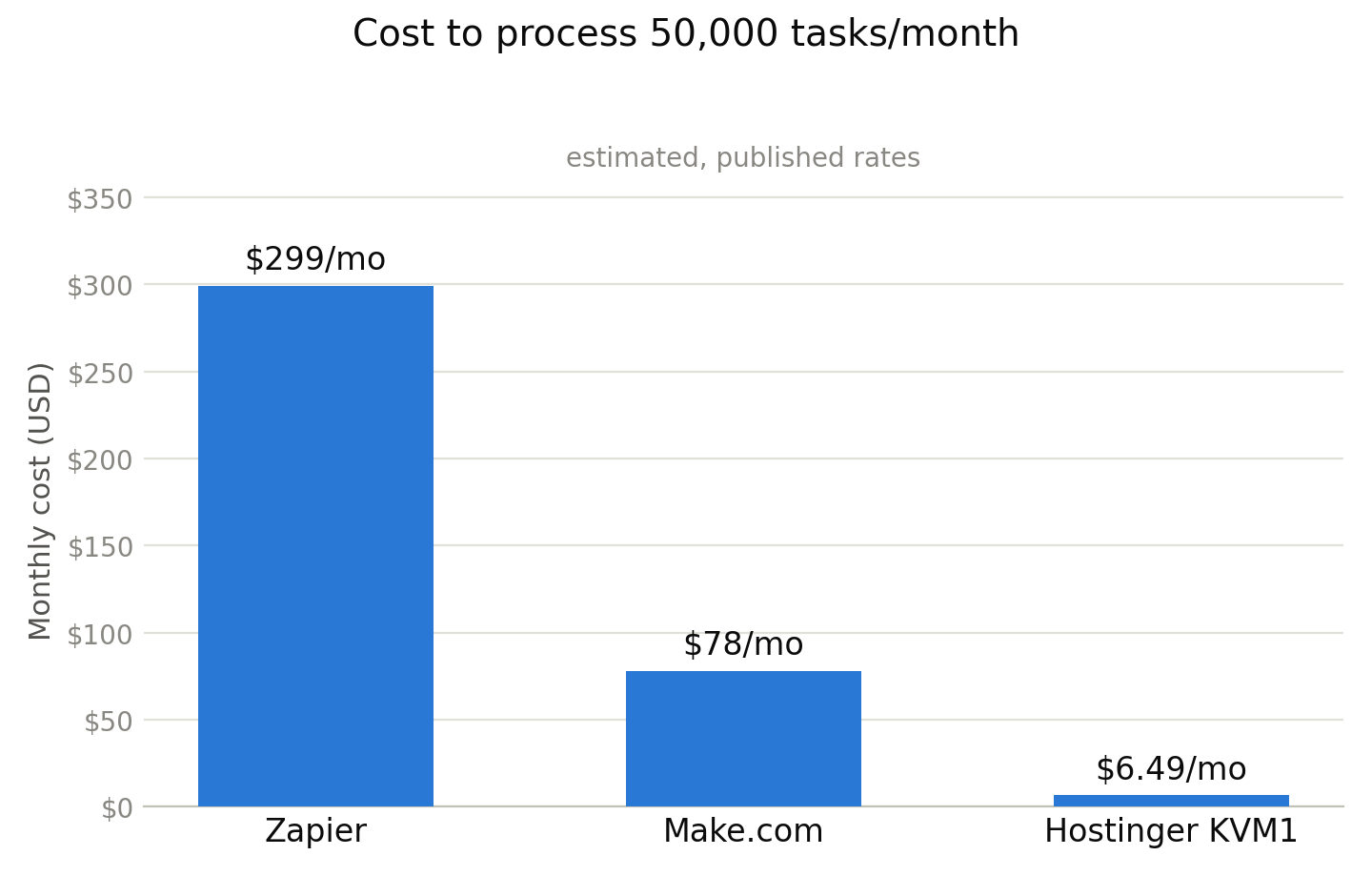
Zapier: To get 50,000 tasks on the Professional plan, you will scale up to $299/month (billed annually). Because Zapier charges per individual action step, a single 10-step workflow run counts as 10 tasks, making this limit disappear incredibly fast.
Hosted n8n Cloud: Running 50,000 executions puts you past the Pro tier (which caps at 10,000), requiring additional execution packs that push your monthly cost toward $150–$200/month.
Make.com: 50,000 operations on the Core tier (utilizing monthly add-on credit packs) sits right around $78/month. While competitive, complex multi-branch loops can consume thousands of operations in a single day, causing costs to scale linearly as your client work expands.
Flat Resource Cost: Starts at $8.79/month (promotional pricing, renewing at $14.99/month on a 2-year plan).
Specs: 2 vCPU cores, 8 GB RAM, 100 GB NVMe SSD, 8 TB bandwidth.
Domain & Backups: On a 12- or 24-month plan, Hostinger includes a free domain for the first year, plus fully automated VPS backups at no extra cost.
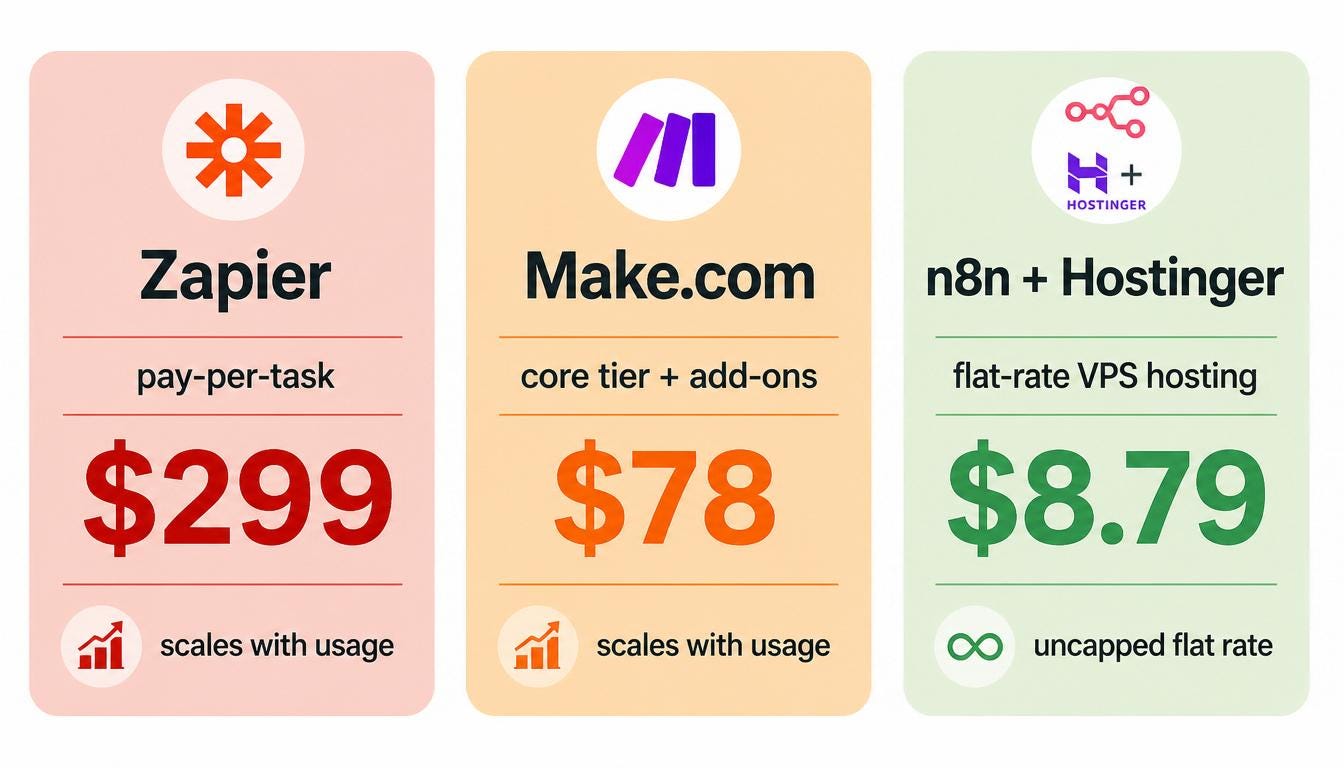
The Verdict: If you are running a lightweight operation with a few thousand tasks a month, cloud tiers are fine. But at real agency execution volume, a flat-cost Hostinger VPS running n8n Community Edition creates massive, unshakeable cost leverage. The server handles 50,000 executions or 5,000,000 executions for the exact same flat price.
Get Hostinger KVM2 for $8.79/mo
When your automation volume eventually outgrows your initial server, Hostinger makes it easy to handle the load without rebuilding your architecture.
Vertical Scaling: You don’t need to build complex cluster networks. The KVM plans allow you to scale vertically. When you max out the KVM2 limits, you can seamlessly upgrade your plan directly to KVM4 within the hPanel to add more CPU and RAM to your existing machine on the fly.
Community Support: Because we are using the official n8n Docker image and a standard PostgreSQL database, any workflow errors you encounter are easily searchable in the massive n8n community forums. Hostinger covers the underlying infrastructure and network uptime, while the n8n community covers the canvas logic.
Paid Subscriber Exclusive: Below this line, paid ApexQuant subscribers get instant access to the exact production-ready automation blueprints we run on this infrastructure, along with direct links to download the raw n8n workflow JSON files to import them into your instance in seconds.
Here are the two high-volume workflows running completely uncapped on our Hostinger VPS node.
This workflow functions as a high-volume automated personalization engine. It takes inbound leads via a webhook, utilizes Groq (Llama 3.3) to analyze target company profiles, filters low-match prospects via a Switch node, and automatically populates Gmail drafts for your team to review.
An Engineering Note on Outreach Infrastructure: While n8n can generate thousands of personalized email drafts an hour for free on your VPS, do not use a standard, un-warmed personal email account to blast high-volume cold outreach. You will rapidly destroy your domain’s sender reputation. For production scale, always transition your final delivery nodes to dedicated outbound infrastructure (like Resend, SendGrid, or Mailgun) using secondary domains with properly configured SPF, DKIM, DMARC, and custom tracking records.
An advanced customer support assistant that handles inbound messages via the WhatsApp Webhook. It processes incoming binary data (invoices, receipts, text queries) using advanced multi-modal LLMs, builds a response, and formats a reply using the WhatsApp node.
Two honest caveats before you deploy this to clients:
This is document-augmented chat, not true RAG. True Retrieval-Augmented Generation requires semantic search over text embeddings. While Hostinger’s n8n template includes a native PostgreSQL instance, it does not come with the
pgvectorextension pre-configured. To execute semantic document retrieval, you will need to link your workflow to an external vector database (like Qdrant or Pinecone).WhatsApp API registration takes time. The WhatsApp Business Platform requires an official Meta Developer account, business verification, and pre-approved message templates. Plan for a 24-48 hour setup delay on Meta’s side before this workflow can go live.
A Hard Truth About LinkedIn Automation: You will often see guides claiming to “automate personal LinkedIn DMs” using n8n. Let’s be clear: the official LinkedIn API does not provide access to private, personal direct messages for standard developers. Any tool or gray-market integration that claims to do this relies on browser automation (like Puppeteer or Playwright) to drive the LinkedIn web UI. This is a direct violation of LinkedIn’s Terms of Service and is a reliable way to get your client’s account permanently restricted. For stable production use, stick to what the official LinkedIn API supports: scheduling posts, retrieving post engagement/page analytics, and managing organizational pages.
Head over to our Companion GitHub Repository to clone these blueprints, select Import from File in your fresh n8n canvas, and take total control of your agency’s automation infrastructure.
Comments
Nothing yet. Say the first thing.
Sign in to join the conversation.