
Every few weeks, the internet discovers a new type of AI content.
First it was AI images.
Then AI voice cloning.
Then hyper-realistic AI influencers.
And now?
We’ve entered the era of AI motion imitation — where AI can take the movement of one person and transfer it onto someone completely different with terrifying realism.
You’ve probably already seen these clips on Instagram Reels, TikTok, or X.
A celebrity dancing.
A fake influencer speaking naturally.
Someone who technically never recorded the video at all.
And the scary part is:
Most people can’t even tell anymore.
In this newsletter, I’m going to break down the exact workflow I used to create these viral AI motion videos using Wery AI — including the specific prompts, tools, and steps behind the process.
This is the same style of content that has generated millions of views across social media recently.
Why These AI Videos Feel So Real
Older AI videos usually looked obvious.
The faces glitched.
Expressions broke.
Movements felt unnatural.
But now?
AI models are beginning to understand:
human motion
facial structure
lighting
posture
timing
expressions
Which means instead of simply “face swapping”…
…the AI recreates an entirely believable identity while preserving movement from the original video.
That’s why these clips feel so unsettling.
The technology crossed a threshold where realism started beating human intuition.
The Full Workflow
Here’s the exact process I followed.
Step 1: Create The AI Profile Sheet
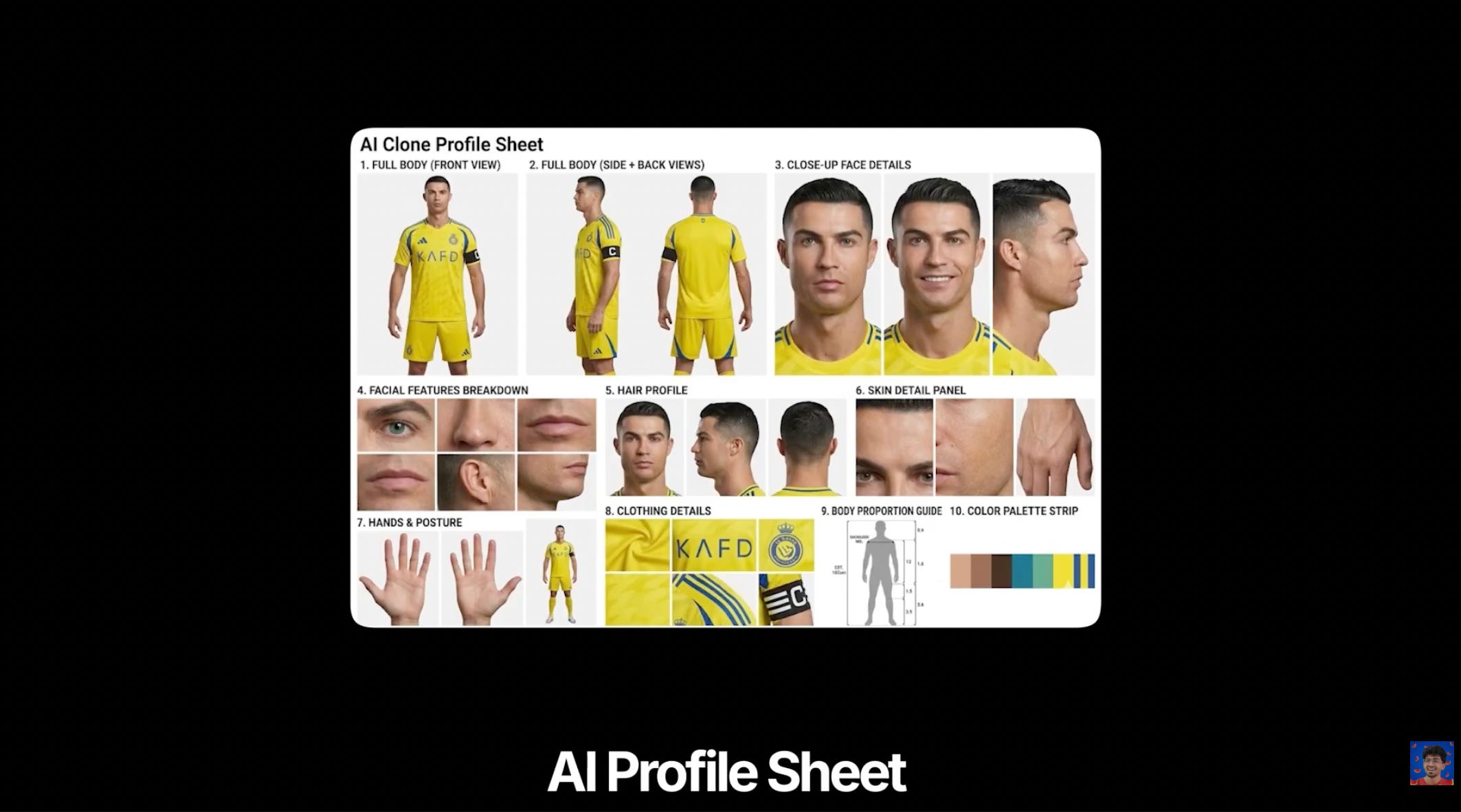
First, go to Wery AI and open the Image-to-Image feature.
The goal here is to create what I call an:
“AI Clone Profile Sheet”
This acts like a complete identity breakdown for the AI.
Instead of giving the model just one image, we’re helping it understand:
facial structure
body proportions
side profiles
skin texture
hair consistency
posture
lighting
identity across multiple angles
This massively improves consistency later during motion imitation.
What You Need
A selfie or image of the person you want to clone
This could be:
yourself
a celebrity
an AI influencer
a fictional character
basically anyone
For best results:
use high-resolution images
avoid blurry photos
avoid sunglasses or obstructed faces
use neutral lighting
Prompt Used For The AI Profile Sheet
Why This Step Matters
Most people skip this.
And that’s exactly why their outputs look inconsistent.
The AI profile sheet gives the model:
identity stability
structural reference
multi-angle understanding
texture consistency
Without this, motion imitation often:
breaks facial structure
changes identity mid-video
creates flickering inconsistencies
This step is what makes the final output feel believable.
Step 2: Extract A Frame From The Original Video
Now we need a reference frame from the video whose motion we want to imitate.
You can:
manually pause and screenshot
or use a frame extraction tool
I personally recommend:
This helps you:
get cleaner frames
maintain quality
choose exact timestamps
The cleaner the frame, the better the replacement process works later.
Step 3 — Replace The Person In The Frame
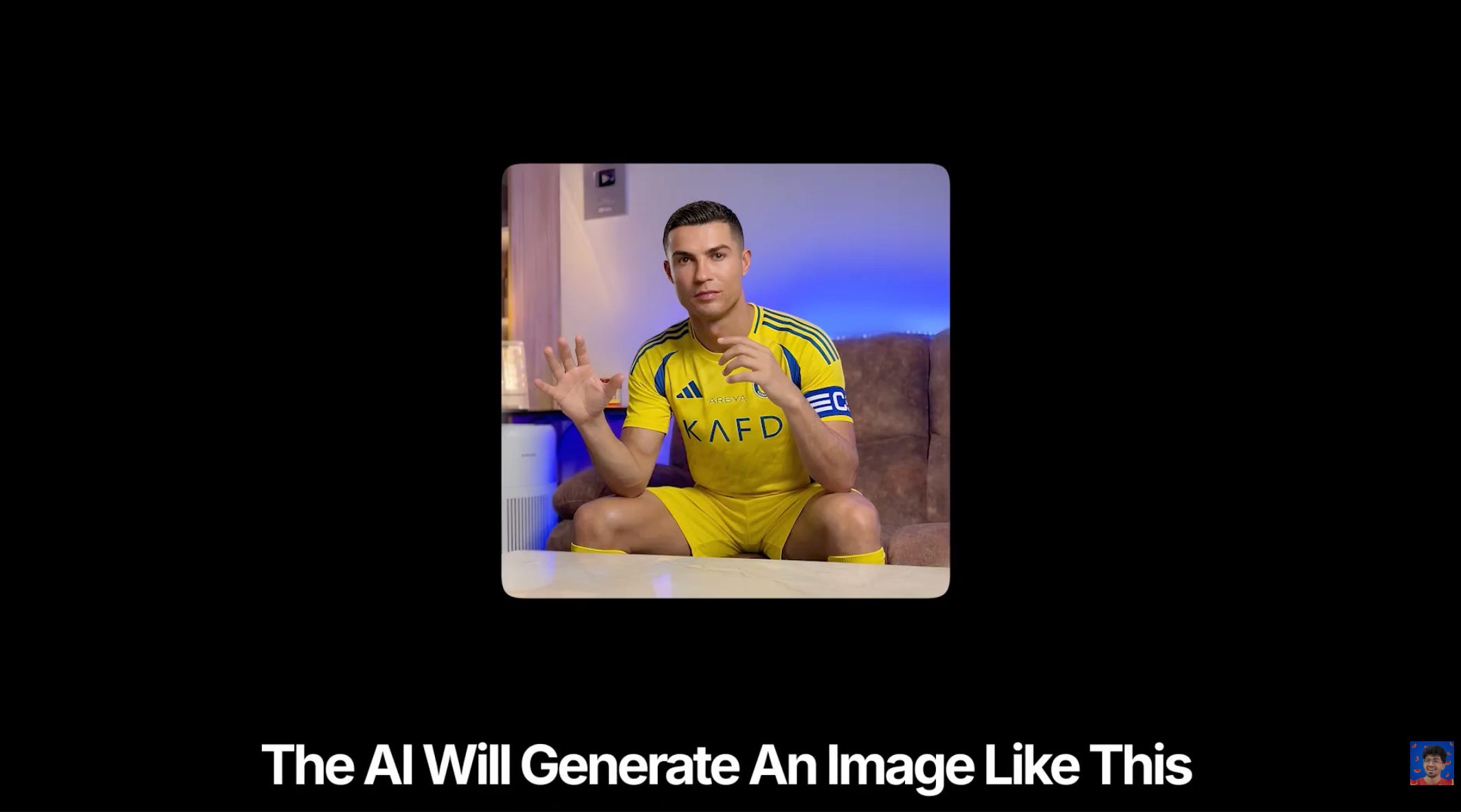
Now take:
the AI Profile Sheet from Step 1
the extracted frame from Step 2
And use Wery AI to generate a new image where the original person is replaced with your AI clone.
This is where things start getting genuinely impressive.
The AI preserves:
lighting
composition
camera angle
shadows
scene consistency
…but swaps the identity.
The generated image becomes the “anchor frame” for the final motion imitation process.
Step 4: AI Motion Imitation
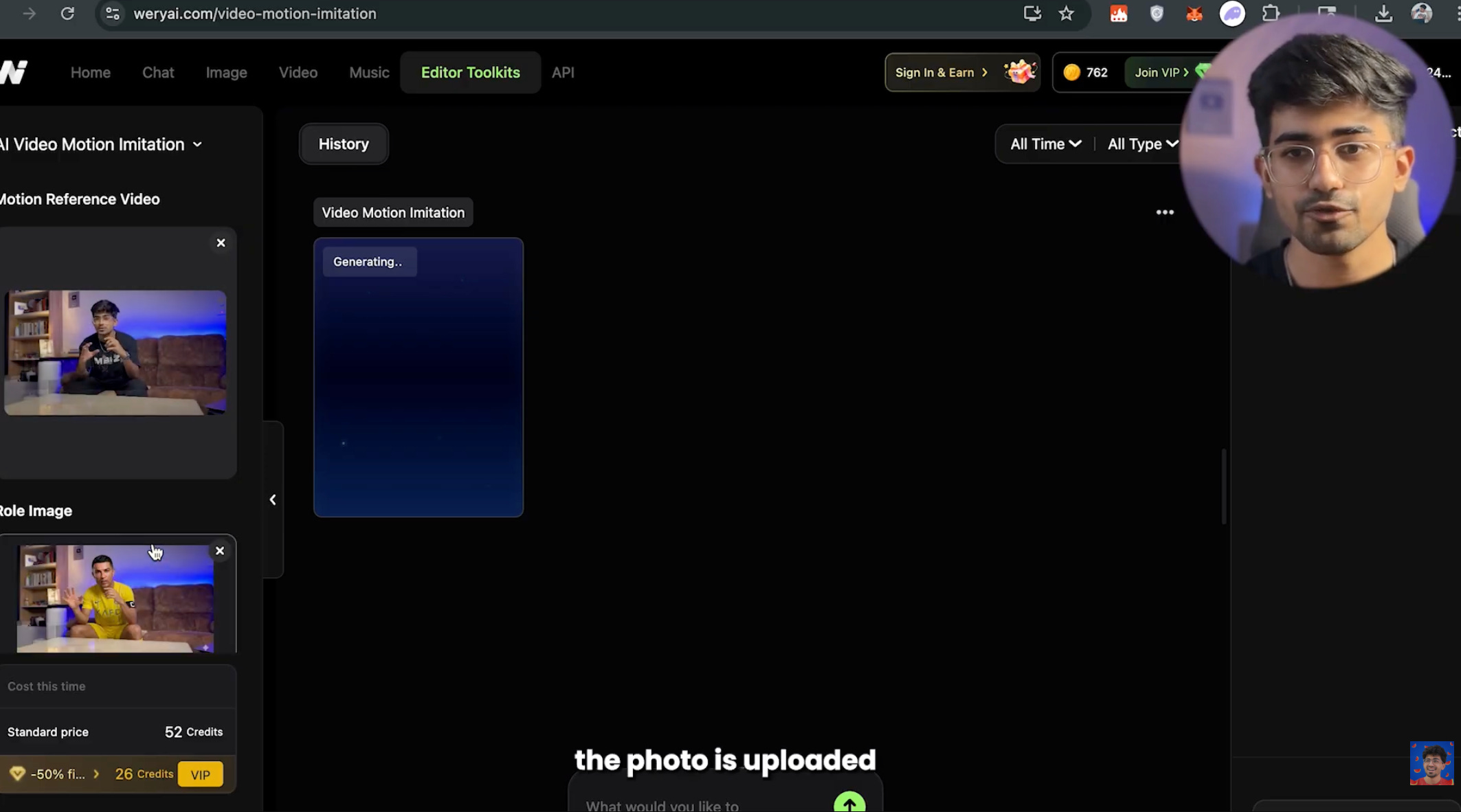
Now open the AI Motion Imitation feature inside WeryAI.
Upload:
the original video
the generated replacement image from Step 3
The AI now:
analyzes movement
tracks facial motion
recreates expressions
transfers body movement
preserves timing
…and generates the final AI video.
This is the point where the output starts becoming honestly difficult to distinguish from reality.
Want To Learn AI Influencer Creation?
If you want to learn how I create AI influencers using similar workflows, and how I generated over 1M+ views using AI-generated content — watch this:
Final Thoughts
We’re entering a world where:
anyone can become anyone
reality is editable
and AI-generated identities are becoming indistinguishable from real humans
The creators who learn these tools early will have a massive advantage over the next few years.
But at the same time…
The internet is about to become a very strange place.
Thanks for reading Ali Solanki’s Newsletter! Subscribe for free to receive new posts and support my work.
Comments
Nothing yet. Say the first thing.
Sign in to join the conversation.