
Note: AI Weekender has moved. New posts are published at ai-weekender.com, and this Substack is now an archive.
To keep receiving weekly issues, please subscribe at ai-weekender.com instead of here.
I’m speaking at PyCon Austria in two weeks on how I built my AI assistant in Python. While preparing, I wanted a clear way to show that context retrieval consists of two separate pipelines:
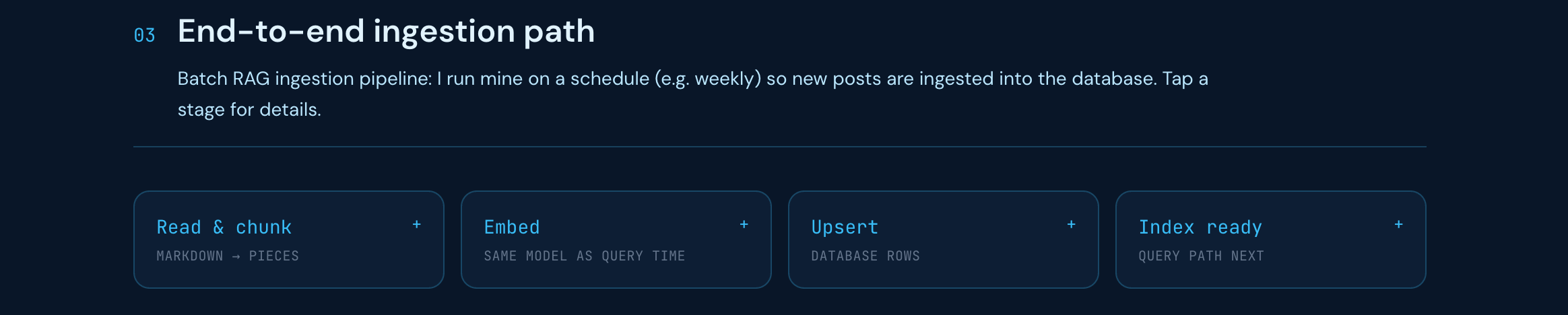
One that runs on a schedule: chunk → embed → store
One that runs real-time on every user message: embed → search → filter → assemble → generate answer.
So I shipped a visual, interactive RAG explainer that walks through the ingestion and query pipelines.
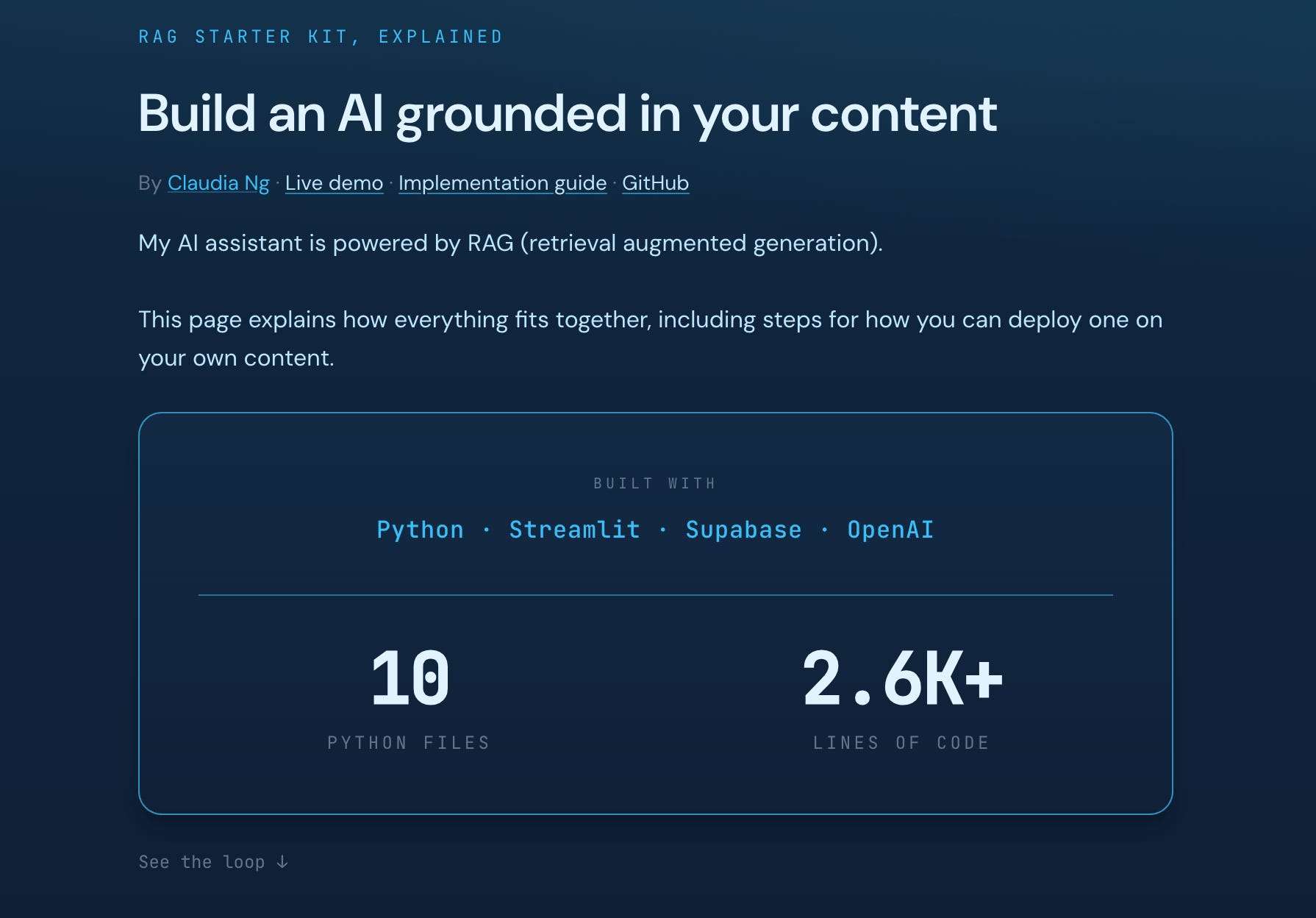
Most AI content is focused on agents now, but what goes into the prompt is still what decides whether answers are grounded in your data. Ingestion and retrieval are a core part of context engineering. When retrieval fails or is missing, the model can sound confident but still be wrong, what people often call hallucination.
TL;DR
What this is: An interactive RAG pipeline explainer that walks through ingestion (chunk → embed → store) and the live query path (embed → search → threshold → context → answer).
Who it’s for: Builders who already know RAG basics and want a click-through map of what runs when, how batch indexing differs from per-message retrieval, and where configs attach.
What you’ll see: Query loop, architecture by role, ingestion vs query split, similarity threshold / chunk size / top-k and how they tie to answer quality; optional deploy checklist.
Why Build a RAG explainer?
You may have already read my earlier pieces on this AI assistant: the origin story, code tutorial, and the architectural deep dive. But blog posts teach linearly, which works when I’m introducing a concept.
As I started prepping my presentation for PyCon, I realized that code blocks are hard to understand quickly. Instead, I wanted visualizations that help the audience see what’s happening at a glance.
The explainer shows what runs when, where batch ends and live querying starts, and which knobs attach to which components.
In a real system the two pipelines are often coupled:
Ingestion pipeline decides what text and vectors exist in the database.
Query pipeline decides what to retrieve and add as context into the prompt on each turn.
Here’s a quick walkthrough of the RAG explainer, with screenshots.
The Query Pipeline
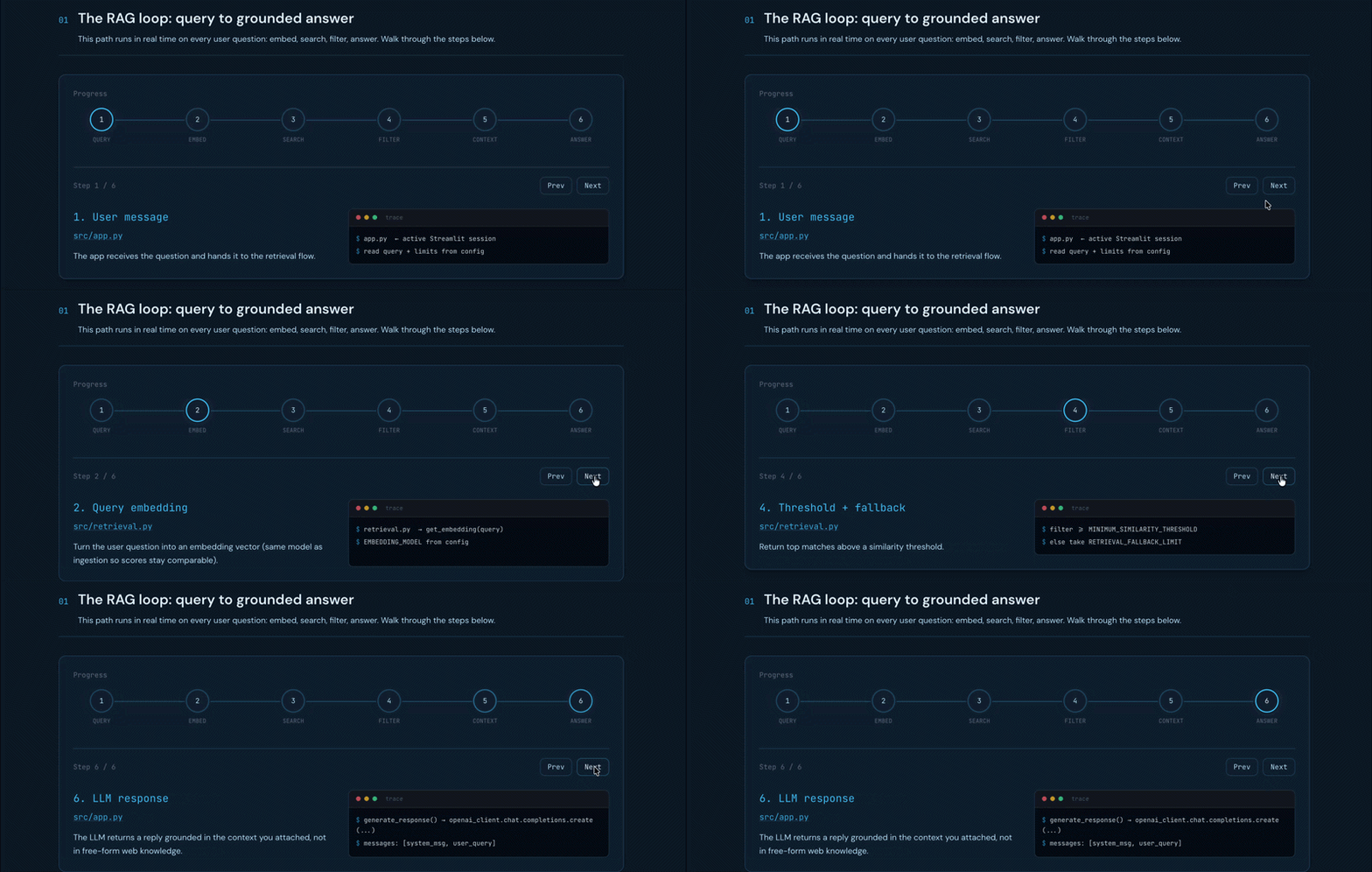
At the top you get the live query path, including everything that runs when a user sends a message:
Embed the question
Search vectors
Filter by similarity threshold with a fallback for when nothing is returned
Assemble the retrieved chunks as context and call the LLM
Return a grounded reply with citations
Understanding the Architecture
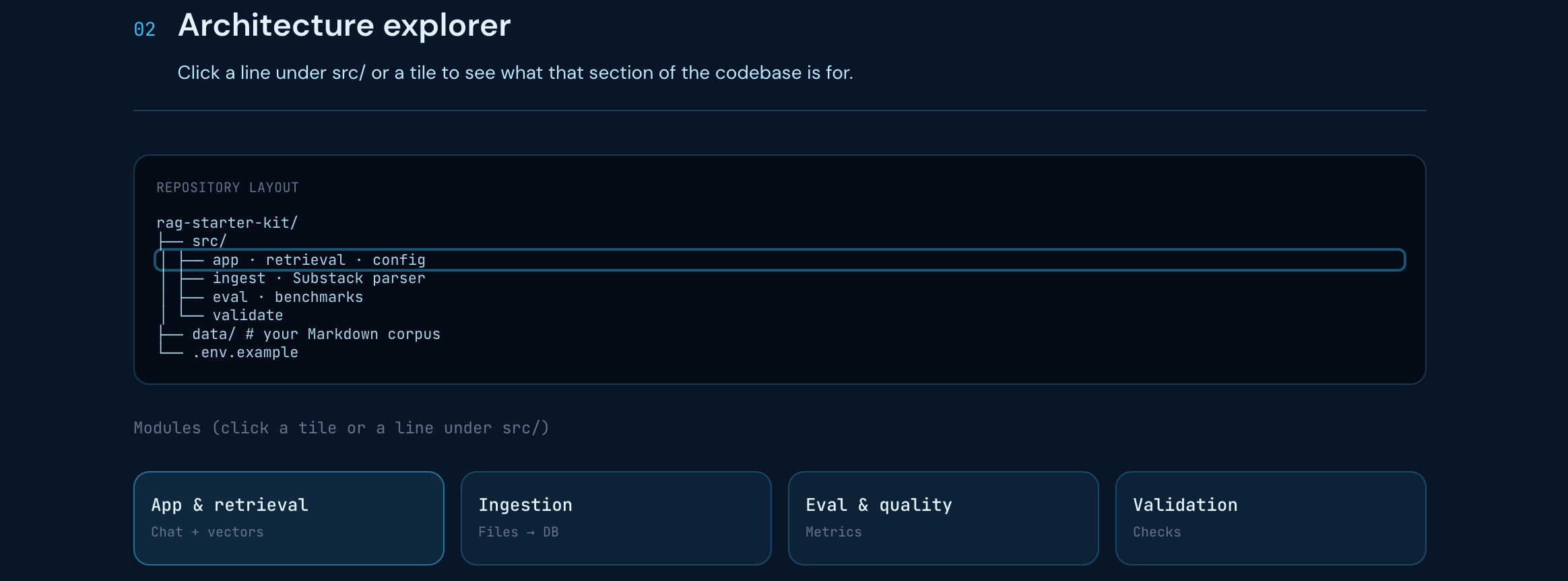
To help you understand how the repo is laid out, I included an architecture explorer to map each module to its job, from retrieval, ingestion, benchmarking and more.
This module-to-responsibility view is more useful than an alphabetical file tree to understand how data flows through the system.
The Ingestion Pipeline
Ingestion and retrieval share similarities. Both use the same embedding model, both query the same vector database, but they run at different times. My ingestion pipeline runs on a batched schedule, whereas retrieval runs in real-time for each message.
Keeping those paths visually separate on the explainer matters because the failure modes are different for each. For example, if my assistant returns:
“Claudia hasn’t written about that”
But I know I have, the first place to investigate is ingestion. I’d look into whether the content was chunked and indexed correctly, before touching anything in the live query path.
Configurations that Determine Answer Quality
This is the section I find myself coming back to most. It groups settings by what they affect:
Model choices: embedding model, LLM, temperature
Retrieval behavior: similarity threshold, max sources, fallback limit
Ingestion setup: chunk size
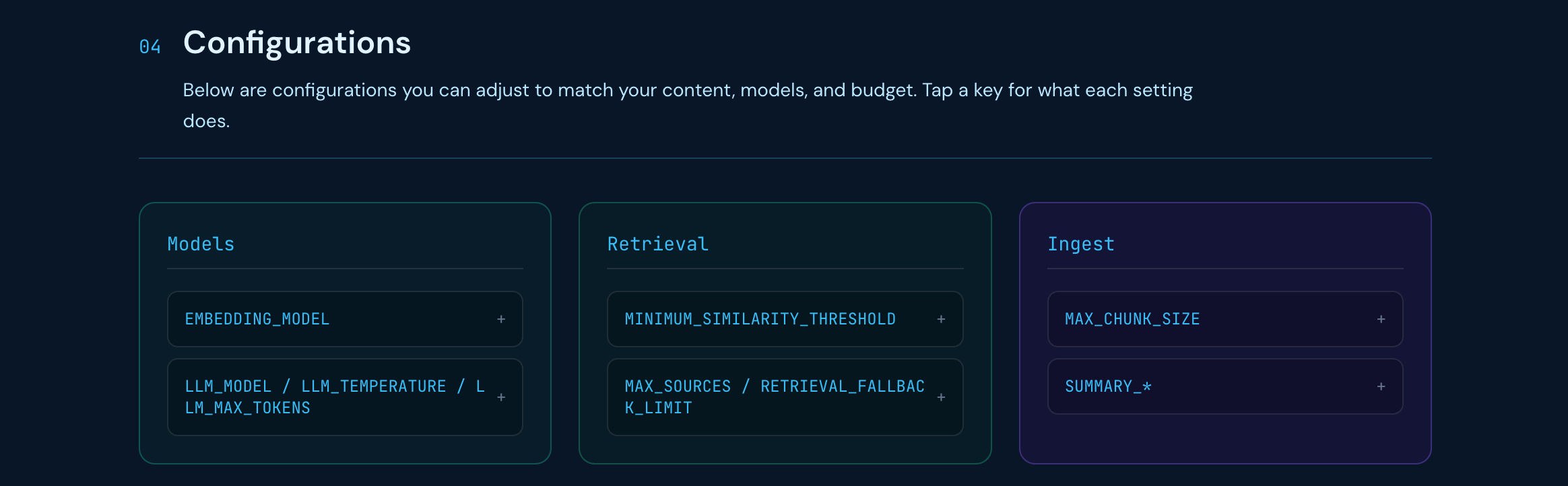
Each one maps to a recognizable failure mode, for example:
Similarity threshold too high: System may not return any relevant context and fail to answer user queries.
Chunk size too large: Retrieval can return the chunk because the document is on-topic, but the exact passage that answers the question is mixed in with other paragraphs in the same chunk. The evidence can hold several ideas, and adding this as context to the model would make it harder for the model to focus on the right span.
Shipping Fast and Iterating
Each piece I’ve written on my AI assistant answers a different question:
Origin story: “why does this exist?”
Code tutorial: “how do I build one?”
Interactive explainer: “what’s running, and where do I look when something breaks?”
The retrieval architecture I shipped in mid-2025 is still largely what’s running today. I’ve built on it by writing tutorials, turning it into a build-it-yourself guide, and now building an interactive explainer to visualize how everything fits together for PyCon. That’s my honest version of “ship v1 and iterate.”
PyCon Austria is April 19-20 in Eisenstadt and I’m speaking on “How I Built a RAG-Powered AI Assistant With Python”. If you’re in the area, come say hello and get your tickets for free here.
Note: AI Weekender has moved. New posts are published at ai-weekender.com, and this Substack is now an archive.
To keep receiving weekly issues, please subscribe at ai-weekender.com instead of here.
Comments
Nothing yet. Say the first thing.
Sign in to join the conversation.