
Creating yourself and others within Midjourney in the past has nearly impossible or very consistent but leveraging other tools to pick up where Midjourney falls short has produced very good results.
Insight Faceswap bot by Picsi AI can capture someone’s face from an image with good lighting and place it over another created character with good results; sometimes it’s necessary to do a bit of cleanup work with a photo editing software.
This all works through discord currently to use this guide make sure to invite the Insight Faceswap bot to your discord server.
Let’s create a character and scene first to serve as a base.

This is nice and balanced here’s the prompt I used below:
Medium Shot beautiful woman as sorceress in glowing robes and wavey long black hair casting a spell , fantasy, Baldurs-Gate-3 style, fiery color scheme, chaotic, editorial photography, composition, dynamic —style raw —stylize 700 —ar 4:5
Now let me use a photograph as a reference for insight face swap to put on the character.

This is a great example very good lighting with a neutral expression on her face. Ideally it would be best to not have any obstructions to the face but a single strand of hair won’t cause any problems.
We upload the image to the insight faceswap bot and give it an ID with the /setid command in discord.
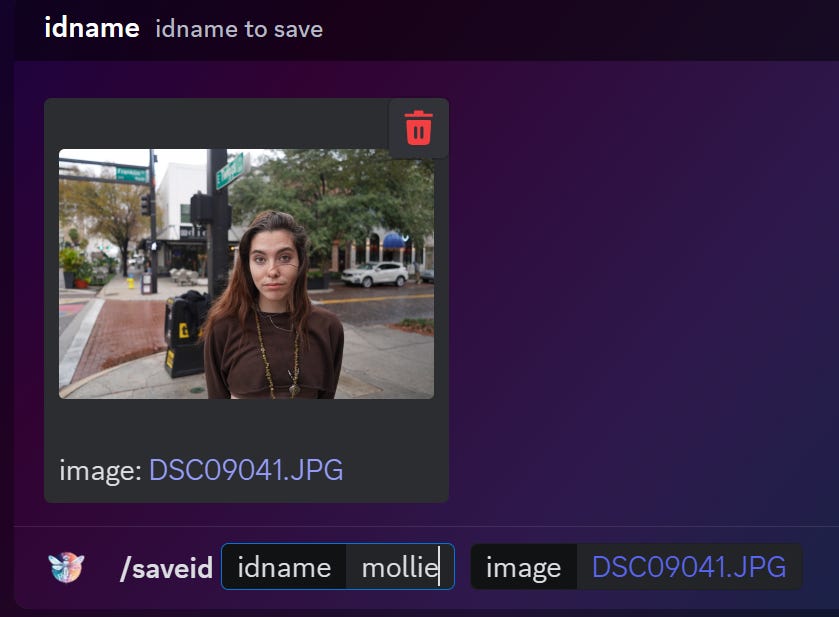
With that set we’re going to to use upload the image we had in discord then swap the models face onto it.
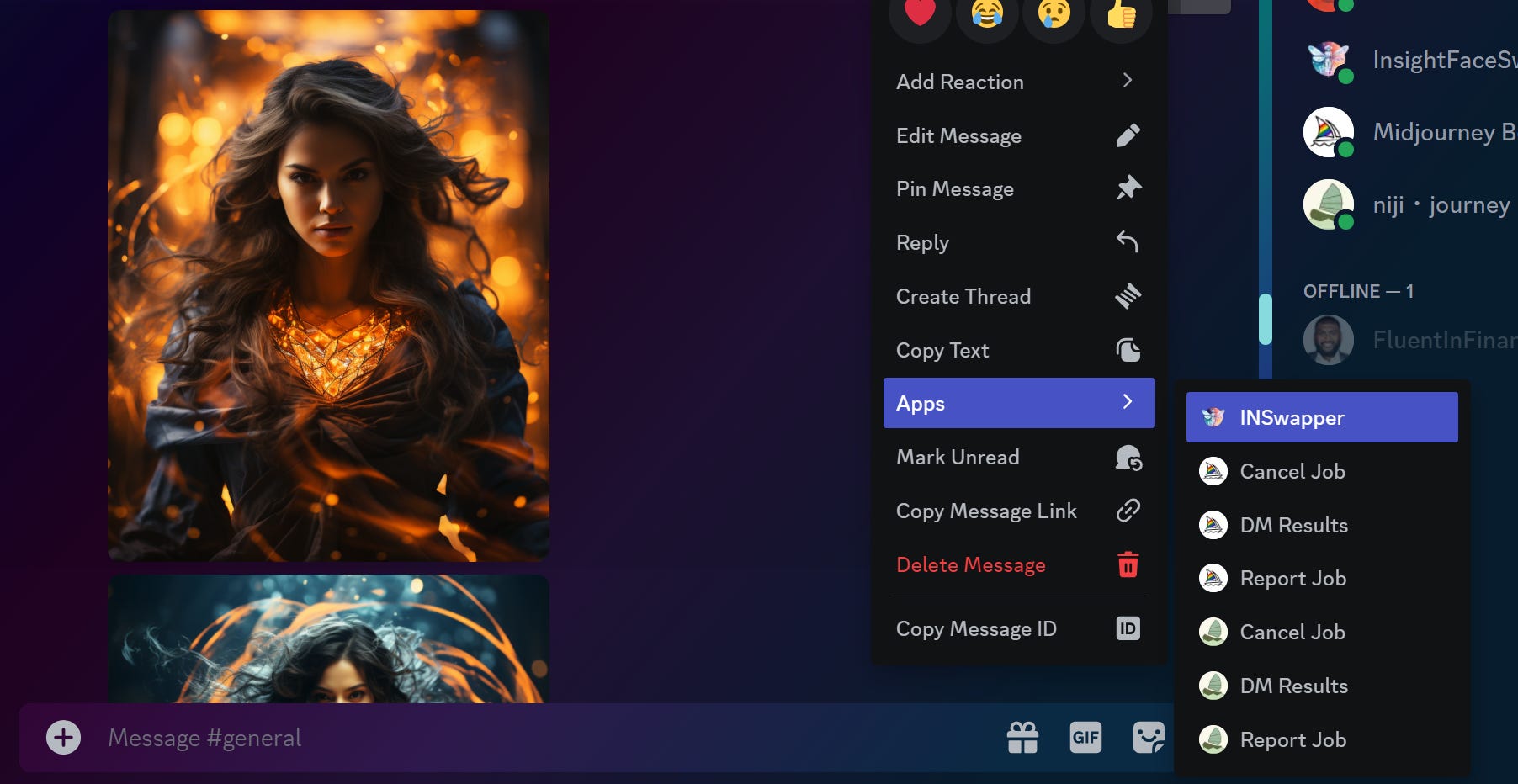
This is the end result; Lets look at a few different other examples.






With this one we find that the edge of the jawline on both sides to be worn as a mask we can easily clean that up with generative fill in photoshop.


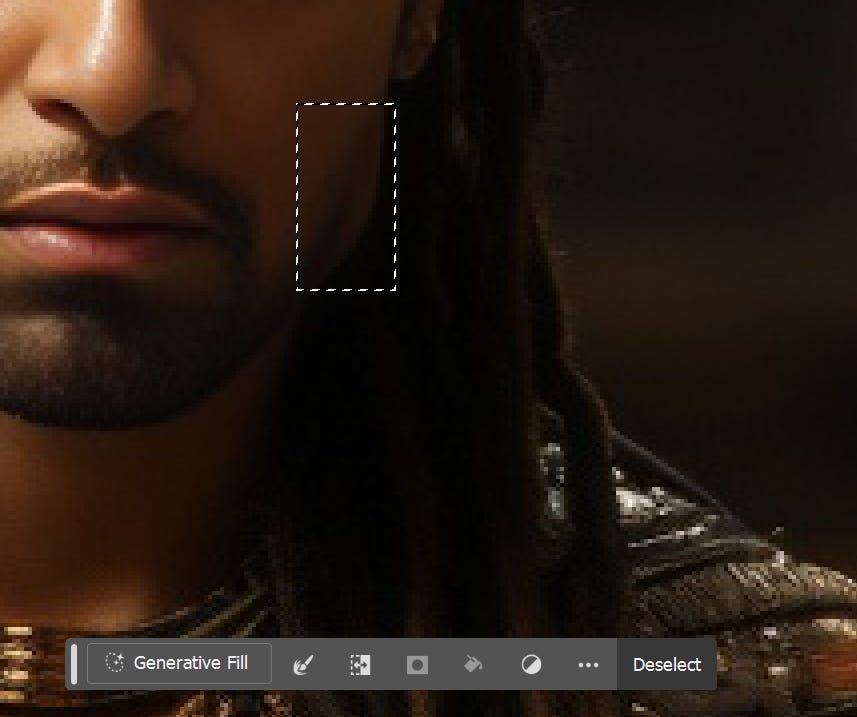
When using generative fill leave the prompt blank the tool will fill in and blend the details as needed.
Here is the result afterwards.

With that resolved this is wraps up the only major downside of using the insight faceswap technique. One thing to remember when using a model always get your picture in high quality with good lighting for best results.
I also did a livestream touching on this subject.
No posts
Comments
Nothing yet. Say the first thing.
Sign in to join the conversation.