
Hey, AI Ready Seeker! 👋🙂
In the previous article, we looked at a few simple prompts you can use to improve your follow-up emails. If you missed it, here it is.
Today, we’re going to look at a few prompts you can use to enhance your photos for social media.
So, start with what you already have.
Instead of trying to create something new from scratch, start with:
photos of you,
photos of your workspace or process,
photos of your products/services in action.
💡 AI can fix lighting, boost clarity, correct colors, remove backgrounds, add vibrancy, adjust composition, or even shift the entire mood of a photo.
If you're a business owner or entrepreneur.
Ask yourself:
Are you trying to build brand awareness?
Do you want to generate more leads?
Are you aiming to boost sales?
Are you trying to position yourself as the go-to expert?
💡 Once you know the goal, you can guide AI to create images that support it.
You can tell AI:
“Enhance this to look bold, dynamic, and attention-grabbing,”
or
“Give this image a clean, premium look that matches a modern tech brand.”
Here are practical templates you can plug into any AI image enhancer (Grok Imagine, Nano Banana, ChatGPT, etc.):
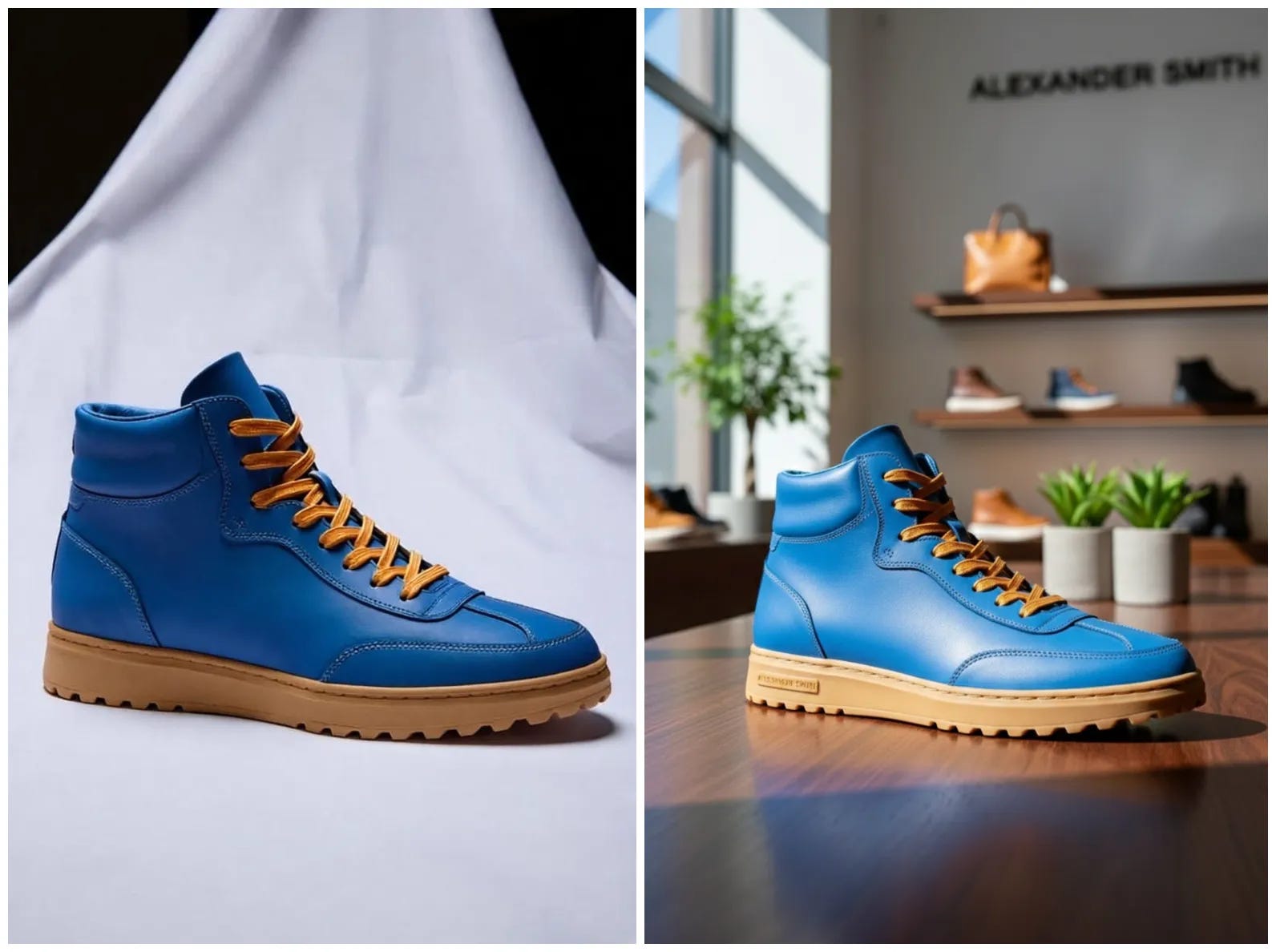
“Place the [product] in real-world setup, high-definition commercial realism, brand-specific environment, tailored lighting and mood, visible logo integration styled to match the brand aesthetic, ultra crisp textures, saturated color harmony, high kelvin lighting, cinematic realism with storytelling composition.”☀️ Before / After AI:
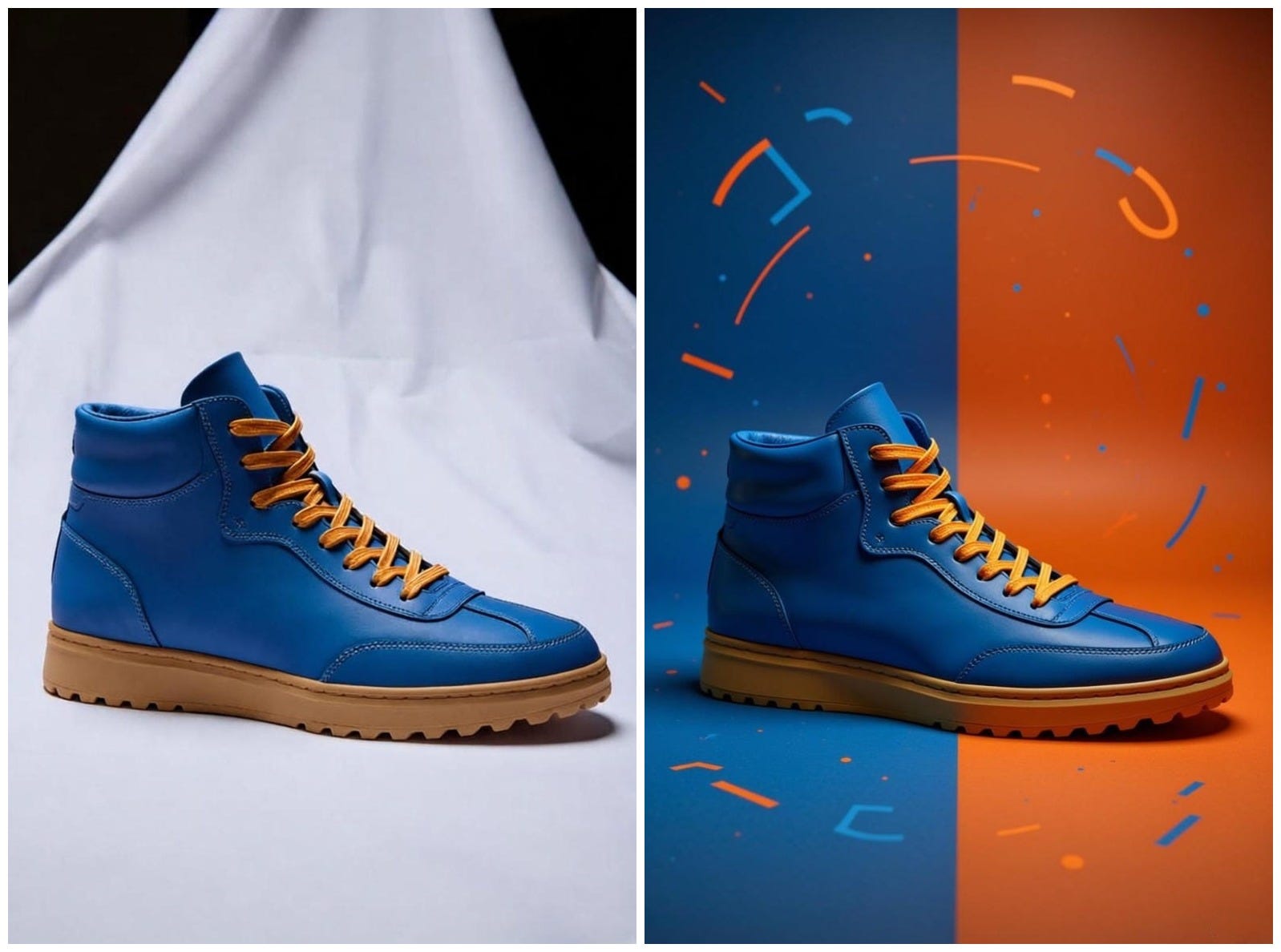
“[Product Name] placed at the center in full photorealism, surrounded by surreal vector illustrations using exactly two bold, vibrant colors that match the product’s mood. The scene is minimalistic yet energetic, with abstract vector shapes (symbols, lines, expressions, etc.) orbiting or interacting with the product. Style: surreal, high-resolution, minimal, cinematic lighting, 1:1 aspect ratio.”☀️ Before / After AI:
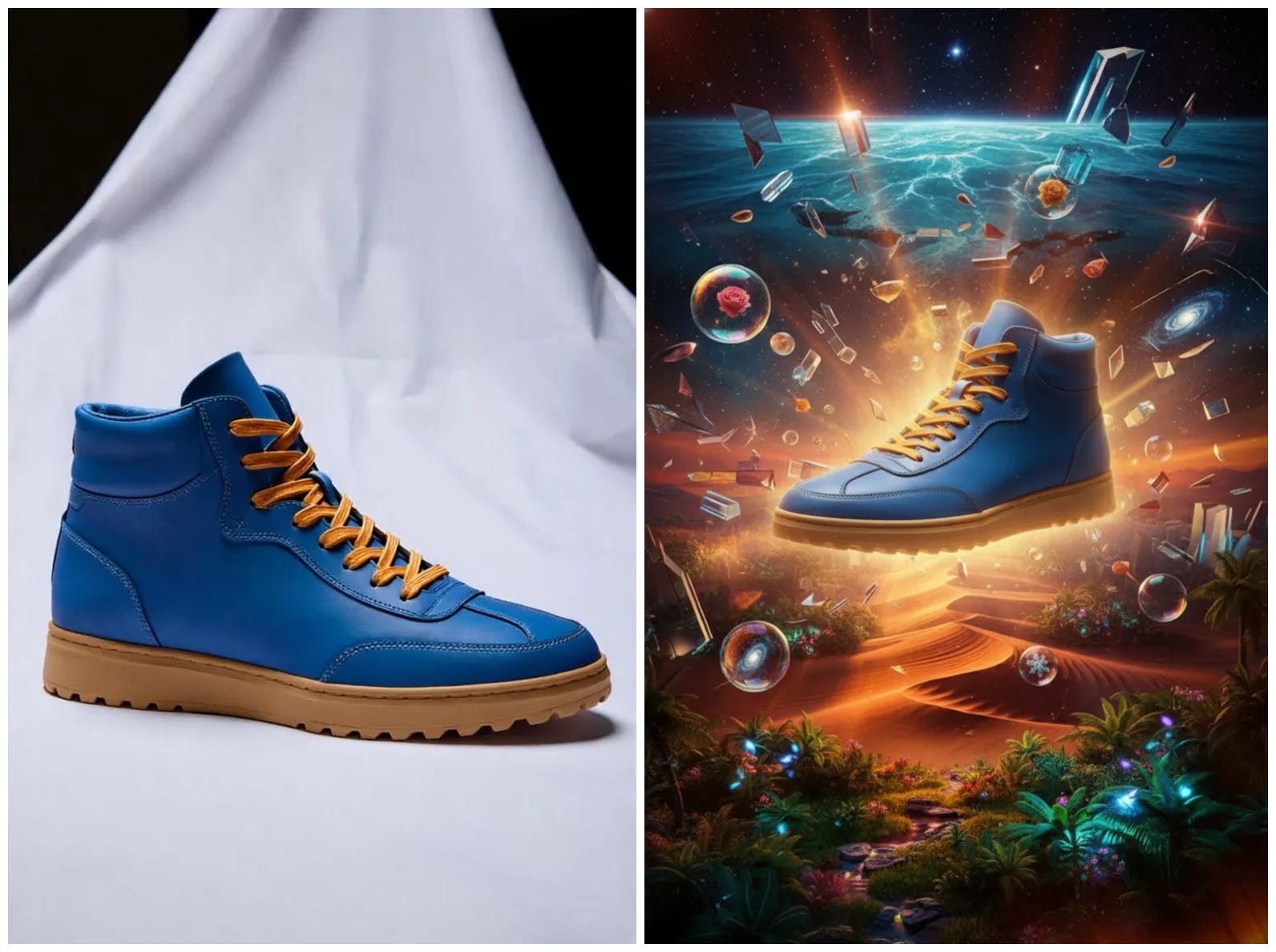
“Create a surreal, cinematic advertisement for [brand name], captured as a high-end DSLR photograph. Include imaginative scenes, natural landscapes, or abstract environments. Center the product or logo in the scene with emotionally resonant lighting and realistic textures. Style: surreal realism, DSLR depth of field, ad campaign aesthetic. Aspect ratio: 1:1. High detail. HDR. Visually unforgettable.”☀️ Before / After AI:
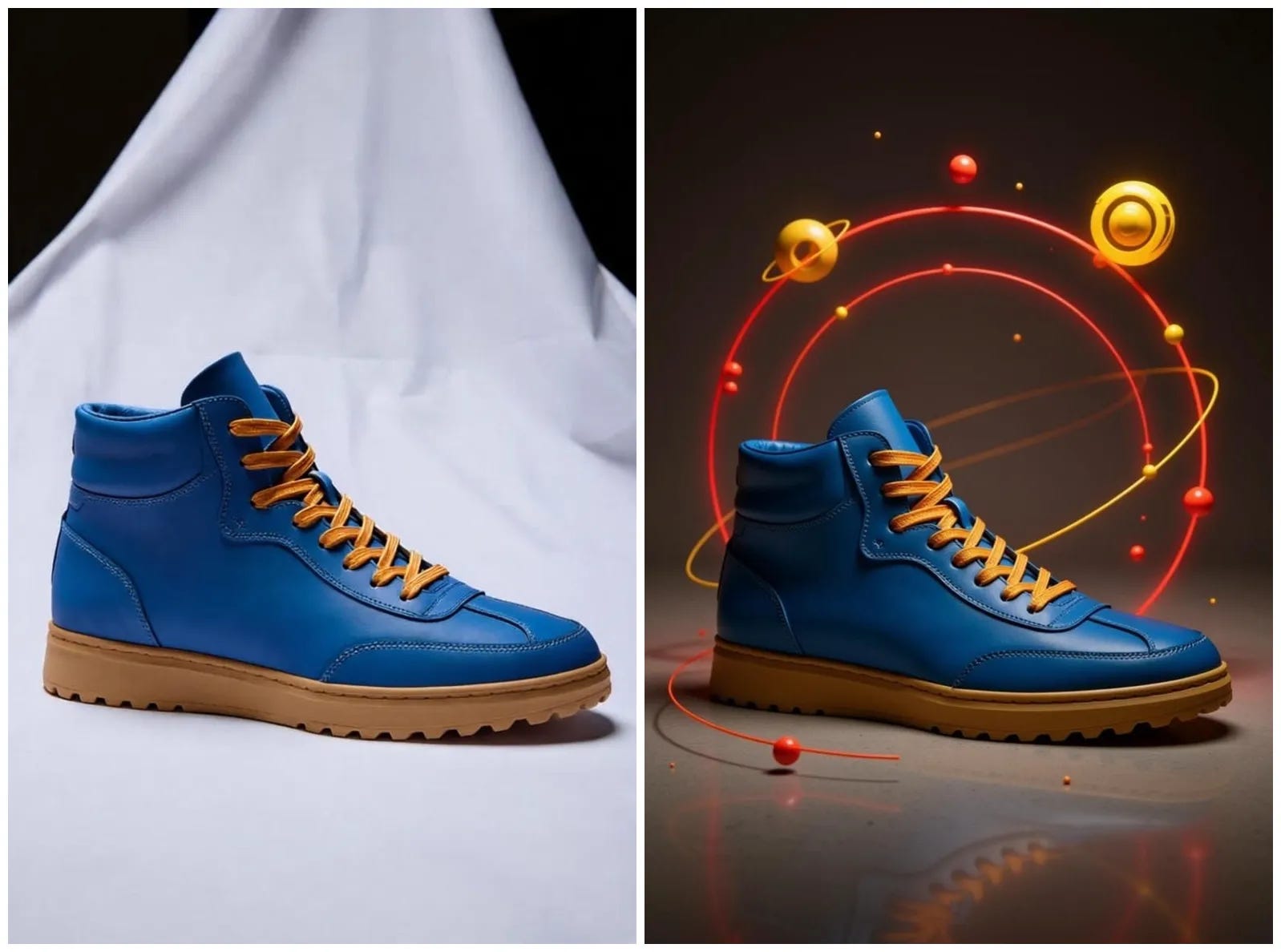
“[Product Name] centered in photorealism, encircled by dynamic surreal vector graphics in two contrasting vibrant colors evoking the brand’s energy. Include orbiting abstract symbols and lines that interact poetically with the product.Minimalist background, cinematic lighting, high-res, 1:1 ratio.”☀️ Before / After AI:
“Craft a dreamlike ad for [brand], DSLR-realistic, with the product as the focal symbol in a metaphorical landscape (e.g., abstract nature or urban fantasy). Cool-toned lighting (~7500K), hyper-detailed textures, subtle DOF. Add a 5-word poetic slogan evoking emotion. Surreal realism style, 1:1 aspect, unforgettable composition.”☀️ Before / After AI:
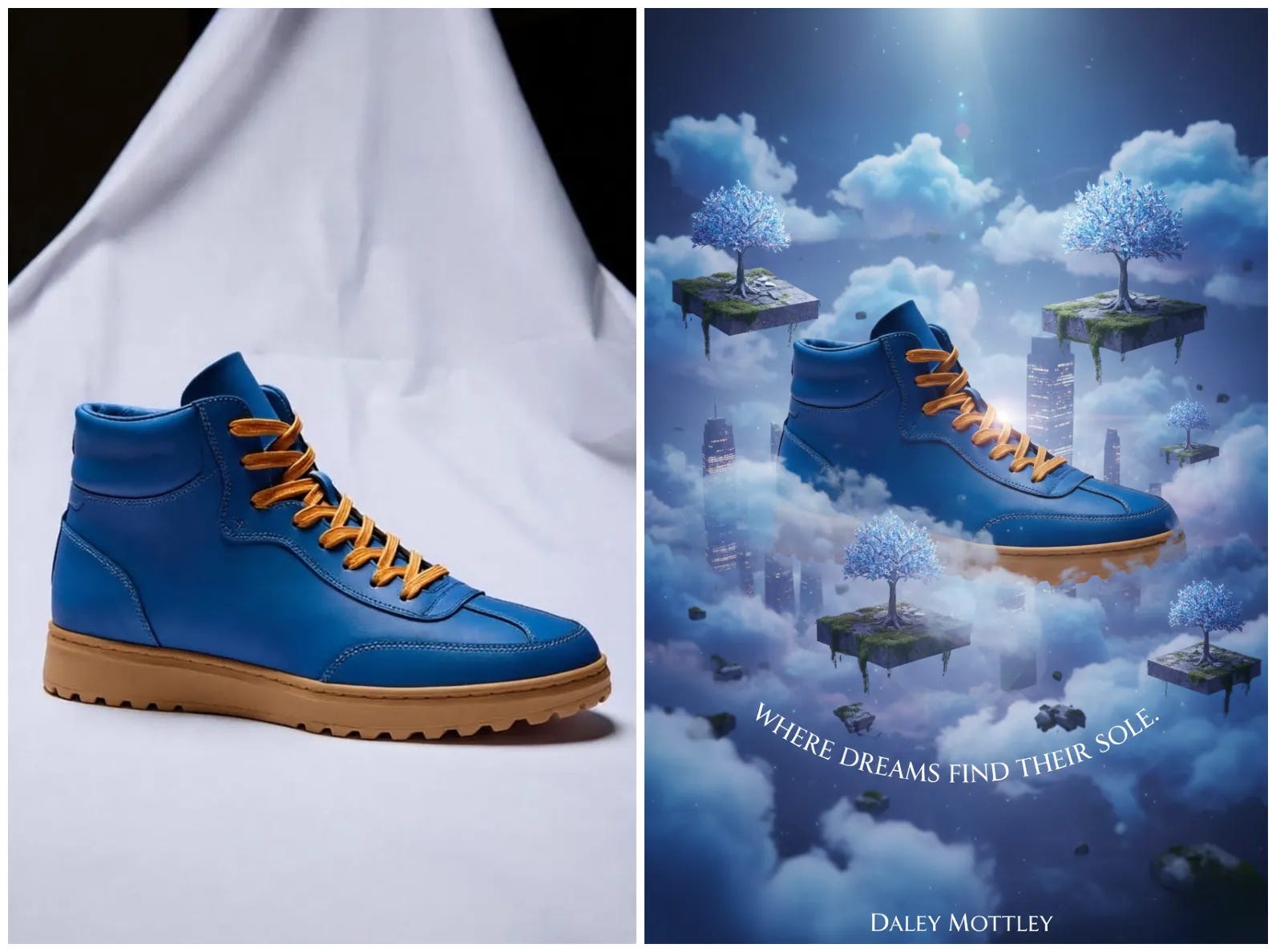
A few simple words can turn old photos on your phone or laptop into eye-catching content that boosts your online presence.
Do you want more guides like this one? Tap the ‘❤️’ and ‘🔁’ below to show your vote.
Thanks for sharing, I truly appreciate your feedback 👍
If you found this helpful, share it with a friend who could use these AI-ready tips too. Have a great day! 🙂
Comments
Nothing yet. Say the first thing.
Sign in to join the conversation.