
Hey, AI Ready Seeker! 👋🙂
Today, we’re going to look at an AI tool that can help you with email triage.
In a previous article, we briefly reviewed two options: Gmail with Google Gemini and Microsoft Outlook with Copilot. If you missed it, here it is.
The tool we’re exploring today was founded by Andrew Lee and Jonny Dimond, both former Google engineers, and was created exclusively for Gmail users.
If you don't use Gmail, here's a more universal option compatible with most email providers.
Let’s get started.
Shortwave is an AI-powered email client built specifically for Gmail and Google Workspace accounts.
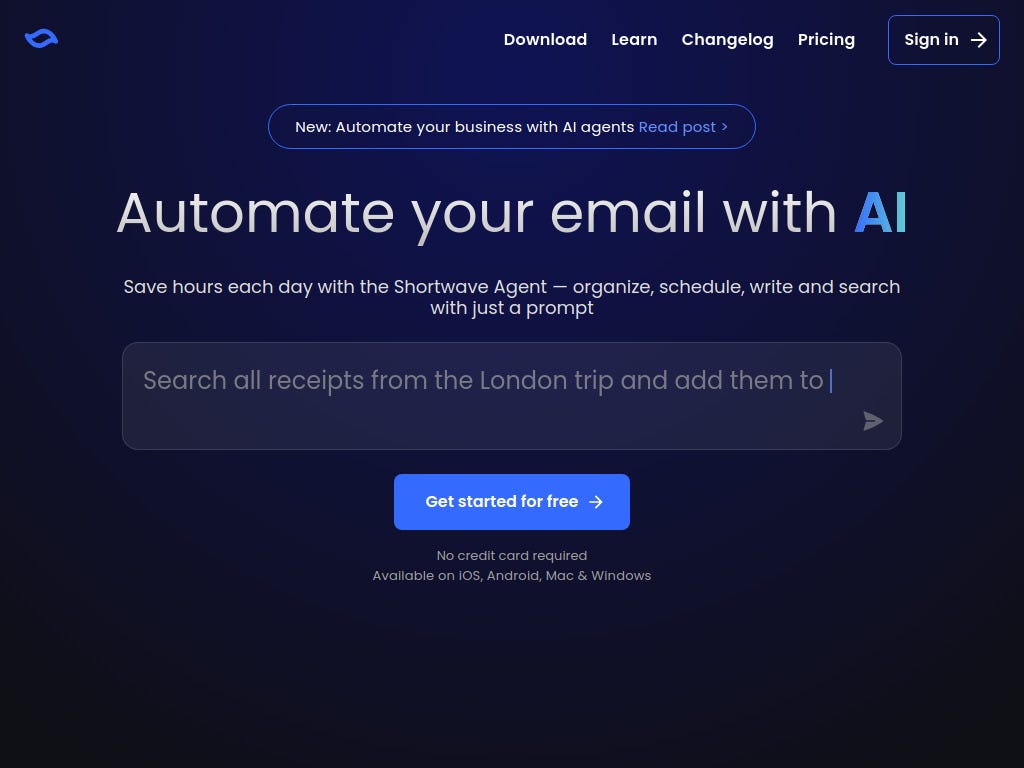
The biggest differentiator between Shortwave and the standard Gmail client is how deeply AI is built into the interface, along with a strong focus on security, making it clear that user emails aren’t used to train public AI models.
However, you should always review current privacy documentation for specifics.
Once you're confident, Shortwave can easily be integrated into your email workflow.
Typical use cases include:
💬 Managing multiple conversations
🧭 Coordinating decisions through email
💼 Handling long threads
🧑💻 Cross-functional discussions
💡 If Gmail is your primary work inbox, Shortwave is designed to enhance that environment.
🗂️ Bundles (Batch Processing)
Shortwave automatically groups related emails into Bundles, allowing users to process similar messages together instead of one by one.
Common bundle types include:
📰 Newsletters
🧾 Receipts and invoices
🛠️ Project-related threads
🤝 Ongoing customer conversations
🔖 Smart Labels, Snoozing, and Scheduling
Shortwave can execute tasks automatically inside your inbox.
Automations include:
🏷️ Applying smart labels based on email content and user behavior.
⏰ Snoozing and scheduling emails to reappear at specific times.
💡 The goal is better timing and prioritization of attention.
📤 Turning Emails Into Tasks
Shortwave’s AI is embedded into daily inbox workflows.
Task-related capabilities:
📌 Emails can be pinned and treated as active tasks
✏️ Threads can be renamed to reflect actual work
🔔 Follow-up reminders can be set for unanswered emails
📄 Tasks can be extracted automatically from email content
💡 This keeps important emails from getting buried as new messages arrive.
✍️ AI Writing Assistance (Ghostwriter)
Ghostwriter is Shortwave’s AI writing assistant. It drafts email replies based on conversation context.
💼 Capabilities include:
📝 Drafting complete replies
🧠 Learns your tone and writing style over time
🗣️ Suggests sentence-level or full-reply drafts
💡 Ghostwriter is especially helpful for confirmations, follow-ups, and routine communication.
📑 AI Summaries for Long Threads
For long or complex email threads, Shortwave generates summaries at the top of the conversation.
🧾 For example, users can:
👀 Read a high-level overview instead of scrolling
🔎 Expand the summary for more detail
❓ Ask follow-up questions such as:
🗂️ What decisions were made?
🔄 What conversations changed recently?
⏳ What still needs a response?
💡 This is especially useful when joining a thread late or returning after time away, shifting inbox management from scanning to decision-making.
🔍 Asking Questions Instead of Searching
Shortwave replaces traditional keyword search with natural conversational queries.
💬 Example requests you can ask your inbox:
📬 Which emails need my response today?
🧾 Show invoices from last month
📝 Summarize unread emails from this week
🔬 Search works across:
🗃️ Your full email history
📎 Attachments like PDFs and text files
👥 Shared team archives (or business plans)
💡 Instead of scanning and filtering, you ask a question and review the result.
🔗 Integrations and Ecosystem Support
Shortwave is designed to work alongside your existing workflow.
For example:
Productivity Integrations
💬 Send emails to Slack
✅ Create tasks in Asana
📄 Create pages in Notion
📊 Log activity in HubSpot
Calendar Integration
📅 RSVP to invites
🕒 View schedules
🤝 Manage meetings without leaving the inbox
Team Collaboration
👥 Share email threads without forwarding
⚡ Collaborate in real time
🗄️ Search shared team archives
Advanced Workflows
🧩 Advanced users can connect Shortwave to custom workflows using the Model Context Protocol (MCP) and prompt-based actions.
💳 Pricing and Plans
Shortwave is a paid product with a free plan and a free trial, and pricing varies by tier and billing cycle. Monthly and annual billing are available, with discounts for annual plans.
Typical plans include:
👤 Pro — ~$18/month
Best for individual Gmail users who want AI-powered search and a cleaner inbox without team features.🏢 Business — ~$30/month per user
Designed for teams, with shared conversations, collaboration features, and administrative controls.Higher-tier plans (such as Premier and Max) are available for organizations that need deeper AI capabilities, extended history, or advanced compliance and training.
Final Takeaway 🚀
Gradually adding tools like Shortwave to your workflow helps reduce repetitive tasks, save time, and keep your inbox organized.
If you want more articles like this, tap the ‘❤️’ and ‘🔁’ to show your vote.
Bookmark ‘⭐’ AI Ready Tips in your browser or inbox 💌
Thanks for sharing, I truly appreciate your feedback 👍
👉 Get daily AI Ready Tips to save time and make work easier. Subscribe free for no-fluff insights that help you stay ahead.
If you found this helpful, share it with a friend who could use these AI-ready tips too. Have a great day! 🙂

@DaleyMottley
/ AI Consultant \
/ Full Stack Web Developer \
Need help or have questions? 📬
Leave a comment / Reply to: aireadytips@substack.com
Don't know which AI tool to choose? 🤷
Explore my curated list of AI tools & services: aireadytips.com/tools
Comments
Nothing yet. Say the first thing.
Sign in to join the conversation.