
You know, I’ve talked about the best AI headshot generators, best AI website builders, best web scraping tools, best AI humanizer tools, best AI text-to-speech generators, and so on.
But the real shift is happening in the business and productivity space.
Right now, smart founders, creators, agencies, developers, and teams are quietly using AI tools to automate repetitive work, manage workflows, generate leads, create marketing assets, summarize information faster, improve collaboration, and save hundreds of hours every single month.
And the scary part? Most people still have absolutely no idea how fast this is changing the way businesses operate.
That’s exactly why I spent days testing some of the newest AI tools that are actually solving practical business and productivity problems instead of just becoming another hyped AI product on Twitter.
So if you’re a founder, creator, freelancer, developer, agency owner, marketer, or basically anyone trying to work smarter and move faster using AI, this post is for you, since it will save you hundreds of hours over the next few months.
Note: I put a lot of time into making this genuinely useful and practical. If even one tool makes you more productive, don’t just close the tab and move on. Subscribe, and share it with someone who’s still looking for this kind of content. It helps more than you think.
With that said, let’s get started.
You may know that we are actually shifting from AI tools to AI agents, and one of the latest ones I want to talk about is krewbot.
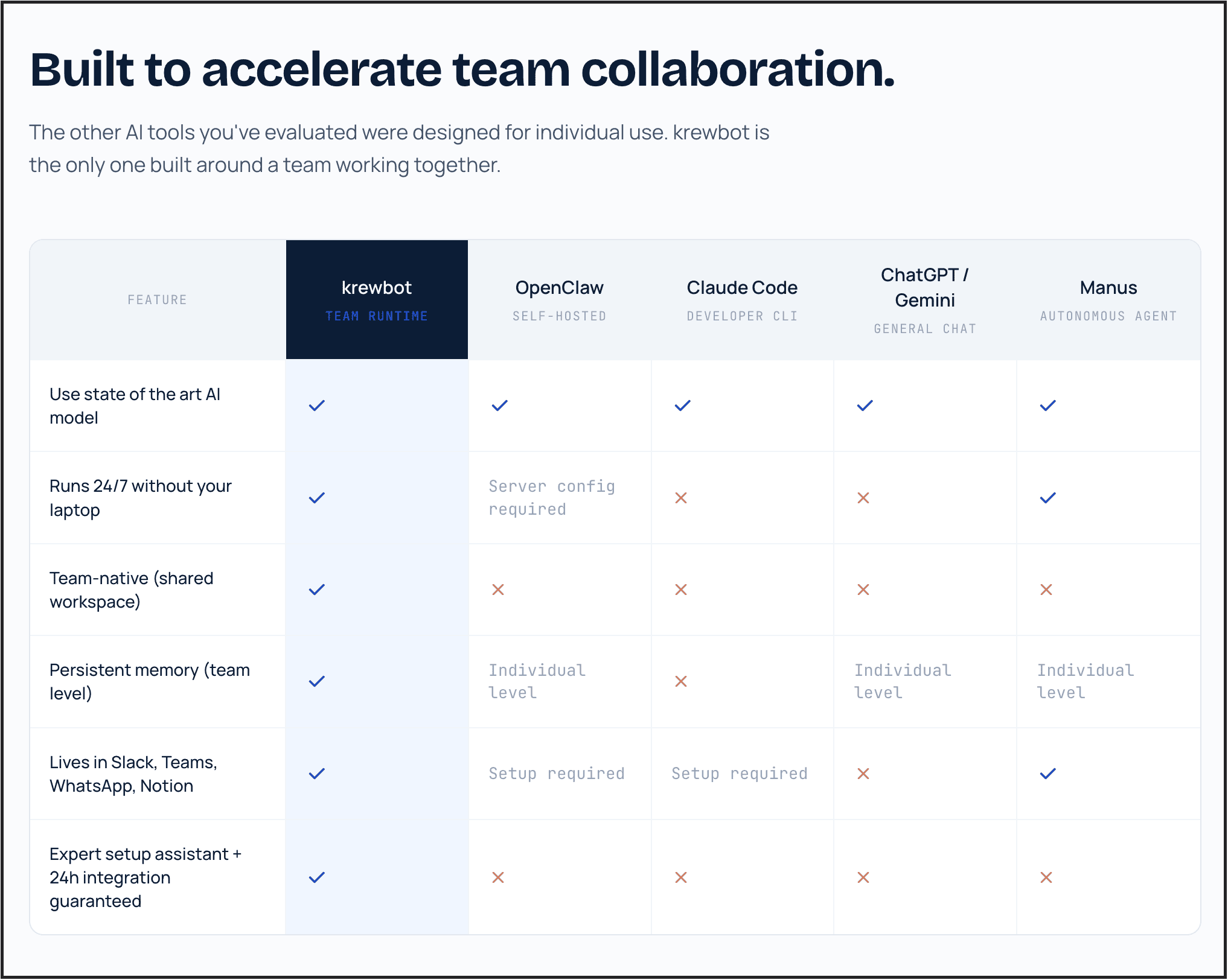
It can run AI agents 24/7 in the background even when your laptop is closed. And their team even explained how they are better for team collaboration compared to others.
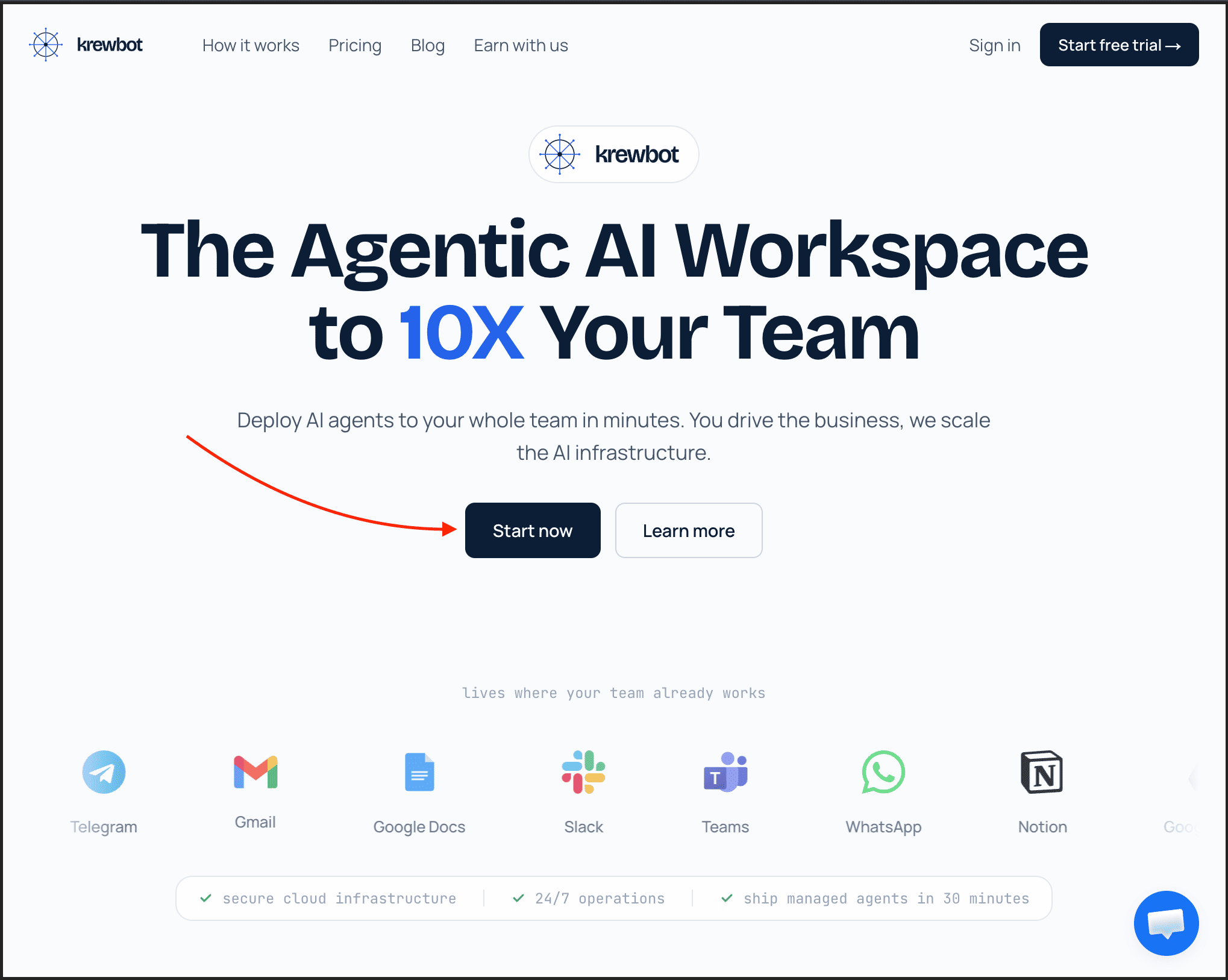
To get started, simply visit their website and click on the button, “Start now”.
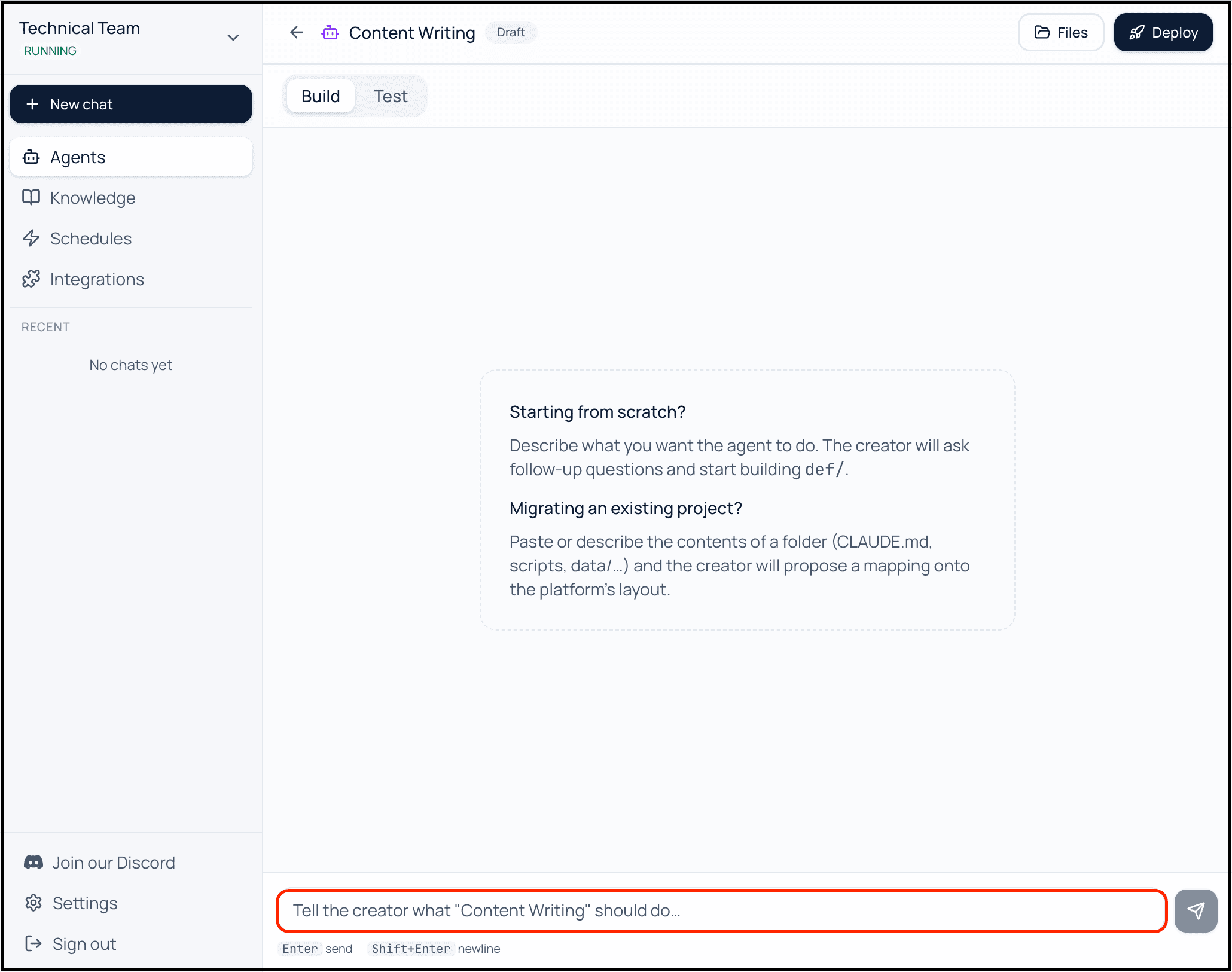
And then you can create AI agents that automatically reply to leads, draft follow-up emails, update Slack channels, manage workflows inside Notion, book meetings, or handle repetitive tasks while you sleep.
That’s exactly the kind of thing krewbot is trying to solve.
And unlike most AI agent tools that feel extremely technical, krewbot focuses heavily on team collaboration. So instead of one person using AI in isolation, your entire team can work with shared AI agents, shared memory, and shared workflows.
It also supports integrations with tools like Slack, Teams, WhatsApp, Notion, browser automation, and MCP tools, which makes it far more practical for real business workflows.
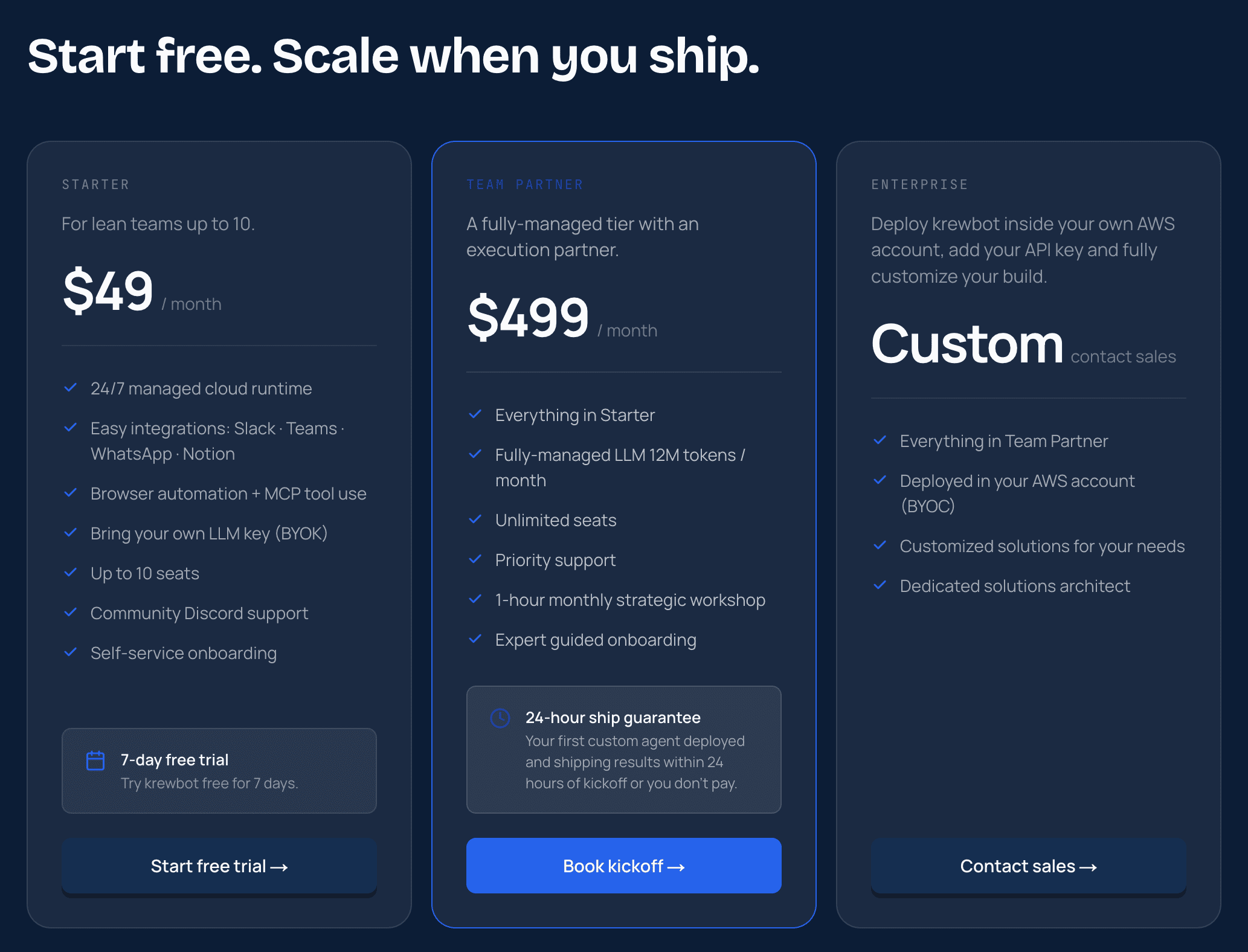
Talking about the pricing, it provides a free trial for 7 days, and then you need to subscribe to one of their paid plans starting from $49 per month.
So if you run a startup, agency, or even a small online business, this is one of those AI tools you should seriously pay attention to before everyone else catches on.
And I believe the future is building systems where AI keeps working for you in the background by using AI agents like krewbot.
If you are still watching YouTube videos every day just like the way everyone does, then you are simply wasting your time when you can be productive by using AI tools like Claras.
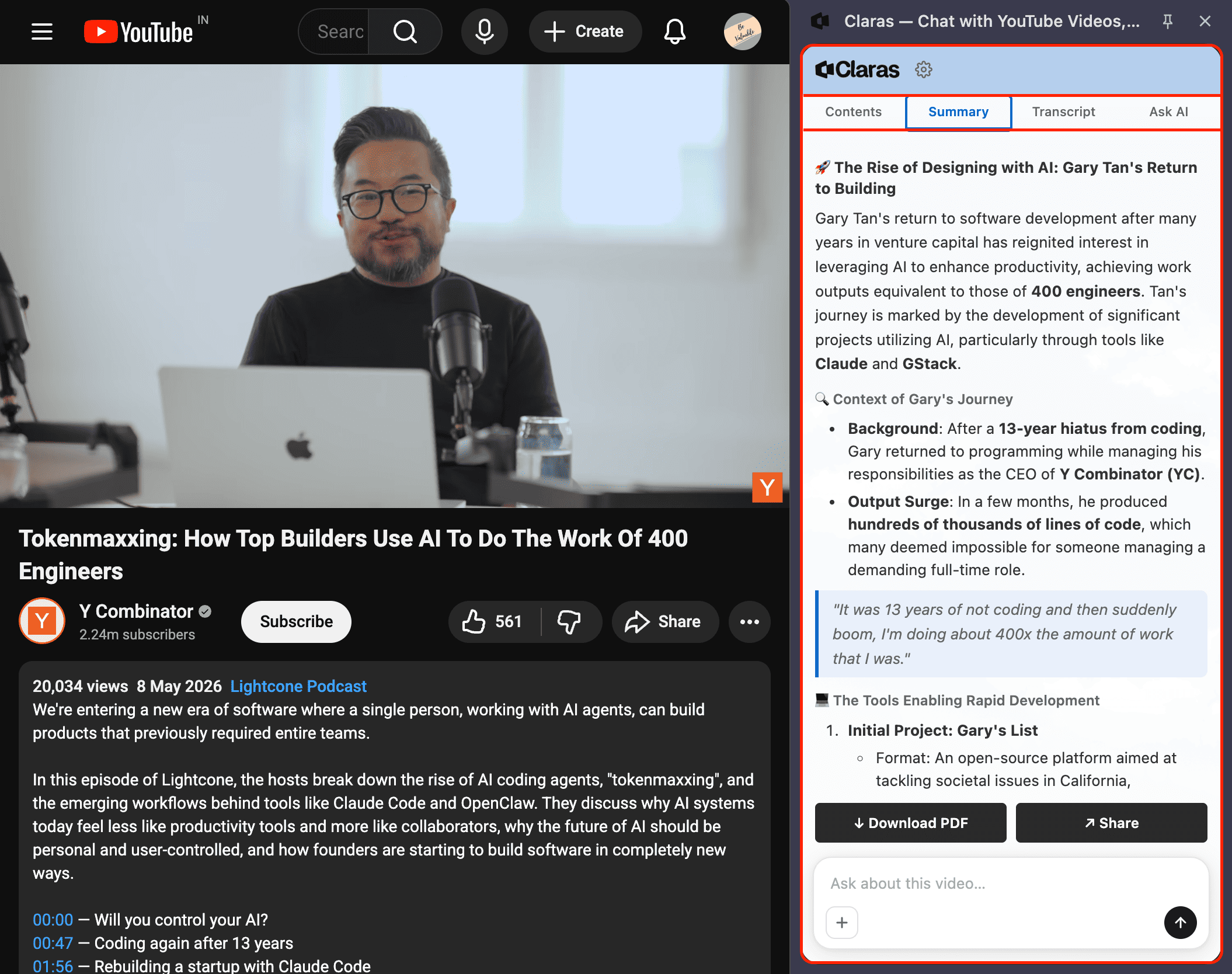
But Nitin, what does it do? Well, it allows you to view the chapters, access transcripts, get summaries of videos, and even ask questions about what you actually want to learn from a specific video.
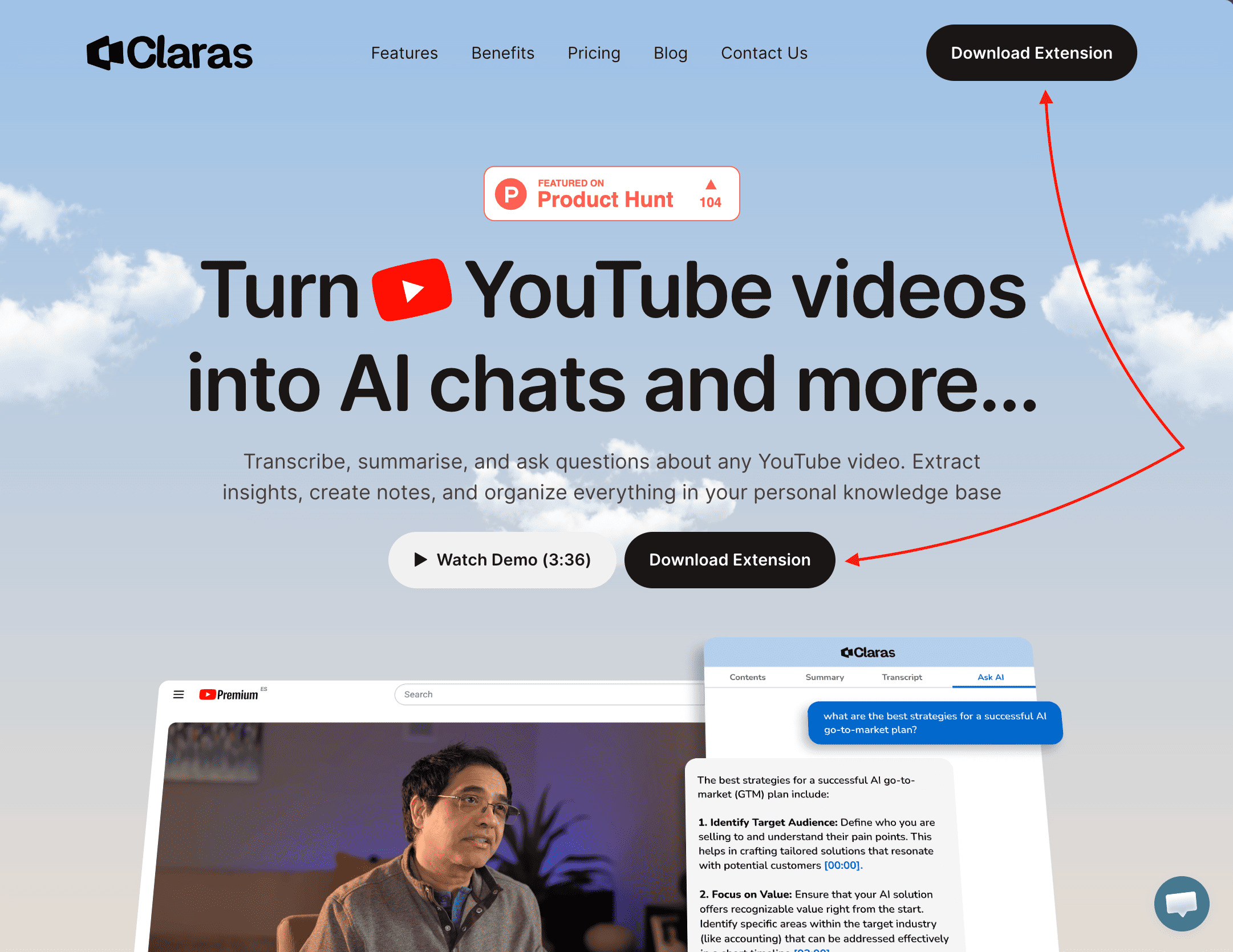
To try it out, simply visit their website and click on the button, “Download Extension”.
And then you can open the extension and ask it to analyze the specific YouTube video with AI.
Just to give you an example, I’ve opened a recent Y Combinator video which was all about how top builders are using AI to do the work.
Then I simply asked about the different ways listed here to see what they are talking about.
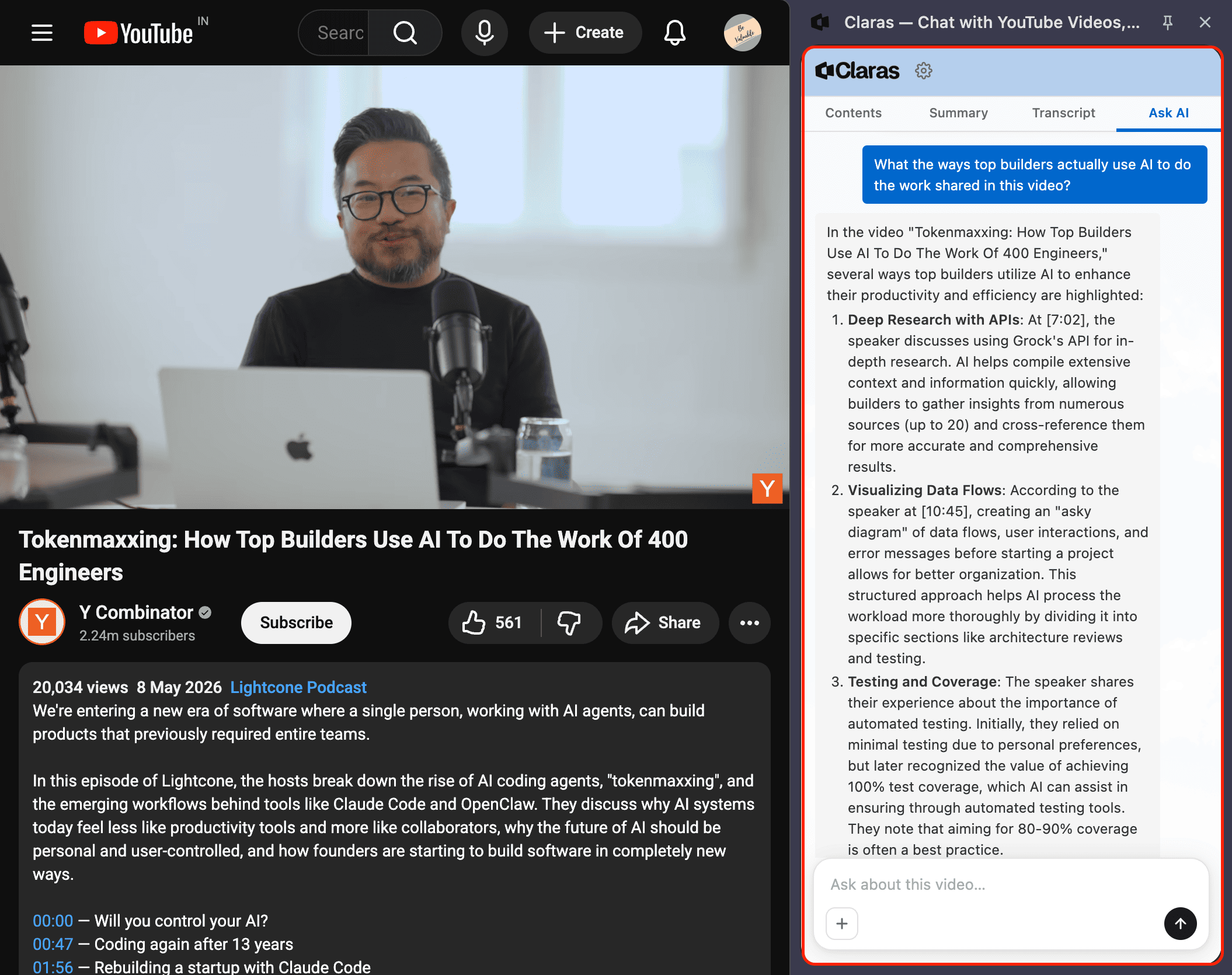
As you can see, it gave me a complete and detailed understanding of the different ways discussed in the video, saving me enough time.
And since they recently launched, you can use it for free without any issues to learn what you need, get detailed summaries of YouTube videos, and so on.
Talking about the pricing, their plans are currently discounted for early users, as you can see below.
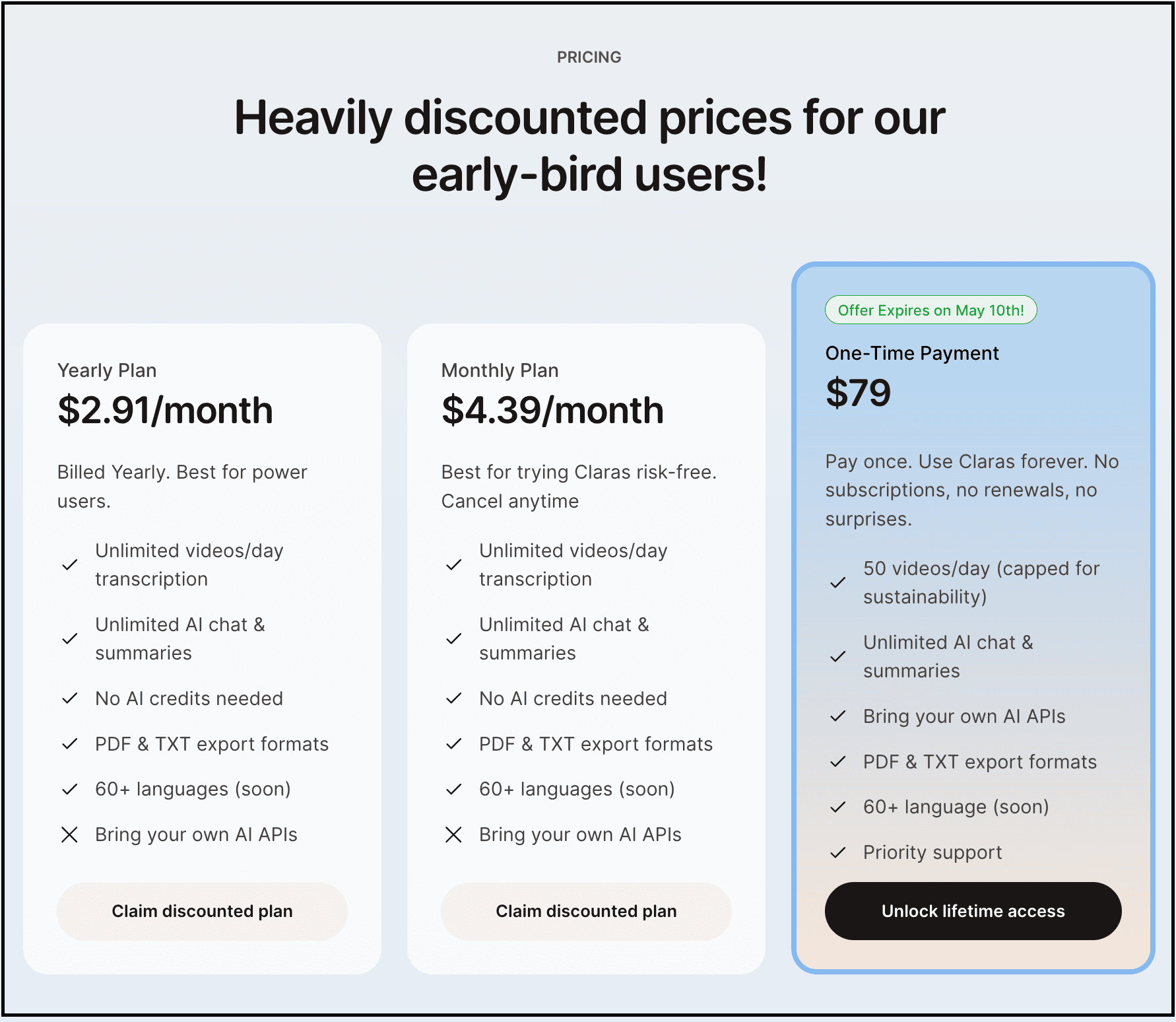
It offers both monthly and yearly plans starting at $4.39/month and $2.91/month respectively, along with a $79 one-time payment option to use Claras forever.
Just so you know:
Everything I’ve shared here is something I actually use.
If this post changed how you think about AI even a little, that didn’t happen in isolation. It came from a much bigger shift in how I use AI overall.
That’s why I put that entire system down inside “The (Unfair) AI Workflow Playbook” with everything you need.
It’s the exact set of workflows I use daily to run my work faster than feels normal, and if you apply even a few of them, you’ll save hundreds of hours.
You can spend months figuring this out on your own, or you can steal my entire playbook right now.
You know, I spend a huge amount of time typing every single day.
Writing posts, replying to emails, brainstorming ideas, chatting with clients, documenting workflows, and much more.
And honestly, typing most often feels painfully slow compared to how fast the brain actually thinks.
That’s where I started using Wispr Flow and found it incredibly useful.
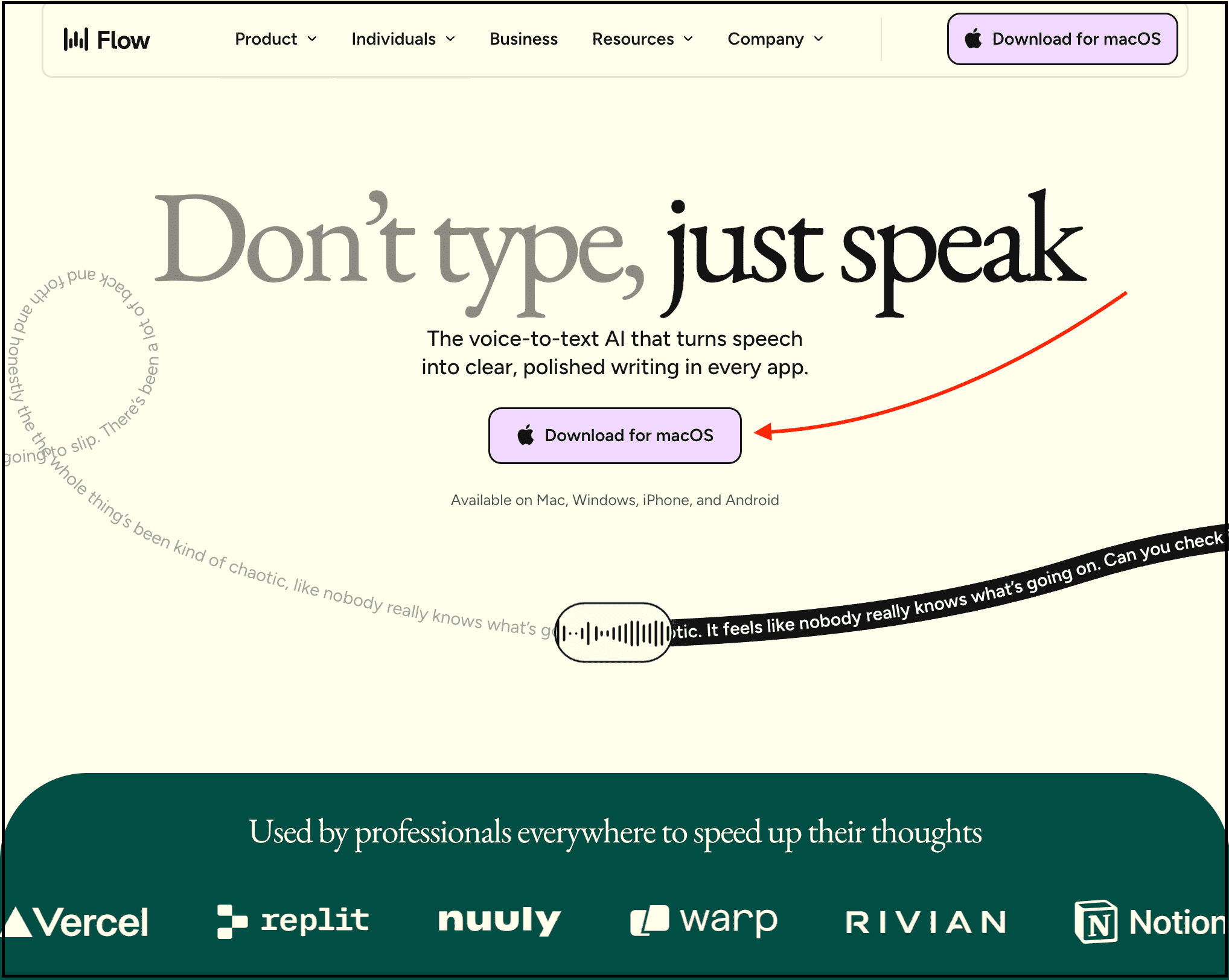
To get started, simply visit their website, install it on your system, and start speaking instead of typing.
It’s basically an AI voice dictation tool that lets you speak naturally, and it converts your speech into clean, properly formatted text across your entire system.
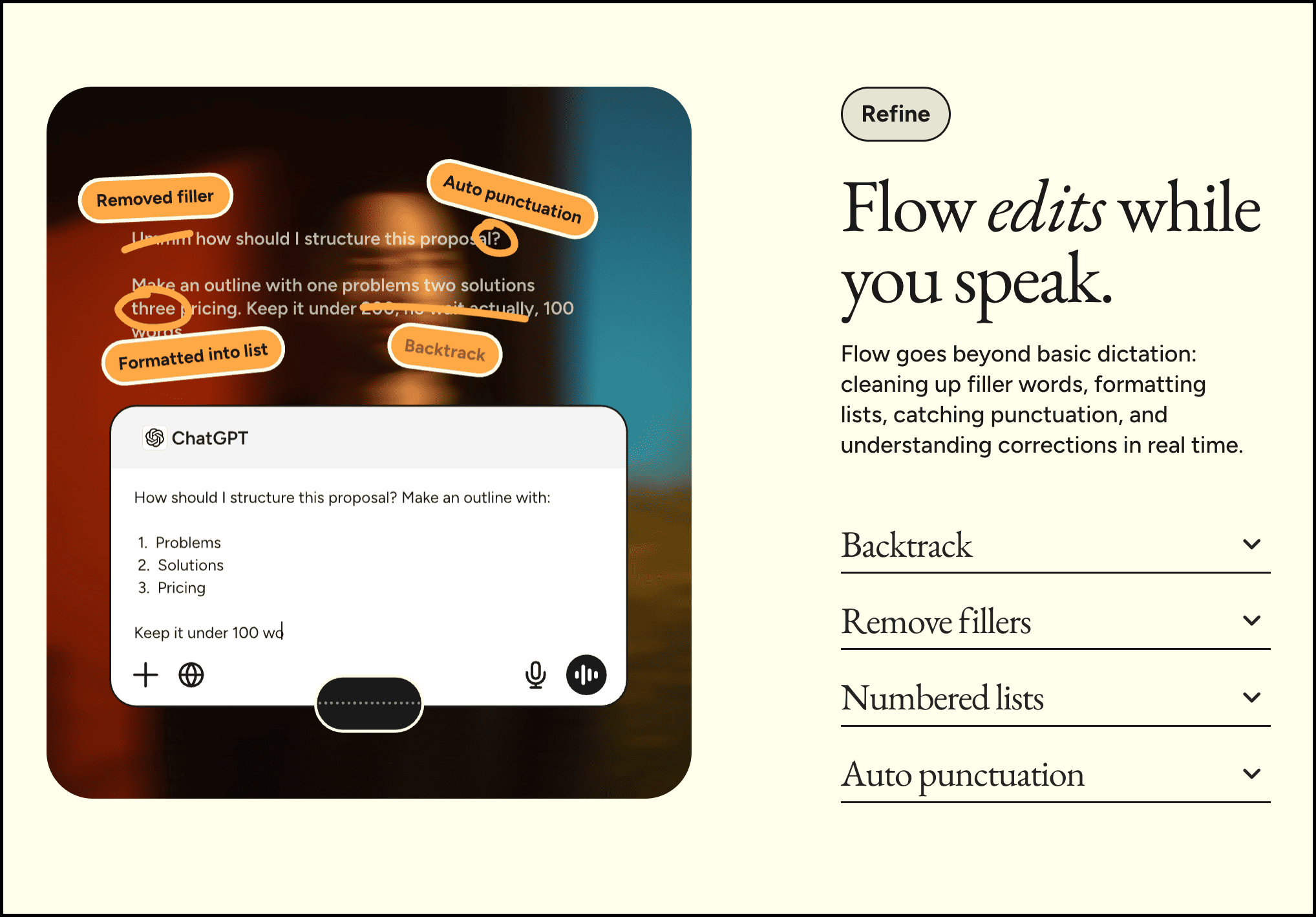
The best part? Instead of generating robotic text full of punctuation mistakes, random commas, backtracking, and awkward formatting, it writes in a much more natural and polished way.
And so you can literally talk naturally, pause, think, correct yourself, and it still does a great job formatting everything properly.
Talking about the pricing, it has a free plan which lets you get 2k words per week, and you even get Flow Pro free for 14 days.
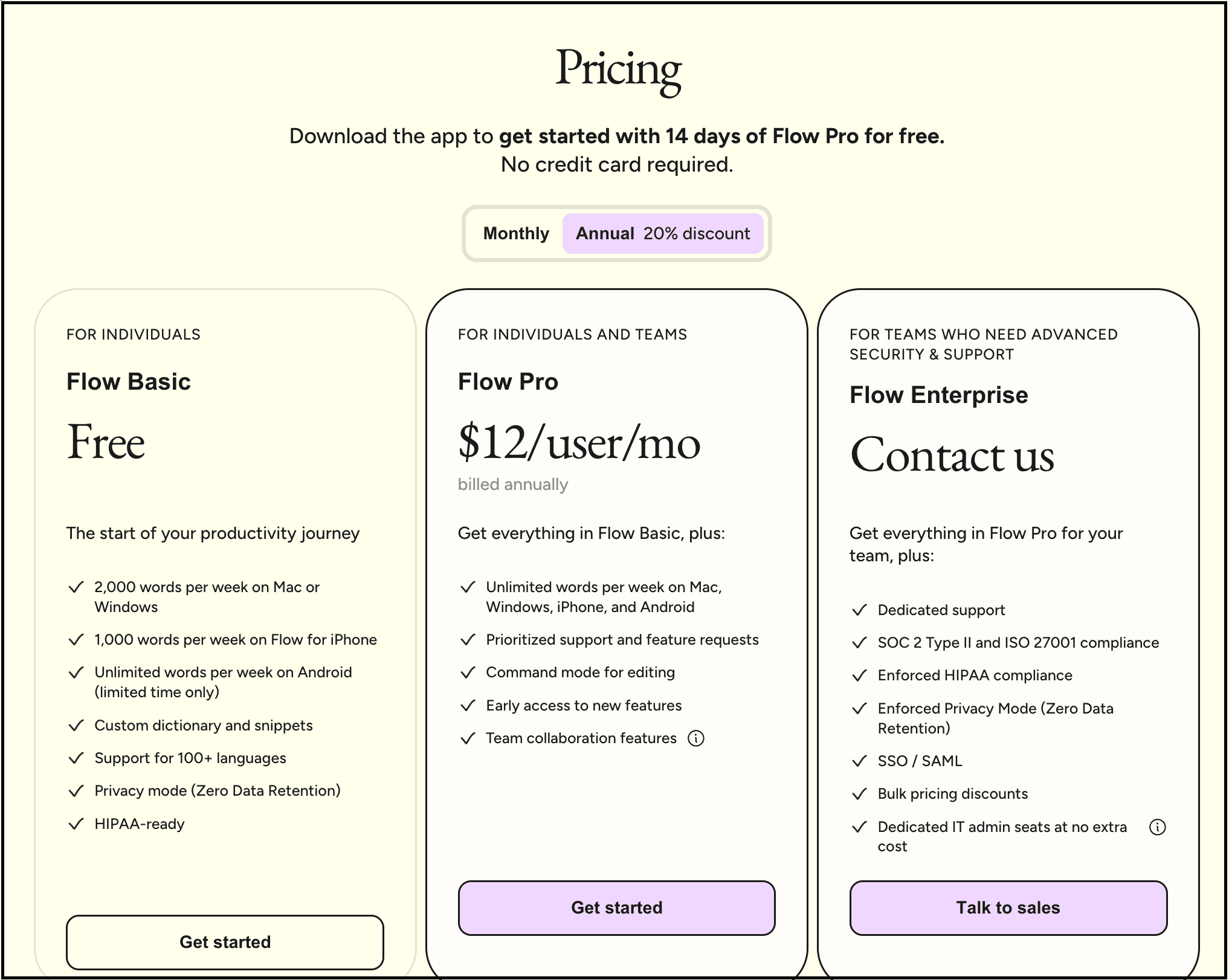
And if you want more features with unlimited usage, then you can buy their “Flow Pro” plan, which starts from $12 per month if you buy the annual plan.
So if you are a writer, founder, developer, student, or a creator, and basically anyone who spends hours writing every day, this one is for you.
Most people use AI tools individually, but if you are a team, it sucks.
We are using one tool for brainstorming, another for documents, another for meetings, another for research, and then ChatGPT separately for generating ideas.
That’s exactly the problem I think Kanwas is trying to solve.
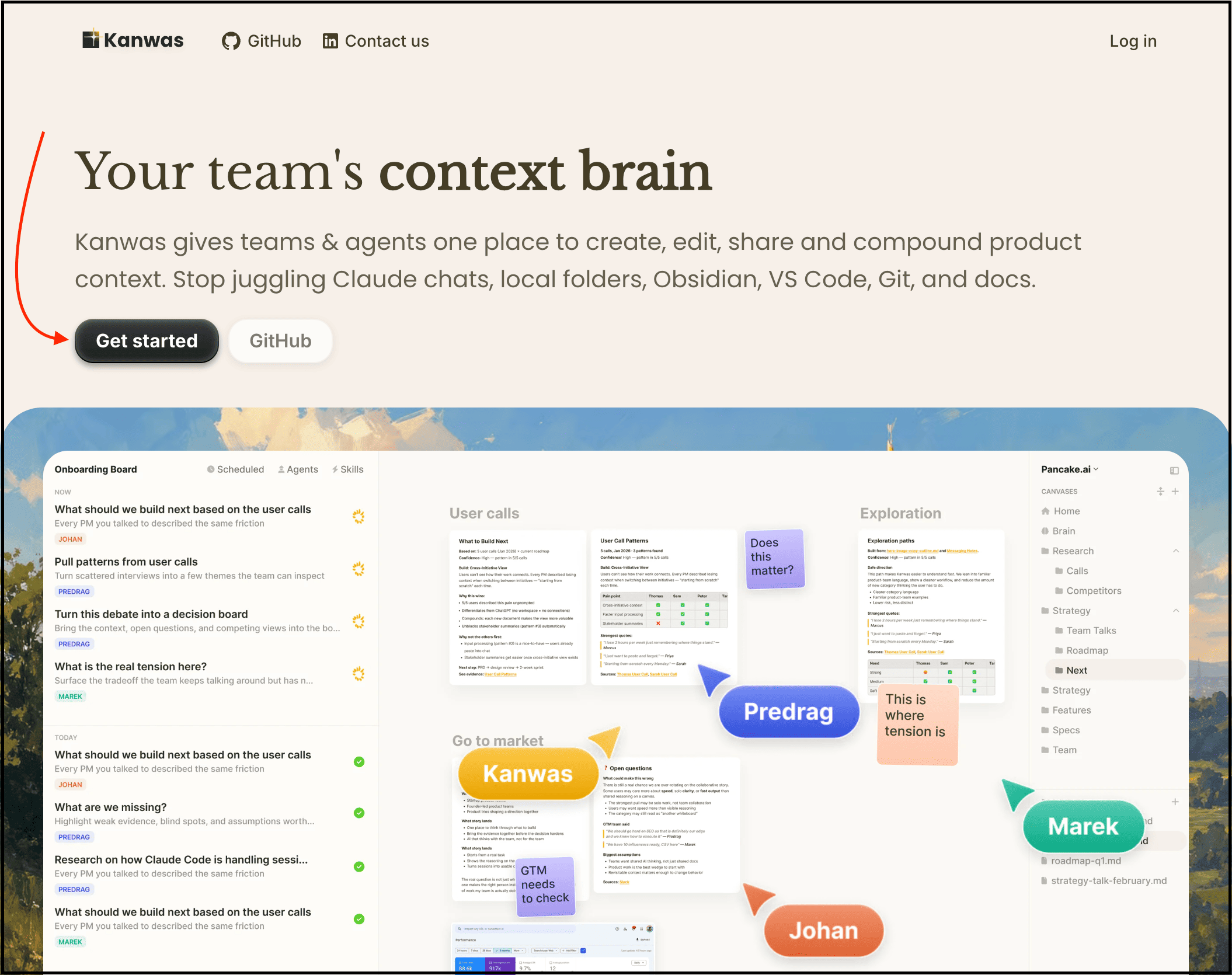
To get started, simply visit the Kanwas website and create your account by clicking the “Get started” button.
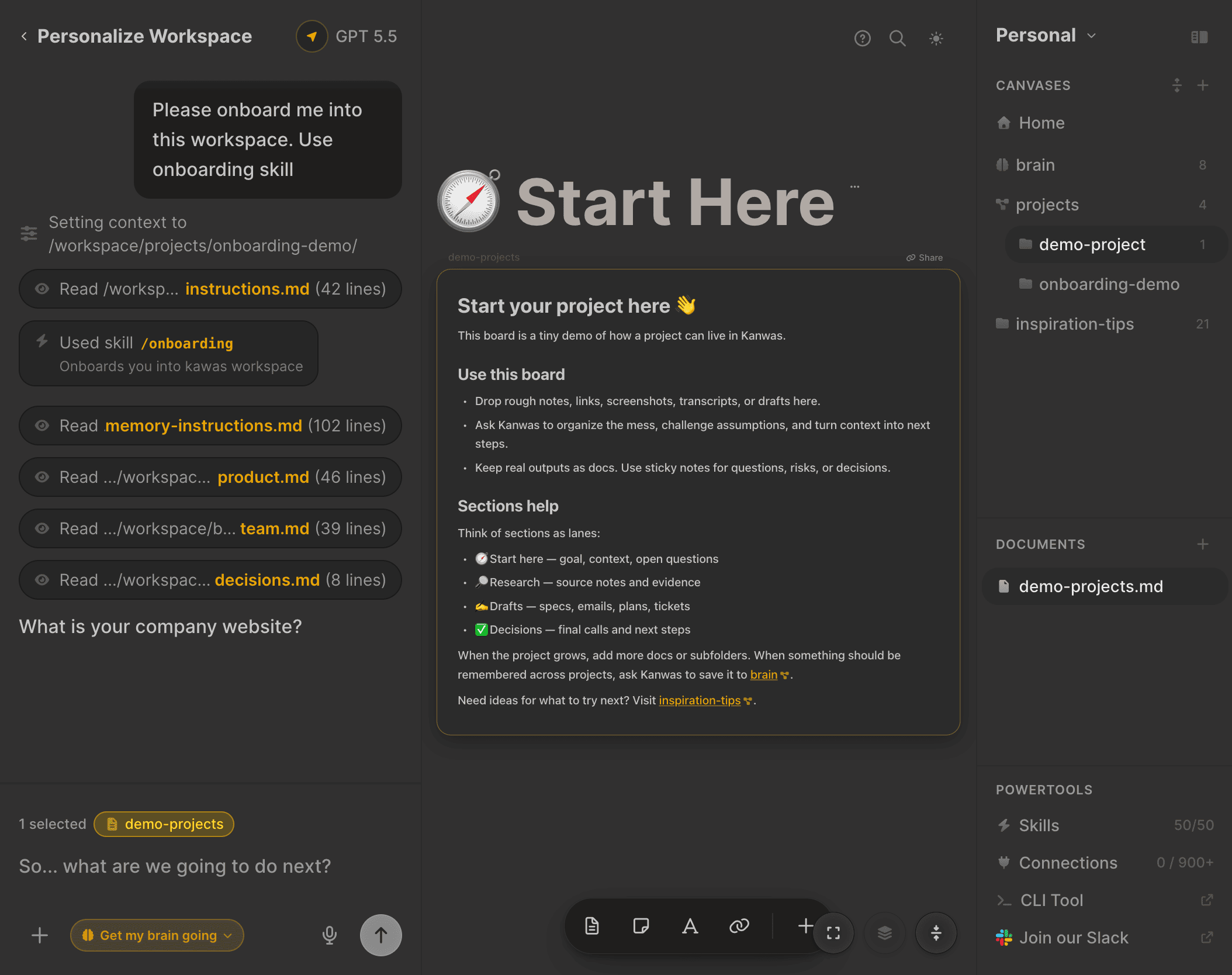
And then it basically gives you a collaborative AI workspace where your team can brainstorm ideas, organize research, connect documents, and work with AI agents in one place.
You can think of it more like a visual thinking workspace where AI actually understands the context of your discussions, notes, workflows, and ideas.
So rather than repeatedly explaining things to AI again and again, your entire workspace becomes the context.
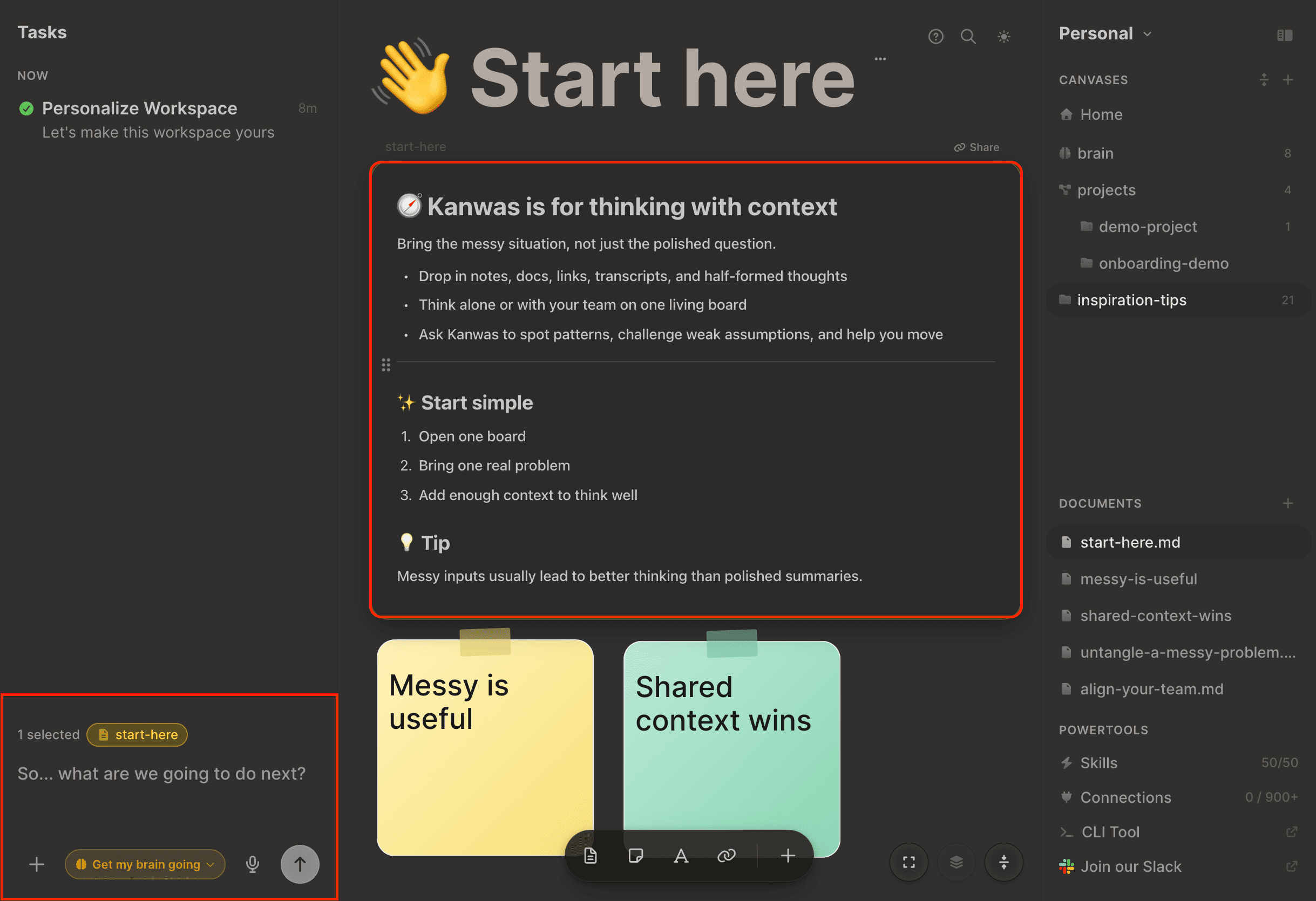
The best part? You can use it for product planning, startup ideas, marketing workflows, strategy discussions, team collaboration, and much more.
Insanely useful, right?
Honestly, I think we’ll see more AI tools moving in this direction because the future of AI is not just chatting with bots. It’s AI that understands your entire workflow and helps you get the work done.
Pricing: I don’t see any pricing option on their website, so it’s most probably free to use.
You know, most brands today are constantly trying to create short-form videos, product ads, CGI clips, and social media content.
But the problem is that good video production is still expensive, time-consuming, and honestly frustrating for most people.
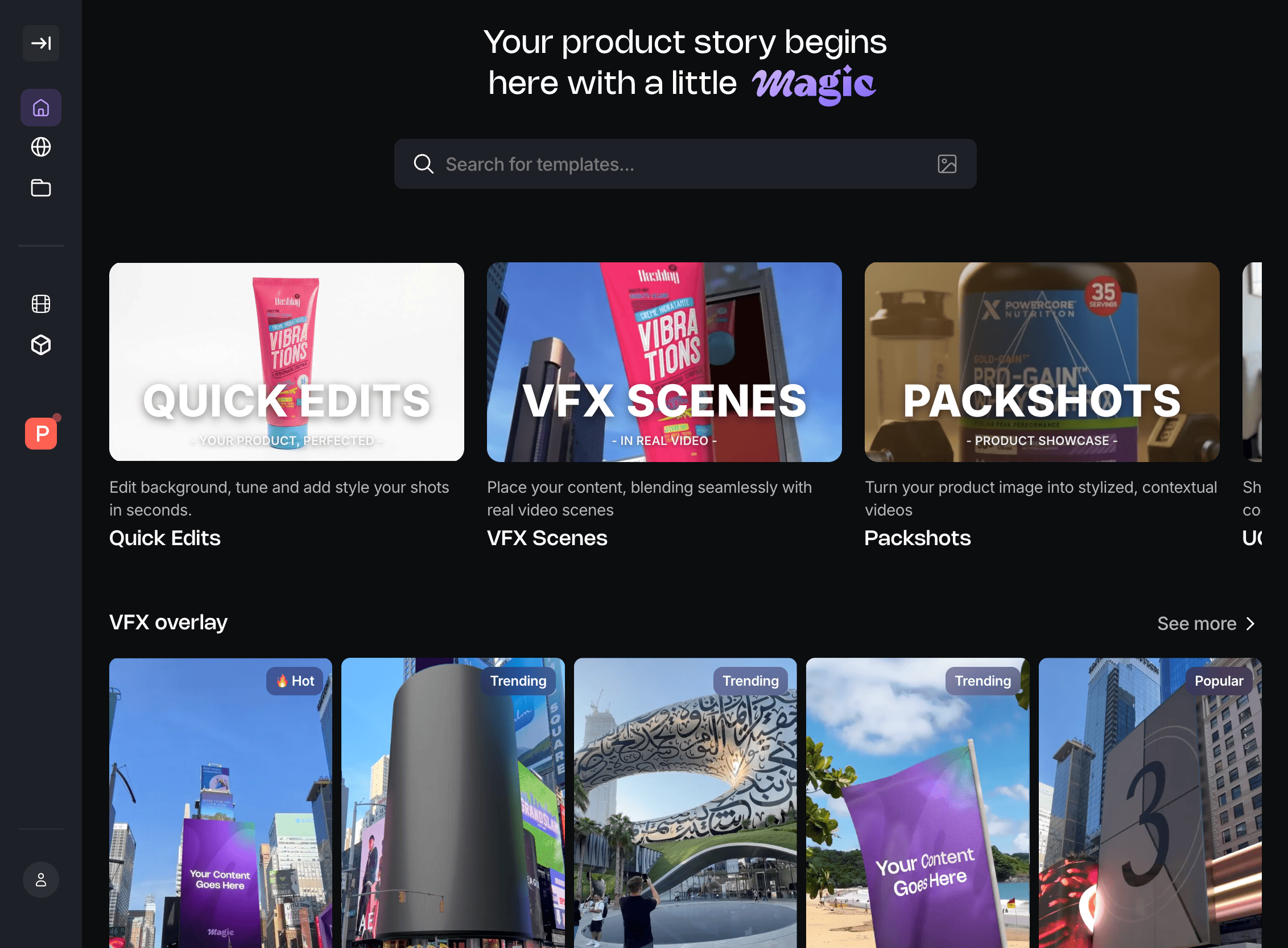
That’s where I found Magic pretty interesting. It is basically an AI tool that lets you create high-quality product videos and visuals just by uploading your product images.
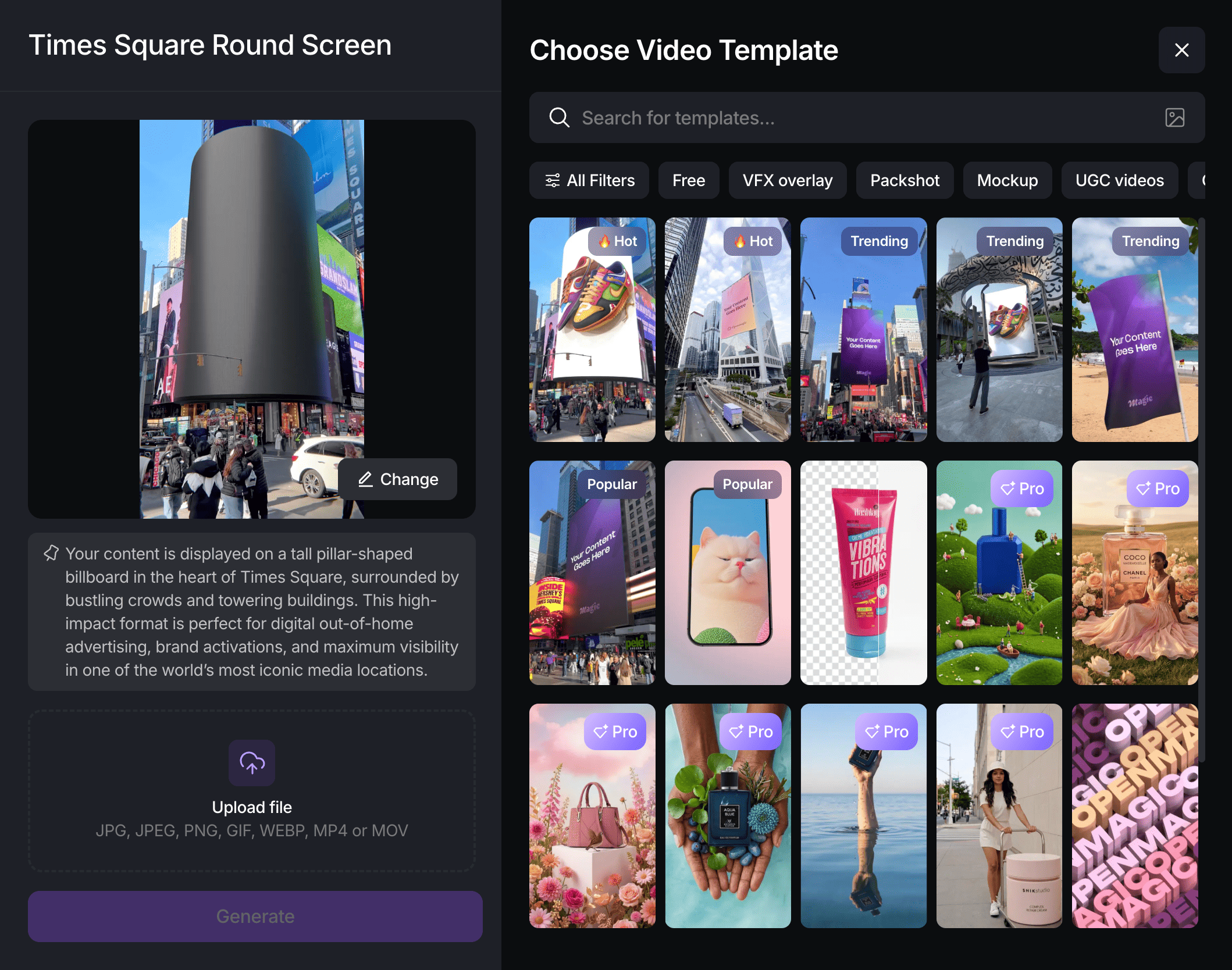
To get started, simply visit the Magic website, create your account, upload your product image, select a template, and generate your video.
What I liked about it is that you don’t need editing skills, complicated software, or a huge production setup.

You simply choose a template, upload your product image, and it automatically generates cinematic-looking videos, mockups, UGC-style clips, VFX scenes, and product showcases within minutes.
I think this tool is especially useful for e-commerce brands, creators, agencies, and even people running small businesses who constantly need content for Instagram, TikTok, ads, or landing pages.
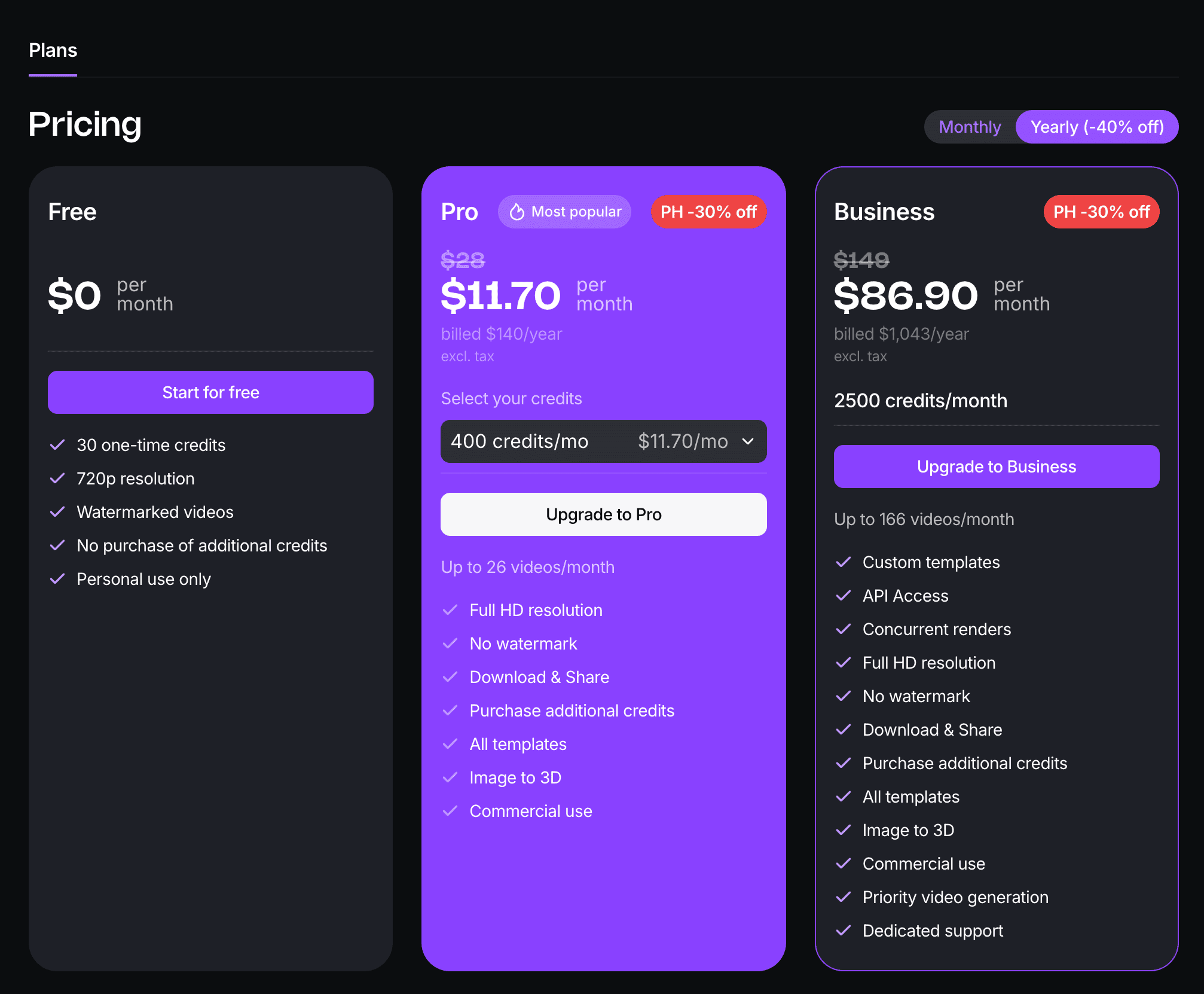
And I can see that we’re reaching a point where AI tools are not just helping people generate text anymore. They’re replacing entire creative workflows.
To be honest, one thing I hate is recording product demos or tutorial videos again and again just because I made one small mistake.
And honestly, traditional screen recording tools still feel painful.
That’s where I found Velo really useful.
It’s basically an AI-powered video tool that turns your raw recordings into polished videos automatically.
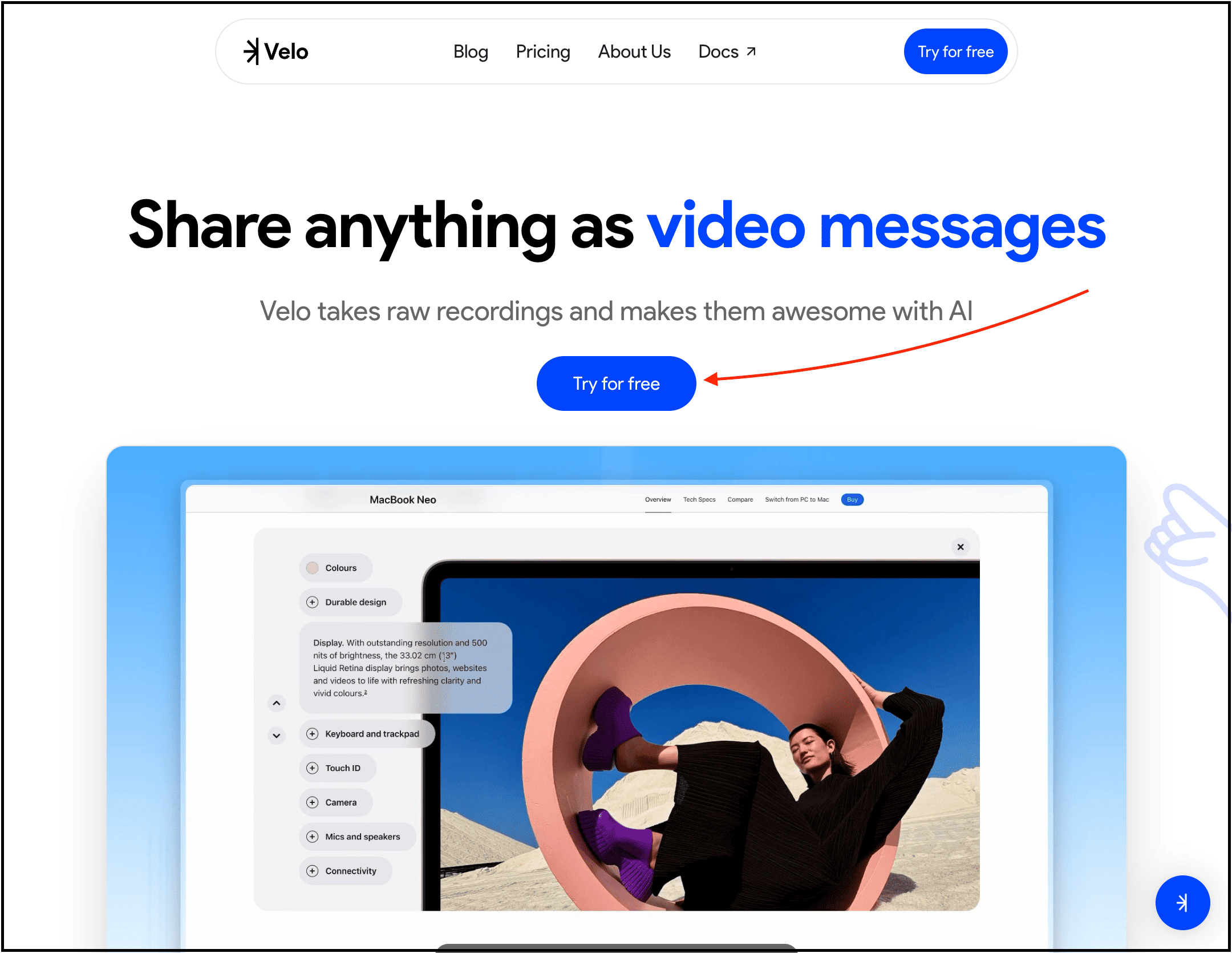
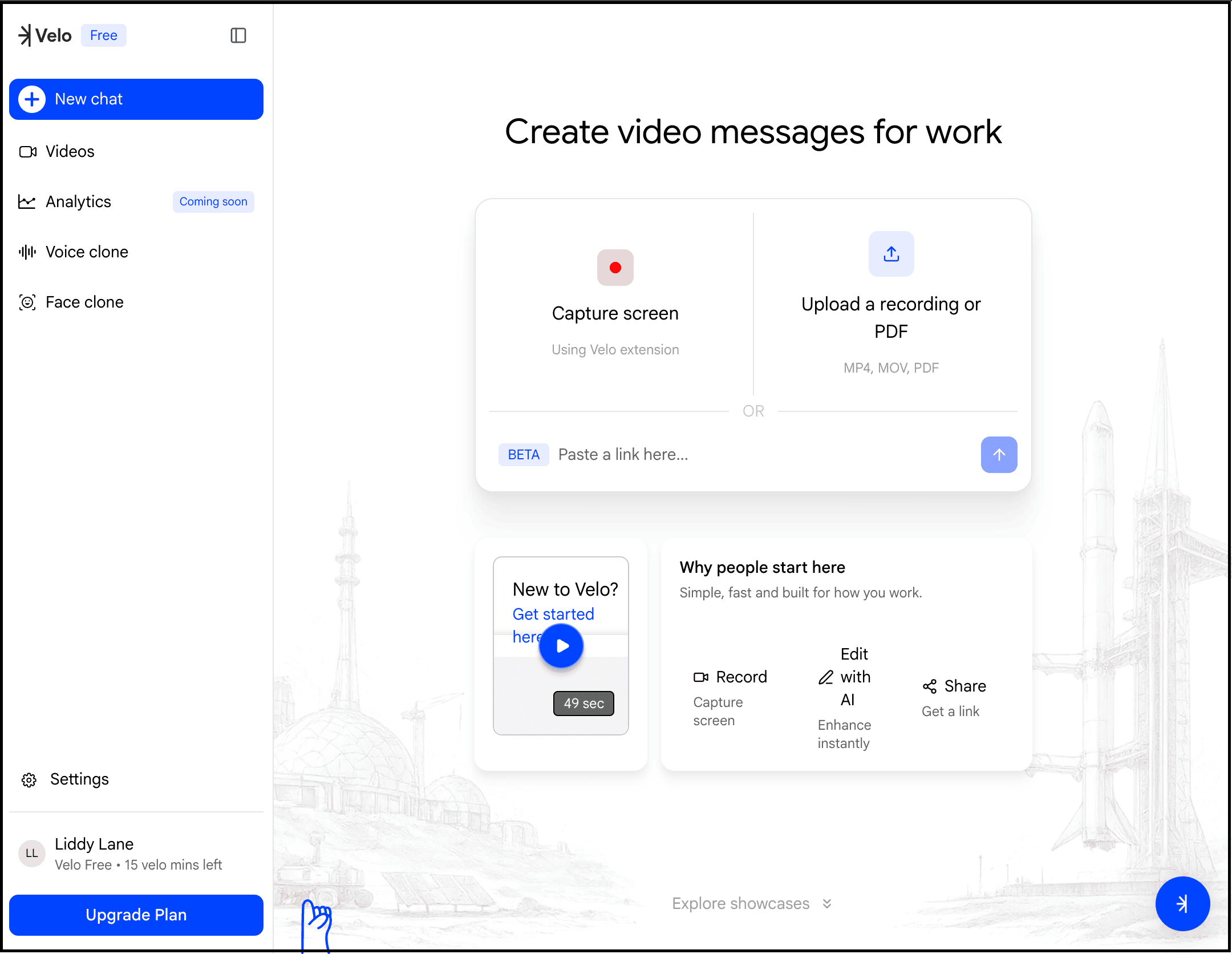
To get started, simply visit the Velo website, create your account, upload your recording or paste your link, define what you want, and let AI generate the final video for you.
What makes it different is that you don’t need to sound perfect or record everything flawlessly anymore.
Velo uses AI to clean up the recording, restructure the flow, improve narration, remove awkward pauses, and make the final output look far more professional.
Honestly, this feels much more practical than traditional screen recording tools because most people waste hours re-recording tutorials, demos, onboarding videos, and presentations.
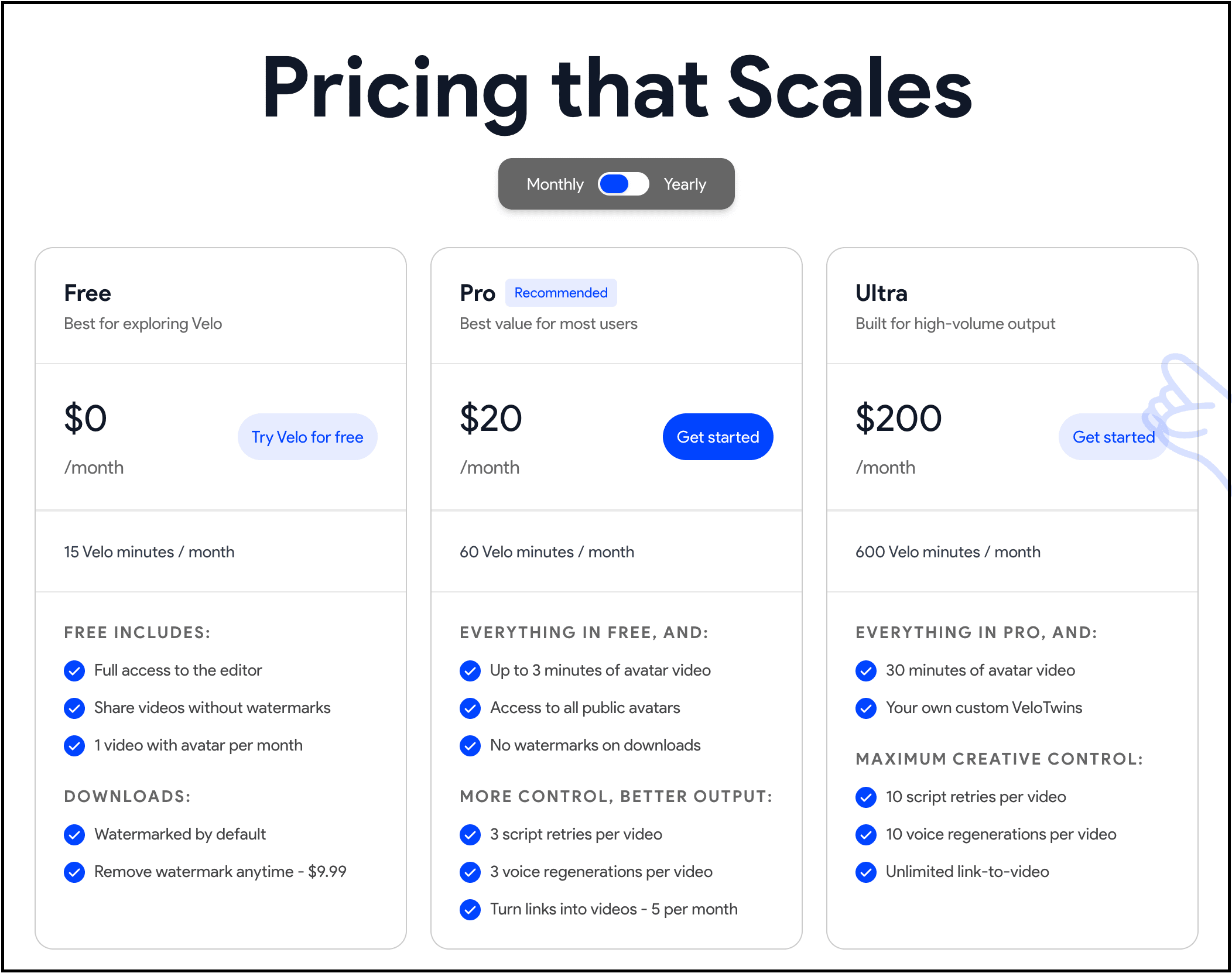
Pricing plans: It has a free plan that lets you explore Velo and try it out for up to 15 minutes of video generation. And if you want more features with more minutes, then you can buy one of their paid plans.
I think this tool is especially useful for founders, developers, educators, agencies, SaaS companies, and creators who constantly need to explain things visually.
Hope you like it.
If this resonated with you, share it with someone who needs to read it, since most people want to learn practically about AI but won’t access posts like this.
And that’s where you can help someone you care about use AI practically and get ahead.
Also, don’t forget to check out “The (Unfair) AI Workflow Playbook” where I shared the exact set of AI workflows I use daily to run my work faster than feels normal.
P.S. This post contains a few affiliate links, which means I may earn a small commission if you try any of these tools, at no extra cost to you. I test dozens of AI tools every week and only recommend the ones that genuinely provide value and can actually help my readers.
Comments
Nothing yet. Say the first thing.
Sign in to join the conversation.