

Let me be honest: most people still use AI the same way they did two years ago.
They research inside ChatGPT, write inside ChatGPT, brainstorm inside ChatGPT, and even ask it to create visuals.
You see, they’re expecting one AI tool to do every job.
But the problem is that each LLM performs best at what it’s designed to do.
Just like companies have researchers, writers, designers, and editors, your AI workflow should too. That’s where you need to start building AI systems or workflows using the best AI models for each task.
And today, I want to share a simple workflow I use with NotebookLM and Claude for research, writing, and visual creation. The tools themselves aren’t new, but the way they work together has completely changed how I research topics, write articles, and create visuals.
More importantly, you can apply the same workflow to your daily tasks to maximize your productivity.
With that said, here’s my 3-step Claude + NotebookLM workflow:
You know, writing isn’t the difficult part for me or for most people. I can write a complete article within an hour if I already have all the information I need.
But getting that information requires a lot of research, and that’s what takes the most time and effort.
I often find myself opening dozens of browser tabs, reading multiple articles, watching YouTube videos, comparing different opinions, and organizing scattered notes.
By the time I actually start writing, I’ve already spent a couple of hours, or even days, trying to understand the topic.
But now I use NotebookLM to research a topic, and then Claude to generate the first draft.
Here’s how:
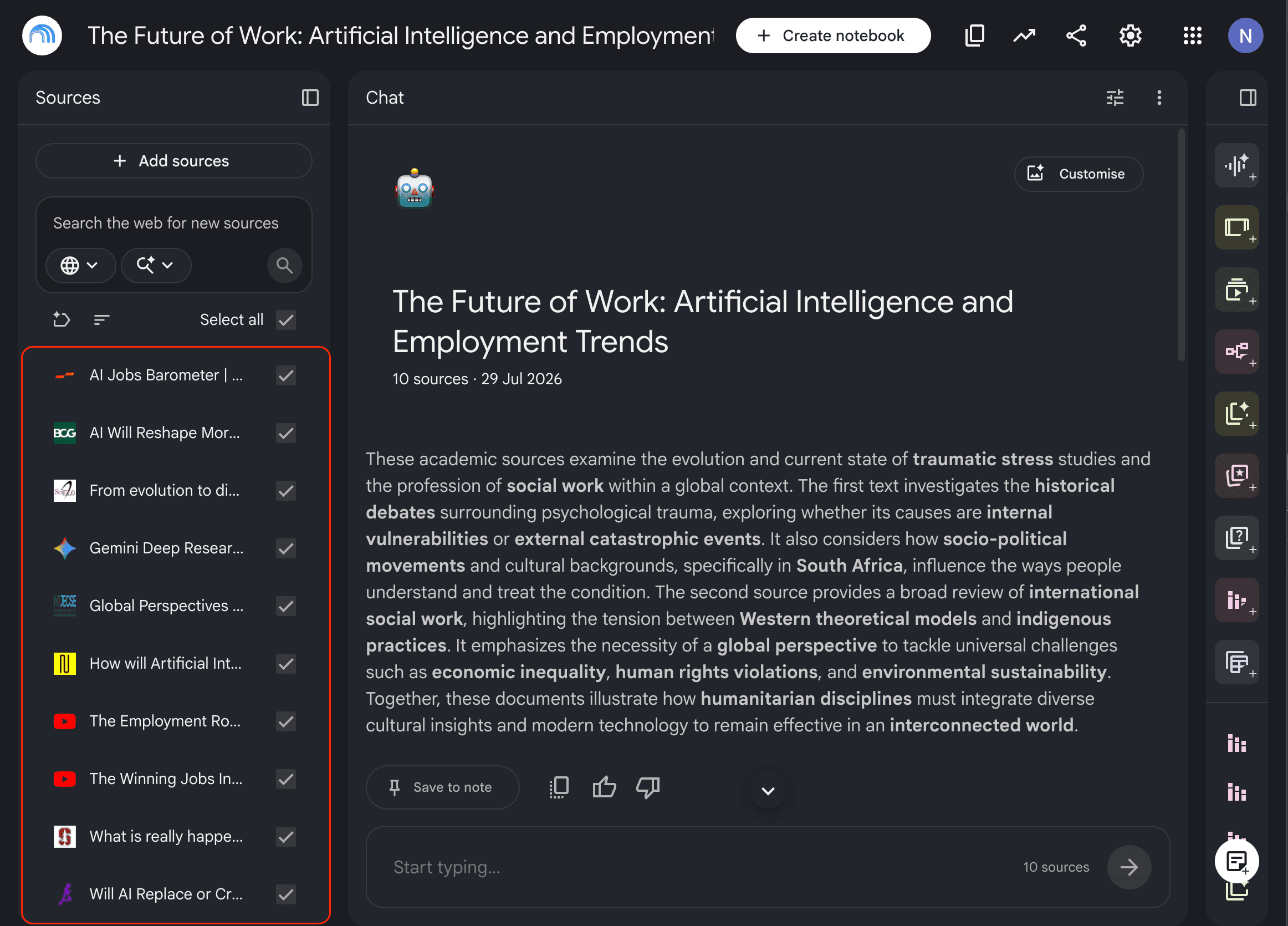
Go to NotebookLM, create a new notebook, and add all the PDFs, blog posts, YouTube videos, official documentation, research papers, and even your own notes related to the topic you want to write about.
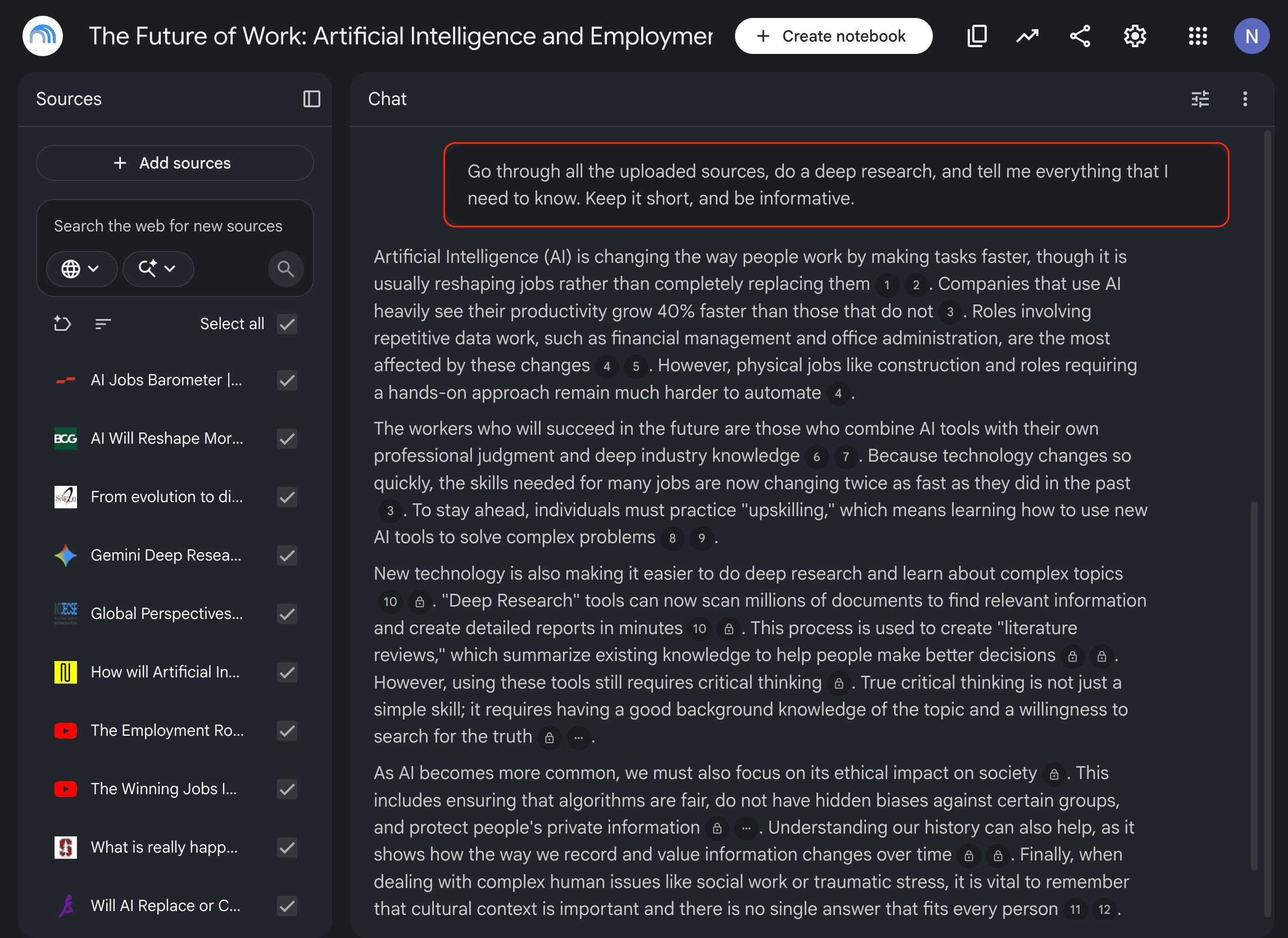
Once everything is uploaded, I spend some time understanding the material by asking questions that force NotebookLM to analyze it from different angles.
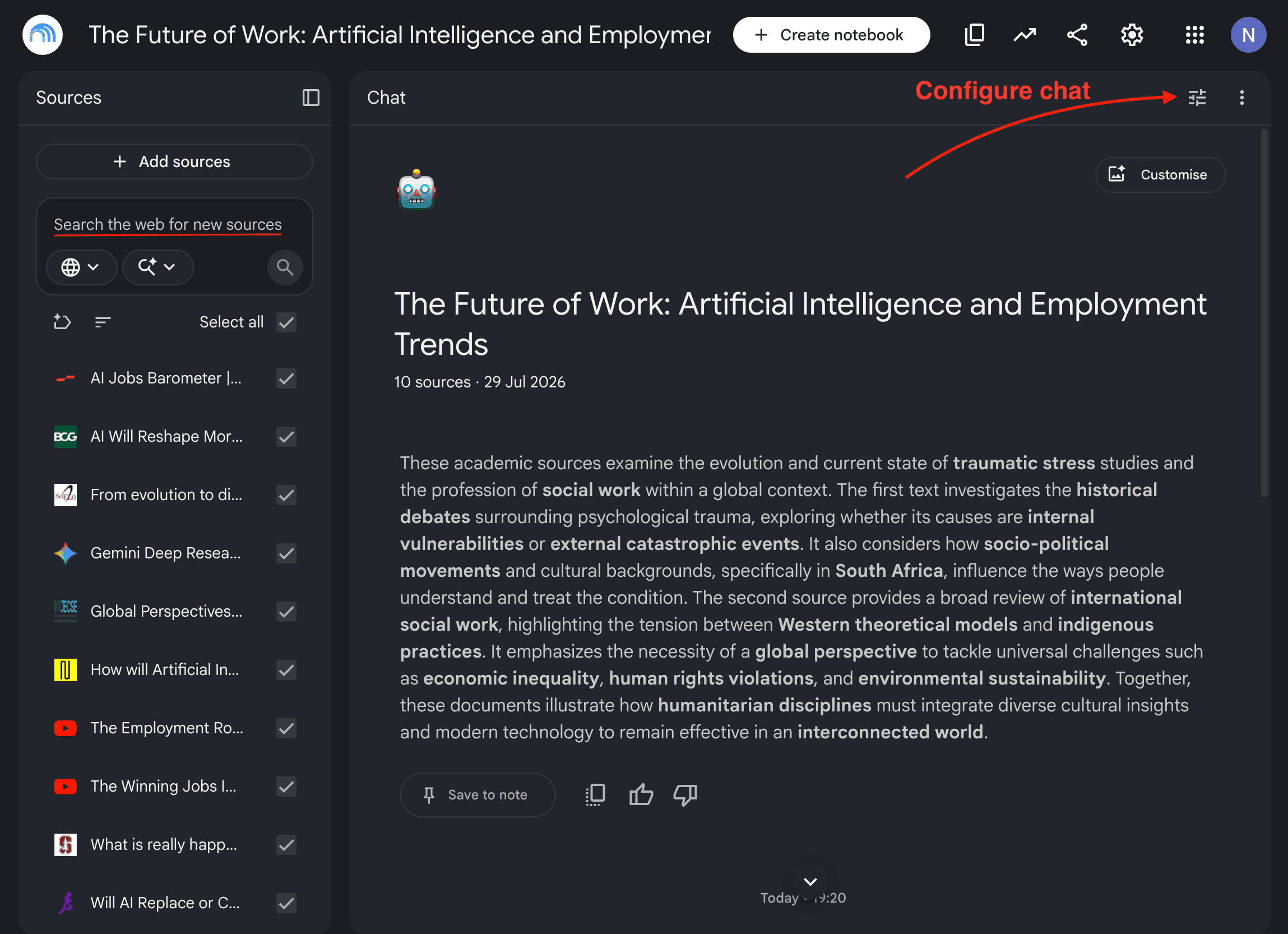
I also configure the chat based on the style, tone, and format I want NotebookLM to use, like this:
Write in simple English for people who have no prior knowledge of the topic.
Keep it practical, and don’t make any assumptions.
And then I ask more questions, create infographics, generate an audio overview, create a video overview, and use other features to understand exactly what I need.
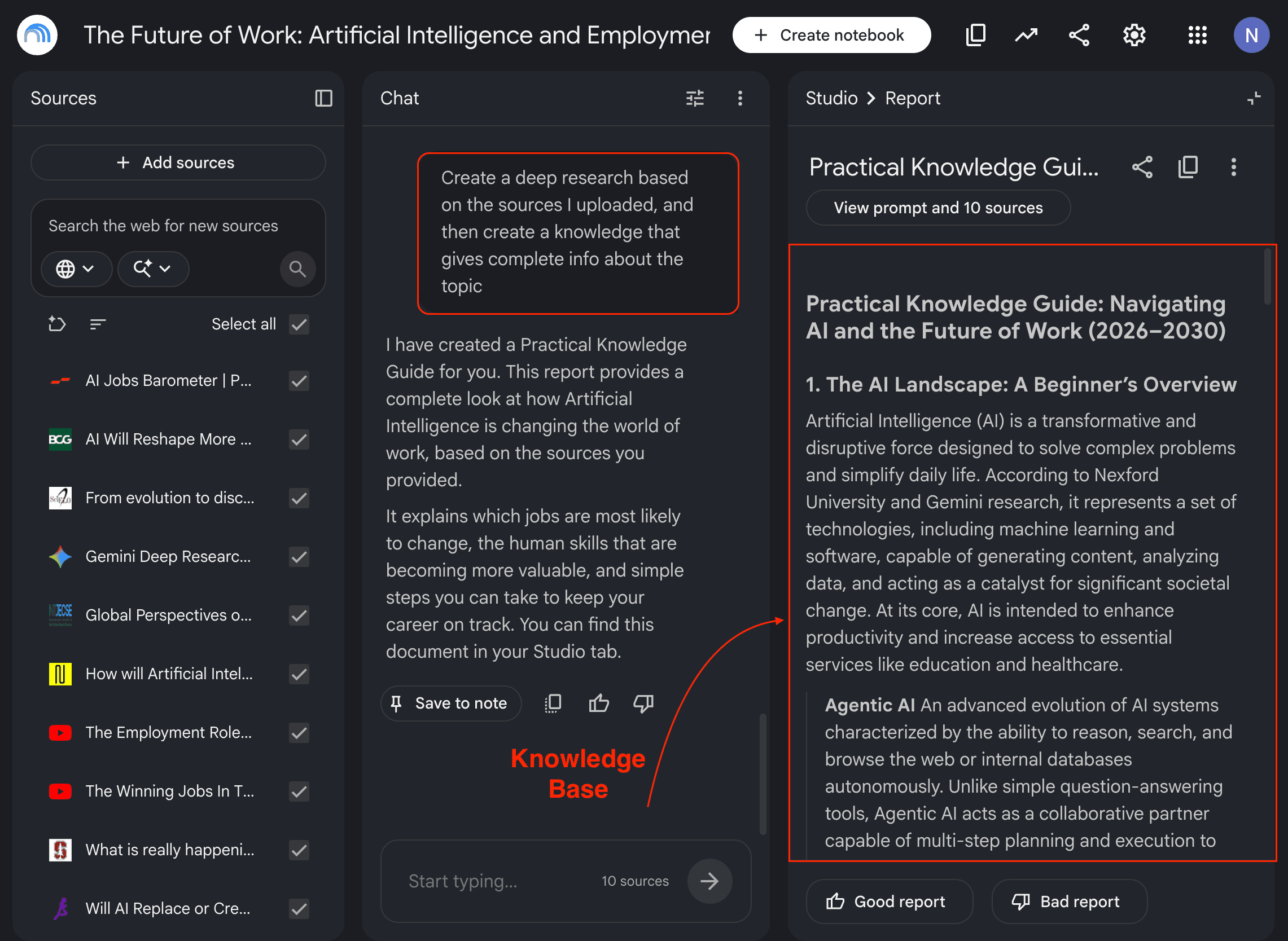
Once I have everything I need, I create a knowledge base that I can upload to Claude.
Here’s how:
This simple 5 to 10 minute AI workflow saves me a lot of time on research and helps me understand exactly what I need before I start writing.
Comments
Nothing yet. Say the first thing.
Sign in to join the conversation.