
In less than 15 minutes, I will have your phone setup in a way that will blow your mind, and it will 10x every day moving forward.
Let’s get right into it.
Where an app sits on your phone decides how often you open it. Nothing else comes close.
Adding Claude’s home screen widget to the top of your home screen is a force multipler compared to just having a single button for the app.
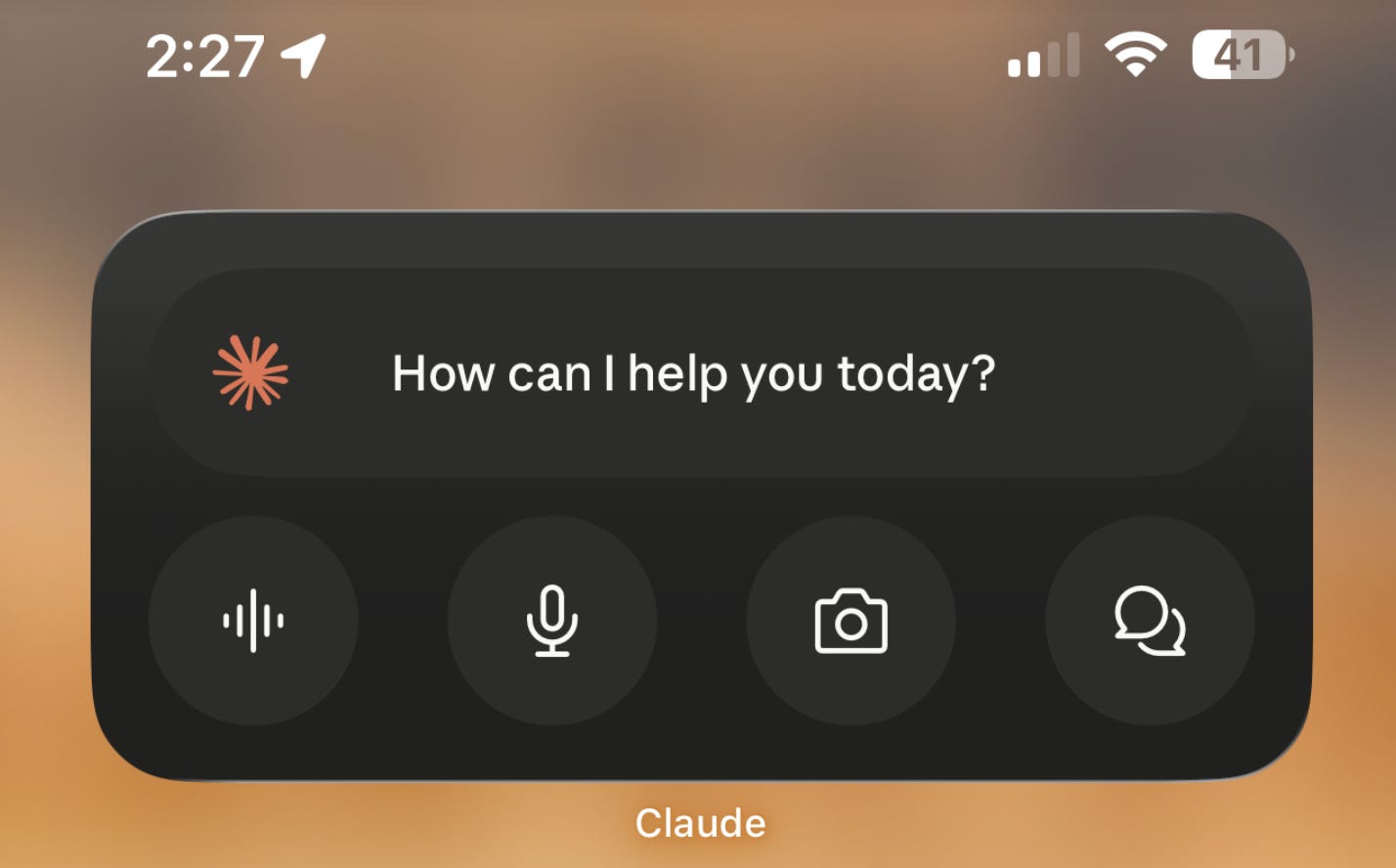
It allows you to skip the three clicks it normally takes to initiate, and it makes Claude the command center for your phone.
The largest widget gives you a start chat button across the top and four buttons below it that you can customize. My first three, left to right, are voice chat, dictation, and camera.
Here’s a quick 1 minute walk through (YouTube short) to get you setup right now. Just click the play button to watch.

An infinite feed and a Claude prompt draw on the exact same resource, which is a free moment and an idle thumb.
When both are available, the feed wins every time. It asks nothing of you, and Claude asks you to think.
So remove the competition rather than trying to out-discipline it. At the very least, move those apps off the home screen.
The goal is not a life free of distraction. The goal is that in the ninety seconds you are standing in line, the easiest thing to tap is the thing that moves your business.
Tap the microphone icon in the text field (or widget) and talk instead of typing.
The reason this matters has nothing to do with saving keystrokes.
When you type on a phone, you write short prompts, and short prompts get generic answers. When you talk, you give Claude four hundred words of context without noticing. Context is what separates an answer you use from one you delete.
Talk for sixty to ninety seconds. Ramble. Repeat yourself. Claude sorts it out.
You can dictate a complete brain dump of a client meeting as you walk back to your car. Speak the whole meeting into Claude and have it summarize everything in a formatted document, built the way you want it.
I just walked out of a meeting with [client or prospect name]. I am going to talk through everything I remember, unsorted. Turn it into four things. What they actually need underneath what they asked for, every commitment I made with a deadline, the two objections they raised that I did not answer well, and the single question I should have asked and did not. Here it is. [Talk for 60 to 90 seconds.]
Voice mode is the sound wave icon next to the microphone in the text field. Tap it, choose a voice once, and start talking. Claude will then have a conversation with you out loud.
The difference from dictation is that voice mode is two-way. Claude can ask you questions, push back, and hold a role.
Voice mode can also reach your connectors, so it can search your Gmail, Drive, and Calendar mid-conversation if you have those connected.
Use it for the things that require back and forth like these.
🚀 The second half of this post is for paid subscribers only. Upgrade now and by the end of this post you will be using Claude’s mobile app the same way the pros do.
Comments
Nothing yet. Say the first thing.
Sign in to join the conversation.