
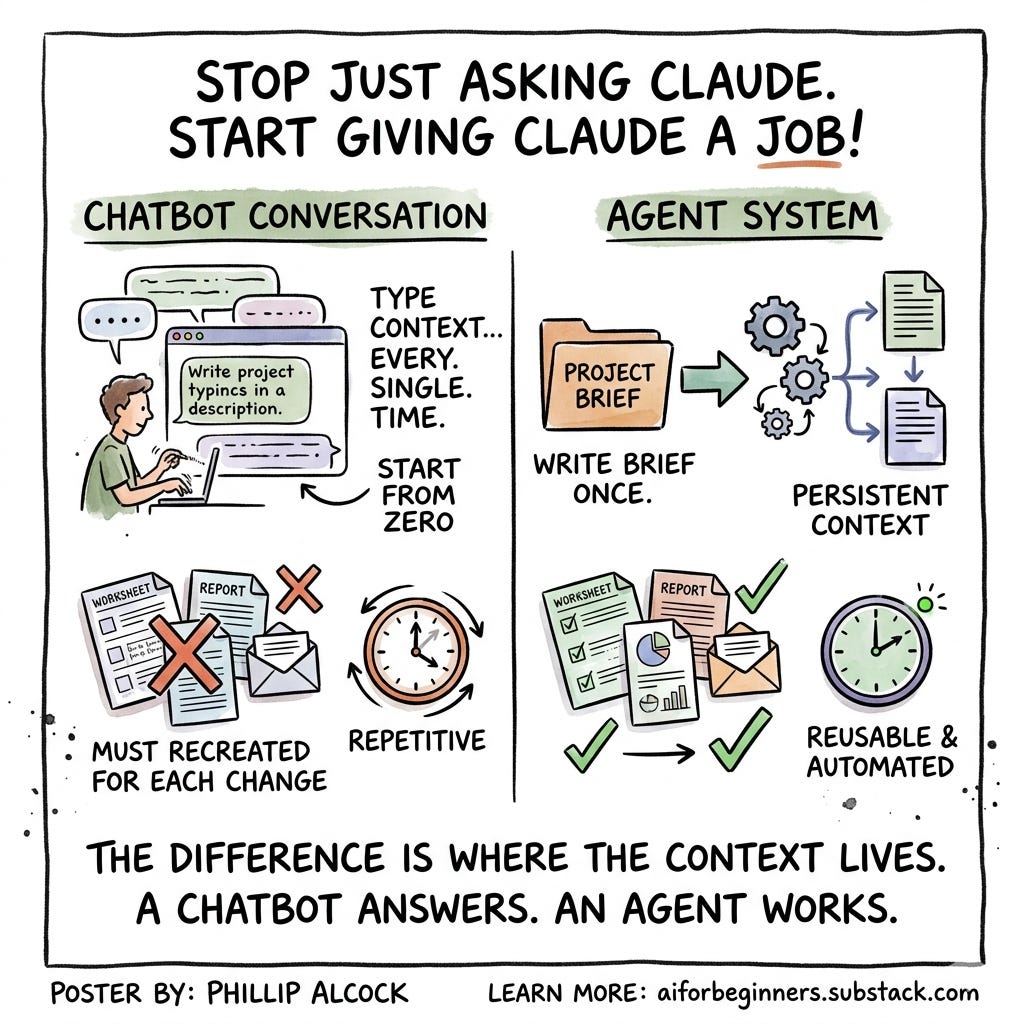
Before: You open Claude.ai and describe your PBL unit. The driving question, the timeline, the student groups, the milestones you need to track. You spend ten minutes typing context you already have written somewhere else. You get a decent worksheet. You close the tab. Three weeks later you need to update it for a new class. You open a new chat and type everything again.
After: You have a folder on your computer with one brief file inside it. The brief describes the unit once, clearly, in plain language. You open Cowork and point it at the folder. It reads the brief. It produces the worksheet. When the unit changes, you update the brief. You run Cowork again. The new worksheet reflects the change. You never describe the unit from scratch again.
Where the context lives is the whole difference.
Here is the idea, as simply as I can put it.
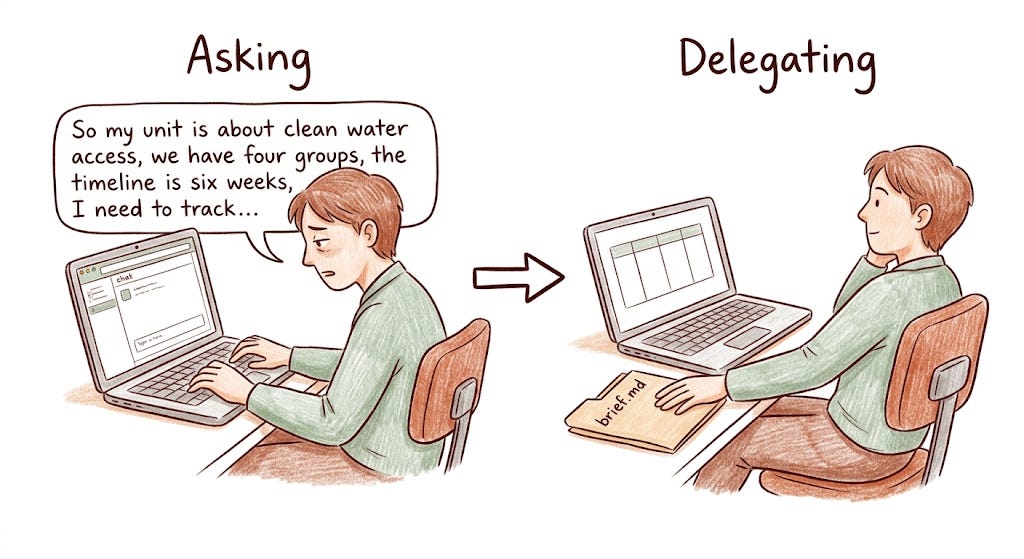
Claude.ai is a chatbot. When you open a new conversation, it knows nothing about you except what you type in that message. Every conversation starts from zero. That is not a flaw it is how chatbots work. You bring the context every time, in the message.
Cowork is something different. It is a desktop agent, which means it works the other way around. Instead of you building context in a message, Cowork reads context from files on your computer. Instead of you waiting for a response, it runs a plan a sequence of steps you write once and reuse. When the session ends, the files stay. The context persists. The next time you run it, nothing has been forgotten.
Let me say that another way.
Think about the difference between phoning a knowledgeable stranger and briefing a colleague. The stranger is helpful but you have to start from the beginning every time , what your project is, who your students are, what format you need, why the timeline is what it is. The colleague already has the folder. You say "can you update the tracking sheet for Week 4" and they know exactly what you mean, because the brief is sitting on the desk between you.
Here is the simplest version.
A chatbot answers. An agent works.
That is the whole trick.
The Workflow
The fastest way to feel the difference is to try the same task both ways.
Start by opening Claude.ai and describing a PBL unit you are currently running. Ask it to produce a student tracking worksheet. You will get something useful. Now notice what it cost you, several minutes typing context you already have written somewhere else, and notice what happens when you close the tab: that context is gone. Tomorrow, if you want a variation, you start again.
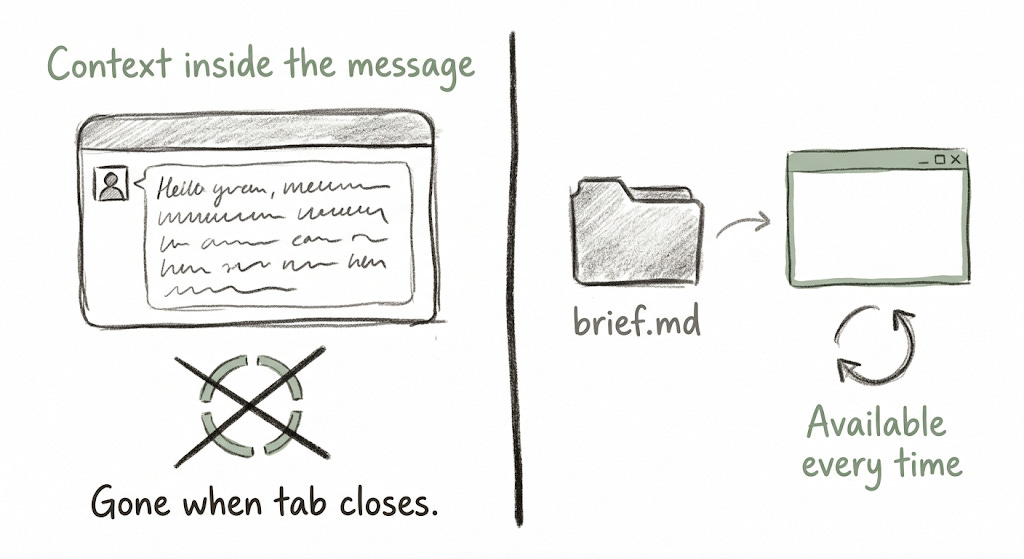
Now try it the other way. Open a text editor and write your unit down in plain language, the driving question, the student groups, the timeline, what you need to track. Save it as a file called brief.md in a folder on your desktop. This takes the same time as typing the context into a chatbot. The difference is that you only do it once.
In the same folder, create a second file. Call it plan.md. Write one sentence: "Read brief.md and produce a student tracking worksheet as a table." That is your plan. It does not need to be long. It needs to be clear.
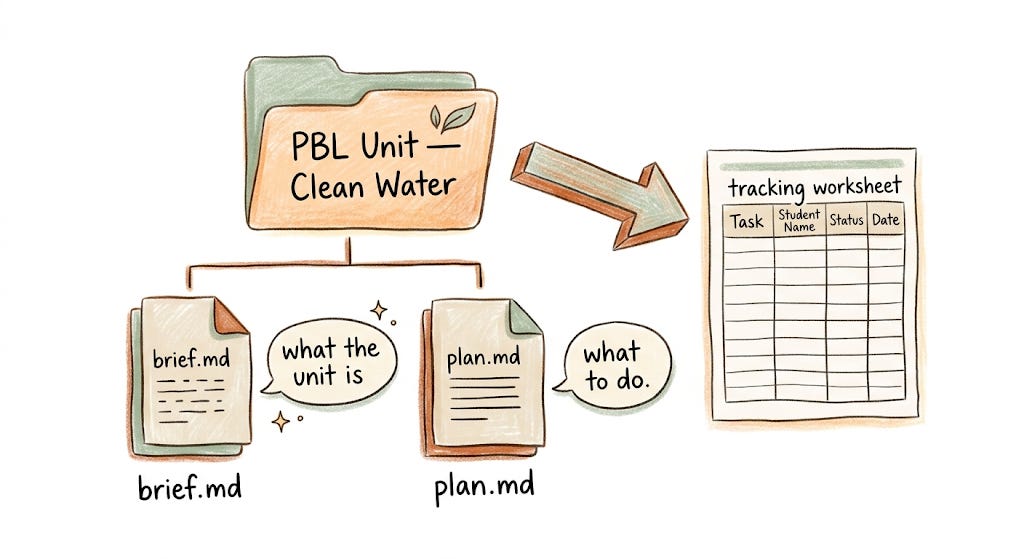
Open Cowork and select that folder. Cowork reads both files. It knows what the unit is and what you need. It runs the plan.
Now go back to brief.md and change one thing, a date, a group size, a milestone. Open Cowork again. The new output reflects the change. You did not re-explain anything. You updated a source file, and the output updated with it.
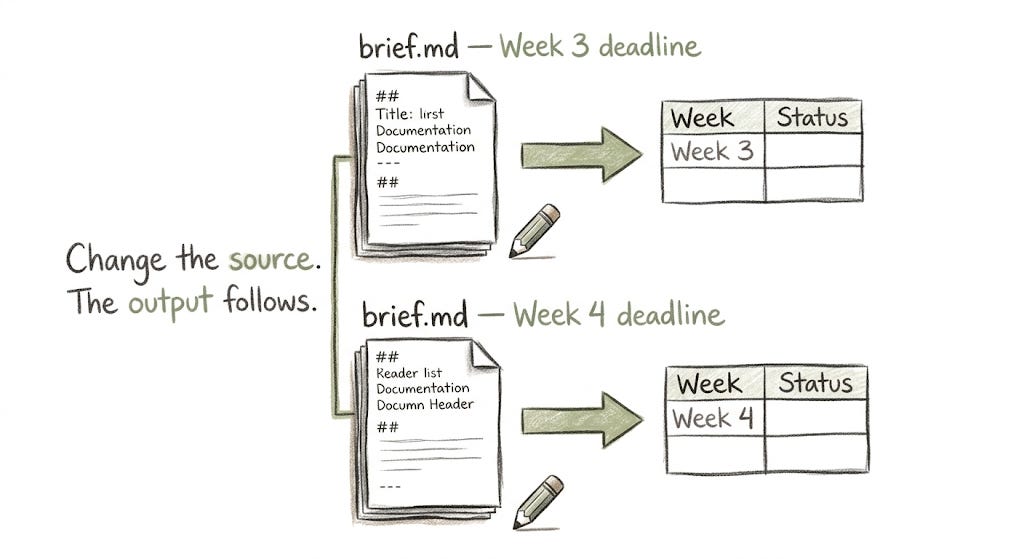
This is the shift. When context lives in a file rather than in a chat message, every future output inherits that context automatically. You are not talking to an assistant each time. You are briefing one, once, and the brief stays current because you maintain it.
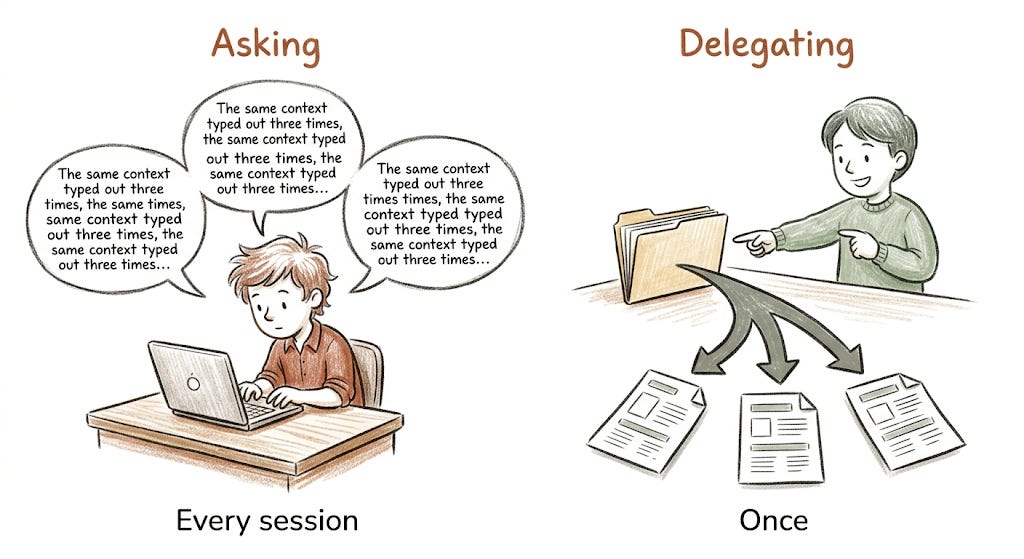
The chatbot was useful. The agent is reliable. Those are different things, and once you feel the difference you will not go back.
The Prompt Lab (For subscribers)
Five prompts to get your first Cowork folder running this week.
The minimal brief
Write this in a new file called brief.md in any folder on your computer. Fill in the details for a real unit or project you are running now.
"Unit title: [your unit]. Driving question: [your driving question]. Duration: [X weeks]. Number of student groups: [X]. Group size: [X]. Milestones: [three key assessable moments you want to track]. Format preference: table."
This is enough to start. It does not have to be comprehensive it has to be clear. I often just set minimal constaints, and add constraints as I need.
The minimal plan
Write this in a second file called plan.md in the same folder.
"Read brief.md. Using the unit details provided, produce a student group tracking worksheet. Format it as a table with group names across the top and milestones down the left side. Include a notes column for each group at the end."
Run this with Cowork and look at what comes back. Then open brief.md and change one thing. Run it again. Compare the two outputs.
The context upgrade
Once your first version is working, add a second section to brief.md.
"My context: [brief description of your students — age, school type, any relevant details]. My constraints: [time available, tools you have, what has worked before]. My format preference: [e.g. 'I print these, so plain text tables work better than formatted HTML']."
Every output will now reflect this context without you repeating it in the plan.
The revision test
After your first successful run, deliberately break something. Change the timeline in brief.md to something incorrect. Run the plan again. Notice how the output changes. Then fix the brief. This is the exercise: the brief drives the output, so the brief has to stay accurate. Update the source and the output corrects itself.
The delegation question
Before writing your next brief, ask yourself: "If I handed this folder to a capable colleague who had never heard of this project, would they have everything they needed to do the task?" If yes, the brief is ready. If not, add what is missing. This is the standard a brief file needs to meet, not for Cowork, for you.
Good luck!
Phil
Comments
Nothing yet. Say the first thing.
Sign in to join the conversation.