
0:00
-1:26
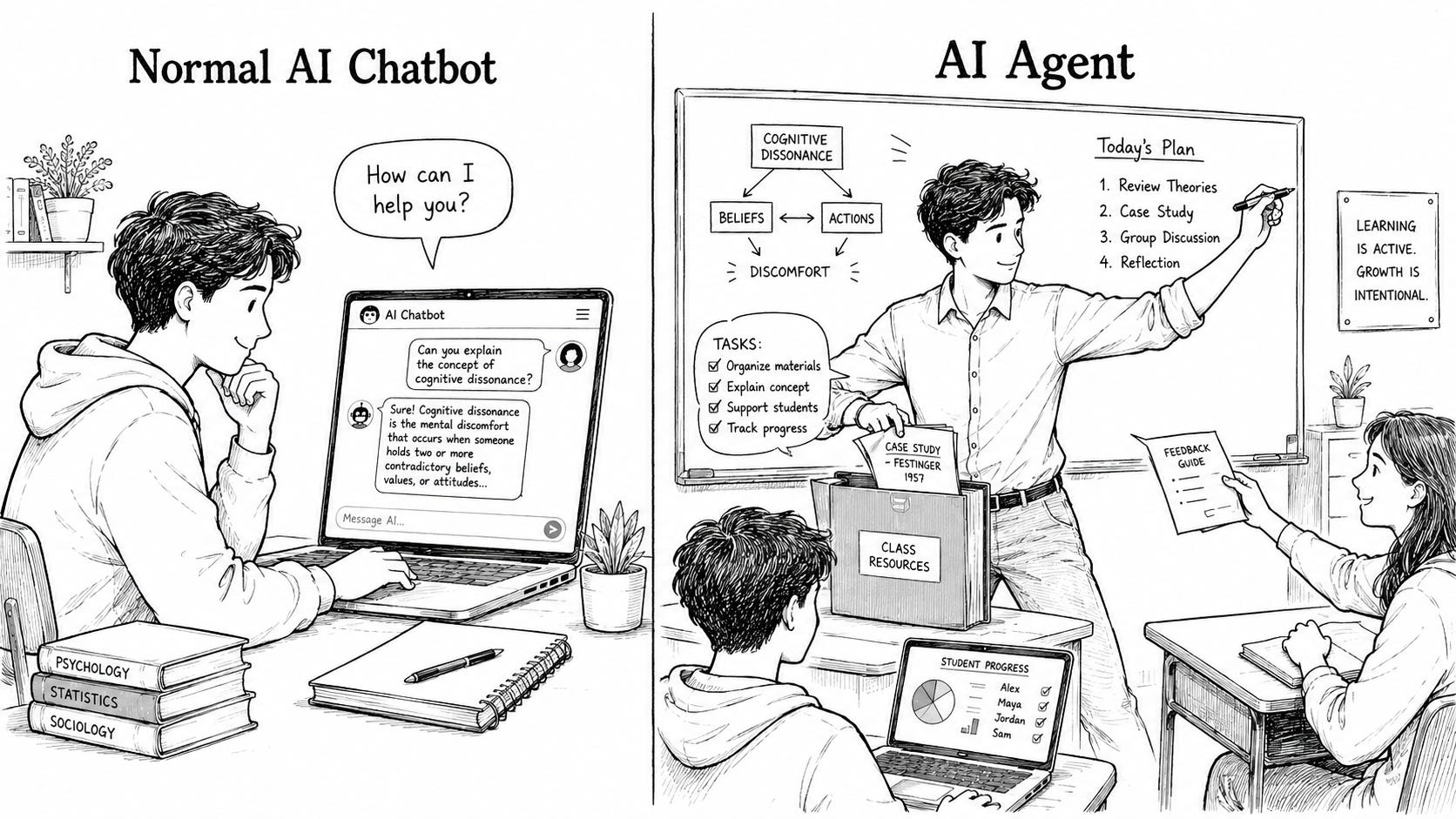
Imagine you have a super‑helpful student teacher in your classroom.
You can say, “Can you create a quiz from yesterday’s lesson, email it to the parents, and then put the marks into the gradebook?”
They don’t just answer your question and smile; they actually go off, do the work, and come back when it is done.
That is roughly what an “agent” is in AI language, in teacher terms.
You can explain it like this:
“An AI agent is a digital helper that can do tasks for you, not just answer questions.
You give it a goal, and it thinks through the steps, uses tools (like email, calendar, or documents), and carries out the work on your behalf.”
Key bits, in plain language:
It works on your behalf (like a helper).
It can decide the steps to take, instead of you micromanaging every click.
It can use tools, not just chat – for example, it might read a document, create another one, or send a message.
Think of an AI agent as a very capable student teacher in your classroom:
You say: “Please create a worksheet on fractions, based on last week’s notes, and put it in Google Drive.”
The student teacher:
Reads your notes.
Designs questions at the right level.
Formats them nicely.
Saves them in the right folder.
With an AI agent:
You write: “Create a worksheet on equivalent fractions for Year 6 and save it to my drive and <here’s my full context getting you up to speed and hoping that you will pick it up or I will keep adding to this context window>.”
The agent:
Reads your curriculum document or previous materials.
Is guided by the context.
Writes suitable questions.
Uses connected tools (like Google Drive, email, calendar) to put that work where it needs to go.
A normal AI chatbot is like a smart student who talks with you but stays in their chair.
An AI agent is like a student teacher who gets up, walks around, and actually does things in the school.
Under the hood, most agents do a loop a bit like this:
Understand your goal and context better with memory or databases.
Turn your request (“make a quiz and email it”) into a clear set of tasks.Plan steps
Decide on a rough plan: “First create questions, then format them, then send the email.”Use tools
Call other apps or services: your email, calendar, documents, learning platform.Check their own work
Look at the result and adjust: “Are these questions at the right level? Did the email send?”
You don’t need to explain the technical details.
For a non‑tech teacher, it is enough to say: “It understands what you want, figures out the steps, and uses other apps to get it done.”
You could walk another teacher through this:
Start with what they know
“You know how ChatGPT or another AI will answer your questions in a chat?”
“That’s like having a very smart student to talk to.”Add the ‘does things for you’ idea
“An agent is the next level. Instead of just talking, it can actually act – create files, send messages, set reminders, organise information.”Use a school‑based example
“For example, you could say:‘Create a parent email explaining our upcoming exam and draft it in my Gmail.’
‘Read this lesson plan, then generate a 10‑question exit ticket in a Google Doc.’
The agent figures out the steps and does the boring parts for you.”
If they seem nervous, you can add:
“You still stay in control. You can always check and approve what it does, just like a mentor teacher checks a student teacher’s work. Lead with your context, and be open to re-design parts of your learning and assessment expeience.”
For a teacher with no tech background, the important message is not the buzzword “agent.”
The important message is: “Soon, some AI tools won’t just give you ideas; they will help you actually do the admin work that eats your time. They will connect to your context so you won’t always have to say the full speel.”
For example, agents can help with:
Drafting and filing lesson resources.
Generating differentiated versions of the same task.
Summarising student work or behaviour notes.
Preparing parent communications from your rough notes.
So when they hear “agent,” they can simply think:
“Ah, that’s the version of AI that doesn’t just talk to me; it also does tasks for me.”
Phil
Comments
Nothing yet. Say the first thing.
Sign in to join the conversation.