

Last month I opened one of my Claude Project files to make a quick update.
Same file I use for my business. My offers. My ideal client. The words I never want AI to use.
I sat there editing it by hand. Again.
That’s when it hit me.
The problem wasn’t that Claude forgot. I had already given it my project files. The problem was that those files never updated themselves. Every time my business changed, I had to go find the right file and rewrite it myself.
Most AI advice stops at “add your info to a project.” Upload your docs. Write your instructions. Save it once and you’re set.
But your business is not “set once.” It changes. Your offers shift. Your language sharpens. Your ideal client gets clearer.
So the files kept falling behind. Static. Frozen the day I wrote them.
Here’s the shift I made: I stopped editing the files myself. I started telling Claude to update them for me.
Now my project files are not static documents I have to babysit. They are living, working documents that update as my business does.
Keep reading to learn how I set this up for my business.
A chat is a conversation. A system is something that remembers.
Even uploading a few files to a Claude Project is a snapshot, not a system. It’s true the day you build it. Then your offer changes, or your voice sharpens, or you land on a new way of describing your ideal client, and the file just sits there, quietly going stale, because nothing is updating it.
I didn’t need a smarter assistant. I needed a place for what I already know to actually live, somewhere Claude could go back to, add to, and grow, instead of a folder of notes I had to remember to update myself.
The “Goldfish” Problem: Why AI Always Forgets You
Every time you open a new chat with an AI, you are essentially meeting a stranger. Even if you spent hours the day before explaining your business goals, your unique writing style, or your specific customer base, the moment that chat window closes, the AI “resets to zero.” This forces a frustrating cycle where you have to re-explain the same details every single time you want to get work done.
Many people believe the answer is “better prompting”—writing more detailed instructions at the start of every session. However, as a curriculum architect, I can tell you this isn’t a “talking” problem; it is a memory problem. You can write the perfect prompt every day for a year, but without a persistent cognitive infrastructure to hold that information, the AI will never truly know you.
The Reality Check Traditional AI chats have no long-term memory. The moment a session ends, the AI forgets your voice, your offers, and your clients. You are stuck in a loop of starting over, which means the AI never actually becomes a true partner in your work.
Instead of endlessly refining how we talk to a stranger, we must build a permanent “home” for your information—a system that allows your business knowledge to live and grow outside of a single chat window.
Photograph vs. Living Document: The Two Ways to Teach AI
When most people try to give an AI information, they “upload” a file. While this helps in the moment, it creates a static snapshot of your business. If your business changes or your voice sharpens, that snapshot becomes stale immediately.
To build a truly persistent memory, we must move from the concept of a “photograph” to a “living document.” We achieve this by connecting the AI directly to a Google Drive folder. We use Google Drive on purpose: it isn’t about being fancy; it’s about riding on top of a habit you already have. Unlike complex apps like Obsidian that require learning a new language, your business already lives in Drive.
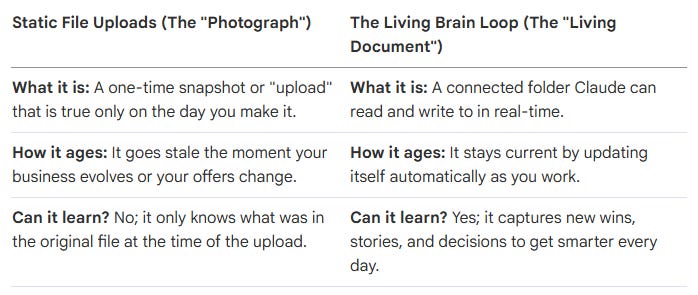
The “living document” sounds like a dream, but it requires four specific structural pillars to keep it from collapsing into digital clutter.
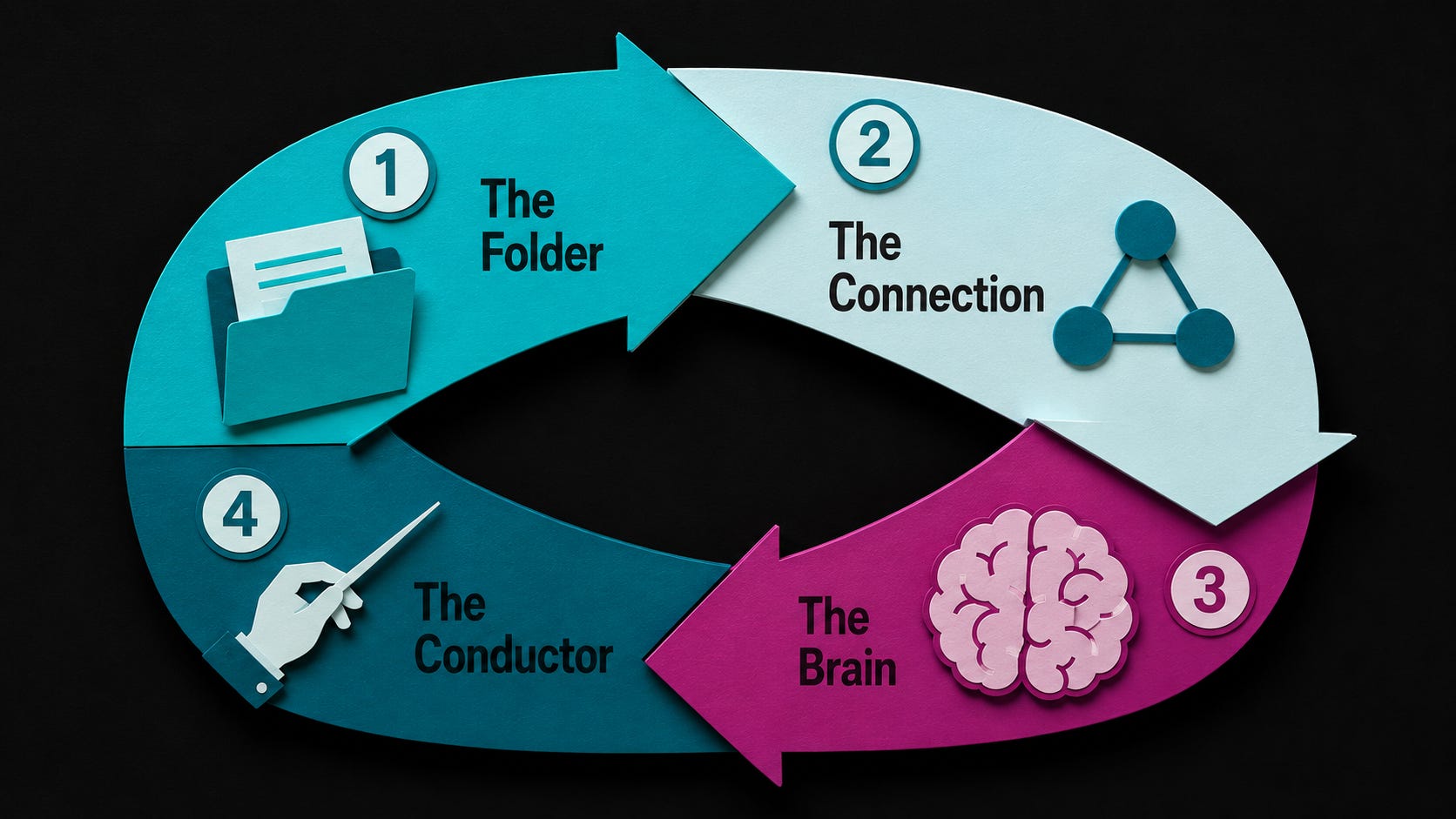
To build a scalable system, we must treat your AI’s memory as a piece of professional architecture. This “Living Brain” is supported by four core pillars:
The Folder (The Filing Cabinet): This is a specific folder in Google Drive synced to your computer. It is the physical home for your knowledge. Because it is a real folder on your drive, your information never evaporates when a chat ends.
The Brain (The Knowledge): These are five core files written in plain language that define your identity, voice, ideal clients, offers, and competition. This is your “source of truth.”
The Connection (The Doorway): This is Claude Desktop. Instead of a one-time upload, this creates a “door” that stays open. Claude reaches into the filing cabinet to read and write exactly like a human employee would.
The Conductor (The Handbook): This is a single file called
CLAUDE.md. This is the first thing the AI reads every single time. It acts as an employee handbook, telling the AI exactly where every other file lives and how to use the information properly.
These four pillars work in a continuous cycle, turning your scattered notes into a compounding business asset.
The power of this system lies in its operational cycle. It isn’t just about the AI reading your files; it’s about the AI contributing back to your knowledge architecture. The process follows a simple, repeatable loop:
Step 1: Read. Every time you start a conversation, the AI reads the Conductor (CLAUDE.md) first to understand the map of your business. Then, it reads the specific “Brain” files it needs for the task.
Step 2: Respond. The AI answers your questions or completes tasks using your established voice and offers. It starts at “100” instead of starting at “zero.”
Step 3: Write Back. When a new story, a client win, or a business decision emerges during your chat, the AI saves that information back into your folder.
The Power of the “Write Back” Phase This is the part that makes the system “smarter” over time. Instead of value “leaking away” when a chat ends, the AI records the details in your permanent folders. The next time you open a chat, the AI already knows what you decided yesterday.
This abstract loop is reflected in the actual files that live on your computer in your Business OS.
Your “Business OS” is organized into a clear hierarchy. This structure ensures that you, your team, and your AI can always find the “source of truth.”
The Navigators (System Management)
CLAUDE.md: The conductor file the AI reads first to understand its instructions.index.md: A map of every file in the folder so nothing gets lost.log.md: A running history of every change or addition made to the system.
The Core Knowledge (The Brain Folder)
identity.md: Who you are and what your business stands for.brand-voice.md: The specific way you communicate and sound.ideal-client.md: A detailed profile of exactly who you serve.programs-and-offers.md: The specific products or services you provide.competitive-landscape.md: An overview of your market and peers.
The Growth Files (New Information)
Sources/: A place for raw materials like transcripts and old docs that the AI can reference.Stories/: Important anecdotes and examples to be used in future content.Wins/: A record of client successes and business milestones.Decisions/: A log of choices you’ve made so you don’t have to rethink them later.
The real breakthrough isn’t a better prompt or a smarter document.
It’s creating a living AI Brain that grows alongside your business.
Instead of starting from scratch every time you open Claude, your AI is connected to the same files you already use every day in Google Drive. It can read them, update them, and build on them over time. Every conversation makes your system a little smarter instead of disappearing when the chat ends.
That simple shift changes the way you work.
💥 Save hours every week
No more re-explaining your business, your offers, or your brand voice every time you start a new conversation.
💥 Stay consistent
Every email, proposal, social post, and piece of content comes from the same source of truth, so everything sounds like you.
💥 Own your knowledge
Your Brain lives in your Google Drive, not locked inside an AI platform. Your files stay yours no matter what tools you use in the future.
💥 Get smarter over time
Unlike a single chat that disappears when it’s over, your Brain grows with every client, lesson, win, and idea you add.
💥 Delegate with confidence
Whether it’s Claude, another AI tool, or a team member, everyone is working from the same up-to-date information instead of different versions scattered everywhere.
This is the exact system I run my own business on today.
Every AI skill I use and every scheduled task reads from the same connected Brain. When my business changes, I update it once, and every part of my AI team immediately has access to the latest information.
Instead of constantly teaching AI who you are, you build a business asset that becomes more valuable every time you use it.
Build Your AI Brain OS, This Friday
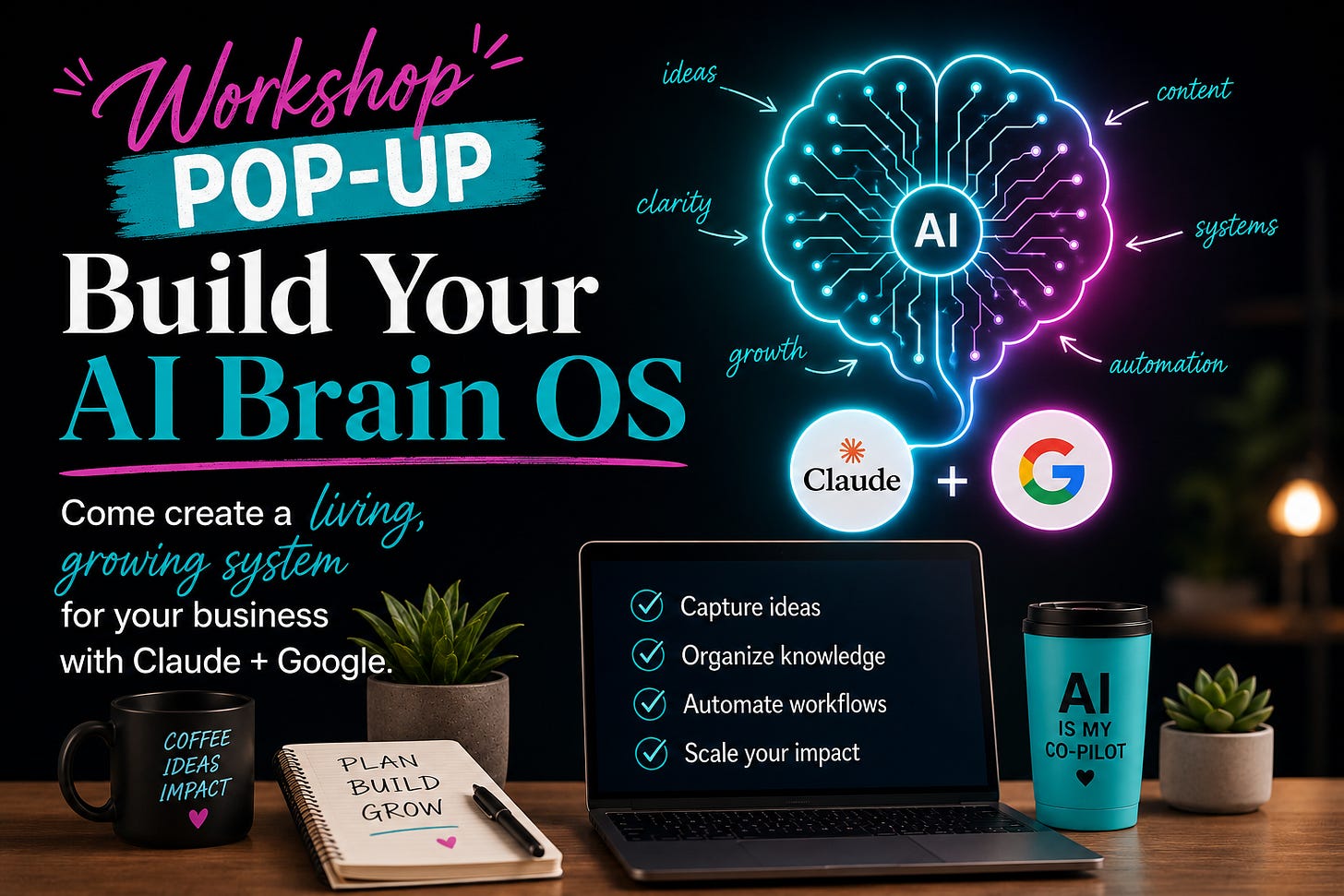
I’m teaching this live, this Friday, in a popup workshop called Build Your AI Brain OS.
Here’s what’s actually happening in the room. We connect Claude directly to your own Google Drive. We build your Brain OS live, your identity, your voice, your ideal client, your offers, all in one place Claude reads every single time. You walk out with a working system, not a recording to save and never open.
Friday, August 7 at 10am CT. $49. Live only, hands-on, built together, not a passive course. Recording will be available if you can’t attend live.
Two things to do before you show up: download Claude Desktop and download Google Drive on your computer. Both take about five minutes combined.
If you’ve ever felt like you’re the bottleneck in your own business, or like you know Claude could be doing more for you, this is the workshop for YOU!
Your Partner in AI,
Angelina
No posts
Comments
Nothing yet. Say the first thing.
Sign in to join the conversation.