
Welcome to the first issue of the AI Update from its new home, AI by Aakash. Please add this email to your starred or favorite senders, and drag into your main inbox, so it doesn’t get lost.
Every single person I’ve turned on to Claude Code and Claude Cowork has been happy I did. I really think it’s not an exaggeration to say:
They’re the most important new professional software created in years.
But the issue everyone runs into is starting with them. Today, I’m open-sourcing everything you need to start with them well. So you have no excuse!
That’s today’s deep dive.
But first, there’s been an absolute torrent of interesting AI news. I’ve crossed 200M impressions on X alone the past month covering it. And today, I’m bringing you the web’s highest signal summary of the last week. But first…

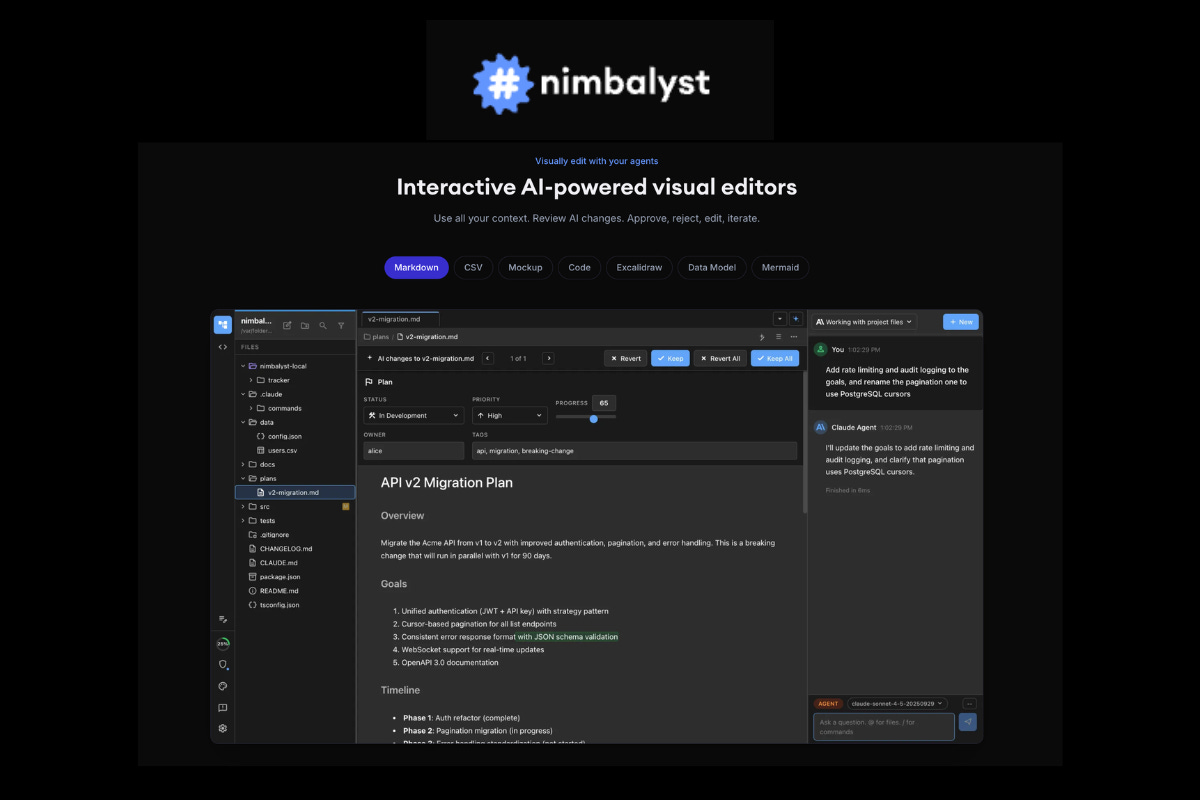
If you’re using Claude Code in the terminal, you’re missing half the picture.
Nimbalyst gives you visual editors for everything your agent touches. Markdown, CSV, mockups, diagrams, data models, code. You see exactly what the agent reads and edits, review changes as diffs, and approve before anything lands. No more switching between terminal, VS Code, and Figma:

There’s a million AI news articles, resources, tools, and fundraises every week. You can’t keep track of everything. Here’s what mattered - the 1 big story and key news.
Remember when Nano Banana went viral last August? Then Nano Banana Pro dropped in November with studio-quality output. Now Google shipped Nano Banana 2. And it combines the quality of Pro with the speed of Flash:
That makes it the biggest drop of the last week. The real story is three things that actually matter for builders:
1. Text in images finally works
If you’ve ever tried putting text inside an AI-generated image, you know how painful it was. Blurry, misspelled, wrong fonts. Every time. Nano Banana 2 can generate posters, banners, and infographics where the text is actually readable. It even handles translation across languages without breaking the layout. If you’re building anything customer-facing with AI visuals, this was the #1 blocker. It’s gone now.
2. The iteration speed is completely different
You can now test a bunch of variations quickly at low resolution, pick the one that works, and scale it up to 4K. The feedback loop that used to take minutes now takes seconds. For anyone doing product mockups, marketing assets, or even just exploring ideas visually, this changes how you work.
3. The API cost dropped 4x
It also pulls real-time web knowledge from Gemini during generation. So it can reference current events and real brand elements instead of hallucinating something from 2023. Surprisingly useful for marketing use cases.
If you read my Nano Banana Pro prompts, those all still work. Just better and faster now. The API is live. Go test it.
Anthropic told the Pentagon no. The Department of Defense wanted Claude’s safety limits removed. Anthropic walked away from a $200M contract. And it got labelled a “Supply Chain Risk” as a result. That hurts their enterprise deals, but hasn’t stopped them going from $14B to $19B ARR in about a month. It is one of the most effective consumer brand strategies in AI.
Perplexity is now integrated into all Samsung Galaxy S26 phones. Their Sonar API powers Bixby’s search. Samsung’s own assistant now runs on Perplexity’s infrastructure.
DeepSeek’s upcoming V4 model was trained on smuggled Blackwell chips. The DeepSeek narrative was always “2,000 H800 chips, $5.6 million, and Chinese ingenuity beat $100 billion in American spending.” That story just collapsed.
Perplexity launched Computer. Think of it as “OpenClaw for the less technical.” It orchestrates 19 AI models to complete entire workflows. You describe what you want done, it breaks it into subtasks, picks the best model for each one (Claude for reasoning, Gemini for research, Nano Banana for images, Grok for speed), and runs in the background.
Cowork got Scheduled Tasks. Claude stopped being software you talk to and became software that works while you sleep.
WorkOS raised $100M at a $2B valuation. They sell SSO and directory sync. Sounds boring until you see the customer list: OpenAI, Anthropic, xAI, Cursor, Perplexity, Replit, Vercel. Every company building next-gen enterprise software runs on WorkOS. That’s a bet on the entire AI application layer.
OpenAI raised $110B. The real signal is in two technical terms most people scrolled right past. Microsoft gets “stateless API.” Amazon gets “stateful runtime environment.” OpenAI just handed the growth segment to Amazon while leaving Microsoft with the architecture that’s becoming the commodity layer.

I pay for Google AI for Nano Banana + NotebookLM. Gemini itself is still much worse than Claude.
That’s because Claude Cowork and Claude Code are absolute powerhouses for any knowledge worker.
But the problem everyone runs into is starting with Claude is starting. So I’m open sourcing a free ‘0 to 100’ guide with 2 new Github repos today.
I’ve put together the ultimate startup guide for Claude Code and Cowork:
Building Claude’s Memory
5 Starter Skills
Claude Code Setup
Where to Go From Here
So let’s start with the new Import Memory feature:
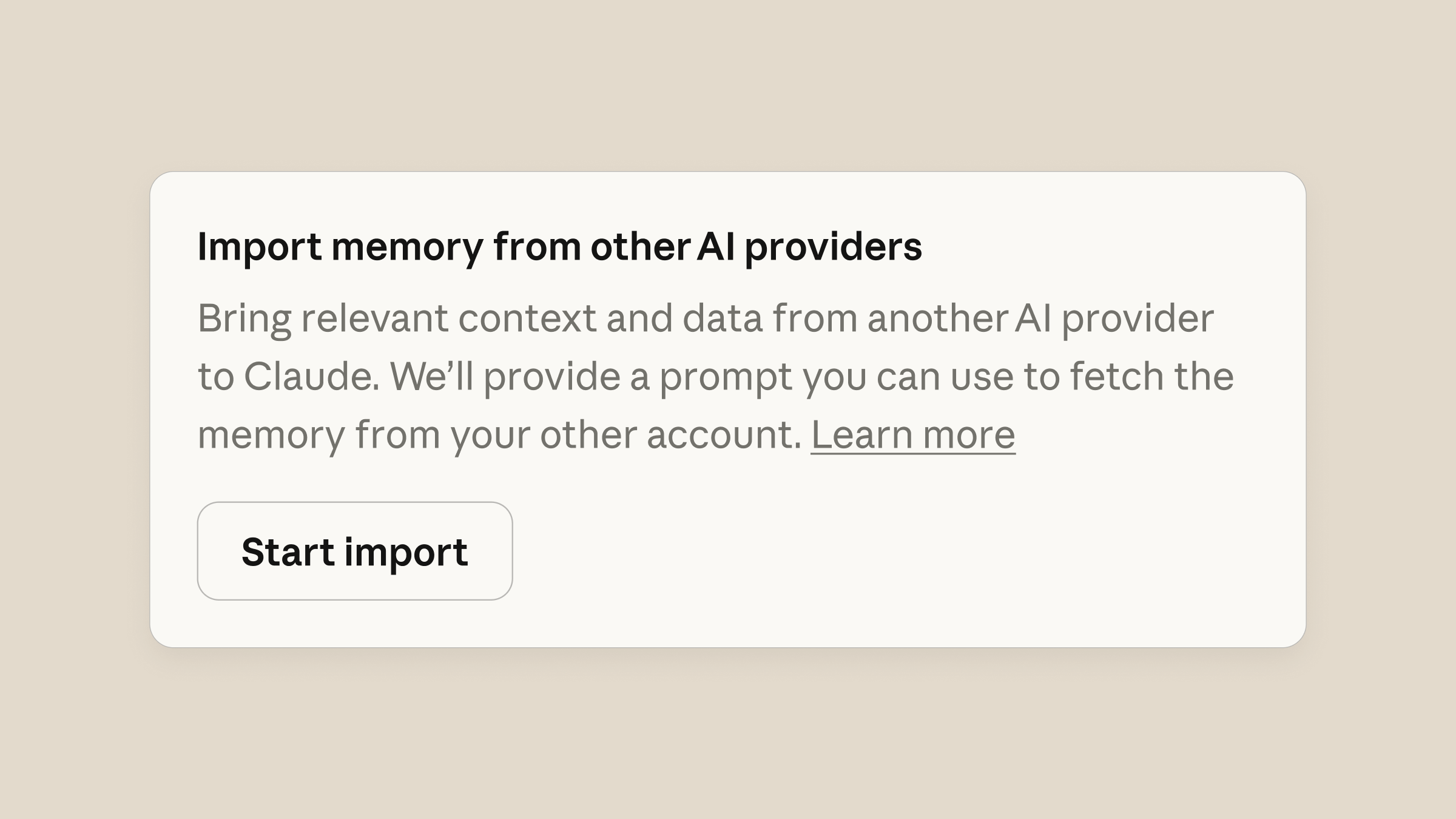
You go to Settings > Capabilities, find the Memory section, and select “Start import.”
It has you put this prompt into your existing AI (Google or OpenAI likely):
I’m moving to another service and need to export my data. List every memory you have stored about me, as well as any context you’ve learned about me from past conversations. Output everything in a single code block so I can easily copy it. Format each entry as: [date saved, if available] - memory content. Make sure to cover all of the following — preserve my words verbatim where possible: Instructions I’ve given you about how to respond (tone, format, style, ‘always do X’, ‘never do Y’). Personal details: name, location, job, family, interests. Projects, goals, and recurring topics. Tools, languages, and frameworks I use. Preferences and corrections I’ve made to your behavior. Any other stored context not covered above. Do not summarize, group, or omit any entries. After the code block, confirm whether that is the complete set or if any remain.Then you copy the results into Claude’s memory import feature (not a regular chat), and Claude will update its memory from your prior AI.
If you haven’t developed a memory with AI, open a chat with Claude and complete the following prompt:
I'm [name]
My most important goals are: [1. X, 2. Y]
I will be using Claude to [X, Y, X]
My profession is [X]
My biggest roadblock at work is [X]
One thing I want to get better at is [X]
Add this information to your memory about me so you can be my personalized AI copilot that 10x's my ability to reach my goals with the goal of model obsolescence and self-sufficiency.
This might seem like a small thing, but it makes a huge difference to the quality of the responses you receive.
The most important feature that Claude has is skills. This is the big differentiator from ChatGPT and Google.
ChatGPT Projects and Gemini Gems are just wrappers on top of their AI. Skills are how you actually train an AI to do work for you.
But most people struggle with starting with skills. So steal mine:
Setup takes 30 seconds:
git clone https://github.com/aakashg/pm-claude-skills.git
cp -r pm-claude-skills/skills/* /path/to/your/project/.claude/skills/
Open Claude Code. The skills load automatically.
As you can see on the Github, there are five of them:
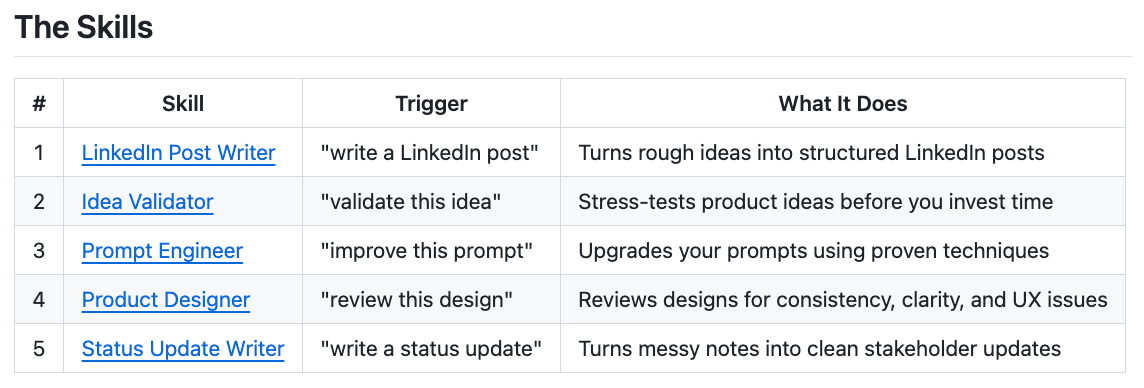
Here’s what makes skills different from just prompting Claude: consistency. A good skill encodes your exact workflow - decision points, output format, anti-patterns to avoid. It produces the same quality output on attempt 50 as attempt 1.
Skills ideally would be automatically invoked, but aren’t always, so when you want to use them say something like this in your prompt:
Use the LinkedIn Post Writer SkillThe repo also includes a SKILL-TEMPLATE.md so you can build your own.
I wrote a deep dive breaking down 6 additional skills with the reasoning behind each one and how I built them:
This is the one people have been asking about.
But you can’t accomplish real PM automation with a vanilla Claude Code setup. You need a CLAUDE.md file that gives Claude persistent context about who you are, how you work, and what you expect.
I iterated on mine over 100 times. Today I’m open sourcing the starter version: pm-claude-code-setup
What’s inside:
pm-claude-code-setup/
├── CLAUDE.md                           # Your persistent context file
└── .claude/
    └── skills/
        └── prd-writer/
            └── SKILL.md                # Your first skill
The CLAUDE.md file tells Claude:
Your role, company, and product (so it stops asking)
Your north star metrics (so recommendations align with what matters)
Your PRD structure (so every PRD follows the same format)
Your writing style rules (so output sounds like you, not a corporate AI)
Sub-agent roles — say “review as engineer” or “review as skeptic” and Claude shifts perspective
The PRD Writer skill:
Asks 3-5 clarifying questions before generating anything (this alone saves hours of back-and-forth)
Follows a strict structure: hypothesis, problem with data, strategic fit, solution, success metrics, non-goals
Flags gaps with
[NEED: data from X]placeholders instead of making things up
Setup in 60 seconds:
Clone the repo
Copy
CLAUDE.mdto your project rootCopy the
.claude/folder to your projectFill in the
[FILL IN]sections with your infoOpen Claude Code. It loads automatically.
That’s the difference between Claude guessing what you want and Claude knowing what you want.
I built a PM OS in Claude Code going much further down this path if you want to really upgrade your setup:
Start using Claude Cowork and Claude Code! They are incredibly powerful.
For Cowork:
Connect your company data
Use it to help you write something
For Claude Code:
Build an automated tool you need
Improve your Claude.MD file over time
You now are equipped to use some of the most powerful software ever created.
You are receiving this email because you were subscribed to Aakash’s Product Growth Newsletter, from where the first 15 issues of the AI Update were sent. I have now given it its own home.
No posts
Comments
Nothing yet. Say the first thing.
Sign in to join the conversation.