
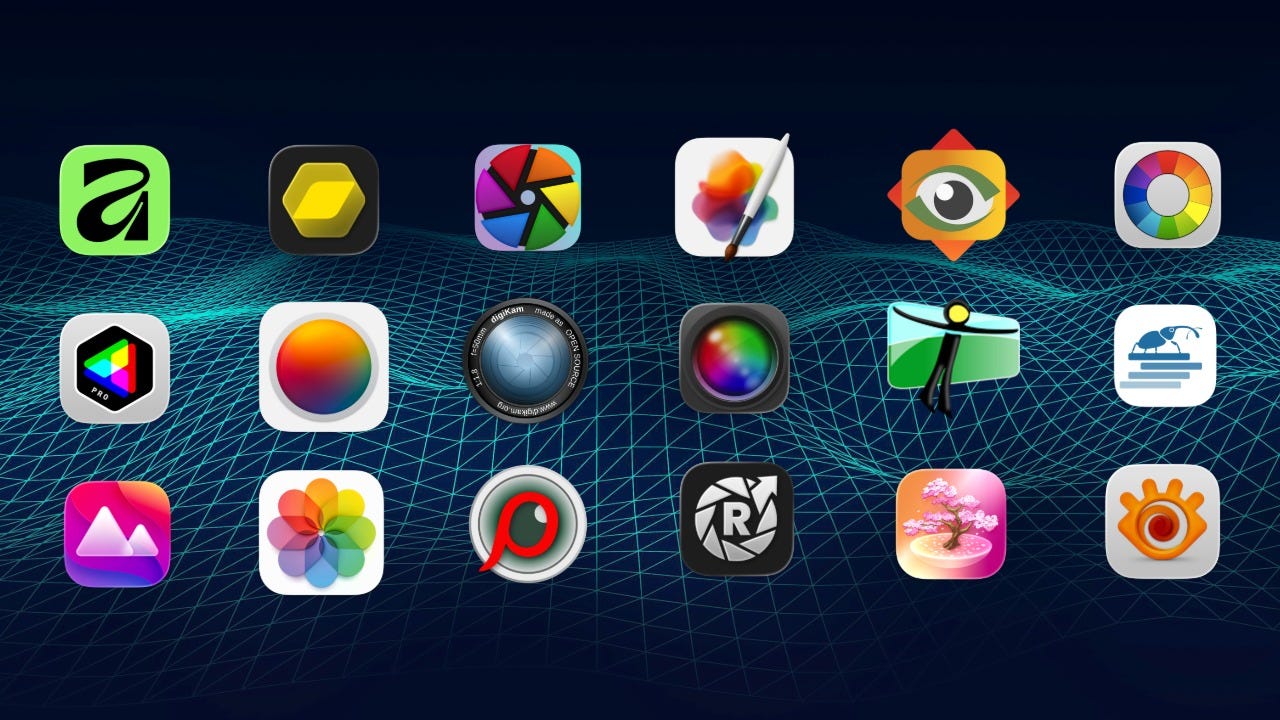
We live in a world of rapidly escalating costs where the only thing that isn’t rising faster than the price of goods and services, is wages. Specialist software, such as that used by photographers, has typically had a premium price point, and the move from single purchase to subscription models and single-year update windows for ‘perpetual’ software licenses has put the squeeze on us like never before.
But there are some great deals to be had out there and you do not have to spend hundreds of dollars on top tier photo editors that seem to get worse with every release.
I’ve put together a list of apps, every single one of which costs under 50 US dollars non-subscription, and I’m going to give each one a rating out of ten, because ‘industry standard’ is just another way of saying ‘you’re being mugged’.
RAW & Unfiltered - Photography in the Real World is a reader-supported publication. To receive new posts and support my work, consider becoming a free or paid subscriber.
The Free Ones
Let’s kick off this budget round-up of photo software by looking at those apps that will cost you absolutely nothing, both open source and otherwise.
Affinity
Canva caused a bit of a stir when they bought the much-loved trio of Affinity apps in March 2024 and then released a new glued-together app, simply called Affinity, in March 2025. 16 months later and the newly minted Serif team have worked to finesse this multi-talented app, with a long list of tweaks and improvements.
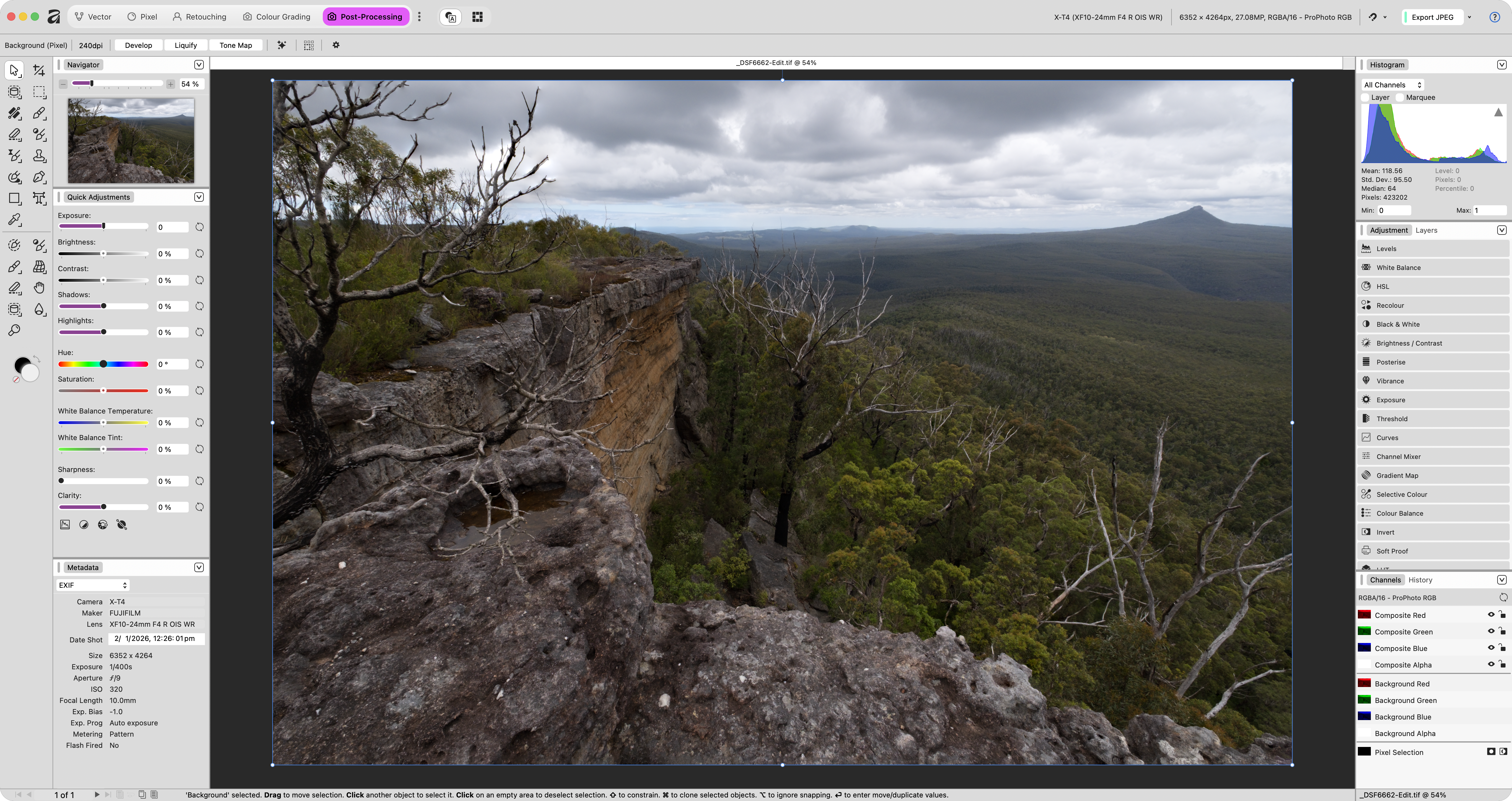
The Photoshop-like tools that were moved from the old standalone Affinity Photo are still present in Canva’s app and there have been some measured updates for photographers including new RAW develop tone curve options and a brand-new ‘light’ UI. You need a Canva account to use this app, but you can sign up free and use Hide-my-email if you don’t want to be pestered with marketing emails.
It’s a decent enough stand-in for Photoshop and is perfectly capable of taking an image from RAW to post-processed through its Develop and Pixel modules. Better still, it includes HDR merging, panorama stitching and focus stacking built in, features many considerably more expensive editors still don’t offer. While it lacks many of the AI tools photographers now expect, such as AI denoise, sharpening and masking, it’s an impressively complete traditional photo editor.
Do bear in mind though that it is purely an editor and has no asset management tools at all.
I give it a solid 8 out of 10.
Apple Photos (Mac Only)
Yes, we all desperately miss Aperture and perhaps Apple have plans for Photomator that they’re keeping under their hats, but if you want to keep your editing free and ‘in-house’, then Apple Photos is a great option. I rediscovered the editing tools in this built in photo organiser a few years ago and was blown away by how far they’d come since I last checked them out.
It has an excellent and fully built-out range of editing tools along with a couple of brilliant smart sliders that enable you to quickly dial in edits when you’re in a hurry. It even has an excellent smart removal tool which gave me better results than the one in DxO PhotoLab.
Further to all that, we’re a couple of months away from the latest version of macOS, Golden Gate, which will include an AI denoise tool, built into the OS, which promises to bring pro-grade AI denoising to the desktop for free.
It’s a very under-rated tool, it’s built into every single Mac and if you don’t need fancy colour grading tools or AI masks, it’s a highly competent little editor.
I give it 7 out of 10 and if the new denoise is as good as it looks that score will go up.
Darktable
If there’s a more contentious photo editor than Darktable, I’ve yet to hear about it. This venerable open source app has been kicking around for about 16 years now and is a great option for RAW photo editing if you thrive on adversity and hate simple interface designs.
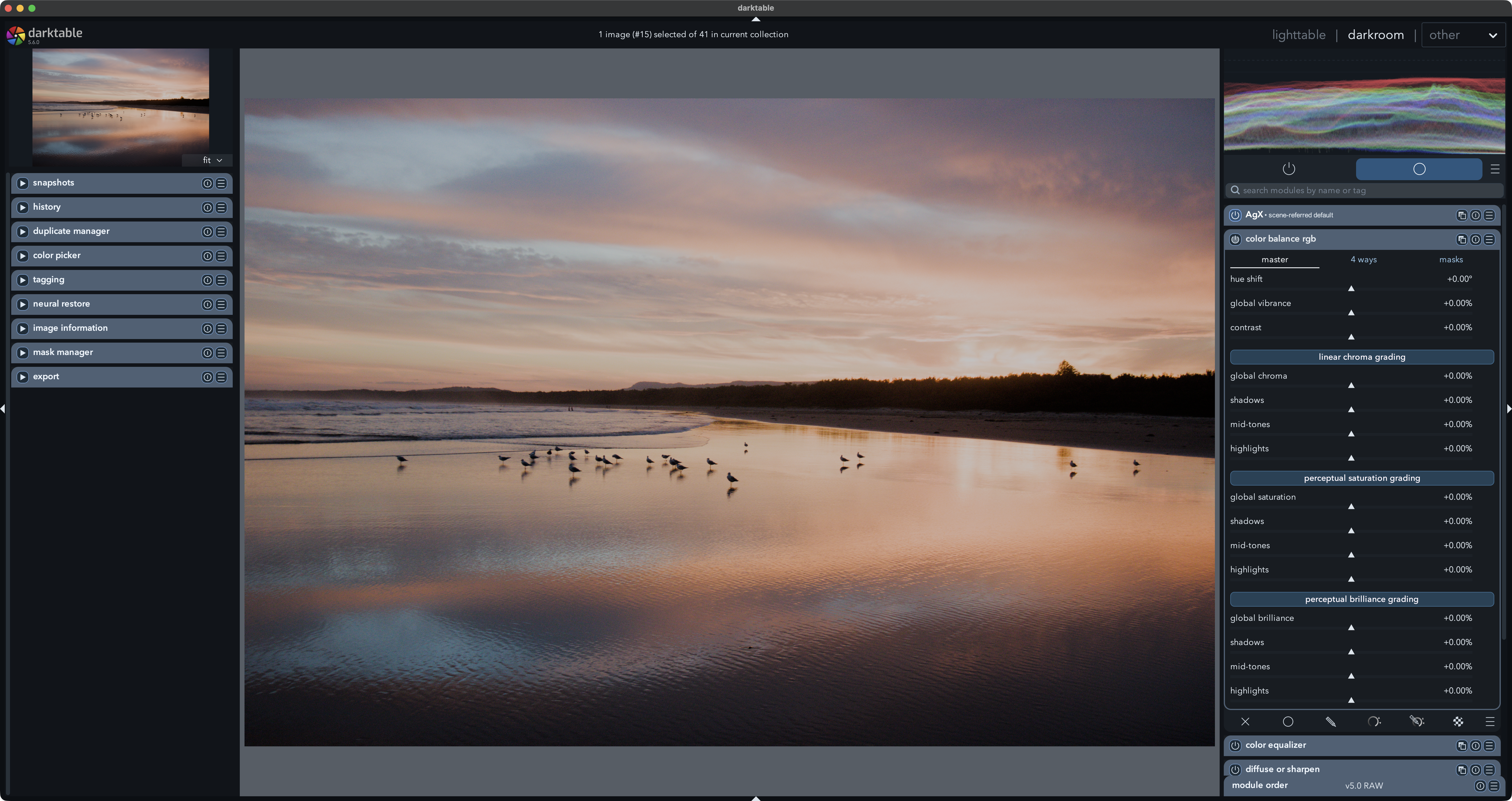
There’s no doubt whatsoever that darktable is a powerful app, capable of producing results on a par with any of the top tier commercial apps, but its modular design, shit-awful interface and unrelentingly scientific language usually manages to alienate new users within minutes of first opening the app.
darktable is built around a scene-referred workflow which means that tone-mapping (displaying the photo on your monitor) happens at the very end of the pipeline, rather than the start as with an app like Lightroom. And if you don’t know what the benefits of that are, or more likely, don’t care, then this isn’t the app for you.
I give it 7.5 out of 10 for sheer bloody-mindedness.
RapidRAW
I’ve been following this particular app since the young Swiss developer announced it on Reddit in July 2025 and have watched it slowly mature into a capable and speedy RAW editor. In terms of a RAW editing tool, the app comes well equipped with a standard load-out and a few surprise features you won’t find on commercial editors such as AgX, an alternative to traditional tone-mappers.
Recent releases have seen an emphasis on performance and fixes, which is welcome since the first year was basically a headlong rush to add new features. In the latest release there’s a surprisingly competent AI generative fill tool with decent inpainting capabilities, though those generative features do require a janky install via a terminal.
There’s still plenty of work to do, ‘little’ things like lens profiles, so I give it 6 out of 10 for proving everyone wrong.
Shinestacker
github.com/lucalista/shinestacker
Shifting gears slightly for a moment is Shinestacker, an open source focus stacking tool that’s perfect for macro shooters who don’t fancy spending a couple of hundred bucks on Helicon Focus. The app was developed by a university professor for his scientific work, but it’s simple to use and offers outstanding results.
I give it 6.5 out of 10.
DigiKam
If you’re looking to move away from the expensive commercial apps then the choices for managing your photographs are somewhat limited. DigiKam has been fighting the good fight for open source asset management for over 25 years, originally just on Linux, but more recently on Windows and Mac.
It’s a bit of bumpy landing if you’re moving over from something like Lightroom, but after a couple of decades of development is a well rounded app with advanced features such as face recognition.
I give it 6 out of 10.
XnView MP
It might sport an interface that looks like it was designed in 1998, but XnView is a full-featured and capable asset manager with a surprisingly built-out (if counterintuitive) set of processing tools. It’s fast, does batch processing, has a duplicate search tool, comprehensive metadata editing and face-tagging.
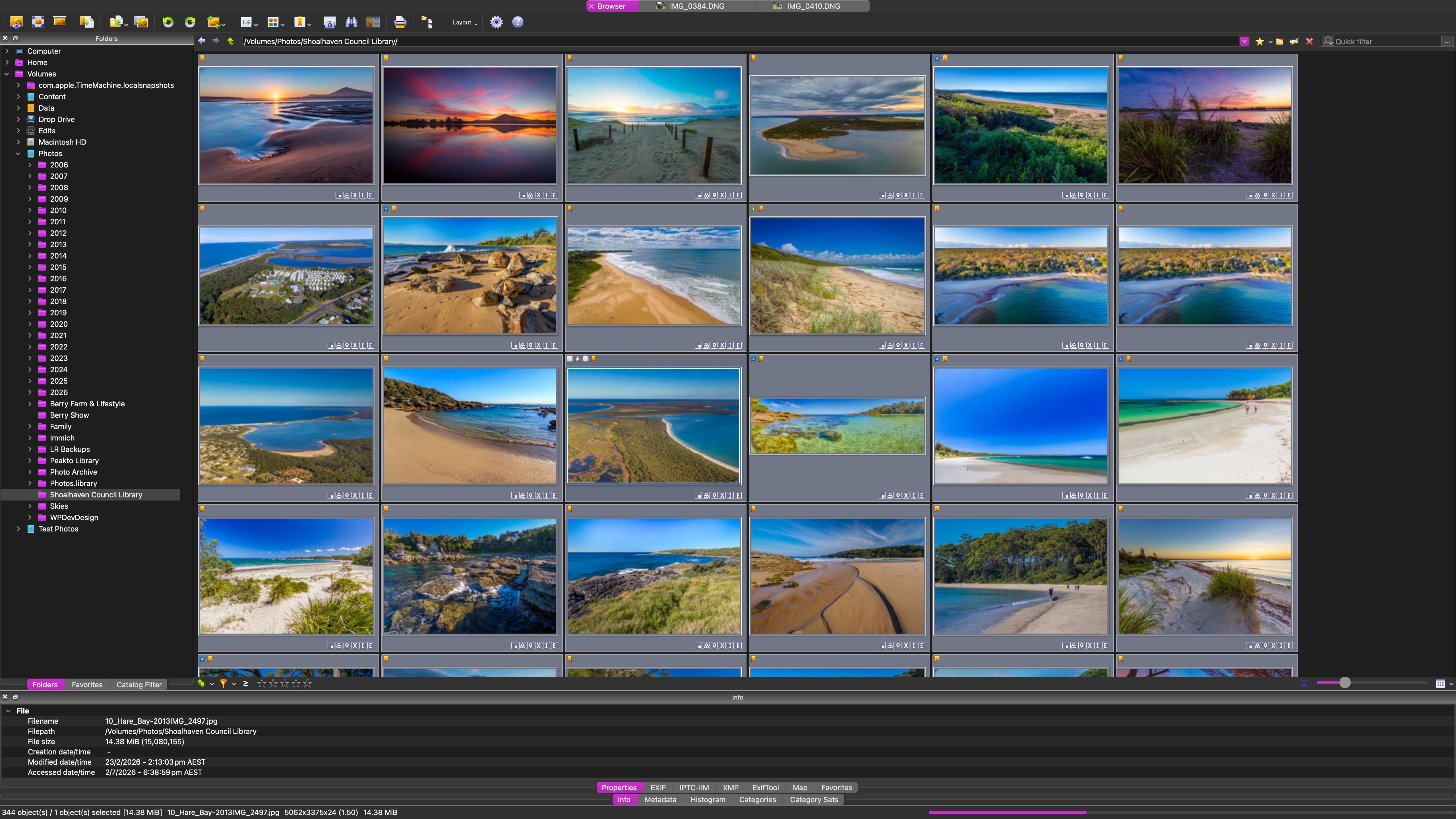
It’s a solid staging location for your photo archive, cross-platform and with a great export pipeline into the bargain.
I give it a 7 out of 10 for speed, but not for looks.
RawTherapee
Darktable might hog the headlines, but there is another open source RAW editor that’s been around for nearly as long and which is just as capable (and potentially confusing). RawTherapee is a more traditional photo app with a basic file manager but an extensively built-out RAW processing engine. What it shares with darktable is an emphasis on a science-heavy toolset, so if you find a curves tool too technical, I’d give it a miss.
There is an extremely comprehensive range of tools built into the main modular workspace and a weird spot-based masking tool that’s like PhotoLab’s uPoint masks if someone crossed them with a graduate thesis in computational geometry.
I give it 7 out of 10 because there’s a little flower motif at the bottom of the sidebar.
Hugin
When I tested this open source panoramic stitching app last year I found that it managed to successfully merge pano batches that even PTGui struggled with. Unfortunately it has an interface that looks like it was designed by North Koreans and a spectacularly unreliable release history that means it’s basically pot luck as to whether it will run on your PC or Mac.
I give it 6 out of 10 because even getting it to run feels like an achievement.
Nikon NX Studio
downloadcenter.nikonimglib.com
None of the photo editors supplied by the big camera brands are much to write home about, but Nikon’s NX Studio is about the only one I’d actually consider using, assuming I actually owned any Nikon gear. Nikon owners often mention it in the comments, so out of interest I downloaded it and tested it on some sample .NEF RAW files and can confirm that it’s actually a pretty decent (if quirky) editor.
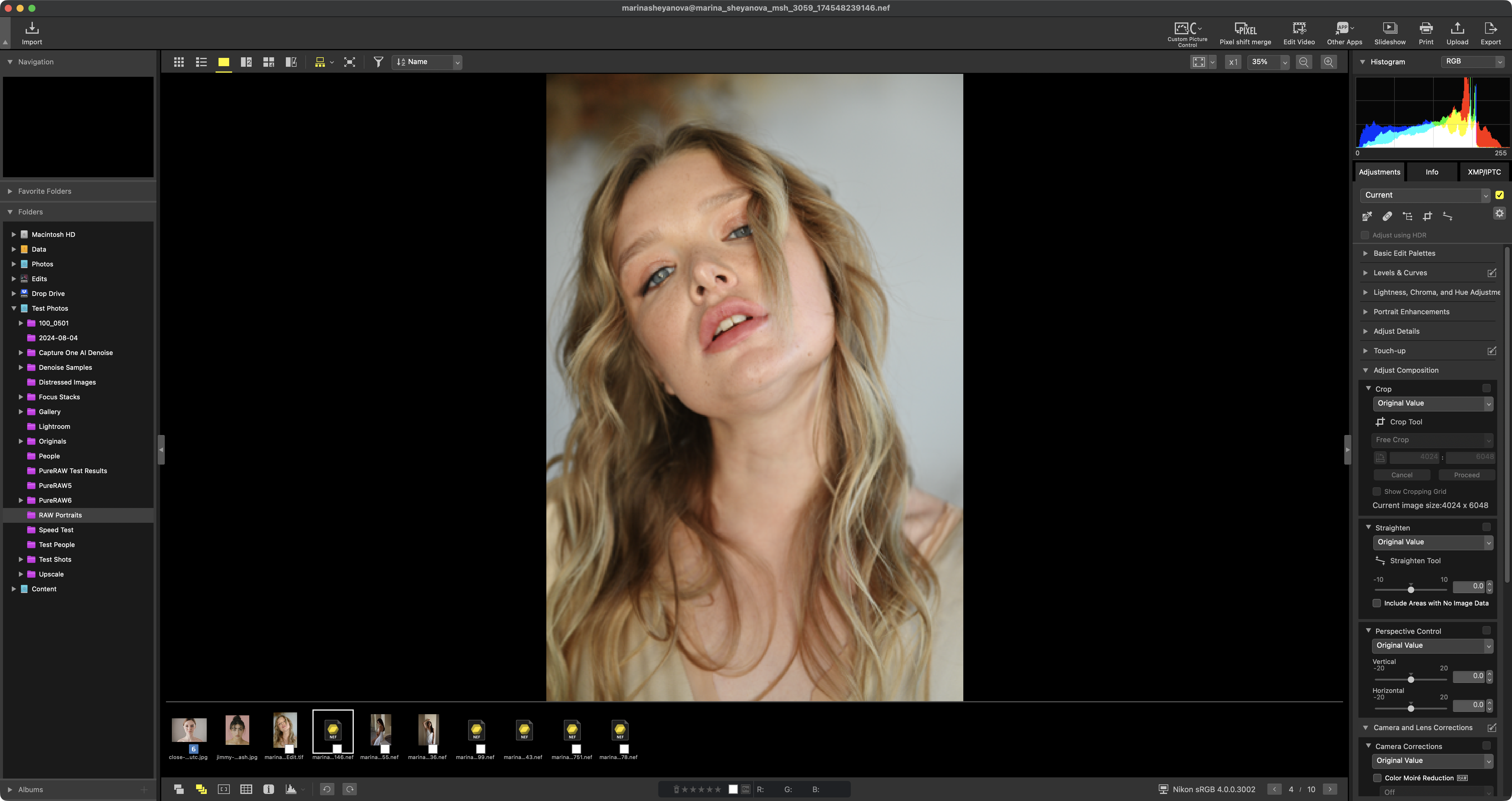
I can’t say I’d ever use it if I also had access to Lightroom, PhotoLab or Capture One, because while there’s certainly a comprehensive suite of traditional RAW tools in there it lacks features like masking, AI-powered noise reduction and some of the more advanced workflow tools found in the premium editors.
I give it 6.5 out of 10 because it has a nice icon.
The Ones Under $50
Those then are the apps that are completely free. Now we’re going to look at the paid-for apps, everything in this list is under $50 and subscription-free.
FastRawViewer
The unique selling point of this particular app, the feature that’s front and centre on their website, is that it displays the actual RAW data, not just the embedded JPEG preview. Whoop-de-doo, you might be saying, but there’s actually an important point to be made.
Many photo browsers and asset managers use the JPEG preview embedded inside the RAW file because it’s much faster to display. The trouble is, that JPEG has already had the camera’s processing applied to it, so it may clip highlights, crush shadows or apply noise reduction that isn’t actually present in the RAW data.
FastRawViewer shows you the RAW itself, meaning you’re making keep-or-delete decisions based on the image you’ll actually be editing, not the camera’s interpretation of it. It gives you a genuine RAW histogram and exposure warnings based on the sensor data, so you’re judging clipping and dynamic range from the original capture rather than a processed preview.
It’s also a fairly decent asset manager with a built-out range of tools for culling and managing your shots. It has no editing tools and the interface is ‘functional’, but the core premise is spot-on. If you’re looking for a tool to sit between your SD card and your photo editor, it does that job surprisingly well.
I give it 6.5 out of 10 for championing menus, not toolbars.
Pixelmator Pro (Mac Only)
Pixelmator and its RAW photo editing sister-app Photomator are now part of the Apple family of apps and while it has been made a part of the new subscription Creator Studio suite, you can still buy this app outright for a very reasonable 50 bucks. Similar core RAW processing tools from Photomator can be found in Pixelmator, but in terms of its tool-set it’s more like Photoshop while Photomator is more like Camera RAW.
The app has excellent masking capabilities, including AI subject masks and great retouching tools such as clone, repair and remove. The Super Resolution tool is one of the better implementations and you also get denoise, demand and background removal.
Given how Apple have placed this app at the centre of its Creator suite, its future is assured and it will only improve.
I give it 8 out of 10 for its good looks and deep functionality.
CameraBag Pro
CameraBag Pro pioneered a reorderable modular editing pipeline for still photography years before DaVinci Resolve brought its node-based colour grading workflow to photos, but (before the Davinci cheer squad lay into me) CameraBag uses a linear chain of adjustment tiles rather than a true node graph. That’s not a bad thing as far as I’m concerned, it greatly simplifies what really should be a simple pipeline.
It has both AI upscale and AI denoise, both of which are mature features, first added in 2024, and recent releases have seen a heap of speed and tool enhancements. It has a full and complete suite of editing tools and a unique interface that you get used to surprisingly quickly.
But what I really like about CameraBag is that it’s an attempt to redefine the classic photo editor with a heap of innovative features and design touches.
I give it 8 out of 10 for daring to be different.
FastStone Image Viewer (Windows Only)
The retro look and feel of FastStone can be explained by its age, it’s been kicking around for over twenty years while everybody else was busy inventing AI-powered subscription plans. FastStone is a Windows-only image browser, organiser and lightweight editor that’s free for personal use and has amassed something of a cult following among photographers.
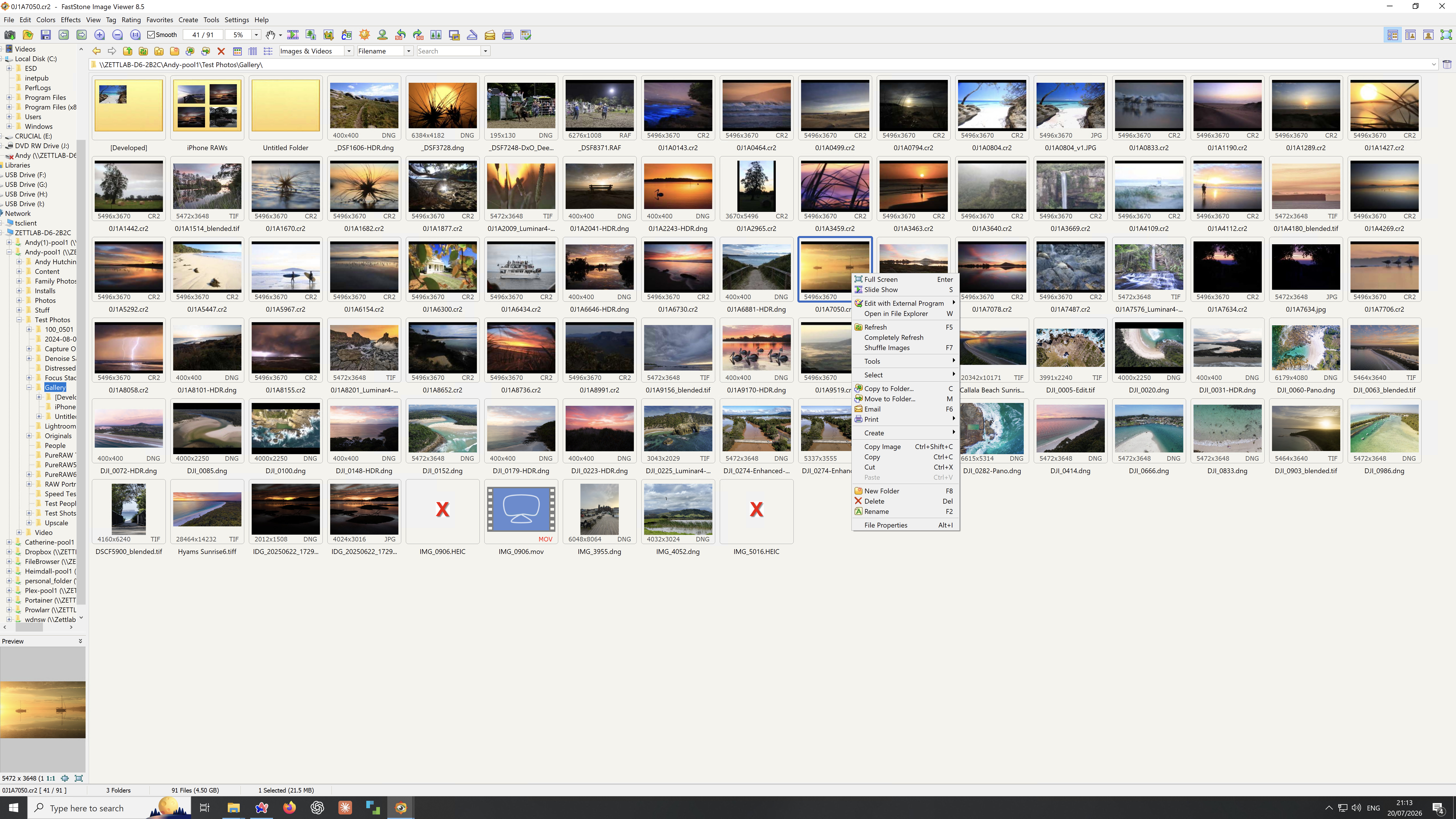
Don’t download it expecting Lightroom or Capture One, instead you get a fast browser, side-by-side image comparison for culling, ratings, tags, batch processing, histograms, RAW support and a surprisingly capable collection of editing tools including curves, levels, clone, healing and colour adjustments. It even has one of the nicest full-screen browsing modes I’ve used, with hidden panels that pop out from the edges of the screen when you need them.
The interface is unglamorous, but it’s stable, mature and if you’re a Windows photographer looking for a fast all-round photo browser with a few editing tricks up its sleeve, it’s easy to see why so many people swear by it.
I give it 7 out of 10 for refusing to have an identity crisis.
Musebox (Mac Only)
While this app does have a very basic selection of RAW editing tools, Musebox is an asset manager and not a serious photo editor. You can import your photos from multiple sources, create incredibly granular file organisation presets and utilise powerful smart albums to quickly catalogue and find your photos when you need them.
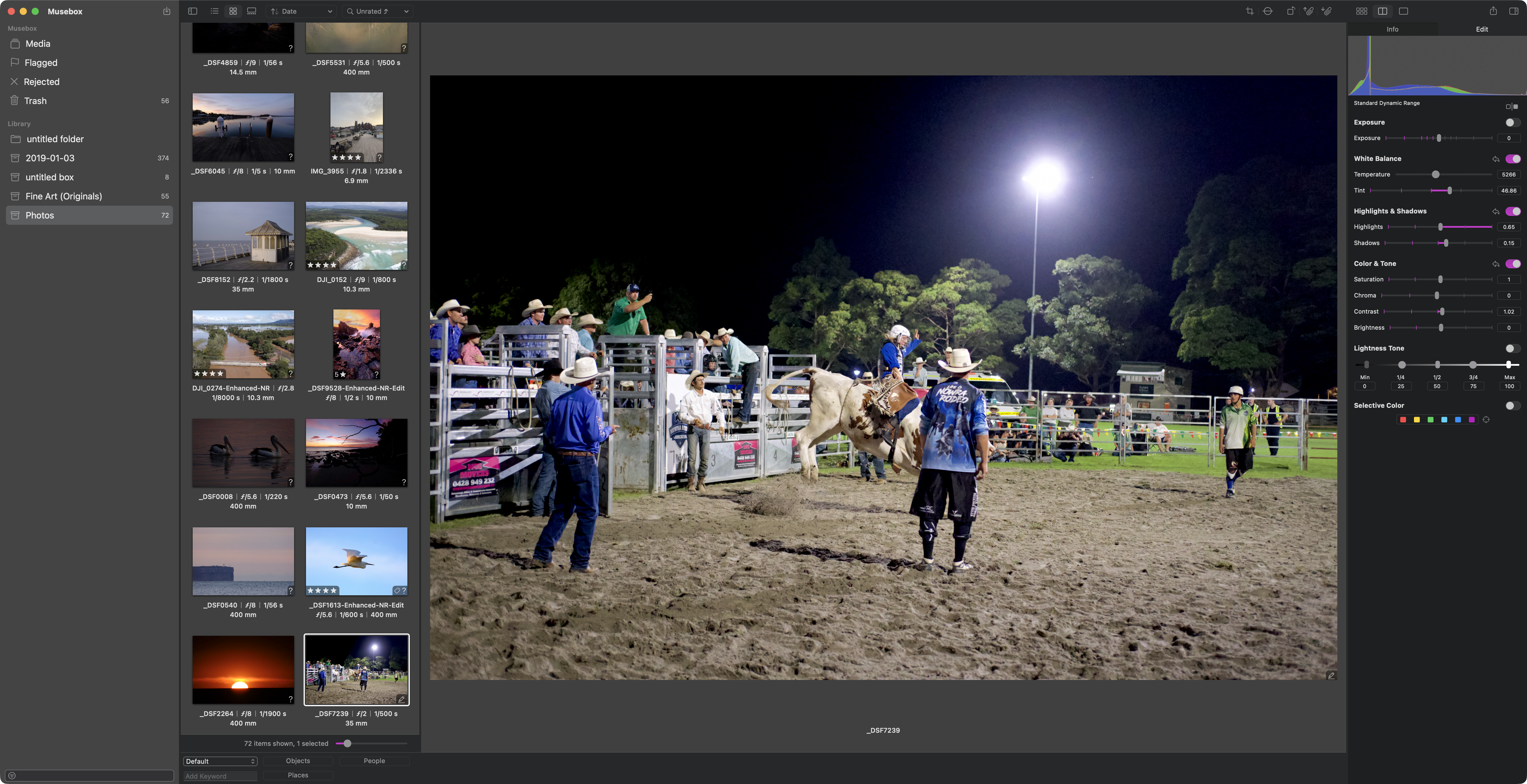
It’s an unfussy app, built with a lot of care and attention and it doesn’t pretend to be anything it’s not.
I give it 7 out of 10 for sticking to its guns.
PIXLpath
Another asset manager that I’ve previously reviewed, PIXLpath is a lovely looking app with one colossal flaw that makes it harder to recommend. While it has similar bells and whistles to Musebox, search, filters, tags, batch tools and basic maps functionality, it doesn’t import XMP/IPTC metadata, meaning anyone with an existing library would have to recreate all their ratings, keywords, and labels from scratch.
On top of that: filename-only search (hello 2005), manual app registration, and an auto-sync feature that, if it got confused about a missing file, would cheerfully nuke your metadata.
I give it 5 out of 10 for losing the plot.
Couple of Subscription Apps
Before we wind things up, I have kept strictly to a free or single purchase rule for this round-up, but I thought I’d give a quick mention to a couple of apps that are subscription-based but under $50 per year.
Photomator
There’s been radio silence from Apple regarding Photomator ($50 per year) which means one of two things: they only wanted Pixelmator and are just maintaining Photomator, or they’re working behind the scenes to turn it into a future Aperture. Either way, it’s always been one of my favourite traditional style editor apps, with a beautiful interface, lovingly designed sliders and just the right number of features to keep you honest in your photo edits.
I give it 8.5 out of 10.
Darkroom
A $50 annual subscription for Darkroom will get you Mac, iPhone, iPad and Vision Pro apps into the bargain, which greatly sweetens the deal as far as I’m concerned. It’s a powerful RAW editor, with a streamlined and useable interface, a full suite of AI masks, strong asset management chops, a huge number of excellent presets, strong colour grading tools and wide-ranging RAW support.
I give it 7 out of 10.
Comments
Nothing yet. Say the first thing.
Sign in to join the conversation.