
Hey there! This is a 🔒 subscriber-only edition of AI-First Designer 🔒, to help designers transition into successful AI-First builders. Members get access to proven strategies, frameworks, and playbooks.
🎉 HUGEEEEE NEWS: We released ADPList’s entire design + AI + career course archive for free! This library includes 50+ masterclass videos (with top speakers and real examples). Content that covers everything from AI-first design to career growth ⭐️, all already waiting on the site!
All of it. Free. No paywall.
Get access to 50+ free masterclass
Friends, 👋
Anthropic just shipped Claude Design, and Figma’s stock dropped the same week.
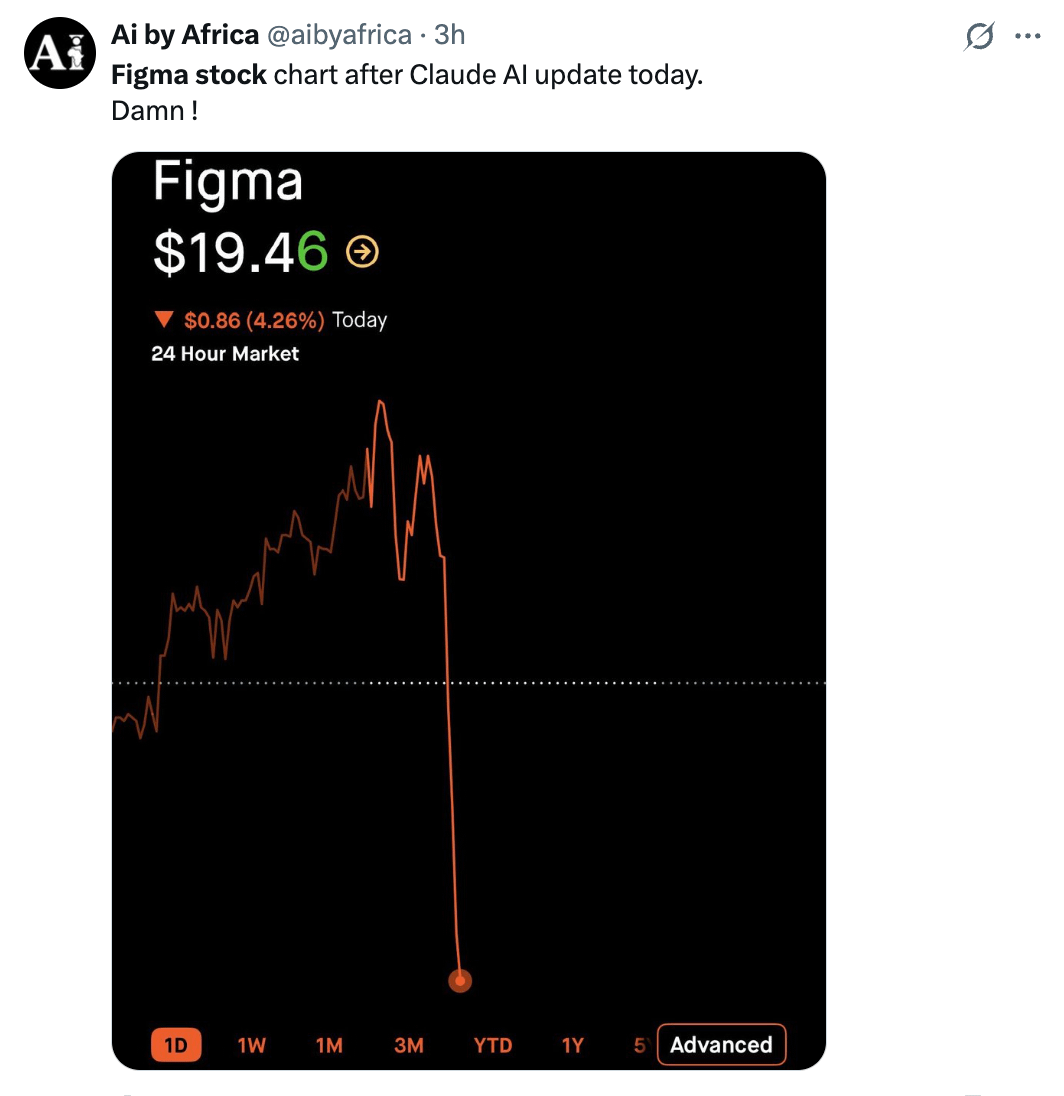
I’ve been inside it since it launched on April 17th, and here’s my honest take:
This isn’t “another AI design tool.” It’s the first time I’ve watched a prompt generate something I can actually ship to production.
For designers in tech, this is the biggest workflow shift since Auto Layout. If you’re still pitching execs with static Figma mockups while your engineers are shipping with Claude Code, you’re about to get lapped.
This is everything you need. Set up in 15 minutes: the exact prompts I use and the 3 use cases quietly replacing design agencies.
Let’s go…
What Claude Design actually is
Two panels. Chat on the left. Live canvas on the right. You describe. Claude builds. You refine.
It runs on Claude Opus 4.7 (Anthropic’s strongest vision model), lives at claude.ai/design, and ships on Pro, Max, Team, and Enterprise.
What makes it different from v0, Lovable, or Figma Make:
It reads your codebase and learns your actual design system, not generic “corporate blue.”
It exports to Canva, PDF, PPTX, HTML, or straight into Claude Code for engineering
It does prototypes, decks, landing pages, 3D, video, and internal tools, all in one canvas
It packages a design for Claude Code with a single click (the killer feature)
The receipts: Brilliant says pages that took 20+ prompts in other tools now take 2. Datadog goes “from rough idea to working prototype before anyone leaves the room.” Canva is a launch partner; you push finished work straight into their editor.
That’s the bar. Now let’s set you up.
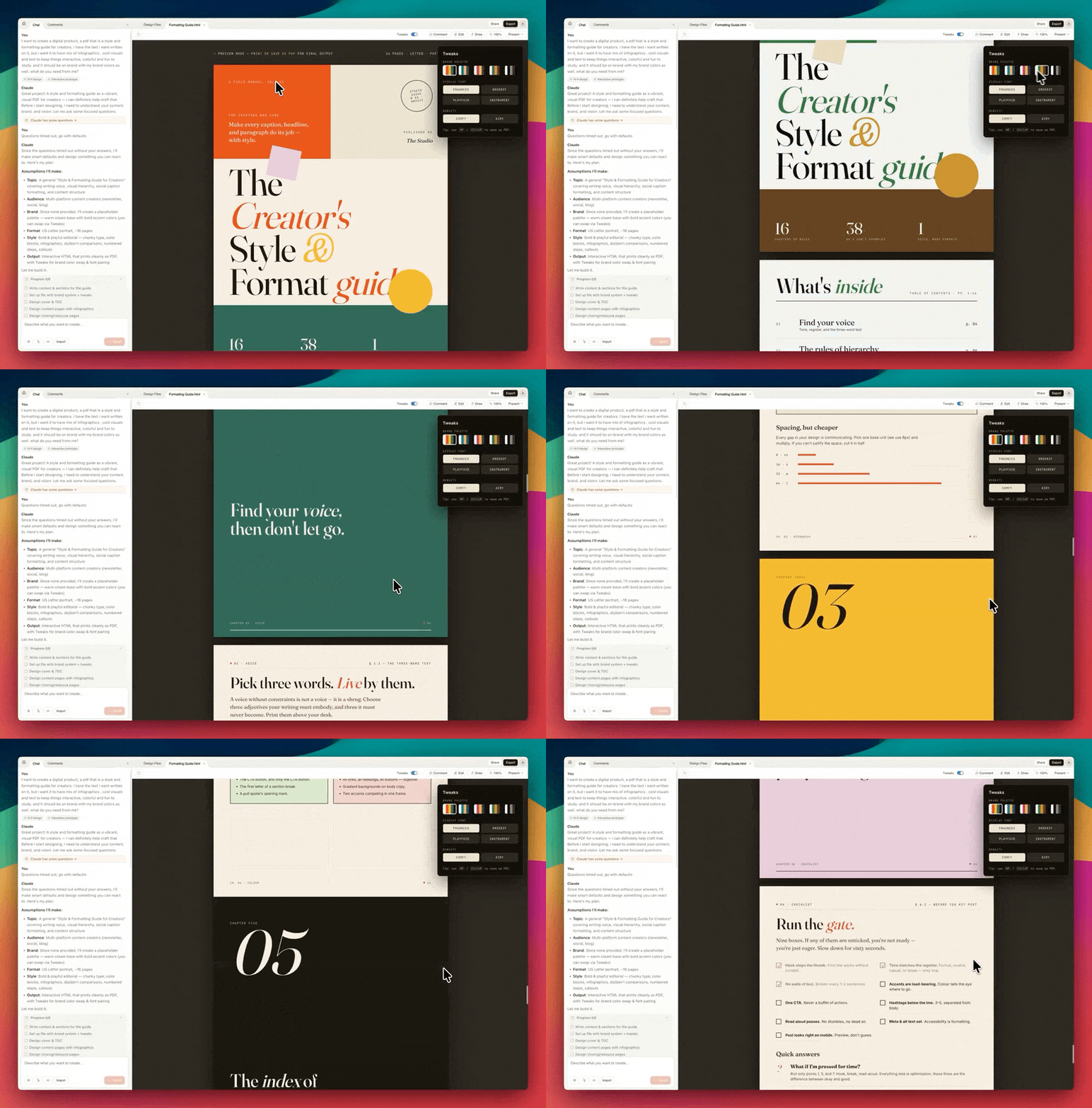
🦞 Part 1: Setting it up (do this once)
Most designers will skip this step and wonder why their output looks like AI slop. Don’t be that person. 15 minutes now = every prototype afterward inherits your brand automatically.
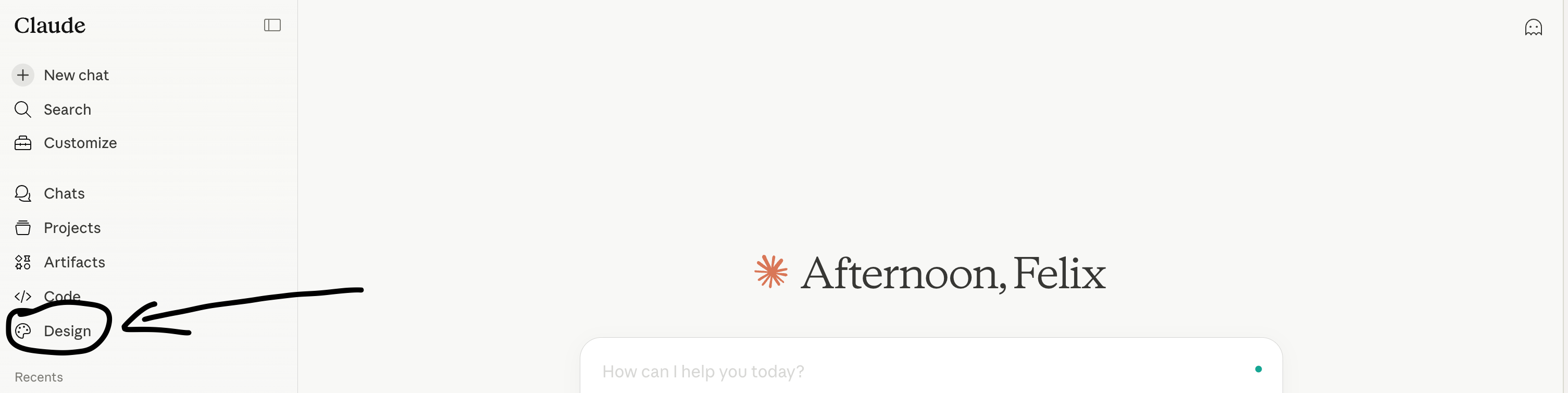
Step 1: Turn it on
Go to claude.ai/design. Pick your role: Design, Eng, PM, Marketing. This shapes the prompt suggestions Claude gives you throughout the session.
If you’re on Enterprise, Claude Design is off by default, your workspace admin has to flip it on in admin settings. Ping them now, don’t wait.
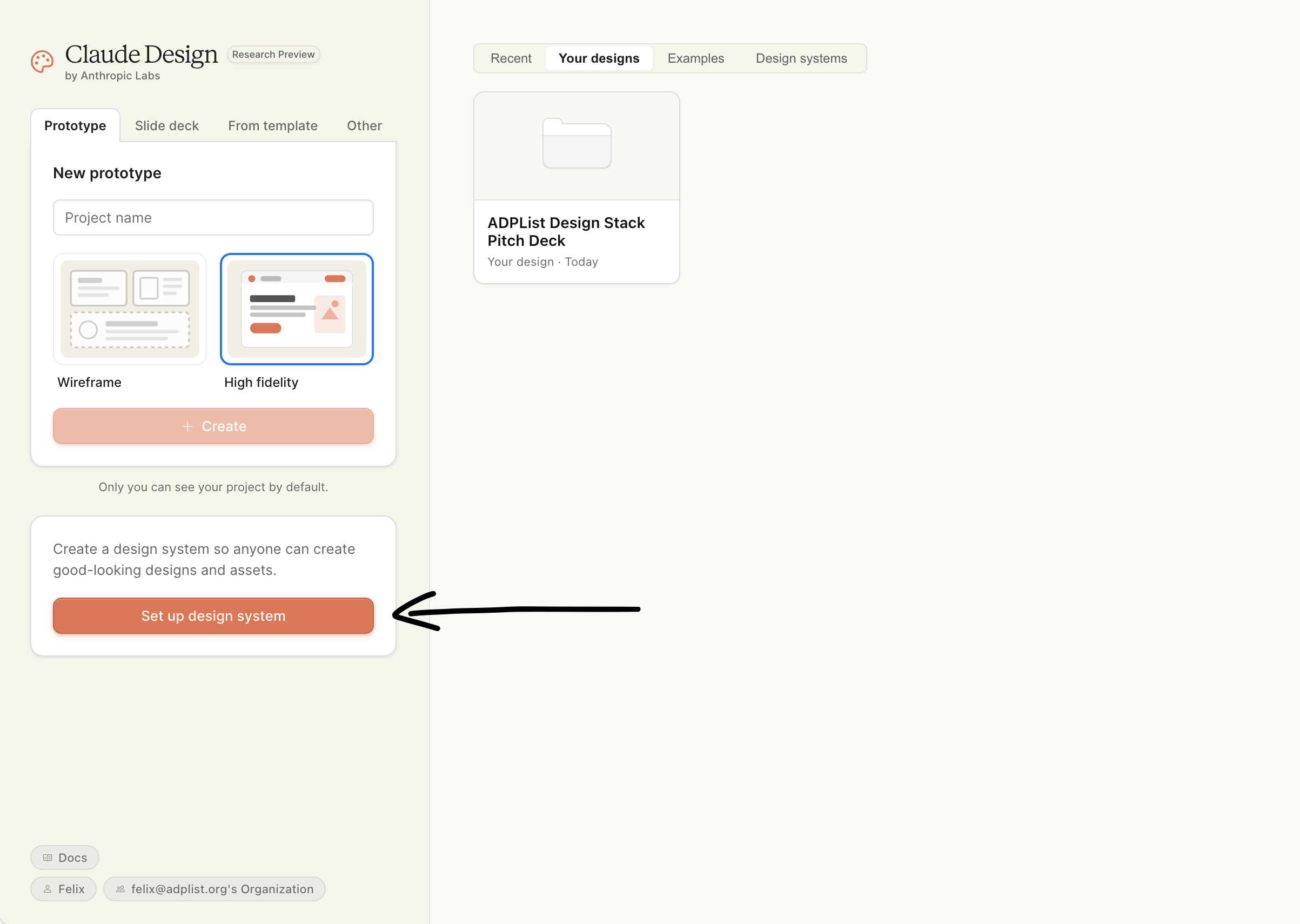
Step 2: Feed it your design system
This is the step that separates “AI slop” from “that actually looks like our product.”
You have three paths:
GitHub repo → Claude reads your codebase, extracts colors, typography, components. Best for teams with a design system in code.
Local folder → Drag-and-drop. Same result, no GitHub required.
Brand assets → Upload fonts, logos, and a color palette. Fine for solo builders and pre-launch.
Pro tip: if you’re on a monorepo, don’t point it at root. Link a specific subdirectory like /packages/ui. Otherwise it chokes on scale.
Second pro tip: you can maintain multiple design systems. I keep one for ADPList’s product UI and one for our marketing site. They have different rules, different type scales, different personalities. Switch between them on a per-project basis.
Second pro tip: you can maintain multiple design systems. I keep one for ADPList’s product UI and one for our marketing site. They have different rules, different type scales, different personalities. Switch between them on a per-project basis.
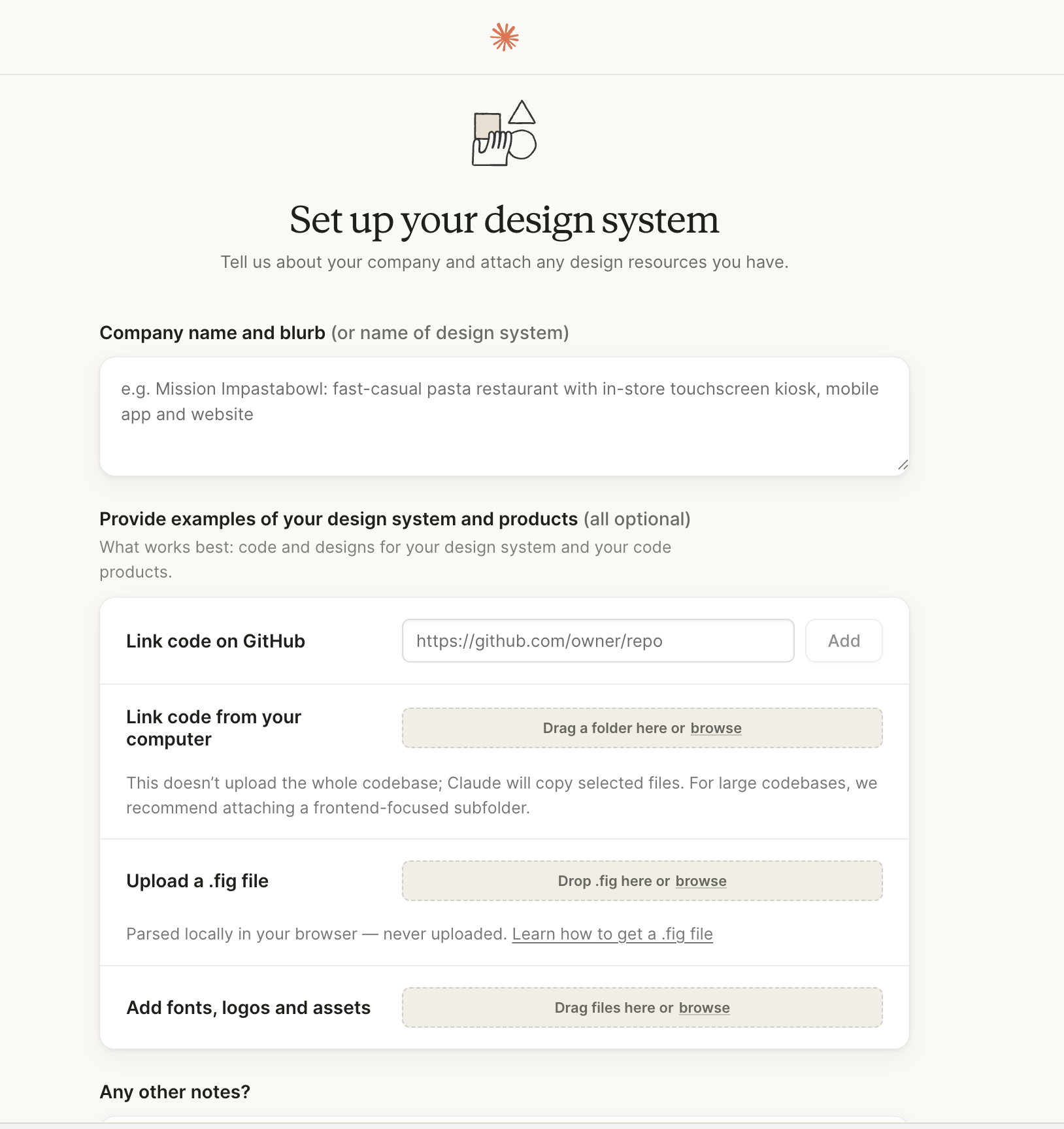
(a video source: @nozmen on how Design System works in Claude Design)
Step 3: The prompt structure
The biggest mistake designers make is writing prompts like Midjourney. Aesthetic-first, vibes-heavy. Claude Design wants product context, not vibes.
Here’s the template I use every single time:
Goal: [what you’re building and why] Audience: [who uses it, on what device, in what context] Content: [what info to show] Layout: [how it’s arranged, grid, flow, hierarchy] Feel: [reference a product, “like Linear’s sidebar”]
A real prompt I ran this week for an ADPList test:
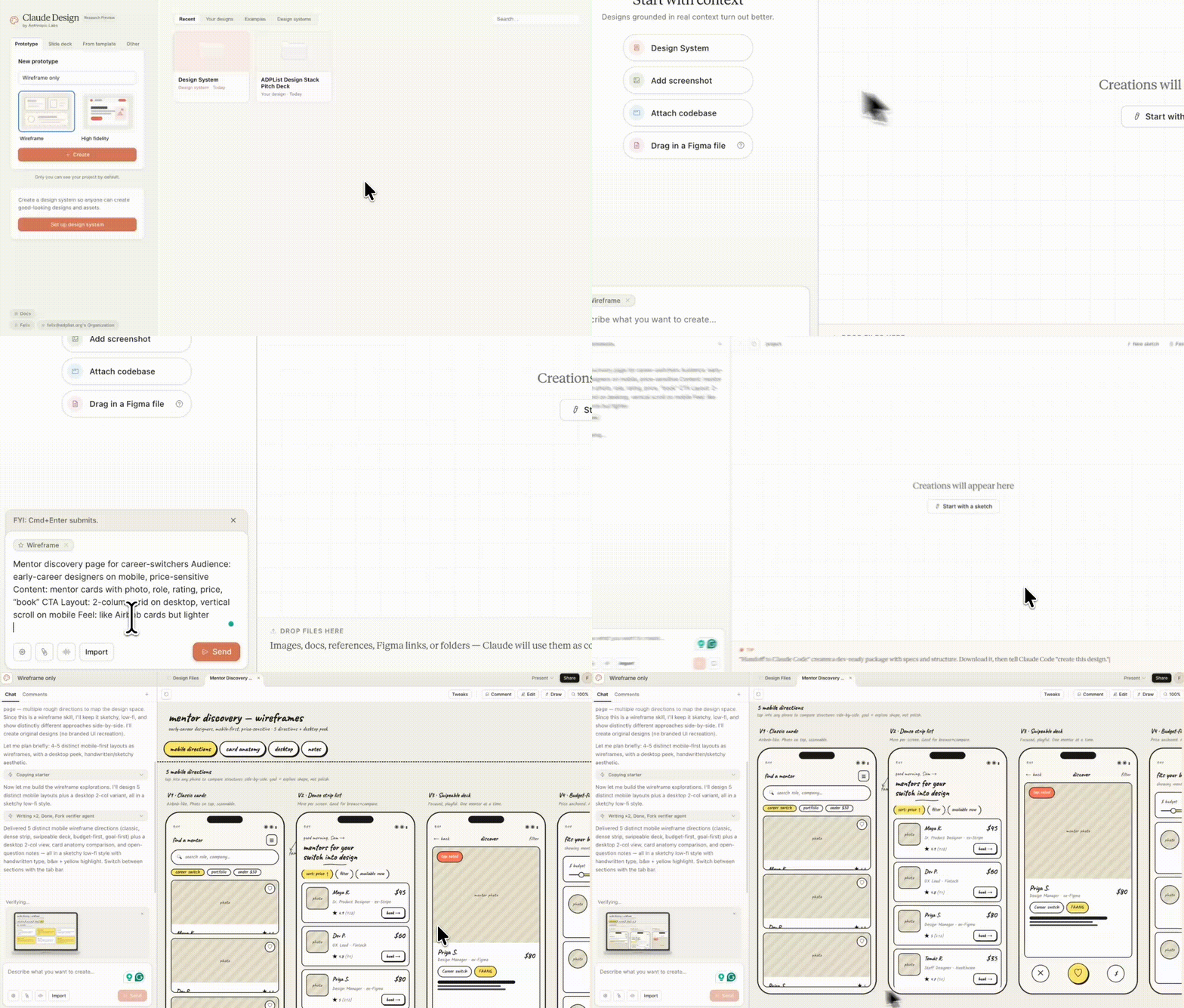
Goal: Mentor discovery page for career-switchers Audience: early-career designers on mobile, price-sensitive Content: mentor cards with photo, role, rating, price, “book” CTA Layout: 2-column grid on desktop, vertical scroll on mobile Feel: like Airbnb cards but lighter
Three variations back in under a minute. One was shippable.
Why this template works: Claude Design is trained to think like a product designer, not a graphic designer. It wants constraints the same way a senior designer would ask for them in a brief. Give it those constraints upfront and you skip 4-5 refinement rounds.
A sample of an ADPList mobile app wireframe in the 90s (see this!)
Step 4: Refine like a designer, not a prompter
Three refinement tools. Use the right one for the job:
Comments
Nothing yet. Say the first thing.
Sign in to join the conversation.